



Nail salon software: how to run an efficient studio in 2026
You became a nail technician for the work at the table, not to dig booking requests out of your Instagram inbox at night or to sort receipts at the end of the quarter. Yet that is exactly where the hours go in many nail studios: messages arriving between two appointments, a client who does not show up, paperwork you catch up on at the weekend. This guide is not about which product has the prettiest dashboard. It is about using nail salon software to reorganise your working week: which steps you automate, which empty slots you cover and which records you store safely. Whether you work alone or with a couple of technicians, by the end you will know which part to fix first.
Where your day as a nail technician leaks time
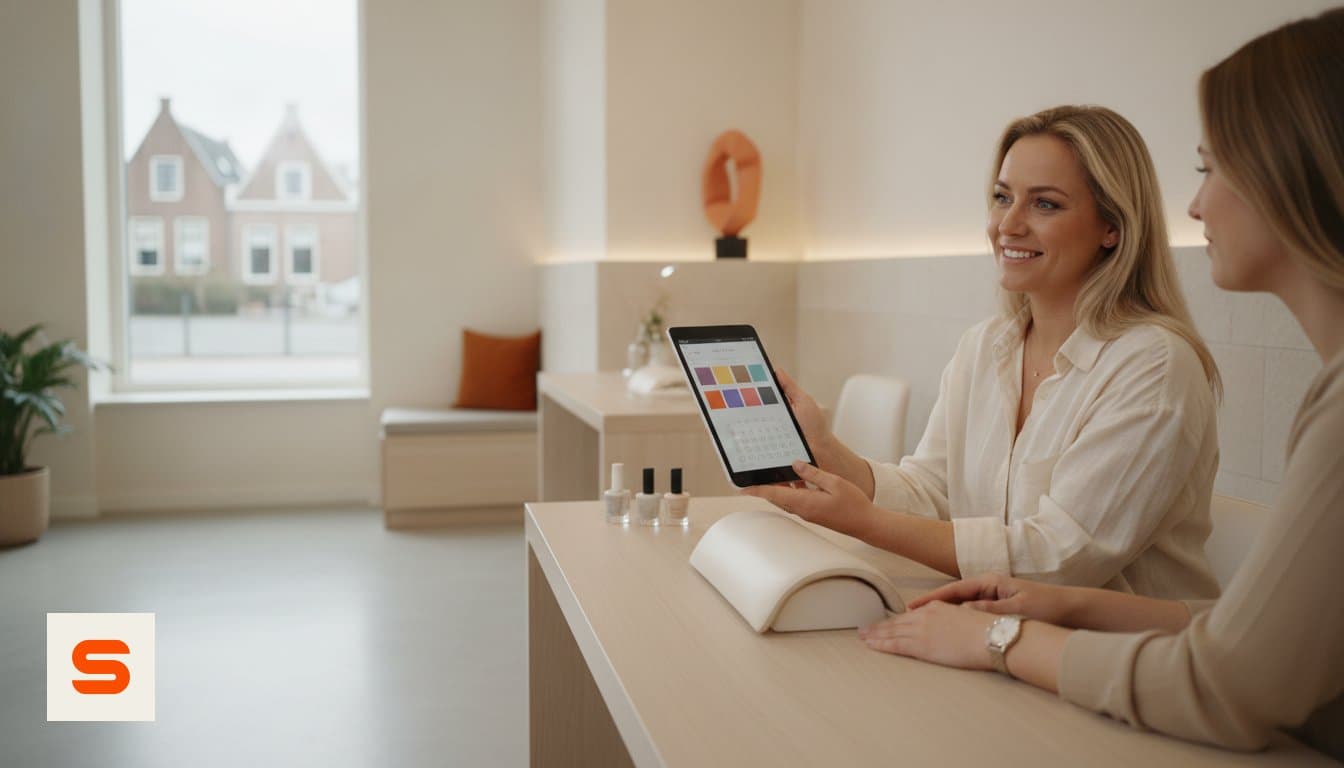
The biggest time drain in a nail studio is rarely the treatment itself. It is everything around it: a booking request on WhatsApp while a gel layer cures, a second message because the client wants a different slot, a note on a scrap of paper about the build you used last time. Each step costs a few minutes, and together they fill your evening.
Duplicate admin makes it worse. If the appointment sits in your phone calendar, the price on a notepad and the payment in a separate app, you are the one connecting them. That works for a handful of treatments a day and stops working during a full week.
Appointment scheduling software reverses the order: the client enters what they want and when, and your system works out the duration, the price and the occupancy. What you are left with is a calendar that is correct without you maintaining it. The overview of nail salon software shows which features belong to each part of that workflow.
Let your calendar fill itself
Online booking is the first step that frees up time immediately. You put a booking module on your own website, or you use the booking page Salonnare generates for your studio if you do not have a site yet. Clients pick their treatment, see the slots that are genuinely free and book at eleven at night just as easily as during your opening hours.
What matters is that the duration per treatment is right. A 45 minute gel infill and a two hour set with detailed nail art should not get the same block. Set the duration per service properly and the calendar shifts along with it, which keeps you from running late.
You can also make your availability visible in Google, so people searching for a nail salon nearby see a booking option instead of only a phone number. The scheduling side is explained under bookings management.
Covering no-shows and empty slots
A two hour gap is not something you fill later in the day. That makes two measures worth the effort. The first is an automatic reminder: Salonnare sends one by email, without you having to think about it. That alone catches a share of the forgotten appointments.
The second is a deposit at the time of booking. Mollie handles local payment methods such as iDEAL in the Netherlands, Stripe handles card payments, and in both cases the money lands in your own account. There is no marketplace in between taking a percentage of your treatment or holding your revenue. For long, material heavy sets, a deposit is the difference between a risk and a covered appointment.
Set the amount per service: a short manicure does not need one, a two hour set does. More tactics are in the article on preventing no-shows, and the settings live under automatic reminders. To try it yourself, start on the free plan; deposits come with Pro.
Admin that keeps itself up to date
Once you check out at the till, the rest should follow by itself. You configure the VAT rate that applies to your treatments and retail once, and it is then applied per receipt and tracked separately, so there is nothing to recalculate at filing time.
For your bookkeeper you work with an export. Salonnare produces a file you import into your accounting package, for example Moneybird or e-Boekhouden for the Dutch market. Note the distinction: it is an export you import yourself, not a live integration that syncs continuously. In practice it still replaces the shoebox of receipts.
Stock belongs in the same system. You record what you use per gel, polish and top coat, and see which colours are running low before a client asks for them. See point of sale and inventory management for the details, and the guide to a POS system for nail salons if you want to compare that part specifically.
Storing client records and nail conditions safely
In a nail studio you record more than a name and a phone number. An acrylate allergy, a nail fungus under treatment, a pregnancy that limits which products you use: those are health data and they fall under article 9 of the GDPR. They do not belong in a general notes field, and certainly not in a group chat.
Salonnare keeps those notes in a separately encrypted vault, apart from the regular client record, with recorded consent and an access log. If you work with technicians, you decide per staff member which permissions they get, so not everyone can see everything. Your data sits on servers inside the EU and you sign in with a regular account or through Google, Microsoft, Apple or Facebook.
Beyond that, security is ordinary craftsmanship: strong passwords, no shared accounts, devices locked. The cybersecurity guidance for businesses from the US regulator is a short, practical checklist that works even for a studio with two laptops. The record keeping side is covered under client CRM.
What an efficient studio costs
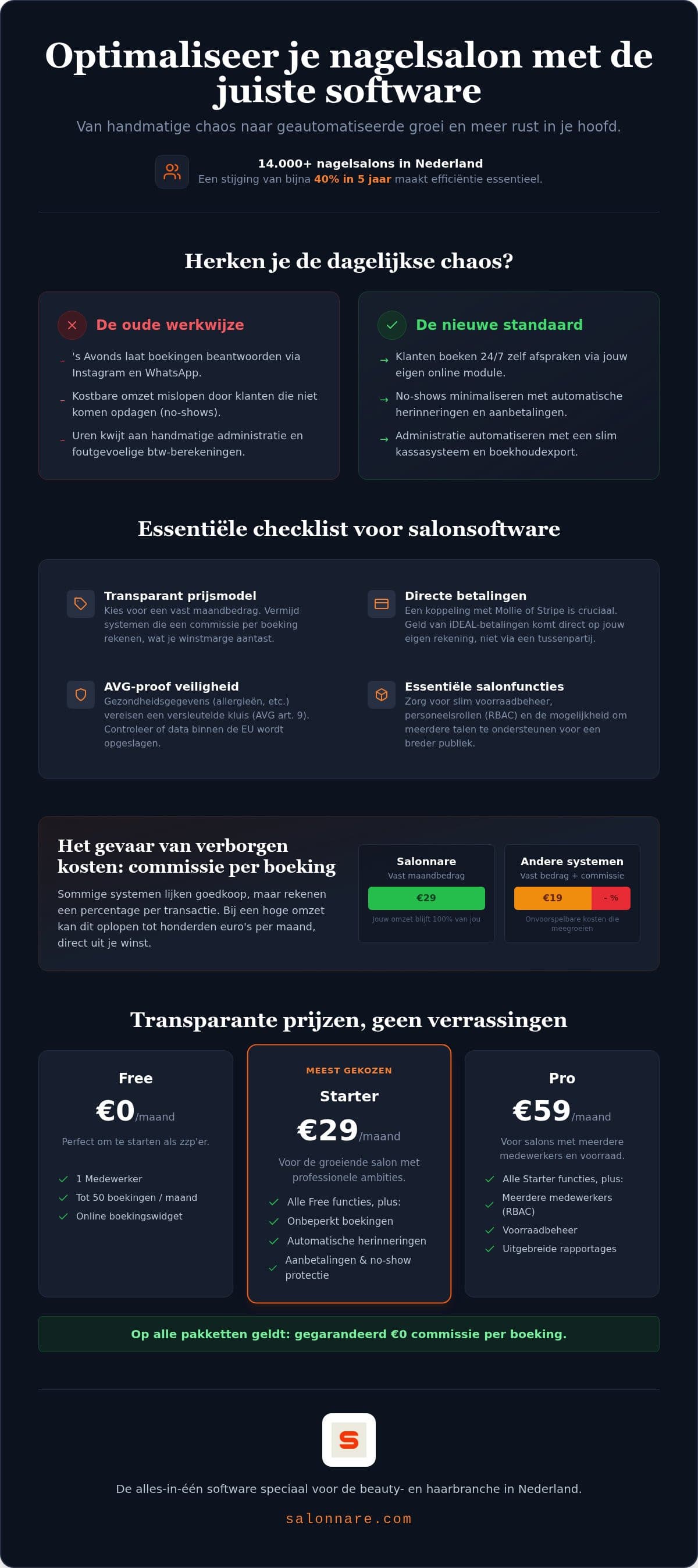
When comparing nail salon software, the pricing model matters more than the feature list. A system that charges a percentage per booking gets more expensive the better you do. With a flat monthly price you know where you stand, whether you handle ten or two hundred appointments a month.
Salonnare has three plans: Free at 0 euro per month with one staff member and 50 bookings per month, Starter at 29 euro per month and Pro at 59 euro per month. No plan charges commission per booking, only a platform fee of 0.5% (min. €0.30) per online payment. The interface and client communication are available in nine languages, which helps if you work in a city with international clients.
Start small. Turn on online booking and the reminders first, look at what that does to your no-shows after a month, then extend to point of sale and stock. The full comparison is on the pricing page, and you can start for free without payment details.
Start with the part that costs you the most time today
Start for free at Salonnare via https://salonnare.com/en/free: 0 euro per month for one staff member and 50 bookings, with no commission per booking - just a 0.5% platform fee (min. €0.30) per payment. Switch on online booking and the reminders, then see what that does to your calendar after a month.
See pricingFrequently asked questions
Is there a free version of nail salon software?
Yes. The Salonnare Free plan costs 0 euro per month and covers one staff member with up to 50 bookings per month. That is enough to try online booking, client records and the core features in real conditions without entering payment details. When your studio outgrows those limits you move to Starter (29 euro per month) or Pro (59 euro per month).
How does the software help reduce no-shows?
In two ways. Salonnare sends an automatic reminder by email, so an appointment is less likely to be forgotten. On top of that you can require a deposit per treatment at the time of booking, through local methods such as iDEAL via Mollie or a card payment via Stripe. For long treatments that is the most effective brake on last minute cancellations.
Is commission charged per booking through the widget?
No, not on your subscription. You pay a flat monthly price for your plan, no matter how many appointments come in through your website or booking page. Payments and deposits run through your own Mollie or Stripe account and land in your own bank account, minus Salonnare's own platform fee of 0.5% (min. €0.30) per payment. You keep almost your full margin on every treatment, from a simple manicure to detailed nail art.
Is my client data stored safely under the GDPR?
Your data sits on servers inside the EU. Health data such as allergies or nail conditions falls under article 9 of the GDPR, so Salonnare keeps it in a separately encrypted vault with recorded consent, an access log and permissions per staff member. Sensitive information stays available for the treatment without everyone being able to open it.
Can I move my current client list over?
Yes. You export your clients from your current system or spreadsheet and import that file into Salonnare, so you do not retype contact details. After the import, go through the records once to merge duplicates and fill in missing phone numbers. Your regulars are then ready in the new system with their history attached.
Does the booking module work on any website, such as WordPress or Wix?
You add the booking module with a snippet of code, which works on platforms that allow custom code, such as WordPress, Wix, Squarespace and Shopify. If you do not have a website, you use the booking page Salonnare generates for your studio and put that link in your Instagram bio or Google profile. Either way, clients book into the same calendar.