



Salonnare vs Da Vinci - which Dutch salon software is right for you?
Da Vinci Salon Software has been one of the best-known Dutch players for years. Salonnare is a modern counterpart with the same Dutch compliance, but with a contemporary UX, a free entry plan and built-in marketing automation. Below we put both side by side honestly. The conclusion is clear: for most Dutch salons, Salonnare is the better choice, and below you will read exactly why.
Price comparison
Da Vinci starts, according to their pricing page, at €27.95 per month plus €7.50 per additional staff member[1], with a 30-day free trial but no free plan. Salonnare starts at €0 (Free plan, 1 staff member, 50 bookings per month) and scales to €29 (Starter) or €59 (Pro). For a starting hairdresser Salonnare is immediately free with no credit card; for larger salons Salonnare is affordable with more features in the plan, and you know exactly what you pay each month.
User experience
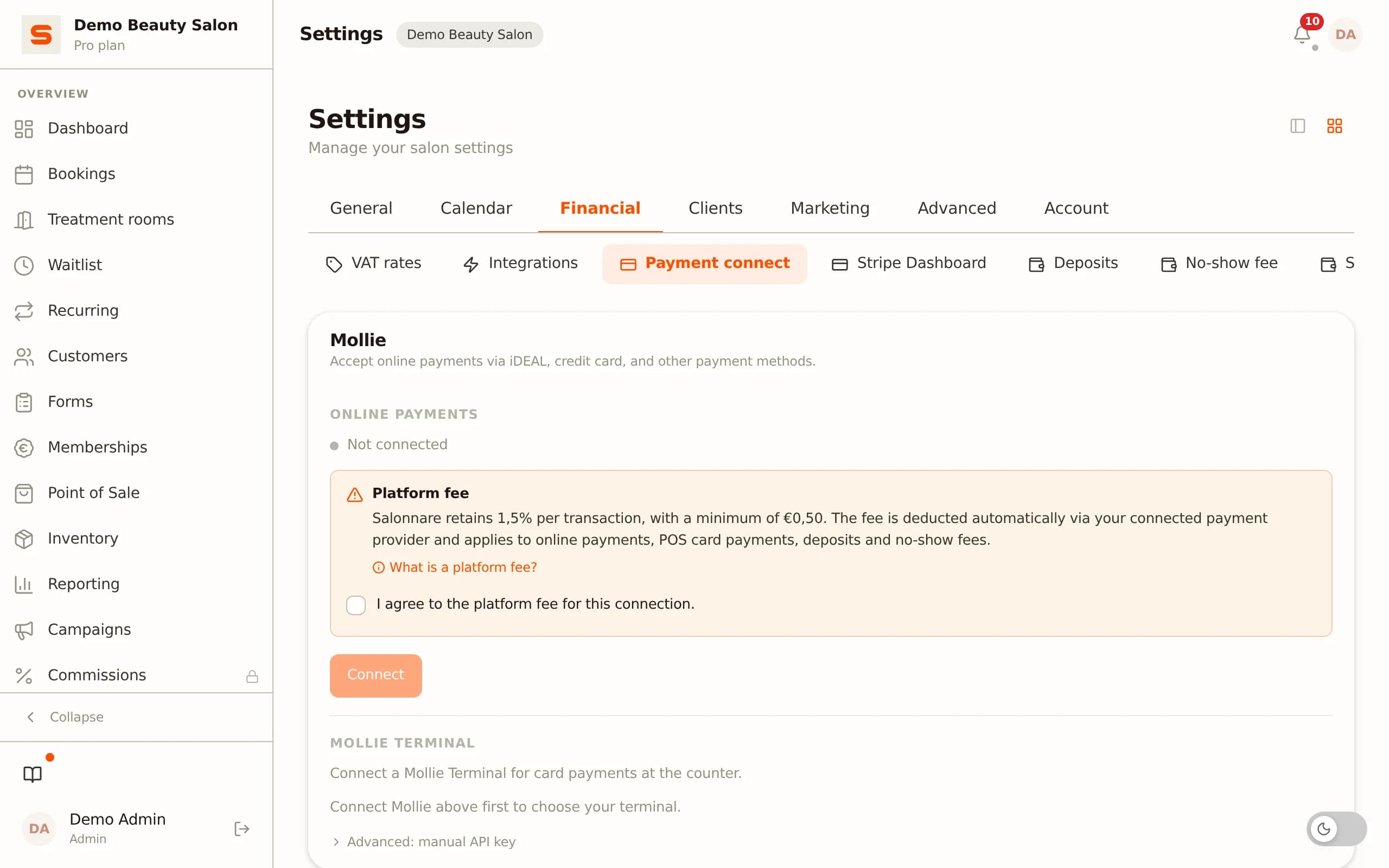
Da Vinci is a mature product with many features. The interface is functional but classic in layout: dense tables and form screens that new staff need a little time to get used to. Salonnare is built with modern design patterns - a V2 UI with warm colours, clear iconography and dashboards that give instant insight. Trainees are typically productive within an hour.
Features and daily use
Both offer online booking, POS and client management. On top, at no extra licence cost, Salonnare adds a no-show fee system, deposits, recurring memberships, gift cards, loyalty, forms and email marketing. You tackle no-shows with deposits and no-show fees set per treatment, so your calendar stays full.
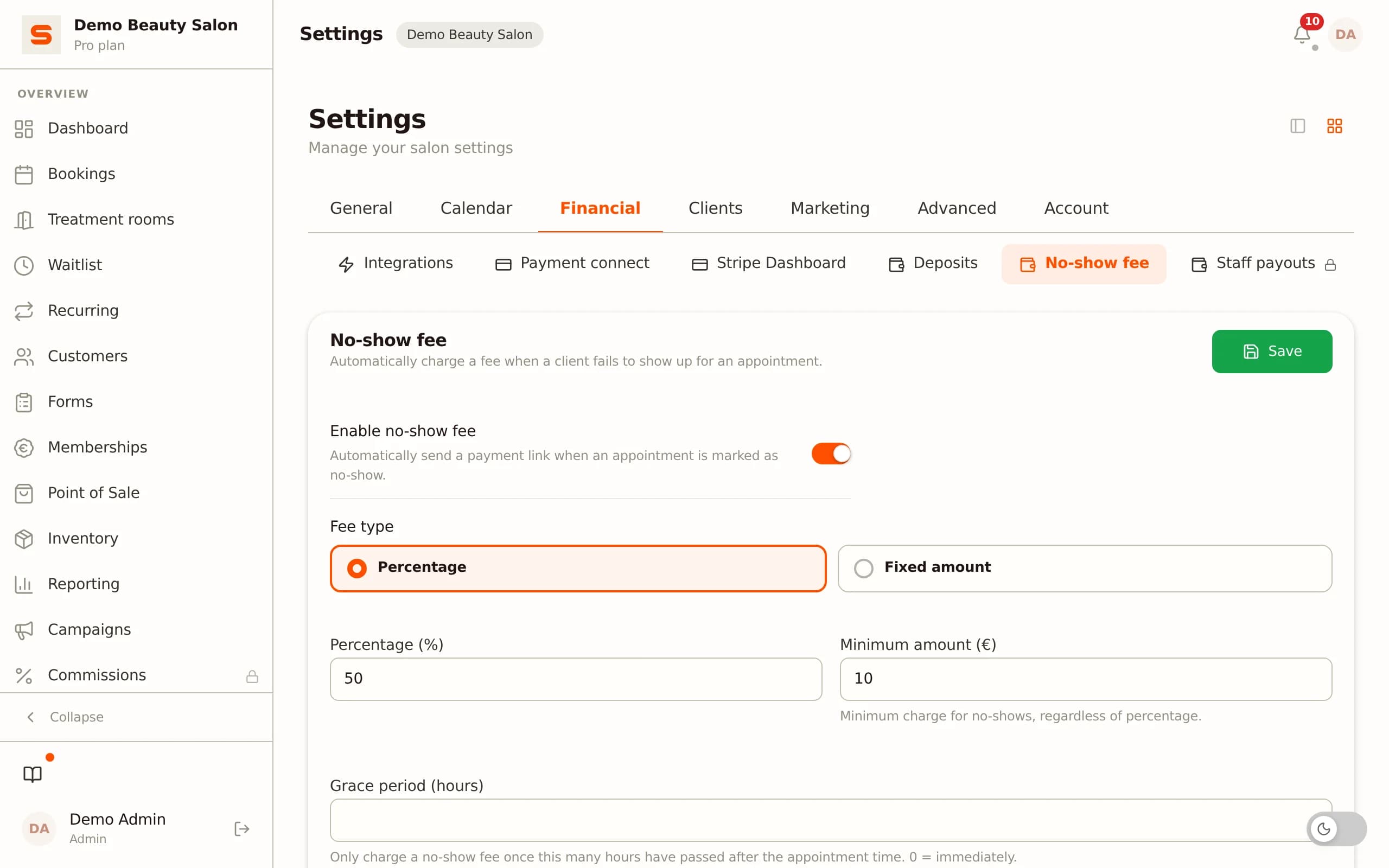
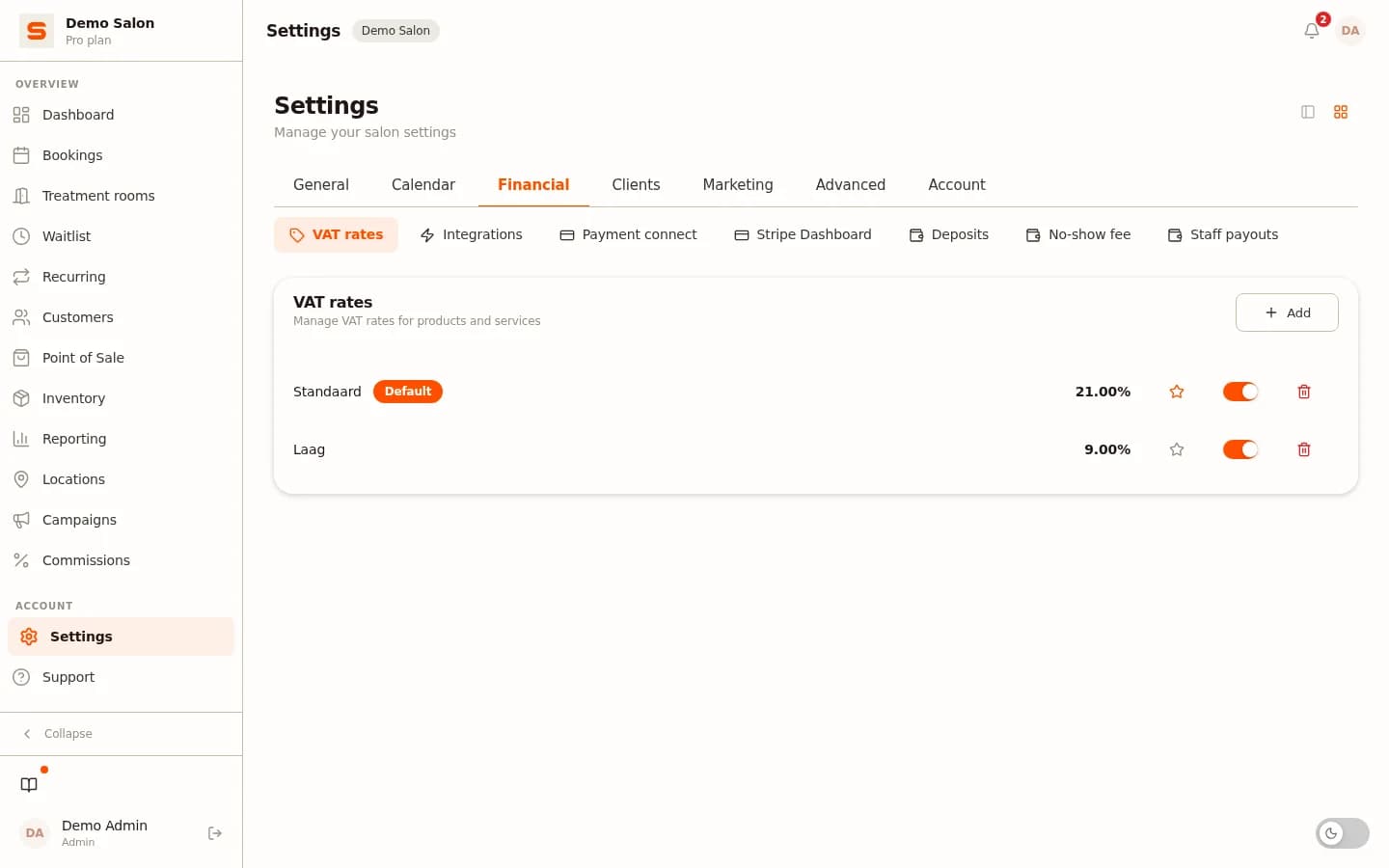
The POS calculates Dutch VAT (21% and 9%, set per treatment and product) and exports the sales per VAT rate for your bookkeeper, so your bookkeeping adds up without detours. Automated Google review requests are live; a multi-location dashboard is not available yet.
Migrating from Da Vinci to Salonnare
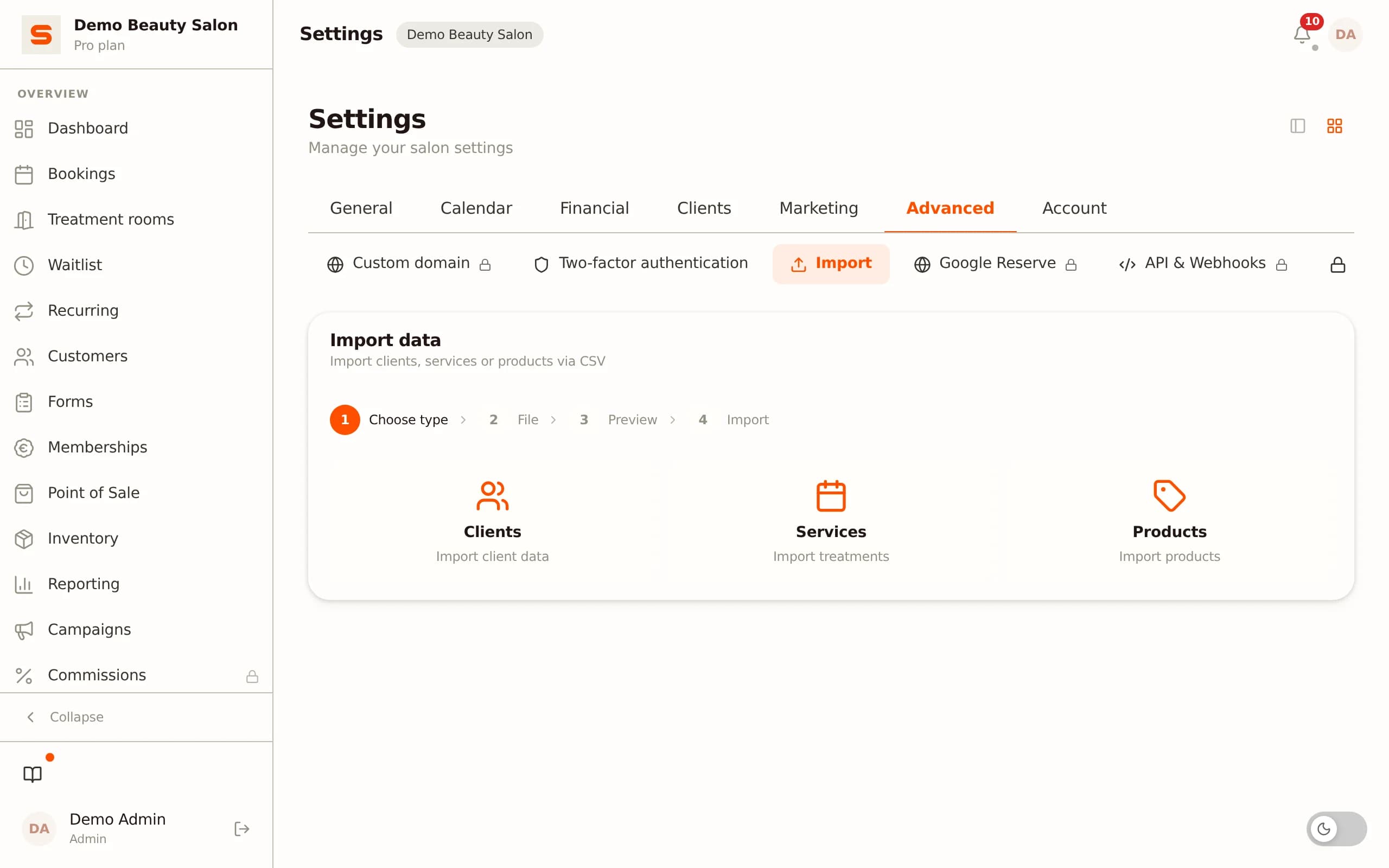
Request an export (for example CSV) of your client base and appointments from Da Vinci and import it into Salonnare via the self-service onboarding. For large migrations we help you for free via the contact form. No migration fee.
What happens when a client books online?
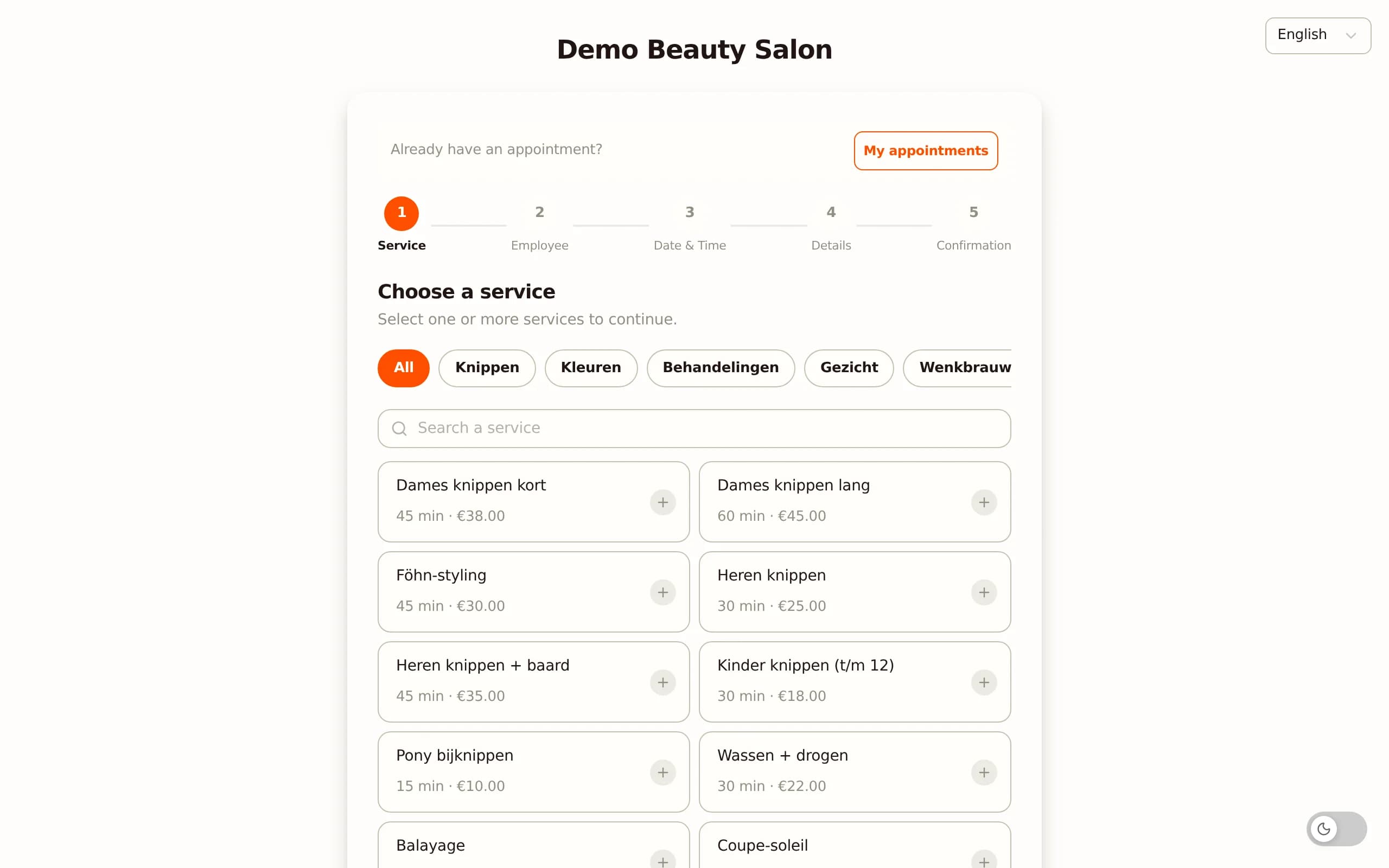
Da Vinci also offers online booking. With Salonnare you embed a widget directly on your own website or share a link to your personal booking page. The client picks a service, sees available time slots per staff member and books in three clicks.
Immediately after, the client receives a confirmation email from your salon name, followed by an automatic email reminder 24 hours before. After the appointment Salonnare sends a rebook nudge, and the morning after an automated review request that links straight to your Google Business Profile.
This flow - from booking to retention - runs largely automatically. According to their website Da Vinci also offers automatic reminders and marketing messages; the difference lies mainly in the fixed price per plan and the modern interface. See all the automation features Salonnare includes as standard.
Practical switching tips
Plan your migration on a quiet Monday: export your client and appointment data as CSV from Da Vinci on Friday evening, import it into Salonnare on Monday morning and test a trial booking the same day. Let your regular clients know via a short email that your booking link has changed.
Update your Google Business profile with the new booking link so new clients land directly on your Salonnare widget. The whole process takes most salons less than one working day. Start with the free plan and upgrade only after you have tested everything.
Conclusion: why Salonnare wins
Da Vinci is an established Dutch name with years of experience and an extensive feature set. If you have an existing Da Vinci setup that is fully configured and you are not looking to change, there is little reason to switch right away.
But for the target audience - the Dutch salon that wants control over costs, a modern workflow and a complete package at no extra cost - Salonnare wins on the points that really matter. You start for free at €0 (1 staff member, 50 bookings per month) and scale to Starter €29 or Pro €59 per month, while Da Vinci, according to their pricing page, starts at €27.95 per month plus €7.50 per additional staff member, with no free plan. You settle through your own Stripe or Mollie account with iDEAL, and Dutch VAT (21%/9%) plus an accounting export for your bookkeeper are built in. You get online booking, POS, inventory, marketing automation, memberships, gift cards, loyalty, no-show fees and forms at no extra licence cost, with Dutch-speaking support and EU servers under GDPR. On top you get a modern V2 interface where new staff get productive quickly, and the entire app is available in 9 languages. Anyone choosing for their Dutch salon today chooses the more modern and more affordable option with Salonnare.
Why Salonnare wins
| Salonnare | Da Vinci | |
|---|---|---|
| Starting price per month | €0 | €27.95 |
| Additional staff member | Included in your plan | €7.50/mo |
| Free plan without credit card | ✓ | No (30-day trial) |
| Online booking | ✓ | ✓ |
| POS + Dutch VAT | ✓ | ✓ |
| Client files | ✓ | ✓ |
| Modern UI | V2 design | Classic |
| Best choice for NL salons | Salonnare | - |
Last verified: 2026-10-09
Try Salonnare for free
No credit card required. Export your data from Da Vinci and import it in one click.
Start freeSources
- Da Vinci - official pricing page (dvi.nl) (2026-10-09)
Competitor figures are indicative ("approx.") and may change; always check the provider’s official pricing page.
Frequently asked questions
What does Salonnare cost compared to Da Vinci?
Salonnare has a free plan (€0, 1 staff member and 50 bookings per month), Starter at €29 per month and Pro at €59 per month - fixed amounts with no marketplace commission on your bookings, just a platform fee of 0.5% (min. €0.30) per online payment. According to their pricing page, Da Vinci starts at €27.95 per month plus €7.50 per additional staff member, with a 30-day trial but no free plan. For a starting or growing Dutch salon, Salonnare is therefore often the more affordable and more transparent choice - always run your own numbers on our pricing page.
Can I migrate my clients from Da Vinci?
Yes. Ask Da Vinci for an export of your clients and appointments, for example as CSV. Salonnare offers a self-service CSV import. For large datasets we help you for free via the contact form.
Is Salonnare as reliable as Da Vinci?
Salonnare runs on EU cloud infrastructure with automatic backups, uptime monitoring and security patches. The same reliability you expect from Da Vinci, with a modern stack underneath.
What happens to my history when I switch?
Your CSV export contains all historical appointments and client data. After importing into Salonnare everything is immediately available in your new dashboard.