



Hair salon automation software: what should you automate first?
You have a calendar, a pile of receipts and a head full of client notes. The problem is that all of it runs through you. This article is not about which package has the prettiest dashboard, but about the question that comes first. Which tasks do you hand over to software, and in what order do you switch them on? You will read which five automations save a hair salon the most time, how to roll them out without throwing your week into chaos, and what to watch so your VAT and your client data stay in order along the way.
What hair salon automation software actually takes off your hands

Automation sounds grand, but in a salon it comes down to small, repeating tasks. The phone ringing while you are mid-colour. The evening message to confirm tomorrow's appointment. The receipt you retype into a cash book later. Each one costs a few minutes; together they cost you your evening.
Software takes over those links by tying them together. One booking places itself in the calendar, sends a confirmation, blocks the right slot with the right stylist and creates a client profile straight away. That principle is known as appointment scheduling software: your planning stops being a list somebody maintains and becomes a process that runs on its own.
You notice the difference mostly in what stops happening. No double booking because two people wrote in the same calendar at once. No missed client because nobody picked up on a Sunday evening. No lost slip of paper with a colour formula on it.
The five automations that pay off most in a hair salon
Not every feature is worth the same. These five make the biggest practical difference, roughly in this order of return.
- Online booking outside opening hours. A booking page on your own website and through Google catches exactly the appointments you would otherwise miss. - Automatic confirmation and reminder. A confirmation right after booking and a reminder the day before, by email or WhatsApp. This is the cheapest way to bring no-shows down. - A deposit at the moment of booking. Ask for a deposit on long treatments or from new clients. Someone who has already paid something shows up, or cancels in time. - Checkout with automatic VAT splitting. The till applies the correct rate to services and to retail products without you having to think about it. - Stock that keeps itself up to date. Sell a shampoo and it comes off the shelf count, so you reorder before the shelf is empty rather than after.
The first three are about your calendar, the last two about your till. That is no coincidence: those are the tasks that repeat every single working day.
The order in which to switch them on
Switch everything on at once and by Friday you are looking at a half-finished service list and a client who booked the wrong slot. Build it up in blocks of roughly a week instead.
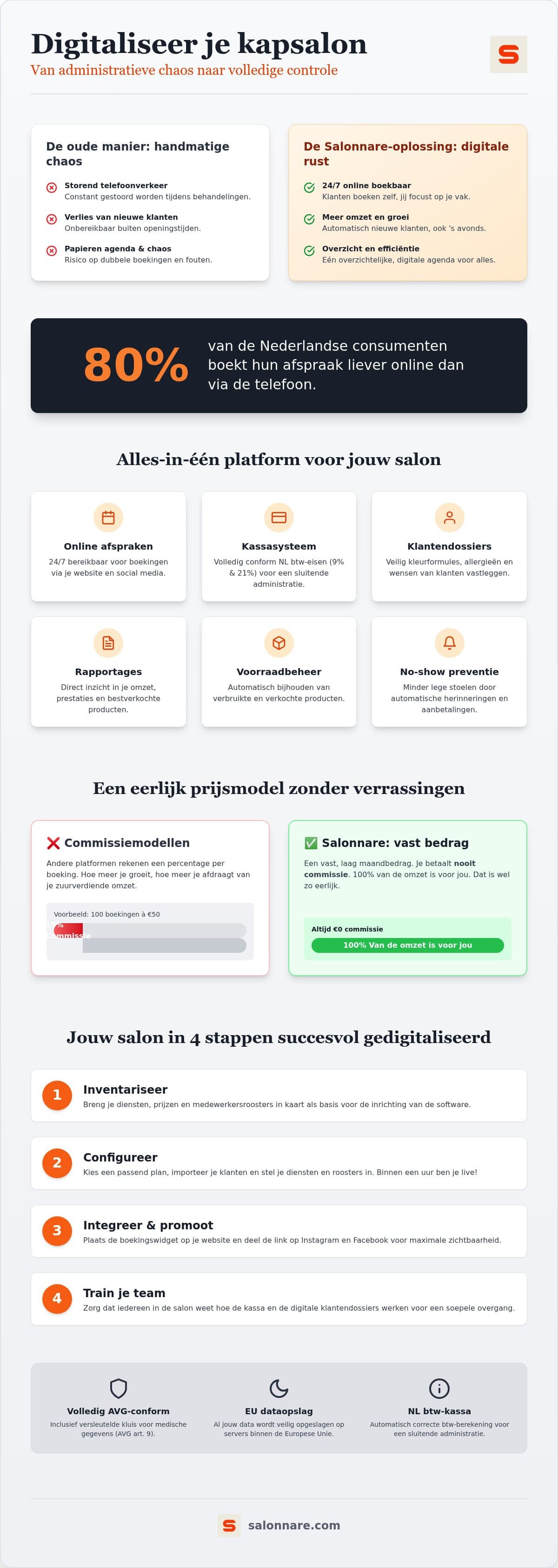
- Week 1: the foundation. Enter your services with the right duration and price, import your client list from Excel or CSV and link each stylist to their own schedule. If the durations are wrong, everything after it goes wrong too. - Week 2: go public. Put the booking widget on your website, share the link on Instagram and Facebook and connect your calendar to Google so clients can book you there as well. - Week 3: the messages. Turn on confirmations and reminders and decide when they go out. Only add deposits afterwards, so you can see their effect separately. - Week 4: till and stock. Run every sale through the system for a full week and enter your product stock. From that point your reports actually add up.
You are not doing this alone, as the attention governments give to digital skills for small businesses shows. The hurdle is rarely the technology. It is redesigning your own way of working, and that only happens one step at a time.
What to check before choosing: commission or a flat fee
Your supplier's revenue model decides what automation costs you in the long run. If a provider charges a percentage per booking, you pay more the better things go. A flat monthly fee does the opposite: the fuller your calendar, the lower your cost per appointment.
Salonnare never charges marketplace commission on your bookings, only a 0.5% platform fee (min. €0.30) per payment. Free costs €0 per month for one staff member and 50 bookings per month, Starter is €29 per month and Pro €59 per month. Card and iDEAL payments run through Mollie or Stripe straight into your own bank account.
Check three more things. Can you export your data if you ever want to move? Does the point-of-sale hang off the same calendar, or is it a separate system you have to update twice? And can you start small without an annual contract? If you want to line providers up systematically, the guide on comparing salon software works through those criteria one by one.
Client data and VAT: the two things you cannot leave to chance
Automating means more gets recorded about your clients. As a hairdresser you sometimes note an allergy to a dye, a sensitive scalp or a pregnancy. Those are health data and they fall under article 9 of the GDPR: you record them only with consent, keep them shielded and no longer than necessary.
That is why Salonnare does not leave that kind of information loose in a notes field, but in a separately encrypted vault with permissions per staff member. You decide who may see the medical part of a client profile. The data sits on servers inside the European Union.
The second thing is your VAT. A till that meets your country's requirements splits your turnover onto the right rate immediately. At the end of the month you export that overview and load it into your accounting package or send it to your bookkeeper. Note the distinction: this is an export, not a live connection that writes into your books by itself. For most salons that is exactly enough.
Why Salonnare suits a hair salon that wants to automate
You can work through the whole sequence above without paying anything first. The Free plan is permanently free for one staff member and 50 bookings per month, so you can set up your services, import your client list and run for a month before you decide.
What you get is one system instead of separate tools: bookings management with online booking on your own site and through Google, automatic reminders, a till with VAT splitting and inventory management that follows your sales. You work from your phone, tablet or laptop, as a web app or a native app, and sign in with Google, Microsoft, Apple or Facebook. If your team is international, it helps that the interface is available in five languages and that you set per staff member who sees what.
If you want to tackle the administrative side more broadly, read the guide on salon admin software. If the client card is your main concern, the article on the client management app for hairdressers covers that part. And if you simply want to start: create a free account and switch on your first automation this week.
Switch on your first automation this week
Start with the permanently free plan at €0 per month: set up your services, turn on online booking and let confirmations go out by themselves. Only a 0.5% platform fee (min. €0.30) per payment, no annual contract.
Start for freeFrequently asked questions about hair salon automation
What does hair salon automation software cost per month?
That depends on the provider, and above all on the revenue model. Salonnare charges a flat fee that does not scale with your revenue: Free costs €0 per month for one staff member and 50 bookings, Starter is €29 per month and Pro €59 per month, plus only a 0.5% platform fee (min. €0.30) per payment. With other providers, always work out what a percentage per booking costs you on a full calendar, because that amount grows along with your turnover.
Can I move my existing client list across?
Yes. You export your current list as an Excel or CSV file and import it in one go, so you never have to retype hundreds of names. Make sure name, phone number and email address sit in separate columns first, and open ten random profiles after the import as a spot check. You do not need to copy every old treatment note: add those the moment that client is back in your chair.
Which automation helps most against no-shows?
The combination of an automatic reminder and a deposit. A reminder by email or WhatsApp the day before catches the clients who simply forgot. For long treatments or new clients, add a deposit on top of that. Those payments run through Mollie or Stripe straight into your own account, so only the 0.5% platform fee (min. €0.30) per payment applies, no marketplace commission on your bookings.
Does this work for a solo hairdresser without staff?
It does. The free plan at €0 per month is built for one staff member and 50 bookings per month, and includes the calendar, client profiles and the till. For a solo hairdresser the gain sits mainly in the first three automations: online booking, confirmations and reminders. If your calendar grows past those 50 bookings you move up to Starter or Pro without re-entering your data.