



Comparing salon software: how to line up vendors fairly
Every missed appointment is revenue you never get back, and every percent of commission on a booking keeps costing you for as long as you run your salon. Yet most salon owners start their search with the price list of three random vendors. Comparing salon software only works once you decide what you are comparing on, and only then which names you put side by side. This guide is not a ranking, it is a method. In five steps you write down your own requirements, work out a pricing model instead of just a monthly fee, test the practical must-haves (POS and VAT, GDPR and local payment methods) and use a trial to see what a sales demo never shows. At the end you have your own comparison table to base a decision on.
Why comparing without a method almost always goes wrong

There is a lot of salon software out there and the product pages look remarkably alike. Everyone promises a smart calendar, fewer no-shows and a professional image. Without your own yardstick you end up comparing marketing copy instead of functionality, and you choose on gut feeling or on the lowest number on the homepage.
What you are really looking for is a form of appointment scheduling software, plus the things a salon specifically needs: a point of sale, client records and payments. That combination is exactly where vendors differ most, and where product pages get the least concrete.
The second pitfall is the order of things. If you book demos first and think about requirements later, you let the vendor decide what gets compared. Turn it around: your requirements list first, vendors second.
Step 1: write down your own requirements before you open any vendor
Start with your week. How many treatments do you do on average, do you work alone or with a team, do you sell products, and how much time does your admin take each month? Then write down the three problems you actually want to solve. For one owner that is the phone ringing mid-treatment, for another it is the VAT return or stock that never adds up.
Next, separate must-haves from nice-to-haves. A calendar that makes double bookings impossible is a must-have. A colour scheme that matches your branding is a nice-to-have. Give every requirement a weight from 1 to 3, so you can score later instead of argue.
Also think a year ahead. If you hire someone, you will want per-employee permissions so that not everyone can see your revenue figures or client data. Software that does not support this forces you into a second migration later on.
Step 2: work out the pricing model, not just the monthly fee
A monthly fee tells you little as long as you do not know the model underneath it. Some vendors combine a low subscription with a percentage per booking or per payment. That feels friendly at ten appointments a month and starts to hurt once your calendar fills up: you pay more precisely because you are doing better.
So work out two scenarios. First your current number of bookings, then the number you want to reach in a year. Put the total annual cost under both, including transaction fees, extra staff and modules billed separately. Only then are you comparing like with like.
Salonnare deliberately uses a fixed monthly price that does not scale with your revenue: Free at €0 (1 employee and 50 bookings per month), Starter at €29 per month and Pro at €59 per month, plus only a 0.5% platform fee (min. €0.30) per online or card payment. The pricing page shows what each plan includes, so you can drop those numbers straight into your own calculation.
Step 3: test the practical must-haves properly
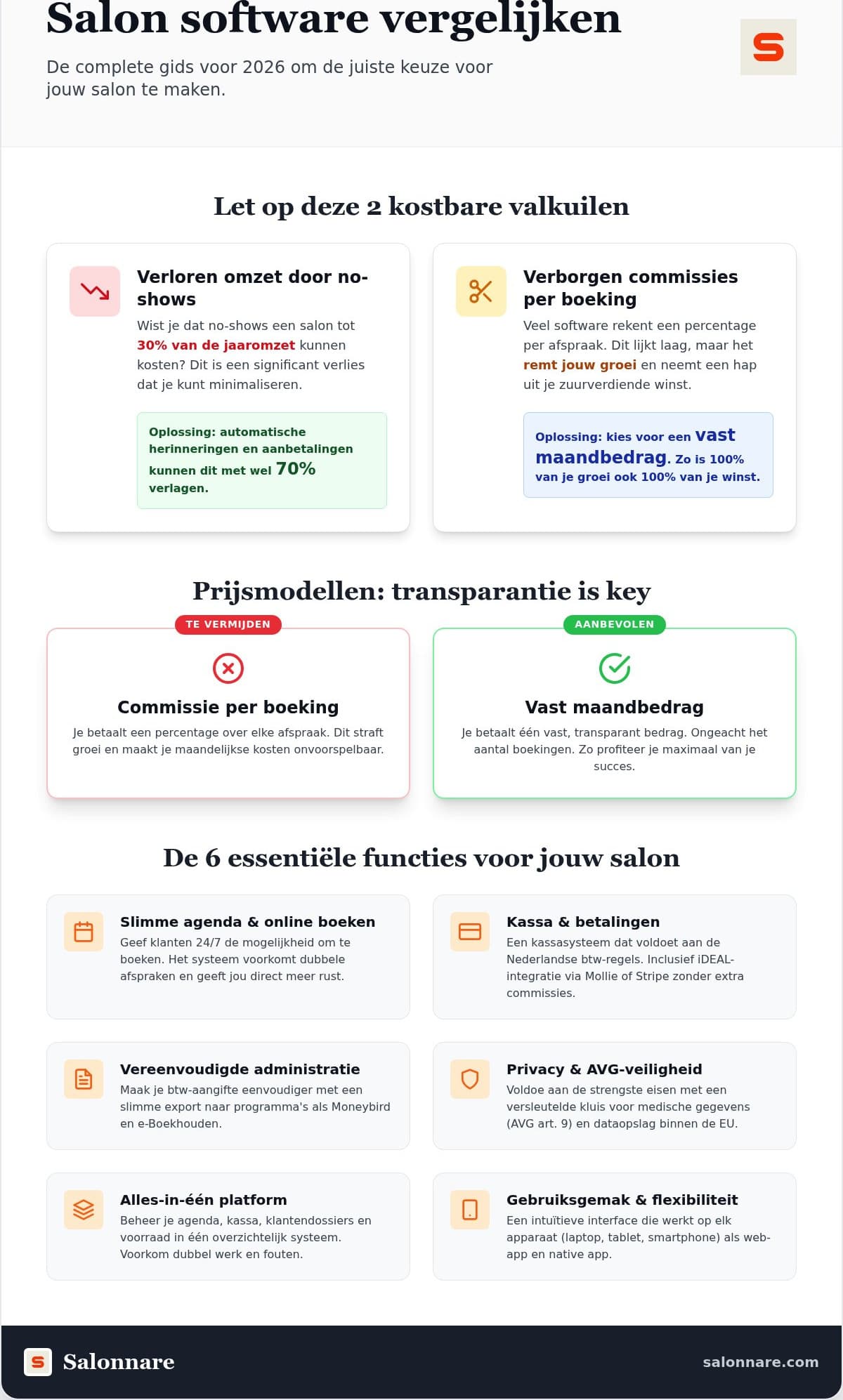
An international package can look beautiful and still trip over local practice. So test three things explicitly. One: does the point of sale handle VAT on treatments and products correctly, including a daily close your bookkeeper can work with? Two: can you offer the payment methods your clients actually use, and does that money land in your own account? Three: how does the system handle sensitive client data?
General buying guides such as this overview of salon software options help with the functional questions, but tax and privacy requirements are something you tick off per country yourself. With Salonnare, deposits and payments run through Mollie or Stripe straight into your own bank account, with only a 0.5% platform fee (min. €0.30) taken by us as the software vendor on that payment. You can see how that works on the online payments page.
Do not skip the privacy part. If you record allergies, medication or skin conditions, you are processing special category data under article 9 of the GDPR. That needs more than a notes field. Salonnare keeps this data in a separate encrypted vault with its own access rights, and all data is stored on servers inside the EU.
Step 4: use the trial for what a demo never shows
In a demo everything looks logical, because someone else is holding the mouse. The questions that really matter only get answered once you run a week yourself. Perform the same five actions in every trial: book and move an appointment, create a client with a note, take a payment, close the day and schedule a recurring appointment.
Watch the number of clicks, and watch your phone. A lot of salon work happens standing up, between two clients. If the system runs as an install-free web app on any device, you install nothing and work with the same data at the front desk and on the go.
During that week, ask the vendor three concrete questions: what happens to my data if I leave, how fast do I get an answer to a support request, and which languages can the software handle if I have clients or staff who speak another language. Salonnare runs in five languages (Dutch, English, German, French and Spanish) and lets staff sign in with Google, Microsoft, Apple or Facebook.
Want to run that week yourself? You can, without any commitment: start free with Salonnare and schedule your real appointments.
Step 5: check the migration before you commit
Migration is the part most often forgotten and the part that takes the most time. Ask each vendor how you import your existing client list, whether historic appointments come along and who does that work. Also ask whether the online booking widget fits your current website, because that determines whether your site needs changing.
Plan the switch for a quiet moment in your week, not right before a busy period. If it helps, run both briefly in parallel: new appointments in the new system, existing ones in the old. Your clients will not notice a thing.
If you work alone, that switch usually takes one evening. How to run your calendar, point of sale and admin from a single system as a sole trader is covered in our guide to salon software for freelancers.
Salonnare against your requirements list
The table below is not a vendor ranking, it is the previous steps translated into concrete comparison points. Copy the left-hand column into your own overview and fill in what you find per vendor. The right-hand column shows where Salonnare stands, so you can put it next to your other candidates.
If you notice you are mostly comparing on price, walk through the weights from step 1 once more. A system that saves you an hour of admin every week easily earns back a few tens per month. Ready to test it? Start free with Salonnare and fill in your comparison with real experience instead of promises.
Comparison points and where Salonnare stands
| What you compare | What to look for | Salonnare | |
|---|---|---|---|
| Pricing model | Fixed fee or a percentage per booking | Fixed monthly price, plus 0.5% (min. €0.30) platform fee per payment | |
| Getting started | Can you start without committing? | Free plan at €0 (1 employee, 50 bookings per month) | |
| Subscription | What does a paid plan cost per month? | Starter €29 and Pro €59 per month | |
| Payments | Where does the money arrive? | iDEAL via Mollie and Stripe, straight into your own account | |
| POS and VAT | Does the till match local tax rules? | Point of sale with Dutch VAT rates and a daily close | |
| Bookkeeping | Live integration or export? | Export, usable in Moneybird and e-Boekhouden among others | |
| Client data | How are health notes stored? | Encrypted vault for GDPR article 9 data, stored in the EU | |
| Team and permissions | Can you set rights per employee? | Per-employee permissions (RBAC) | |
| Online booking | Booking via your own site and Google? | Booking widget for your own site, plus booking via Google | |
| Languages and sign-in | Multilingual and secure sign-in? | 5 languages, sign in with Google, Microsoft, Apple or Facebook |
Last verified: 2026-07-31
Put Salonnare in your own comparison
You do not have to sign up for anything to check whether it holds up. Start on the free plan, schedule a week of real appointments and then fill in your own comparison table.
See pricingFrequently asked questions about comparing salon software
Where do I start when comparing salon software?
Do not start with the vendors, start with your own week. Note how many treatments you do, whether you work with a team, whether you sell products and which three problems you want to solve. Give each requirement a weight from 1 to 3. Only then do you line vendors up against that list. That way you compare on your criteria instead of on the vendor's selling points.
Is there free salon software for small businesses?
Yes. Salonnare has a permanently free plan for salons with one employee and up to 50 bookings per month, at €0 per month. That is a solid starting point to find out which features suit your way of working without any financial commitment. If you need more staff or more bookings, you move up to Starter (€29 per month) or Pro (€59 per month).
What should I look at in a vendor's pricing model?
Check whether you pay a fixed amount or a percentage per booking or transaction. With a percentage, your costs rise along with your revenue while your workload does not. Work out both models on your current booking volume and on your goal for next year. Salonnare charges a fixed monthly price that does not scale with your revenue, plus only a 0.5% platform fee (min. €0.30) per payment, so your costs stay largely predictable as you grow.
Does Salonnare handle Dutch VAT rules for point of sale?
Salonnare's point of sale is set up for the Dutch VAT rates on treatments and products and supports a daily close. That means your sales overviews line up with what you need for your return. You then export your data for use in your bookkeeping software, for example Moneybird or e-Boekhouden.
How do I reduce no-shows in my salon?
The two measures with the biggest effect are automatic reminders and deposits. A reminder 24 or 48 hours in advance removes simple forgetfulness, and a deposit at the time of booking makes the appointment feel real. In Salonnare you set up both from the same system, with the deposit arriving in your own bank account via iDEAL or card.