



Building your salon client database: from first visit to regular
Your diary is filling up, but your client list is not growing with it. Sound familiar? Plenty of salons still take bookings by phone or through a quick message, after which the details vanish into a notebook or a chat history. That leaves you without the one thing you need to reach that client again. Building a client database is therefore not about gaining followers on social media, but about a process that produces usable data with every single booking. In this guide you will read which details to capture, how to use online booking as the engine behind your intake, and how to turn a first visit into a returning client without adding admin to your day.
What actually makes a client database valuable

A list of names and phone numbers is not yet a client database. It becomes valuable once you also record, per client, what you need to make the next appointment better: which treatment was done, which preferences apply, and whether the client has given permission for marketing email. That last one is not a detail: without consent you are not allowed to contact that client later, however complete your list may be.
This is the heart of customer relationship management (CRM): you collect data not to store it, but to improve the relationship with the client in a concrete way. Four fields already take you a long way:
- Contact details plus consent. Email address, phone number and an explicit marketing opt-in. - Treatment history. What was done, by whom, and when. - Preferences. Regular staff member, preferred time slot, products that worked well. - Source. Whether this client came via Google, via your own site or through an existing client.
That last field is often forgotten and is exactly the one that teaches you most: it tells you which channels genuinely bring in clients, so you spend your time on what works.
If what you mainly need is the professional history per client, such as colour formulas and allergies, read the guide on client records software for your salon. This guide stays one layer above that: how your database grows.
Online booking as the engine behind your intake
The fastest way to grow your database is to let the client fill it in. With an online booking the client enters their own details, picks a treatment and a time slot, and the record lands in your system correctly straight away. No typos, no notes by the till, no details that only live in your head.
The real gain sits in the moments when you are not available. A client who realises on the sofa at night that her hair is due for a cut books right then, or not at all. A booking page that stays open around the clock catches exactly those requests that would otherwise disappear.
Put the booking page on your own website and connect it to your Google business profile, so people can also book straight from the search results. How to set that up technically is covered step by step in the guide on a booking widget for your salon website.
Already have a list in a spreadsheet or in your old system? You do not need to retype it. A CSV import moves your existing clients across in one go, with a preview step that shows you exactly what will be created before you commit. That way you start from what you already had, not from zero.
Attracting new clients and capturing them on the spot
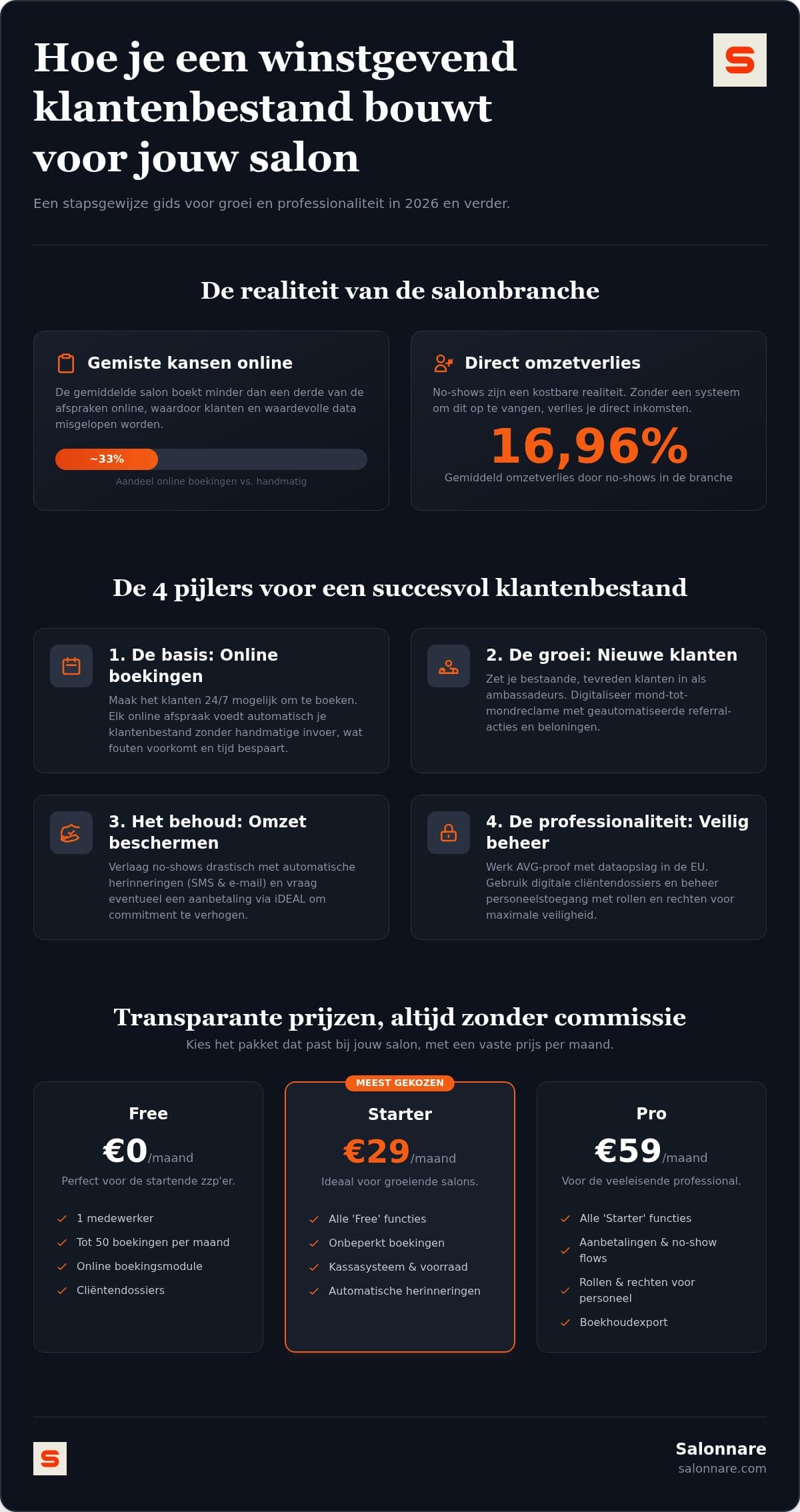
Word of mouth is still the strongest source of new clients for most salons. The problem is that it stays a matter of chance as long as you do not build a process around it. A simple referral scheme makes it repeatable:
- Pick a reward that fits your margin, for example a care product or a discount on the next treatment. - Ask at the right moment, which is right after a successful treatment, not weeks later by email. - Let the new client book online, so registration happens automatically and the reward is applied at checkout.
Also think of the clients you already have who are not in your system yet. The regular who has been booking by phone for three years is still a new row in your database. Ask for an email address and consent at checkout, and explain right away what the client gets out of it: a reminder before the appointment and a nudge when it is time again.
A professional impression helps here. Salonnare runs as a web app on any device, so your client does not need to install anything to book, and you open your diary just as easily on your phone behind the chair as on the laptop at home.
From first visit to regular client
A client in your database only earns money once they come back. Two things largely decide that: whether the appointment actually goes ahead, and whether the client is reminded of the next one at the right moment.
No-shows are lost revenue outright, because an empty hour cannot be made up later. Automatic reminders by email or WhatsApp remove most of that problem: the client gets a message at the right time without you making calls between two treatments. If you want to go deeper into that approach, read the guide on preventing no-shows.
For treatments that occupy the chair for a long stretch, a deposit works well. Payments run through your own Mollie or Stripe account, so card and iDEAL payments land in your own bank account and Salonnare charges no commission per booking, only its own platform fee of 0.5% (min. €0.30) per payment. What your client pays is what you receive, minus the fees of your own payment provider.
The return visit itself you arrange with automatic reminders based on treatment history: someone who has their colour refreshed every six weeks gets a message around week five. That is exactly the point where a well-filled database pays for itself.
Growing safely: permissions, GDPR and predictable costs
The bigger your database, the heavier the responsibility. You hold contact details for hundreds of people, and for some treatments information about allergies or skin conditions as well. That last category falls under article 9 of the GDPR and calls for extra protection.
Salonnare therefore does not keep health data among the ordinary notes, but in a separate encrypted vault, accessible only to staff you explicitly grant that right. With per-staff permissions (RBAC) you further decide who manages the diary, who may view client records and who can reach the revenue figures. Your data sits on servers inside the EU. If you later want to pass your administration to your bookkeeper, you export your data in a format that works with packages such as Moneybird and e-Boekhouden.
Costs stay predictable too. The free plan is permanently free for 1 staff member and 50 bookings a month, at €0 per month. As your salon grows you move up to Starter at €29 per month or Pro at €59 per month, a fixed price rather than a percentage of every booking. And once your database is up to speed, your attention shifts from building to maintaining: how to handle that is covered in the guide on keeping your salon client database up to date. To see how it all works in practice, take a look at client management in Salonnare.
Start building your client database today
Put your booking page online, import your existing list and let every appointment produce a complete client record by itself. Start free with Salonnare at https://salonnare.com/en/free and scale up as your salon grows.
Start for freeFrequently asked questions about building a client database
How do I import my existing client list into new software?
Through a CSV or Excel file. You export your current list, complete the columns according to the supplied template and upload the file. In Salonnare you first see a preview of exactly what will be created, including any errors per row, before the import is finalised. That keeps your client history intact and saves you hours of retyping.
Is it safe to store client health data digitally?
Yes, provided the software is built for it. Details about allergies, medication or skin conditions are special category personal data under article 9 of the GDPR and require extra protection. Salonnare keeps them in a separate encrypted vault on servers inside the EU, accessible only to staff with that specific right, and every access is logged. That is demonstrably better arranged than a paper folder or an unprotected spreadsheet.
What does maintaining a client database cost with Salonnare?
Salonnare works with three fixed rates and charges no commission per booking, only a platform fee of 0.5% (min. €0.30) per payment. The free plan costs €0 per month and suits 1 staff member and 50 bookings a month. If you need more staff or more bookings, you choose Starter at €29 per month or Pro at €59 per month. Because you pay a fixed amount rather than a percentage, your costs stay the same while your database grows.
How many clients do I need for a healthy salon?
There is no fixed number, because it depends on your treatment times, your rates and how often clients return. Work backwards instead: decide how many chair hours you want to fill each week and divide that by the average interval at which a client returns. A client who comes every six weeks fills more than eight slots a year. That makes it clear that return frequency weighs heavier than the total number of names on your list.