



Booking widget for your salon website: 24/7 bookings without marketplace commission
You are in the middle of a treatment when your phone buzzes for the fifth time: another client asking whether there is a slot tomorrow. Keeping your calendar by hand feels like a second job at moments like these. A booking widget on your salon website solves it: clients book themselves, directly online, while you focus on your craft. In this guide you will read why a widget on your own site is essential, what to look for when choosing one, and how to install it in minutes. You will also discover how to reduce no-shows and generate more bookings, without giving away a slice of your revenue as marketplace commission on every booking.
Why a booking widget on your own website is essential

In 2026, clients prefer to book their own appointment whenever it suits them. They no longer like to call and want to see availability at a glance. A booking widget on your own website keeps your salon open for reservations 24/7, without you having to pick up the phone during a treatment. By centralising your planning with professional online scheduling software, you avoid double bookings and stay in control of your calendar.
The big difference with an aggregator platform is that the client stays in your own trusted environment. A widget on your own site does not send visitors to a marketplace where they immediately see competitors' prices and availability. You build your own brand and a direct relationship with your client. The link with your digital calendar in bookings management also makes sure every booking lands in the right place instantly.
A large share of bookings happens outside opening hours: in the evening on the sofa or at the weekend. If you are only reachable by phone, you simply miss those appointments. A widget catches them, day and night.
What to look for when choosing a booking widget
The choice of software is huge, but the differences decide whether a system works for or against you. Pay attention to these three points in particular.
A cost structure without marketplace commission. Many platforms charge a percentage per booking. That looks cheap at the start, but it penalises you exactly when your salon grows. Salonnare works with a fixed monthly price and no marketplace commission per booking (just a platform fee of 0.5%, min. €0.30, per online payment). You start for free with the Free plan for 1 staff member and 50 bookings per month; as you grow you choose Starter (€29) or Pro (€59) per month. Check the pricing for a transparent overview with no surprises.
Mobile use and language. Most clients book on their phone. A widget that does not work smoothly on a small screen costs you revenue directly. Salonnare is fully responsive and available in nine languages (Dutch, English, German, French, Spanish, Italian, Polish, Portuguese and Turkish), so every client feels understood. You adjust the styling so the widget blends seamlessly into your website design.
Integrations and admin. The real power lies in the link with your point-of-sale: check out treatments and products without retyping any data. For your bookkeeping you export your revenue to a format your accounting software can import, so you do not lose hours sorting receipts at the end of the month.
How to add the Salonnare widget to your website
Installing it does not have to be a technical headache. You create an account and configure your services and staff within a few minutes. The system then generates a unique embed code that you paste into the back end of your website. Whether you use WordPress, Wix or Shopify: the widget works straight away and adapts to your visitor's screen.
Next, switch on online payments via Mollie or Stripe. Deposits and card payments are paid straight into your own account. Salonnare charges no marketplace commission on this; on top of the payment provider's standard transaction fees, you pay Salonnare's own platform fee of 0.5% (min. €0.30) per payment. Then activate the automatic reminders by email, so your clients do not forget their appointment and no gaps appear in your calendar.
Privacy is no side issue in the beauty industry. Salonnare stores all data encrypted within the EU and complies with the GDPR. If you work with sensitive data such as allergies or skin analyses, you keep it in a separate, extra-secure vault (GDPR art. 9).
More filled chairs: deposits, reminders and Google
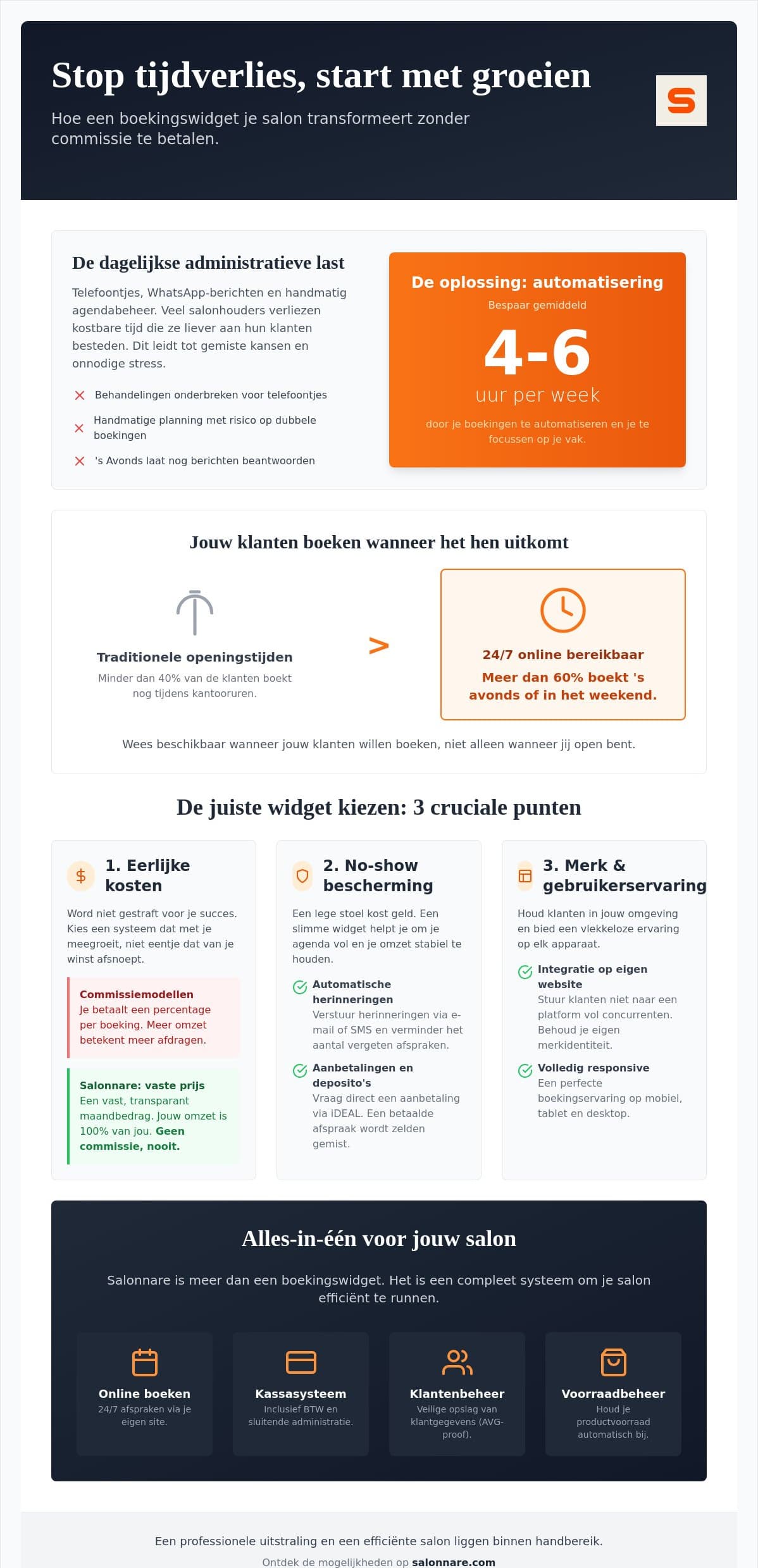
No-shows are a major cost. An empty chair earns nothing, while you could have helped someone else. A smart widget protects your calendar in two ways. First, automatic email reminders keep the appointment top of mind for your client. Second, you raise commitment by asking new clients or time-consuming treatments for a deposit: someone who has already paid almost always shows up. You decide yourself when to apply this, so your regulars are not bothered by it.
Finally, make sure clients can also find you. Link your booking to your Google Business Profile, so people can book straight from the search results. On your own website, place a clear 'Book now' button in strategic spots, such as top right in your menu and on your homepage. That lowers the barrier for new clients and raises your conversion, without extra advertising costs.
Why Salonnare is a smart choice
Salonnare is a Dutch platform, built by VanIersel Development, that combines the booking widget with a complete salon system. Online booking, point-of-sale, client card, inventory and reporting work seamlessly together, so you never enter data twice. What sets Salonnare apart:
- Start free, forever. The Free plan is €0 per month for 1 staff member and 50 bookings per month. As you grow you choose Starter (€29) or Pro (€59), always without marketplace commission per booking. - Payments into your own account. iDEAL and local methods via Mollie, card payments via Stripe, straight to you, minus the provider's costs and a platform fee of 0.5% (min. €0.30) per payment. - Nine languages. Your widget and system in Dutch, English, German, French, Spanish, Italian, Polish, Portuguese and Turkish. - Permissions per staff member. With roles and permissions (RBAC) you decide who can see and do what. - GDPR and secure data. Encrypted storage in the EU, with a separate vault for sensitive health notes. - Room to grow. Built-in booking on your own site and via Google, SSO sign-in (Google, Microsoft, Apple, Facebook) and an installable app come as standard.
Ready to let your calendar fill up on its own over the coming weeks? Create a free account today and put the booking widget live on your website this week.
Frequently asked questions
What does a booking widget for my website cost?
With Salonnare it depends on the size of your team. You start completely free with the Free plan (€0 per month) for 1 staff member and up to 50 bookings per month. For larger salons there are Starter (€29) and Pro (€59) per month. Unlike many platforms, you never pay a marketplace commission per booking - only a platform fee of 0.5% (min. €0.30) per online payment - so your monthly costs stay predictable.
Can I use the booking widget without technical knowledge?
Yes, you need no programming knowledge. After setting up your services and staff you get a ready-made embed code that you paste into the spot you want in your website manager, much like placing an image. The widget works straight away on popular systems such as WordPress, Wix and Shopify.
How does collecting deposits through the widget work?
Deposits run through a direct link with Mollie or Stripe. You choose a fixed amount or a percentage of the treatment yourself. Clients pay securely by iDEAL or card while booking, and the money goes straight into your own account minus Salonnare's own platform fee of 0.5% (min. €0.30) per payment - no separate marketplace commission. It is a proven way to prevent no-shows.
Is my client data safe with online booking software?
Yes. Your client data is stored encrypted on servers within the EU, in line with the GDPR. Sensitive health data such as allergies or skin analyses is kept in a separate, extra-secure vault (GDPR art. 9), so your clients' privacy is always guaranteed.