



Keeping your salon client database up to date: a practical 2026 guide
A client asks about last year's colour formula and you find yourself digging through loose notes and old messages. This article is not about which system to pick, but about the layer underneath: how to set up and maintain your client database so it stays accurate, current and compliant with the GDPR. Which fields do you record, what do you leave out, how do you migrate from Excel or a card index, and how long may you actually keep the data?
Why a maintained client database beats a large one

Most salons are not short of client data, they are short of usable client data. The same person sits in the system under three profiles, two email addresses have been bouncing for a year, and half the records have no treatment notes at all. A database like that keeps growing, but you cannot do anything with it.
The professional term for this is Customer Relationship Management (CRM): systematically recording and maintaining the relationship with your client, not just their contact details. The difference is in the upkeep. A database you actually maintain tells you who has not been in for four months, which treatment gets repeated most often, and which client has an allergy you need to work around.
So start with two simple measurements on your current list: how many duplicate profiles are in there, and for how many clients is a valid email address or phone number missing? Those two numbers say more about the quality of your administration than the total number of names. If you are mainly weighing up which system to use, read the article on client management and CRM for your salon; this guide is about the upkeep.
Which data to record, and which to leave out
The GDPR works on data minimisation: you record what you need to do your job, and nothing more. That is not a restriction but a relief, because every extra field is a field someone has to fill in and keep current.
In practice this basis is enough for a salon: name, email address for confirmations and reminders, phone number for urgent cases, treatment history, and the professional notes you need to do the work properly. For that last part, think of colour formulas, products used, processing times and preferences such as "no fragrance in the aftercare".
Health data is a separate category: allergies, medication, skin conditions or a pregnancy. Those are special categories of personal data under Article 9 of the GDPR and they do not belong in an ordinary notes field. In Salonnare they live in a separately encrypted vault, with permissions per staff member and an access log, kept apart from the regular client notes in client management.
What you are better off not recording: personal judgements about clients, data you might need "some day", and copies of identity documents. You do not need any of it to carry out a treatment, and it does become a liability if something goes wrong.
From card index or Excel to one digital database
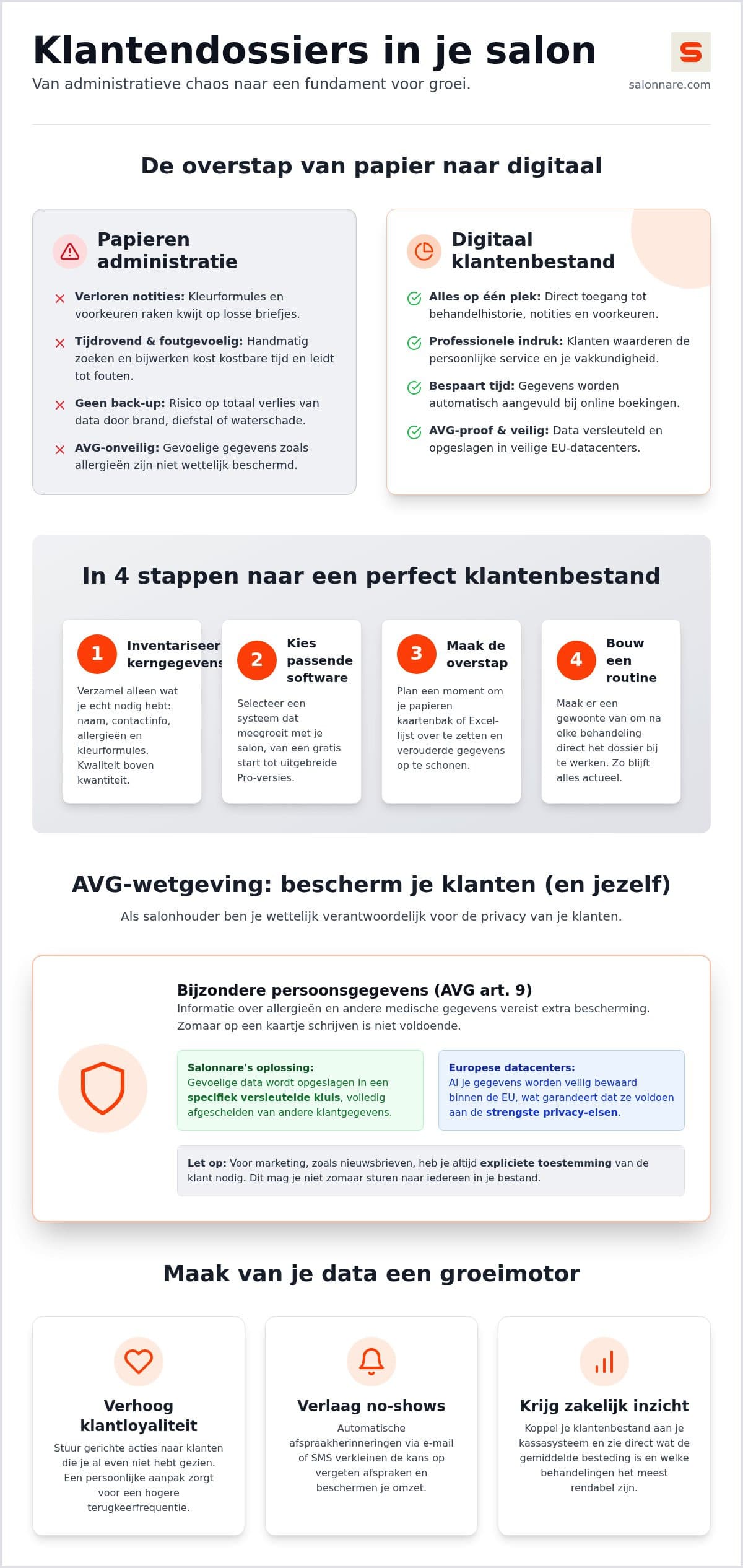
Migrating is mostly a clean-up exercise. Carry the mess of your old list across and you end up with exactly the same mess afterwards, only faster to search. So set aside half a day and work in this order.
First convert your existing list into a single table with fixed columns: first name, last name, email, phone, last visit. Then remove the duplicates, usually easiest by sorting on surname and phone number. Next, drop clients who have not been in for years and whose details are probably out of date. Only then do you import the lot; most salon systems read a CSV or Excel file directly.
You do not need to retype the full treatment history. Per client, bring across only what you genuinely need at the next visit: the last formula, known allergies and any specifics. The rest builds itself back up as soon as you work digitally.
Watch out for one thing when importing historical appointments: make sure your system does not send automated mail about them. An import that accidentally fires hundreds of review requests or reminders about last year's appointments is a classic and painful mistake.
The daily routine that keeps your database current
A client database does not go stale overnight, it decays by a few percent a month. Addresses change, numbers get cancelled, people move away. Only a fixed routine keeps up with that.
The most important rule is the shortest one: update the record before the client leaves, not at the end of the day. At the moment of payment you still know exactly which formula you used and what you agreed for next time. So connect your client database to your point-of-sale, so the payment, the products sold and the note all land in the same record in one go.
Let clients enter as much as possible themselves. With an online booking the client fills in their own name, email address and phone number, and that data arrives in the record without errors. That saves typing as well as typos; how to set this up on your own site is covered in the guide to the booking widget for your website.
Finally, schedule a half-hour clean-up twice a year: merge duplicates, clear out bounced email addresses and complete half-filled profiles. It is less work than it sounds and it keeps your later mailings clean.
GDPR in practice: consent, retention and deletion requests
You do not need a separate tick box to carry out an appointment; that processing follows from your agreement with the client. Commercial messages are different. A newsletter or promotional email requires demonstrable consent, with a clear opt-in and an unsubscribe link in every message.
That is why it pays to capture consent at the moment the client books, rather than chasing it afterwards. Record per client whether they want marketing messages and when they indicated that. If it is ever questioned, you can show exactly what you are relying on.
If a client asks to be deleted, you remove their personal data and treatment history from your active system. Invoices and payment records fall outside that: tax law requires you to keep those for seven years in the Netherlands, and comparable periods apply elsewhere in the EU. In practice you therefore anonymise the client profile and leave the financial records alone, so your bookkeeping stays intact.
Also agree a retention period for clients who no longer come in. Someone who has not visited for several years does not need to stay in your database indefinitely. For the health data in the vault, Salonnare applies its own retention period with a clean-up job, so those sensitive notes do not sit there for years after they have served their purpose.
What it costs and how to start this week
You do not have to do all of this in one weekend. Start with step one: convert your current list into a single table and strip out the duplicates. Import that into your system, then agree with yourself and your team that records get updated at checkout. Only once that is in place do you move on to consent and retention.
Cost need not be a barrier. Salonnare has a permanently free Free plan at 0 euro per month with one staff member and up to 50 bookings per month. If you outgrow it, Starter costs 29 euro and Pro 59 euro per month. You pay a fixed monthly price that does not scale with your revenue, so a fuller database does not make your subscription more expensive - only a 0.5% platform fee (min. €0.30) applies per online or card payment. Payments via iDEAL or Mollie land directly in your own bank account.
Want to get more out of your updated database afterwards? Read how to use that data to increase client loyalty in your salon. And if you want to start today: create a free account and import your first list.
Ready for a client database that actually adds up?
Set your client list up properly once, keep it current at checkout, and store health data in a separate encrypted vault. Start free with Salonnare at https://salonnare.com/en/free and scale up as your salon grows.
Start for freeFrequently asked questions
Is keeping a client database in Excel enough for the GDPR?
For a simple list of names Excel can do the job, but it falls short the moment you record health data. A spreadsheet has no per-field encryption, no permissions per staff member and no log of who viewed what. Those are exactly the three things the GDPR expects around special categories of data such as allergies or skin conditions. Salon software with a separate encrypted vault for health notes solves this without you having to configure anything yourself.
How do I ask clients for consent to store their data?
For carrying out the appointment itself you do not need a separate tick box, because that processing follows from the agreement. For marketing messages you do: let the client actively opt in, for example with a checkbox during online booking that is unticked by default. State what you use the data for and make sure every commercial email carries an unsubscribe link. Record per client when consent was given so you can demonstrate it later.
What do I do when a client asks to be removed from the database?
You are obliged to honour this right to erasure and to remove the personal data and treatment history from your active system within a reasonable period. Invoices and payment records are excluded: tax rules require you to keep those for seven years in the Netherlands, with comparable periods elsewhere in the EU. In practice you anonymise the client profile and leave the financial records untouched so your bookkeeping stays correct.
Can I import my existing client list into salon software?
Yes, most systems read a CSV or Excel file directly, so you do not have to retype hundreds of names. Do clean the list up first: remove duplicates and clients whose details are clearly out of date. When importing old appointments, make sure your system does not send automated confirmations, reminders or review requests about them.