



Switching salon software: how to migrate your data without losing any of it
Most salon owners do not stay with their software provider because they are happy. They stay because the move looks daunting. Your entire business lives in that system: client records, treatment history, colour formulas, stock. So this guide is not about which package looks best. It is about the migration itself: what you take with you, how to get it out, which records need extra protection and how to go live without missing a single appointment.
When a switch actually pays for itself

A switch will always cost you a day of work. So the question is not whether it is a hassle, but whether the hassle pays off. Work that out once before you start.
The biggest item is usually the pricing model. Do you pay a fixed monthly fee, or does your provider take a percentage of bookings that come in through their platform? With a commission model your software costs grow with your revenue: the better your month, the more you hand over. With a fixed monthly fee that cost stays flat while your calendar fills up. Pull up your last three invoices and add up the commission that was deducted. That figure is your annual gain from switching, before you even look at features.
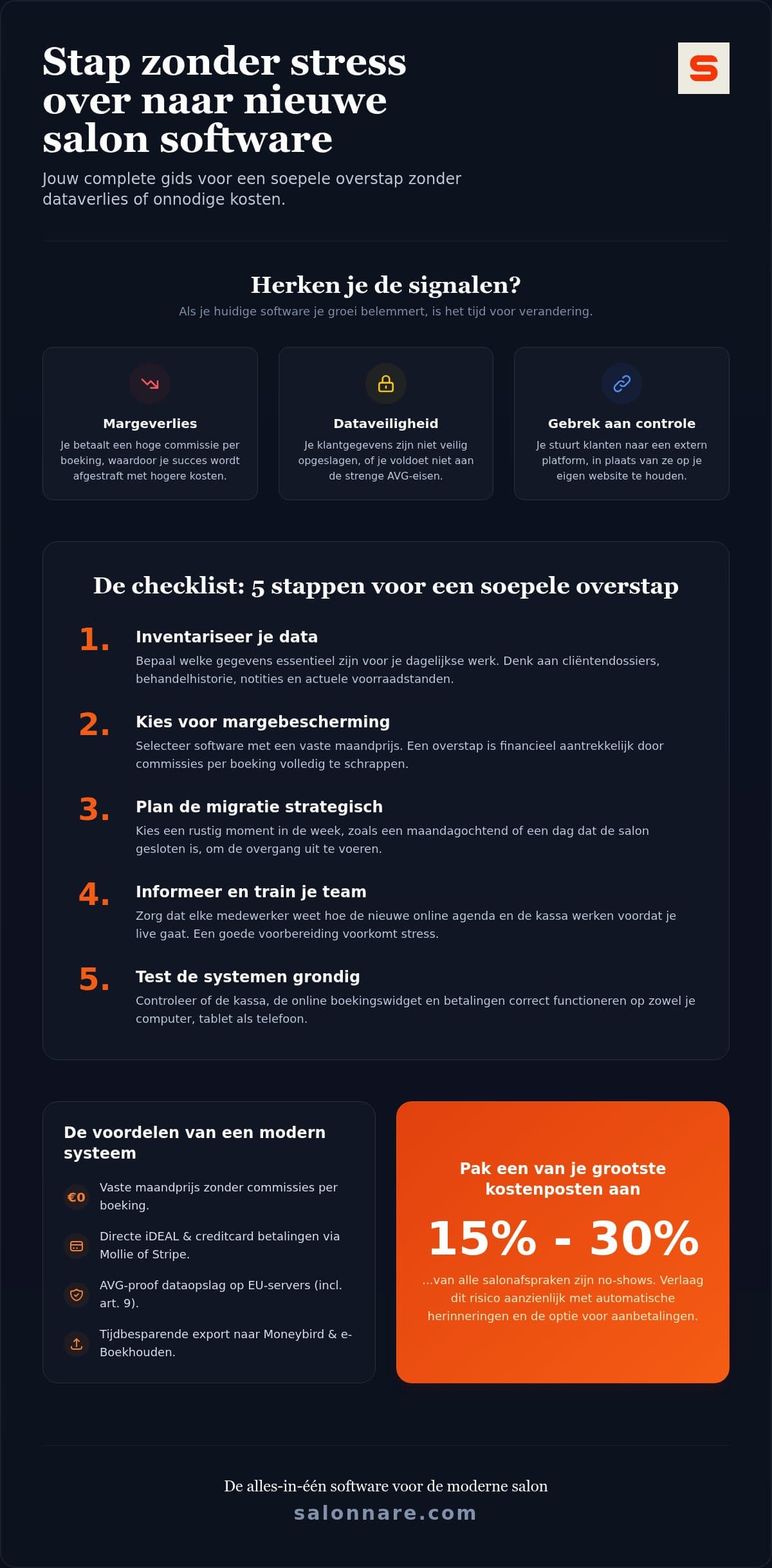
There are also signals that have nothing to do with money. You cannot place a booking widget on your own website. Your client data sits outside the EU. You cannot control per team member who sees which records. Or you simply cannot get your own data out in a usable form, which on its own is reason enough to leave.
If you do not yet know where you are heading, start with the choice rather than the migration. The guide on comparing salon software explains how to line providers up fairly on pricing model, VAT-compliant point of sale and GDPR.
Step 1: take stock of what moves with you, and what stays behind
Migrations rarely fail on technology. They fail because someone discovers afterwards that the colour formulas were sitting in a free text field. So make a list before you export anything.
Sort your data into three piles. The first holds what you cannot do without: names, contact details, marketing consent, upcoming appointments and the treatment history you rely on at the chair. The second holds what is useful but reproducible: stock levels, old sales lines, service lists you want to rebuild anyway. The third holds what you deliberately leave behind, and it is bigger than you think. Clients who have not visited in five years do not need to come along, and under the GDPR you are not allowed to keep personal data longer than necessary either. A migration is the natural moment to clean house.
For everything else, ask the questions you should ask before any software change. The Forbes Technology Council lists those questions: what does the new system solve that the old one cannot, who on your team is affected, and what happens if the switch disappoints. That last one matters most: keep a full export of your old system, including after you have moved.
Where those records end up determines how much your inventory is worth. In client management you record contact details, history and notes per client, so the information from your old system has a home instead of lingering in a loose file.
Step 2: export your data and keep health records separate
Ask your current provider for an export in CSV or Excel. You are entitled to one: under the GDPR you may receive your personal data in a commonly used format. If you are refused, or handed only a PDF, put the request in writing and repeat it. A PDF is not a usable export.
Then check the file yourself before importing. Data migration usually goes wrong on dull details: date formats that flip, phone numbers that lose their leading zero, duplicate clients stored under two spellings. Walk through a sample of twenty rows and compare them with what you see in your old system. If nothing looks odd there, the rest is unlikely to be skewed.
One category deserves separate handling. Notes about allergies, medication, skin conditions or pregnancy are special category personal data under Article 9 of the GDPR. They do not belong in an ordinary notes field, and certainly not in a loose spreadsheet on your desktop. Salonnare keeps them in a separately encrypted vault, where you decide per team member who has access. If those details run through the general notes in your old export, pull them out and enter them separately. If you work with intake forms, that information lands in the right place from the start.
Finally, delete the intermediate files once the import checks out. An export containing your full client list is exactly the kind of file that lingers on a USB stick for years.
Step 3: pick your moment and let the systems overlap
Do not go live on a Saturday morning. Pick a day you are closed or a quiet Monday, and plan the switch so there is at least a week between going live and a busy period.
Do not cancel your old subscription until the new system is running. A month of overlap costs you one double subscription, which is negligible compared with discovering halfway through that data is missing and you can no longer reach it. Watch your current provider's notice period while you are at it: sometimes a month, sometimes a quarter, and often counted from the end of a contract term.
During the overlap, run your key routines end to end once. Book a test appointment through your own booking widget, ring up a test sale at the till, send yourself a confirmation email and check that the VAT on the receipt is correct. Do it on the devices you actually use, so the tablet at the front desk and your phone as well.
If you are moving off a paper or standalone diary in the same go, the steps in digital calendar for salons are a useful companion: it covers setting up services, durations and availability before the first online booking arrives.
Step 4: bring your team and your clients along
A migration that is technically sound can still stall on the floor. So schedule half an hour with your team before you go live, and have everyone perform the actions they need daily at least once: book an appointment, look up a client, ring up a sale.
Set permissions properly straight away. Not every team member needs to see revenue reports or health notes. Role based permissions give everyone exactly what fits their job, which brings calm and is also a GDPR requirement: access to special category data should be limited to those who need it.
Your clients really only notice one thing about a good migration, and that is the new way of booking. Announce it as an improvement rather than a change: they can now pick a time online themselves, including outside opening hours, and receive a confirmation by email. Put the new booking link on your Google Business Profile and in your Instagram and Facebook bio right away, because those are the places where the old link lingers for months.
Turn on automatic reminders in the same week. Clients who have just got used to a new booking environment are slightly more forgetful than usual, and a reminder beforehand catches exactly that group.
What the switch costs and what it returns
The cost of switching is one off and manageable: a day of setup, a month of overlap and some time for your team. The return is structural, and sits mostly in the pricing model.
Salonnare has a permanently free plan for one team member and up to 50 bookings per month. Above that, Starter costs €29 per month and Pro €59 per month. No marketplace commission is taken (only a 0.5% platform fee, min. €0.30, per payment), so your fixed costs stay the same as your calendar fills up. That is exactly the difference you calculated in step 1.
Payments run through your own Mollie or Stripe account, so iDEAL, card payments and deposits land directly in your own bank account without an external intermediary, aside from Salonnare's own 0.5% platform fee (min. €0.30) per payment. How to set that up is covered under online payments. For your bookkeeping you get export files that line up with packages such as Moneybird and e-Boekhouden. That is an export rather than a live integration, but it saves you retyping receipts and prevents errors in your VAT return.
The rest is simply there: a point of sale that calculates Dutch VAT rates, stock management, data on servers inside the EU, an interface in five languages and sign in via Google, Microsoft, Apple or Facebook.
Want to try the switch without risk first? You can start for free with Salonnare, import your data and only move up to Starter or Pro when your salon calls for it.
Switch without leaving your data behind
Import your client list, set up your services and test everything calmly while your old system is still running. Salonnare's free plan is permanently free for one team member and 50 bookings per month, with only a 0.5% platform fee (min. €0.30) per payment. Start for free at https://salonnare.com/en/free and move up to Starter (29 euros) or Pro (59 euros) as your salon grows.
Start for freeFrequently asked questions about switching salon software
How long does it take to switch to new salon software?
The setup itself usually takes half a day: services, team members, working hours and importing your client list. On top of that, allow roughly a month of overlap during which your old subscription still runs, so you can fall back if something is missing. How long it takes depends mainly on how clean your export is, not on the new system.
Can I import my existing client list and history?
Yes, you can import clients via a CSV or Excel file with contact details and notes. Ask your current provider for an export in one of those formats, as you are entitled to it under the GDPR. Check the file beforehand for duplicate clients and incorrect date formats, and clean up while you are at it: clients who have not visited in years do not need to come along.
What if my current provider will not give me a usable export?
Submit your request in writing and refer to your right to data portability under the GDPR: you may receive your personal data in a commonly used, machine readable format. A PDF does not meet that standard. If you still get nothing, you can file a complaint with your national data protection authority. In the meantime, start with the data you do have, such as upcoming appointments.
How should medical notes and sensitive client data be handled during a migration?
Details about allergies, medication, skin conditions or pregnancy fall under Article 9 of the GDPR and deserve separate handling. Do not put them in an ordinary notes field and do not leave them behind in a loose export file. Salonnare keeps them in a separately encrypted vault, where you set per team member who has access. All data sits on servers inside the EU.
Will I lose bookings during the switch?
Not if you let the systems overlap. Set the new system up while the old one is still running, move upcoming appointments across, and only then replace your booking link on your website, Google Business Profile and social media. Go live on a quiet day and test an appointment and a sale beforehand on the devices you actually use.