



Digital calendar for salons: how to switch without losing a week
You are halfway through a colour treatment, your phone buzzes with a booking request on WhatsApp, the landline rings, and at four o'clock a chair sits empty because someone did not show up. That costs energy, and it costs revenue. Most articles on this subject explain *why* a digital calendar is useful. This one is about the switch itself. How do you get your client list, your services and your opening hours out of a paper diary or a scattered set of apps and into a system that takes the work off your hands, without being out of action for a week? Below you will find what a digital calendar actually takes over, the five steps that keep the migration manageable, and which settings to enable during setup so no-shows drop straight away.
What a digital calendar takes off your hands

A paper diary works fine right up to the moment you do not have it with you. Then you call back, scribble something on a note, and the note disappears. At its core you are replacing that pile of loose actions with appointment scheduling software: one place that holds your availability and where clients book themselves.
The biggest gain is not the calendar itself but everything that stops happening around it. No more back-and-forth about which slot is still free. No double bookings because you and a colleague each wrote something down. Change an appointment on your phone and it is on the tablet in the salon at the same moment.
You also build a client database without trying. Every booking attaches to a record with that client's history: which treatment, which colour, which preferences. Well-configured bookings management gives you something a paper diary never could: a view of which hours fill up and which stay structurally empty.
Five steps to switch without losing a week
Migrations rarely fail on the software and almost always on the order of operations. Work through these five steps instead. Using technology well is one of the clearest ways for service businesses to cut operational costs, but that only pays off once the setup is right.
- Pick a plan that matches your current size. Working alone? Start on a free plan. There is no reason to pay upfront for features you will not need for another year. - Move your clients across. Bring your existing client list into the system, phone numbers and email addresses included. Do this on a quiet morning, not between two treatments. - Enter your services. Price, duration and any buffer time per treatment. This is the foundation: if the durations are wrong, your whole day runs late. - Place the booking widget. On your website and behind the button on your Instagram and Facebook profiles. It is your shop sign that stays open at eleven at night. - Make a test booking. Walk through the flow once as a client. You will spot immediately which line in the confirmation email still reads wrong.
Want to follow along while you read? You can start for free and set up your own environment without entering payment details.
Setting up services and availability the way you actually work
Two things get forgotten almost every time services are entered. The first is turnaround time. A 45-minute cut takes 55 minutes in practice, including tidying up and drawing breath. Put that margin in the service itself rather than in your head, or your afternoon runs fifteen minutes late every single day.
The second is processing time on colour work. While the colour develops you can help someone else. Software that supports this can fill that gap instead of blocking it, which on a busy Saturday is easily one extra treatment.
For the technical side of the widget - where to place it, how to match your own branding - we wrote a separate complete guide to a booking widget. The short version: the fewer clicks between the button and the confirmation, the more bookings survive the journey.
Cutting no-shows and closing the loop on admin
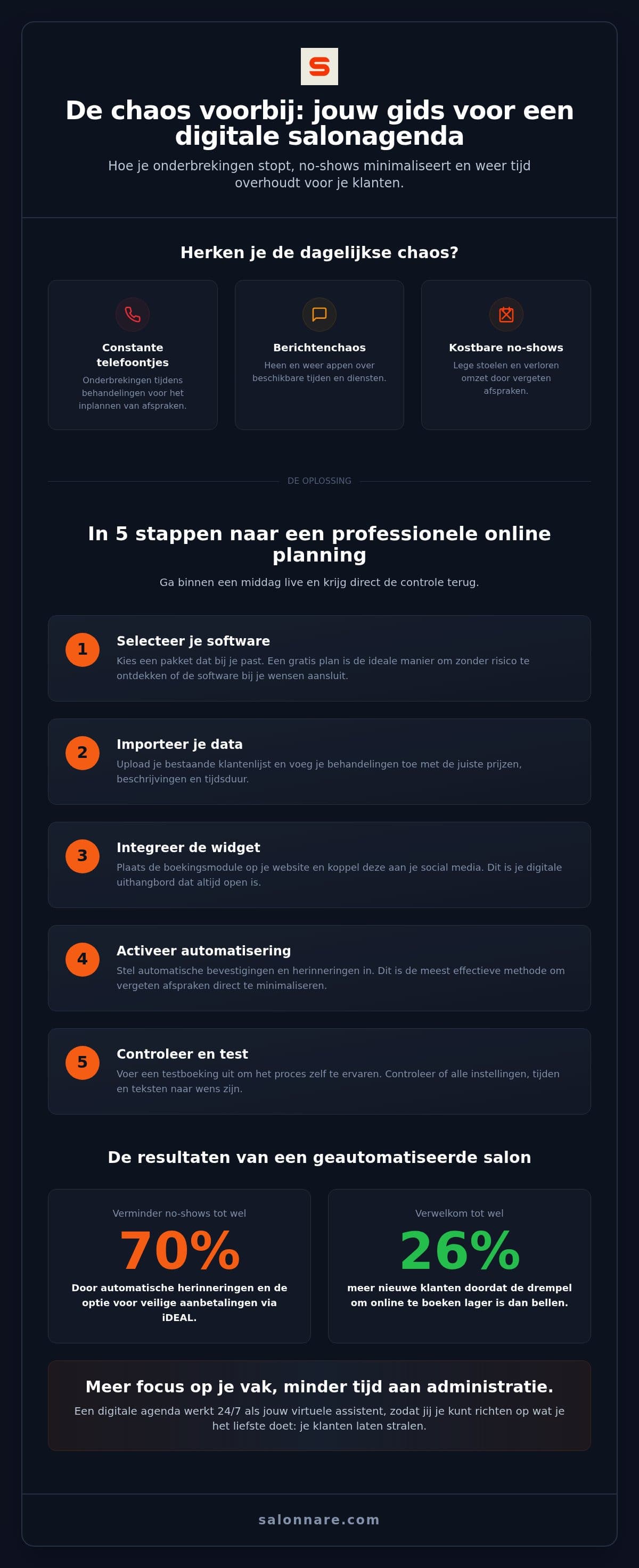
An empty chair costs more than it looks: the time was reserved, the fixed costs kept running, and the client you could have helped went somewhere else. The settings that do most about this are the ones you switch on during setup.
The first is the automatic reminder, 24 to 48 hours ahead by email or WhatsApp. The second is the deposit. Salonnare connects to Mollie or Stripe so clients can pay part of the amount upfront. That money goes straight to your own account; we only charge a 0.5% platform fee (min. €0.30) per payment. Pair it with a clear salon cancellation policy and the awkward conversation about a late cancellation simply does not happen.
Finally, close the loop at the back end. Connect your calendar to a point-of-sale and a finished appointment becomes a correct receipt, with your revenue ready to export to your accounting tool.
Health data: the step most salons skip
If you record allergies, medication or skin conditions, you are processing special category personal data under Article 9 of the GDPR. That is a heavier category than an ordinary client note, and a free-text field in your calendar was not designed for it.
Salonnare keeps this kind of data in a separate encrypted vault with its own access rights, so you decide per staff member who can open it. Storage sits on servers inside the EU.
This is exactly the sort of thing to get right in one go during the switch. Working out later which notes were actually health data is far more painful than separating them now.
Put your calendar online this week
Set up your services, place the booking widget on your own site and let clients book themselves. The Free plan costs 0 euro per month for 1 staff member and 50 bookings, and it does not expire. Starter is 29 euro and Pro 59 euro per month, always with the same 0.5% platform fee (min. €0.30) per payment.
Start free with a digital calendarFrequently asked questions about switching to a digital calendar
How long does switching take?
Set aside one quiet morning for the setup. There is nothing to install: you log in through the browser or use the app on your phone. Most of the work is entering your services with the right duration and price, and moving your client list across. Placing the widget on your website is then a matter of copying one block of code.
Can I bring my existing client list?
Yes. You move your current client list into the system so you do not have to retype everything. Clients land in their own record straight away and you can start sending confirmations and reminders to people who already come to you.
What does a digital calendar for salons cost?
At Salonnare the Free plan costs 0 euro per month for 1 staff member and up to 50 bookings per month. Beyond that, Starter is 29 euro and Pro 59 euro per month. Only the 0.5% platform fee (min. €0.30) per payment applies, so your monthly cost stays the same whether you handle 30 or 300 appointments.
Is client data safe in the cloud?
Data sits on servers inside the EU and falls under the GDPR. For sensitive information such as allergies or medication there is a separate encrypted vault with its own access rights, built for Article 9 of the GDPR. In practice that is better protected than a diary on the reception desk or a spreadsheet on an unlocked laptop.