



Barbershop appointment software: scheduling walk-ins and bookings in 2026
A barbershop schedules differently from a hair salon. Your calendar is a mix of clients who book ahead and men who walk in because they happened to be on your street. Keeping both streams in one calendar without anyone waiting too long or getting double-booked is exactly what barbershop appointment software is for. This guide covers what you actually need day to day: walk-ins alongside appointments, fewer empty chairs, checkout at the till, and what to look for when choosing a system.
Why a barbershop needs different scheduling

Picture yourself mid beard trim while your phone buzzes non-stop. Every buzz is a potential client, but also a break in your focus. And while you are cutting, the door opens and someone asks whether you can still fit them in today. That is daily life in a barbershop, and exactly why a standard calendar falls short.
The technology behind a booking system is called appointment scheduling software and the principle is simple: your availability sits at the centre, and clients look into it through a booking page. What a barbershop needs on top of that is room for the walk-in. A system that only knows pre-booked appointments stops matching reality the moment your first walk-in sits down.
So the core of good barbershop appointment software is not that clients can book online - everyone offers that now. The core is that your calendar stays accurate the second you adjust it by hand during the day. Add a walk-in to the next free slot and your online booking page has to close that slot immediately. Otherwise someone at home on the sofa books the exact quarter of an hour you just gave away.
That is also the difference with a shared phone calendar or a WhatsApp group: those do not know who is in the chair right now. If you want the broader picture of what sits inside a system built for barbers, read the full guide to barber software.
Walk-ins and booked appointments in one calendar
The practical starting point is that every barber gets their own column in the calendar. You see at a glance who is busy with what, who is free in ten minutes and who takes the next client. Someone walks in, and you drop them into the next free slot with the barber who finishes first. No sticky notes, no "who was here first", no debate at the door.
Two settings decide whether this works in practice. The first is a realistic duration per service. A dry cut takes about the same time for nearly every client, but a fade with a beard line does not. Put ten minutes everywhere because it feels quick and your whole afternoon runs late while walk-ins wait too long. The second is how close to the appointment someone may still book online. Set that to zero and someone books a slot while already standing at your door, right after you let someone else in. An hour of margin is enough for most shops.
You also decide which services can be booked online at all. Put the predictable cuts out there and keep the longer, more involved work on the phone so you can talk it through first. That keeps your calendar realistic instead of leaving you to call clients back to reschedule.
You make all of these choices in bookings management, where your calendar, services and staff come together. Working with a team, you set per staff member what they can see and do: a barber works in their own calendar, while you as the owner reach the settings and reports. To see how much time this saves over a week, read how an online booking system saves hours every week.
Fewer empty chairs: reminders and deposits
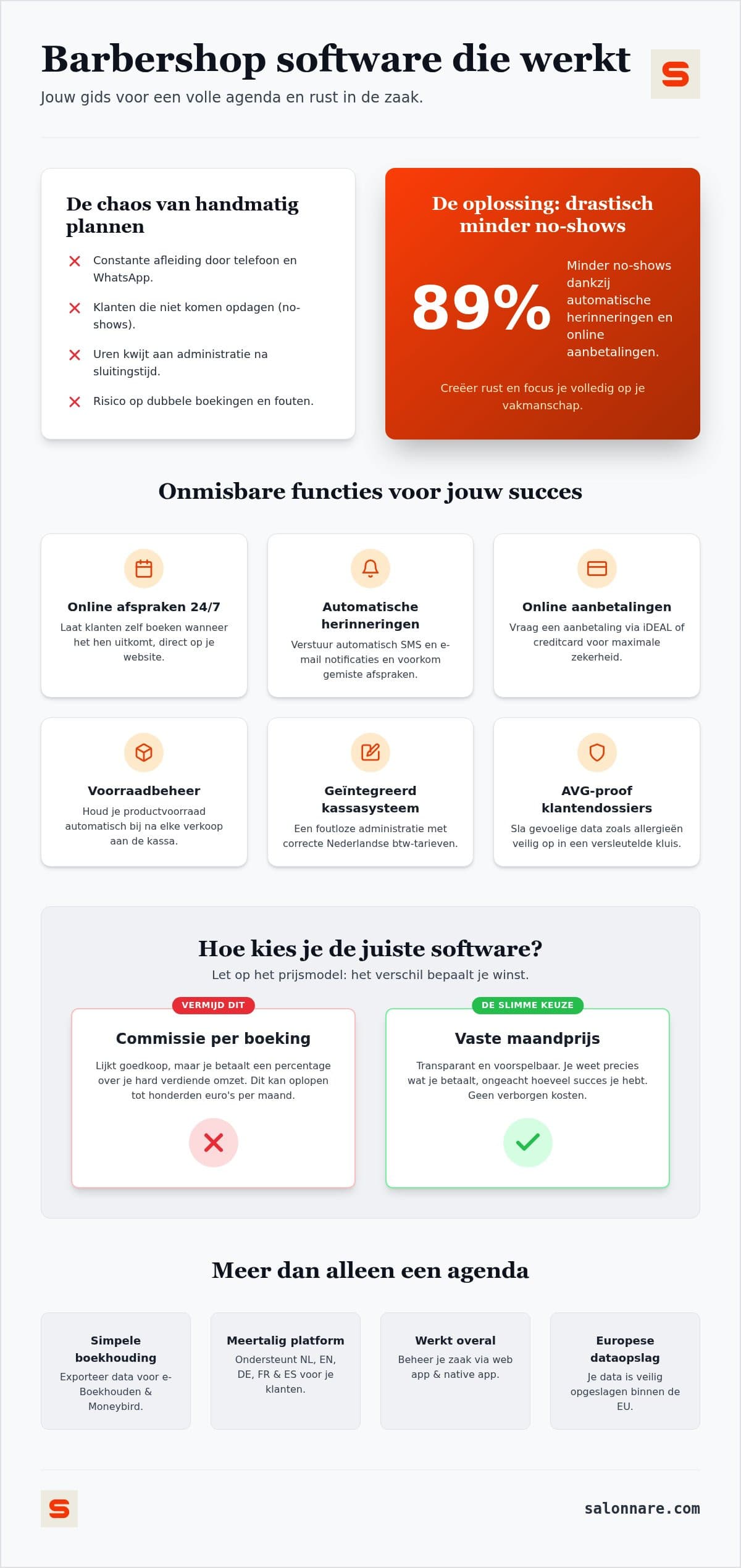
An empty chair is the most expensive spot in your shop. The client does not turn up, and because you only notice once the slot has passed, nobody else could take it. Most no-shows are not bad will but forgetfulness: someone books on Monday for Saturday and never thinks about it in between.
So the first step is simple. Automatic reminders by email or WhatsApp bring the appointment back into view in time, plus a confirmation the moment they book. You set it up once and it runs by itself. That catches the biggest group, the forgetters. You arrange this in automatic reminders.
If a group still stays away structurally, a deposit is the logical next step. With online payments you connect your own Mollie or Stripe account, so clients pay part up front when booking through local payment methods or card, and that money lands straight in your own bank account. Salonnare only charges a 0.5% platform fee (min. €0.30) per payment on that; you also pay your payment provider's transaction fees.
Use it selectively though. For a half-hour cut a deposit puts people off more than it helps. For the long appointments and for new clients you do not know yet it makes sense: those are the slots where a no-show really hurts. Also write down what happens when someone cancels late, so you are not deciding on the spot every time. A clear cancellation policy prevents arguments at the desk and is fairer to your regulars.
From chair to till: checkout, retail and tax
An appointment is only finished once it is paid for, and that is where most errors creep in. If your calendar sits apart from your till, you retype everything: which service it was, which barber did it, whether a beard oil went with it. At the end of a busy Saturday the day sheet is just slightly off.
With a till attached to your calendar, the service is already queued up when the client pays. You add a product if needed, pick the payment method and you are done. The point of sale splits the tax across the receipt automatically, applying the right rate per line for services and retail, on one receipt with a sequential receipt number. Your client gets it by email if they want it.
Retail is no side note for a barbershop. Pomade, beard oil and aftershave add a few euros per client without costing you chair time. Sell a tin at the till and stock in inventory management drops by one straight away. You see what moves and what has been sitting on the shelf for months, and you get a nudge before something actually runs out.
At the end of the quarter you export your revenue per tax rate and per period for your bookkeeping. Note that this is an export and not a live integration: you hand over a file rather than having the systems talk to each other continuously. What it mainly saves you is the retyping and the arithmetic mistakes.
Client records: from fade height to privacy
What keeps a regular coming back is that you remember how he wants his hair. What height the fade was, which guard, how sharp the beard line could be, whether he left with a different parting that time. That is exactly the information that disappears the moment someone is off or a colleague takes the client over.
In a client profile you record it once and it is there next time. Unlike general client management tools, salon software also knows which service went with it and what it cost, so visit history and preferences sit in one place. Even a walk-in you just added by hand gets a record straight away. You handle this in client CRM.
Part of those notes is more sensitive than the rest. Note down a skin condition, an allergy to a particular product or medication use and you are handling special category health data, which the GDPR treats more strictly than an ordinary client note. Salonnare keeps that separately in an encrypted vault under Article 9, apart from the normal notes, and you decide per staff member who may open it. Your data sits on servers inside the EU.
That sounds heavy for a barbershop, but it is mostly practical: you record what you need to do good work, without that information being visible to everyone in the shop.
What to look for when choosing a system
The pricing model matters more than the monthly figure. Plenty of platforms tempt you with a low entry price and then charge commission per booking or a percentage of your revenue. That means your costs rise as your calendar fills: you get punished for a good month. With a flat fee that gain stays with you.
At Salonnare you pay a fixed price. The Free plan is permanently free for one staff member and up to 50 bookings a month, Starter costs 29 euros a month and Pro 59 euros a month. For a solo barber starting out, the free plan is often enough to set up the whole schedule and run it for a few weeks before paying anything.
Also look at daily use. You are behind the chair all day, so you need to open your calendar on your phone without friction. Salonnare runs as an installable web app on your home screen and there is a native app for Android and iOS. If you work with a mixed team or with clients who speak different languages, it helps that the software comes in five languages and that you set per staff member who sees what.
Finally, just run it for a week with real clients before you switch. A demo on a quiet Monday morning tells you little about how a system holds up on a full Saturday with three walk-ins waiting. You can start free with your own barbershop calendar and upgrade only once your shop grows.
Get your calendar straight this week
Set up your services and barbers, open your booking page and slot your first walk-in in beside it. The Free plan is permanently free for one staff member and 50 bookings a month, with only a 0.5% platform fee (min. €0.30) per payment. Start free with Salonnare at https://salonnare.com/en/free and expand as your shop grows.
Start for freeFrequently asked questions about barbershop appointment software
What does barbershop appointment software cost per month on average?
It varies a lot by provider, mostly because of the pricing model. At Salonnare you start free on the Free plan for one staff member and 50 bookings a month. As your shop grows, Starter costs 29 euros a month and Pro 59 euros a month. There is never a marketplace commission - only a 0.5% platform fee (min. €0.30) per payment - so your monthly cost stays the same whether you run a quiet month or your best one yet.
How do I fit walk-ins in without upsetting my booked appointments?
You add a walk-in by hand to the next free slot of whichever barber finishes first. Because every barber has their own column in the calendar, you see immediately where there is room. The moment you take that slot, it disappears from your online booking page, so nobody at home can book the same quarter of an hour. Set online booking to close, say, an hour before the slot and you keep that last margin in your own hands.
Can I import my existing client list into the new software?
Yes. You download an empty CSV template, fill it with your current client details and upload it. You get a preview with any errors flagged before anything is written, so you do not end up with duplicate or half-filled clients. If you work in Excel today, export that file as CSV. After the import you can send reminders and keep client notes straight away.
Is my data safe and does the software meet GDPR requirements?
Your data sits on servers inside the EU. If you note sensitive information such as a skin condition or an allergy, it does not go into the ordinary client note but into a separately encrypted vault under Article 9 of the GDPR. You decide per staff member who may view that data, so not everyone in the shop can reach everything.
Do I need special hardware for the point of sale?
No. The till runs on any device with internet: a tablet at the desk, your laptop or simply your phone. For online payments and deposits you connect your own Mollie or Stripe account, so clients pay through local payment methods or card and the money arrives in your own bank account. If you want to take card payments at the desk, your existing card terminal simply sits beside the till.