



Online booking system for hairdressers: how to save hours every week
An online booking system only saves you time if you set it up properly. This guide is not about which package looks best, but about the settings that genuinely save a hairdresser hours per week: a phone that stays quiet, processing time you use instead of give away, and no-shows you catch before they punch a hole in your day.
Where your hours actually go

Before automating anything, it helps to know exactly what you are removing. Track two things for one week: how often the phone rings during a treatment, and how many bookings you could have taken outside opening hours if someone had picked up. Those two numbers are your real saving, and they vary a lot between salons.
The interruptions cost more than the calls themselves. A two-minute call rarely costs two minutes: you put your scissors down, your client waits, and then you have to find your rhythm again. Add those disruptions up and on a busy day the total climbs quickly.
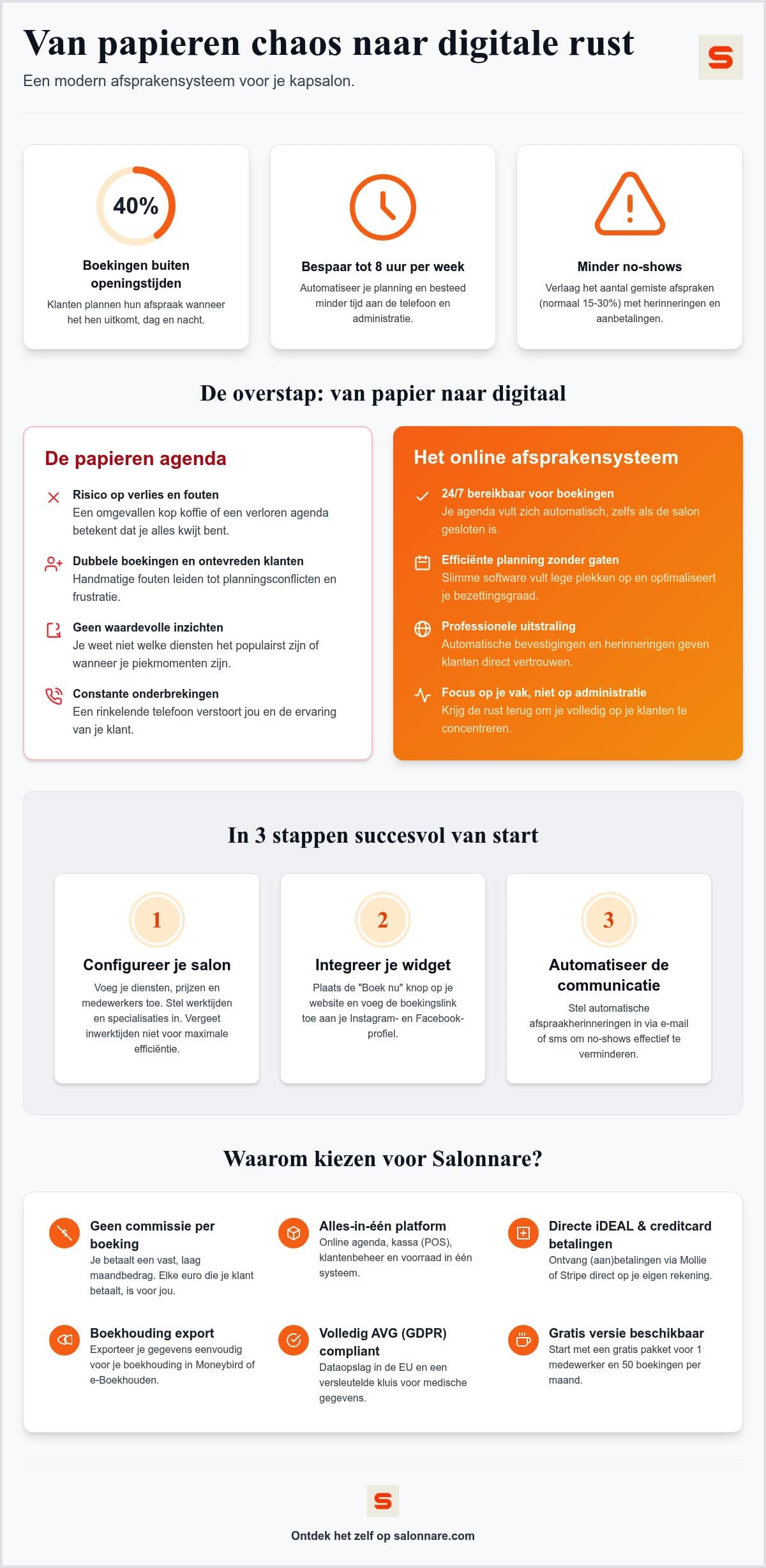
An online booking system takes over exactly that part. Clients book themselves, whenever it suits them, and your hands stay free. For the daily planning itself you use bookings management, which brings your calendar, staff and treatment durations together in one place.
The setup that makes the difference: processing time and duration
This is where the biggest time saving sits, and it is the step most often skipped. For each treatment, do not just enter the total duration: separate the time you are actively working from the time the colour or perm is developing. If you skip that, the system blocks the waiting time as occupied and you give away half an hour of productive calendar on every colour service.
Split properly, the system can automatically slot a quick cut into that window. With a few colour treatments a day, that is the difference between a calendar that looks full and one that is full.
Next, add your staff with their own working hours and specialisms. Not every stylist does balayage, and a system that knows this will not offer clients a slot you have to call back and move later. With role-based access control (RBAC) you also decide who sees what: a staff member works in their own calendar, while you as the owner manage reports and settings.
From your website to your chair: the booking widget
A calendar only you can reach saves nothing. The link to the outside world is the widget on your own site, plus a booking button on your Google Business Profile and in your Instagram and Facebook bio. Outside opening hours in particular, that is the difference between a booking and a missed opportunity.
Research into online scheduling and client management trends shows that convenience in the booking process and client loyalty go hand in hand: the fewer steps between "I want an appointment" and a confirmation, the fewer people drop out along the way. So keep the form short and ask only for what you genuinely need.
If you want to get the technical side of the widget right, read the complete guide to booking widgets. It also covers how to test the widget before you put it live.
Catching no-shows: reminders and deposits
Start by working out your own no-show cost: take your average ticket value and multiply it by how often a chair stays empty each month. That figure tells you how strict your policy needs to be.
The first layer is confirmation plus automatic reminders by email or WhatsApp. That catches the forgetters, by far the largest group. The second layer applies only to long or expensive treatments: a deposit. Through online payments with iDEAL, Mollie or Stripe, that amount goes straight into your own account.
That last point is a real difference from booking platforms charging commission per booking. With a flat monthly fee your software does not earn more when you are busier: if you have a strong month, that profit stays with you.
Client records: useful and GDPR-compliant
As soon as you work digitally, client history builds up by itself. Which colour formula you used last time, how long a treatment really takes for this client, when they last visited. That makes your planning more accurate and saves questions in the chair. In client CRM you record this per client.
One distinction matters legally. Details about allergies, medication, skin conditions or pregnancy fall under Article 9 of the GDPR and do not belong in an ordinary notes field. Salonnare stores these in a separately encrypted vault, accessible only to staff you grant that right. All data sits on servers inside the EU.
That is not a formality: it is precisely the kind of information your client trusts you to handle carefully.
What it costs and when it pays for itself
The way people book services has changed for good in recent years, a shift described as The Rise Of The Appointment Economy. Booking themselves at a moment that suits them is now the norm for many clients, hairdressers included.
The maths stays simple. Salonnare has a permanently free plan for one staff member and up to 50 bookings per month, Starter costs €29 per month and Pro €59 per month. No marketplace commission: only a 0.5% platform fee (min. €0.30) per payment, so your fixed costs stay the same as your calendar fills up.
Put your own numbers next to that: at most hairdressing rates, a single prevented no-show per month already covers the subscription comfortably. The hours you save on phone calls and admin come on top of that.
Want to try it yourself? Salonnare's free plan is permanently free for one team member and 50 bookings a month, with only a 0.5% platform fee (min. €0.30) per payment. You can start for free and move up to Starter (29 euro) or Pro (59 euro) as your salon grows.
Start today with a calendar that works for you
Set up your services, processing times and staff, then put the booking widget on your own site. The free plan is permanently free for one staff member and 50 bookings per month, with only a 0.5% platform fee (min. €0.30) per payment. Start free with Salonnare at https://salonnare.com/en/free and scale up as your salon grows.
Start for freeFrequently asked questions
What does an online booking system for a hairdresser cost?
That depends on your salon size and the features you need. Salonnare offers a permanently free plan for one staff member and up to 50 bookings per month. Above that, Starter is €29 per month and Pro €59 per month. One thing to check when comparing: we charge a flat monthly fee that does not scale with your revenue, plus only a 0.5% platform fee (min. €0.30) per payment, so your costs largely do not rise as your calendar fills up.
How much time does an online booking system really save?
It varies per salon, so measure it rather than adopting an average. Track for one week how often the phone rings during a treatment and how many booking requests come in outside opening hours. The biggest gain usually is not in the calls themselves, but in removing interruptions and in colour treatments where the processing time finally gets used.
Can I connect my booking system to my accounting?
You can export your revenue data to your bookkeeping. Salonnare provides export files that work with packages such as Moneybird and e-Boekhouden. This is an export rather than a live API integration, but it prevents re-typing errors and gives you a clean overview of revenue and VAT for your return.
How do I avoid gaps between appointments?
For colour services, separate active time from processing time so the system can schedule a quick cut inside that window. Also set the right specialisms per staff member, so clients are not offered a slot you have to move later. For gaps caused by cancellations, automatic reminders work best, plus a deposit on expensive treatments.
Is my client data safe in an online system?
Salonnare stores all data on servers inside the EU and complies with the GDPR. Special-category data such as allergies or medication is kept in a separately encrypted vault under Article 9 of the GDPR, and you decide per staff member who has access. You can sign in with Google, Microsoft, Apple or Facebook.