



Barbershop software without marketplace commission: what it costs and what it returns
Almost every barbershop software comparison is about features. Calendar, till, client list - everyone has those by now. What actually shows up in your bank balance at the end of the year comes down to two other things: how your supplier bills you, and how much revenue leaks away through empty chairs. This guide does the maths on both, with 2026 prices, so your decision rests on numbers instead of a feature list.
Why the pricing model matters more than the feature list

Technically this kind of system falls under appointment scheduling software: your availability sits at the centre and clients book into it themselves, even while you have clippers in your hand. A barbershop needs a till on top of that, because a cut, a beard oil and a gift card belong in the same transaction.
That basic layer has become a commodity. The difference sits in the terms underneath it. Do you pay a fixed monthly fee or a percentage of every booking? Do card and iDEAL payments land in your own account or in a holding account owned by your supplier? And how much manual work does it take to get your monthly figures to your accountant?
If you want the broad overview of what such a system contains first, read the full guide to barber software. This article starts where that overview stops: at the arithmetic.
Commission per booking versus a fixed monthly fee
There are broadly two pricing models. In the first you pay a fixed amount per month, no matter how busy you are. In the second you pay a percentage of every booking, so the bill grows in step with your success.
Run the numbers for your own shop. Say 400 cuts a month at an average of 28 euro: that is 11,200 euro in revenue. A 3% commission on the bookings made online quickly adds up to several hundred euro a month. A fixed monthly fee does not move: it is the same at 200 cuts as at 600.
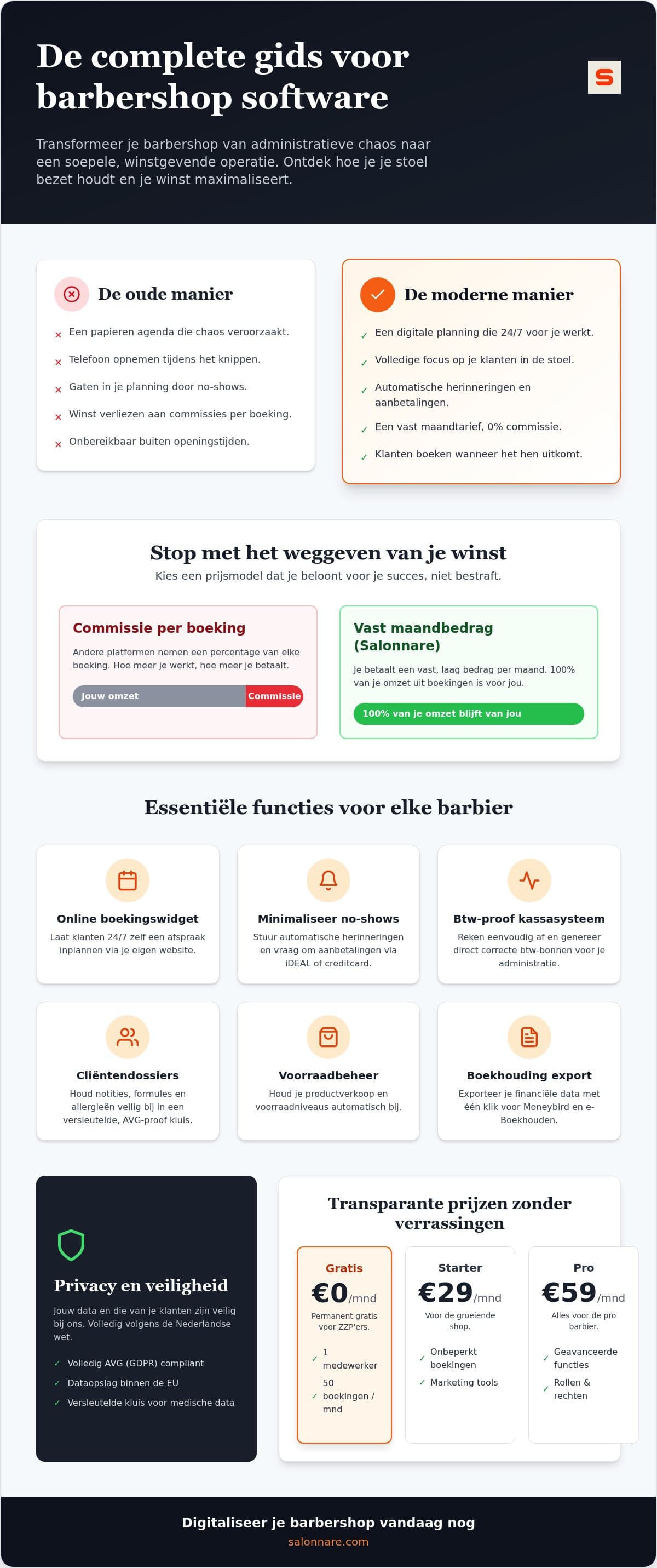
Salonnare charges no commission per booking, only its own platform fee of 0.5% (min. €0.30) per payment. The Free plan is permanently free for one staff member and 50 bookings a month. Beyond that, Starter costs 29 euro a month and Pro 59 euro a month. On top of that platform fee, you pay the usual transaction fees to your own payment provider.
That predictability is exactly what small business owners look for in digital tools, as this Harvard Business School piece on evolving technology for small business describes: not more software, but software whose cost you know in advance.
Want to check the maths yourself without reaching for your card? Start free with Salonnare and put your own rates into the calendar.
No-shows: from hoping to an appointment with skin in the game
An empty chair on a Saturday afternoon costs more than your subscription. Two no-shows a week at 28 euro adds up to more than 2,900 euro a year. That is over four years of a Starter subscription, leaking away through people who simply forgot.
The first lever that works is the automatic reminder. A confirmation goes out right after booking and a reminder shortly before the appointment. That catches ordinary forgetfulness, which is by far the largest share of no-shows. You set it up once under automatic reminders and it runs on its own after that.
The second lever is the deposit. Through online payments you connect Mollie or Stripe to your own bank account, so a deposit of, say, 10 euro arrives directly with you. Someone who has paid up front turns up, or at least calls to cancel in time.
Just do not put that deposit on every booking. For the regular who comes in every three weeks it is friction you do not need. For first visits and the popular Saturday slots it is exactly right.
Till, VAT receipt and bookkeeping in one flow
The hours you spend on admin count just as heavily as your subscription. It matters whether your till stands apart from your calendar or is wired straight into it. In the second case you check out straight from the appointment already in the calendar, with the right service, the right barber and the right price.
For a Dutch barbershop the VAT split is the key point: cuts and beard trims fall under the reduced 9% rate, retail such as pomade and beard oil under 21%. The point-of-sale splits that automatically per receipt, with a sequential receipt number and timestamp, and emails the receipt to the client.
At the end of the month you export the transactions to a file you import into Moneybird or e-Boekhouden. Note the word export: this is not a live integration that books for you, but a file you import and check yourself. In practice it saves you retyping a month of receipts.
Client data and GDPR in a barbershop
A barbershop collects more sensitive data than you would think. A note about an allergy to colouring products or a scalp condition counts as special category data under the GDPR, and it does not belong among your ordinary client notes.
Salonnare keeps notes like that in a separate, encrypted vault with its own consent record, apart from regular client notes. Who gets access is set per staff member: a barber works in their own calendar, while you as the owner reach the settings, the reports and the sensitive data. The data sits on EU servers.
How to set that up in practice - which fields you record, what you ask at intake and how long you keep it - is covered step by step in our guide to client records software for your salon.
How to set it up this week
You need no special hardware. Salonnare runs as a web app on the tablet or laptop you already own, and as an app on your phone when you are out. The order that works fastest in practice:
1. Set up your services with realistic durations. A dry cut is predictable, a fade with a beard line is not. Blocks that are too tight put your whole afternoon behind. 2. Add your barbers and set the permissions per staff member. 3. Open your online booking page and put it on your own site. How to embed that widget neatly is covered in the guide to a booking widget for your salon website. 4. Switch on reminders and decide which slots ask for a deposit. 5. Take the first week's payments at the till and check that your daily totals add up.
Start on the Free plan while you are under 50 bookings a month, and move to Starter or Pro only when your shop calls for it. Start free with Salonnare today and tighten your schedule without paying per booking.
Run the numbers for your own shop
The Free plan is permanently free for one staff member and 50 bookings a month, with no commission per booking - just a 0.5% platform fee (min. €0.30) per payment. Starter is 29 euro a month, Pro 59 euro a month. Start free at https://salonnare.com/en/free and upgrade only when your shop asks for it.
See the pricingFrequently asked questions about barbershop software costs
Does Salonnare charge commission per booking?
No. Salonnare works with fixed monthly rates: Free at 0 euro, Starter at 29 euro and Pro at 59 euro a month. No percentage per booking goes to us, whether you run 50 or 600 cuts a month. Salonnare does charge its own platform fee of 0.5% (min. €0.30) per payment, on top of the standard transaction fees of your payment provider (Mollie or Stripe), which you pay directly to them.
Is there really a free version for a solo barber?
Yes. The Free plan is permanently free, not a thirty-day trial. It is meant for one staff member with up to 50 bookings a month and includes the online booking page, the calendar and client management. If you are consistently above those 50 bookings, Starter (29 euro a month) is the logical next step.
How do I reduce no-shows in my barbershop?
Combine two things. Automatic email reminders catch ordinary forgetfulness, which is the largest share of no-shows. For first visits and busy Saturday slots, add a deposit paid online that lands directly in your own bank account. Do not apply the deposit to every booking: for your regulars it is friction you do not need.
Does the till meet Dutch VAT rules?
The point-of-sale automatically splits the reduced 9% rate on services and 21% on retail, gives every receipt a sequential number with a timestamp and emails it to the client. At the end of the month you export the transactions to a file you import into Moneybird or e-Boekhouden. That is an export you import and check yourself, not an automatic posting into your books.