



Salon software for beginners: what to set up before your first booking
Most new salon owners pick their software from a wish list of features, then get stuck on something else entirely: everything is switched on, nothing is filled in, and the first client books through a chat app anyway. The package is rarely the problem. The order in which you set it up is. So this article is not about which provider has the longest feature list. It is about the setup itself: the three things you fill in during week one, the modules you deliberately leave alone, what a package actually costs at twenty bookings a month, and the two things that have to be right from your very first receipt. If you want the broader digitisation path step by step, that is covered in our guide to [salon management for beginners](https://salonnare.com/en/blog/salon-management-for-beginners).
Why a startup needs different software than a busy salon

Almost all salon software advice is written for a salon that is already running: several staff members, a full calendar, stock that rotates. At twenty or thirty bookings a month the trade-offs are different. What costs an established salon money in inefficiency mostly costs you attention - and attention is what your craft needs.
The core of every package is the same: appointment scheduling software that prevents double bookings and lets clients pick from your open hours themselves. That single component removes most of your back-and-forth messaging, because a client choosing a slot at nine in the evening no longer has to wait for you to confirm it.
The rest of the feature list is not yet a selection criterion for you. Inventory modules, campaign tools and detailed reporting all need data you simply do not have yet. What you do want to know: does this package cost me money while bookings are still scarce, and will it grow with me without forcing me to enter everything again later.
What to set up in week one - and what to leave alone
Three things decide whether your booking page works from day one. Start with your services, and give each one the duration the treatment actually takes, including cleaning up and the changeover to the next client. A cut you list at thirty minutes while it takes you forty-five produces exactly the calendar you were trying to avoid.
Next, set your working hours with your breaks in them. A booking page that offers your lunch as free time will get bookings in it. Third, actually publish your booking page and put the link in your Instagram bio and on your Google profile. A page you have not shared does not fill itself. How bookings management handles the rest, from dragging an appointment to conflict detection, becomes visible once that first week is filled in.
What you deliberately leave alone matters just as much: inventory, client segments, email campaigns and reporting. Those parts are not useless, they are simply empty as long as you have no history. Switch them on when you have a question they can answer, not because they came with the package.
You can set those three steps up for free and decide later whether you need more.
The cost structure that hits a startup hardest
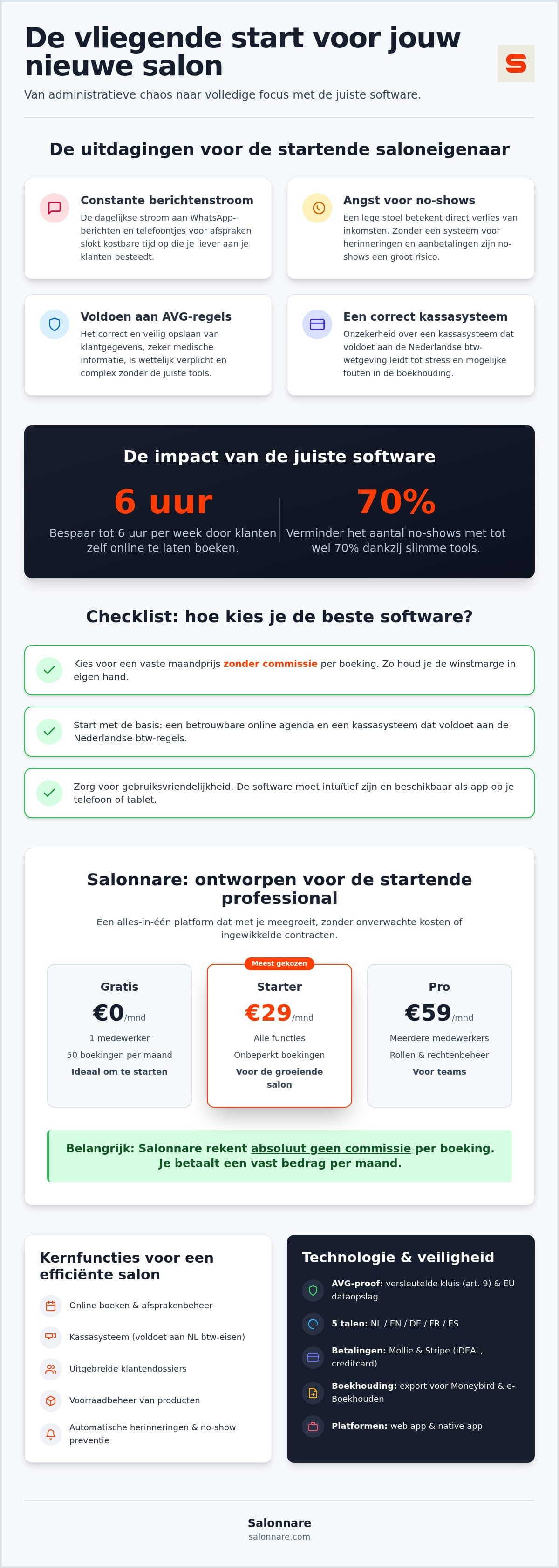
At low revenue your biggest risk is not the monthly price but the model behind it. Pay a percentage per booking and your software bill scales with exactly the revenue you still need to earn back your first investments. A fixed monthly price is predictable: in January you already know what December will cost.
At Salonnare that amount is Free at 0 euro per month for one staff member and up to 50 bookings a month, Starter at 9.99 euro and Pro at 14.99 euro. One thing to know up front: there is no marketplace commission on clients who book with you through Salonnare - that one is 0 euro. Online and card payments do carry a transaction fee of 0.5% with a minimum of 0.30 euro per payment. On a 45 euro treatment that works out at 0.30 euro, because the minimum lands above the percentage.
The payments themselves run through your own Mollie or Stripe account, so iDEAL, debit and card payments arrive in your account rather than at the software vendor first. For a startup that is more than a detail: it determines how quickly you can actually use your own money. A full comparison between providers is in how to compare salon software, and the current plans are on our pricing page.
What has to be right from your first receipt
Two things cannot wait until you are bigger. The first is your VAT administration. Treatments and retail products usually fall under different VAT rates - in the Netherlands, for example, salon services carry the reduced 9% rate while products carry 21%. The exact rates depend on your country, but the principle does not change: if you sell a treatment and a bottle of shampoo on the same receipt, both rates have to appear separately on it. If your till does not split that automatically, you will do it by hand later, and that is precisely where corrections come from.
The point-of-sale splits VAT per receipt line and records the payment method alongside it, so cash, debit and iDEAL stay separately traceable. You then export your financial overviews to packages such as Moneybird and e-Boekhouden. Note the wording: it is an export you generate per period, not a live integration. Which requirements to weigh when choosing a till is covered in pos system for beauty salons, and the yearly cycle after that in beauty salon accounting.
The second is privacy. The moment you record client data digitally, the GDPR applies. When it concerns health data - allergies, medication, skin conditions, pregnancy - those are special category personal data that need heavier protection than a phone number. Salonnare keeps them in a separately encrypted vault under GDPR article 9, with data inside the EU and permissions per staff member, so not everyone on your team can open those notes. That is easier to arrange now, with ten clients, than later with four hundred.
When to move from free to paid
The free plan is not a trial that expires, so there is no date by which you have to decide. Two moments make the switch obvious: you hire someone, or you structurally bump up against 50 bookings a month. Both are good news, and both are visible in your own calendar rather than in a reminder email.
Around that point two components suddenly start earning their keep. Automatic reminders save you the round of messages about tomorrow's appointments, and at four bookings a day that round becomes a job in itself. Deposits are the second: on a two-hour treatment an empty chair is not an inconvenience but a missed day of revenue. How to introduce that without scaring clients off is in collecting deposits in your salon.
Whatever you filled in during the free months comes along: your services, your working hours, your client records and your history all stay put. That is the real reason to set things up carefully now rather than later. It is the same data you will be reading your revenue per treatment from two years from now.
Want to start filling in your services and working hours today? You can do that for free and without a credit card.
Start with the parts you actually need now
Set up your services, your working hours and your booking page in an hour and leave the rest switched off until you need it. The free plan is 0 euro per month for one staff member and 50 bookings, with no credit card and no trial period that runs out.
Start free with SalonnareFrequently asked questions
Is salon software hard to learn as a beginner?
No, and you need no technical knowledge for it. You work in your browser on your phone, tablet or laptop, so there is nothing to install. The setup comes down to three concrete steps: your services with their real duration, your working hours including breaks, and publishing your booking page. That is an hour's work. Leave the remaining modules switched off until you need them.
What does salon software cost for a startup?
At Salonnare, Free is 0 euro per month for one staff member and up to 50 bookings a month. Above that, Starter is 9.99 euro and Pro is 14.99 euro per month, as a fixed amount that does not move with your revenue. On top of that, online and card payments carry a transaction fee of 0.5% with a minimum of 0.30 euro per payment. No credit card is needed to start on the free plan.
Does a booking cost me a percentage of my revenue?
There is no marketplace commission on clients who book with you through Salonnare; that one is 0 euro. Online and card payments do carry a transaction fee of 0.5% with a minimum of 0.30 euro per payment. Your subscription stays a fixed monthly amount alongside that. Payments run through your own Mollie or Stripe account, so the proceeds arrive in your own bank account.
Can I move my existing client list over?
Yes, you can import your client list instead of typing everything in by hand, so you start with a populated client base. Contact details and treatment history then sit in one place. Health data such as allergies or medication goes into a separately encrypted vault under GDPR article 9, with data inside the EU and permissions per staff member.
Do I need my own website to take online bookings?
No. You get your own booking page with a link you can put in your Instagram bio, on your Facebook page or on your Google profile. Clients pick a free slot there themselves. If you build a website later, you add the online booking to it without re-entering your services and working hours.