



Beauty salon accounting software: keep your bookkeeping in order
A beauty salon runs on precision: a careful intake, the right products and a treatment that is exactly right. Behind that treatment chair sits a second reality that has to be just as precise: your administration. The daily revenue you record, the VAT you remit, the purchase costs of your products and the client data you store. Anyone keeping all that in loose notes, a card-terminal slip and a shoebox full of receipts loses the overview - and sooner or later pays too much to their accountant or the tax authority. This guide explains how to keep your beauty salon bookkeeping and administration in order in practice: from the daily cash summary to VAT splitting, the export to your accountant and the cost price per treatment. No theory, just concrete steps. A fair note upfront: Salonnare is salon software, not a full accounting package. It handles the financial administration inside your salon - till, VAT splitting, reports and a structured export - and thereby delivers the accurate basis for your accountant. The VAT return, income tax and annual accounts remain with you and your accountant.
Do you need a separate accounting package?
The short answer: not straight away. If your till system splits VAT correctly per treatment and product and you can produce a structured export for your accountant, the basis of your administration is already in order. For a starting beauty salon with a manageable turnover, that is often enough to get through the first quarters.

Where things go wrong is the separation between recording and processing. Recording is what happens daily in your salon: a client checks out, you sell a serum, a purchase invoice arrives. Processing is what happens afterwards: preparing the VAT return, booking costs, drawing up the annual accounts.
Salon software is strong at the first, an accounting package or accountant at the second.
The practical rule of thumb: let your till capture everything at transaction level (date, treatment or product, amount, VAT rate, payment method, staff member) and make sure you can export that in a structured way. As your turnover grows, when you take on staff or want a grip on your figures, you connect that export to an accounting program such as Exact Online, Moneybird or e-Boekhouden - or you send it to your accountant.
So don't choose your software on the basis of "does this do the entire bookkeeping?", but on "does this deliver the accurate basis my accountant can work from?". That saves frustration and double work.
Daily revenue and cash summary: the basis of every working day
The core of your administration is daily revenue recording. The tax authority expects you to record your revenue completely and on time; a daily summary per working day is the minimum for that. If you handle cash, you also keep a cash book in which the opening and closing balance per day match.
A modern till system does that work for you. At the end of the day you close the till and see the daily revenue broken down by payment method (cash, card, bank transfer, credit card), by staff member and by treatment category. That overview is your digital cash summary - and it rolls out automatically, without you having to reconstruct anything afterwards.
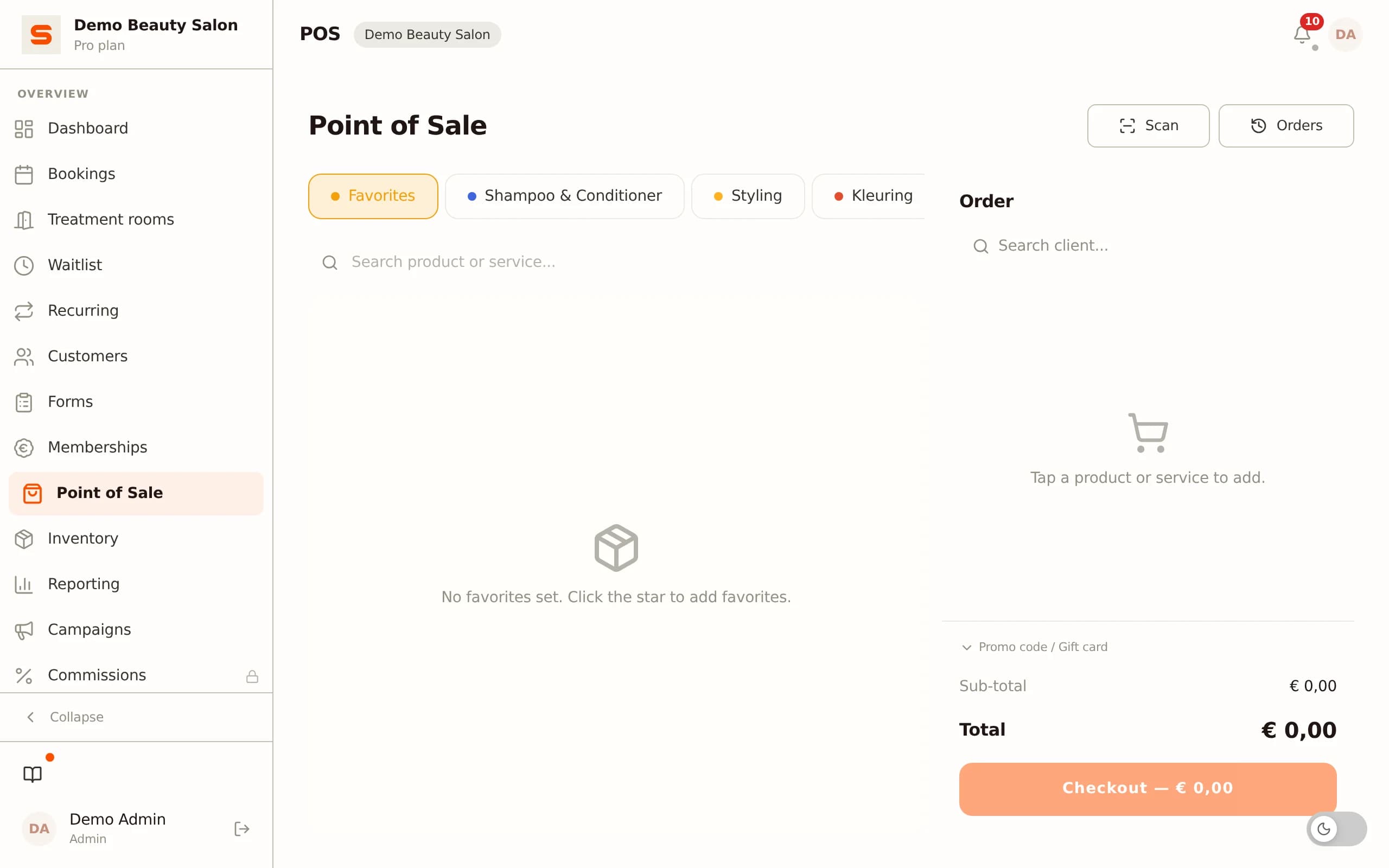
In Salonnare every checkout is directly linked to the appointment and to the staff member who performed the treatment. That way your revenue always matches your calendar, and you can later see per staff member who generated which revenue - handy for commission or chair rental. If you also sell retail products, stock is automatically updated on every sale.
If a client pays a deposit online at booking and the rest at the counter, Salonnare records those as two separate transactions. Nothing disappears merged or double-counted in your export. Your payments arrive directly in your own bank account via iDEAL/Mollie and Stripe; Salonnare only deducts its platform fee of 0.5% (min. €0.30) per online payment.
Explore the full till system for your salon.
VAT for a beauty salon: 21% (and when 9%)
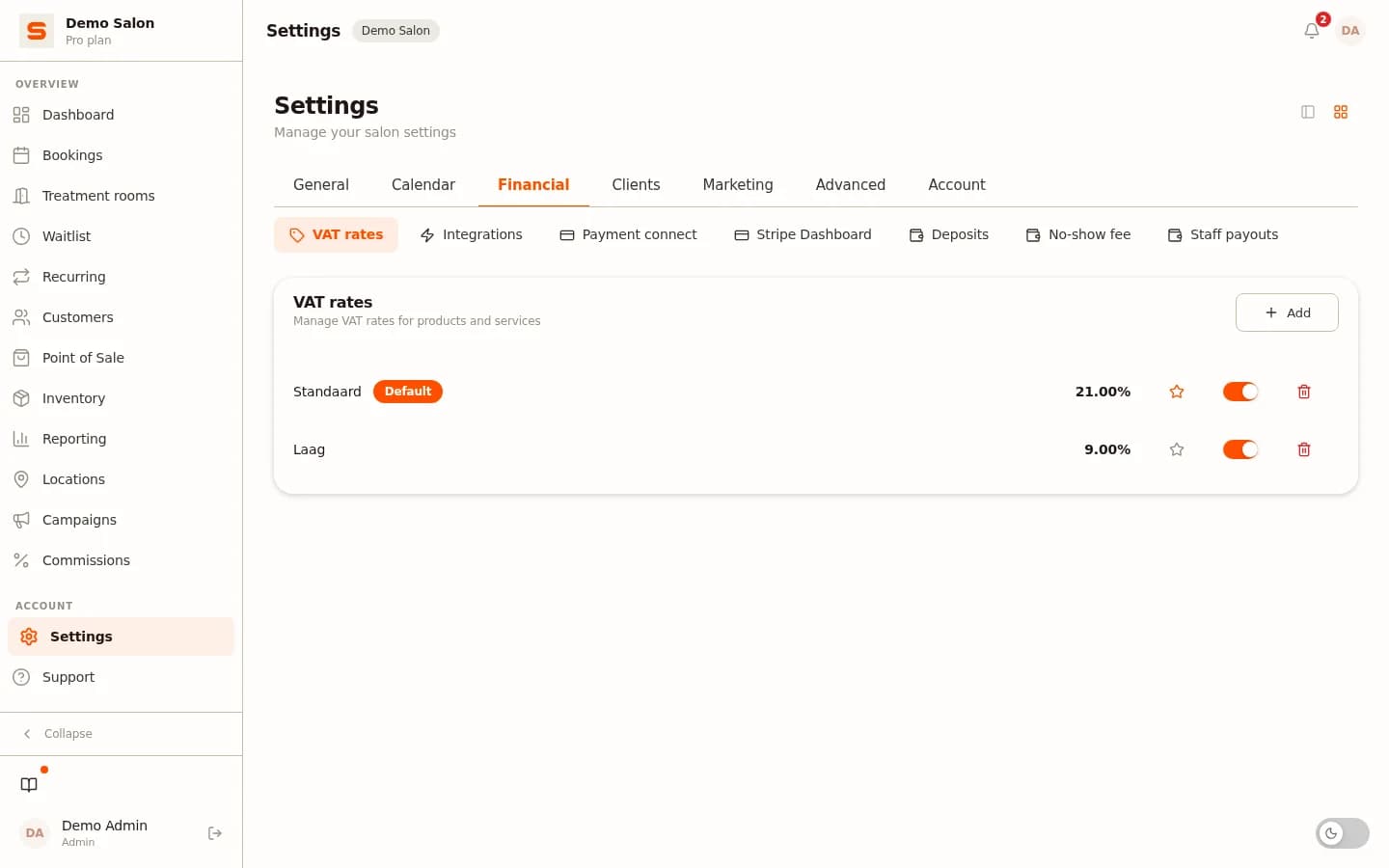
This is exactly where a beauty salon differs from a hair salon, and where many mistakes happen. In the Netherlands, beauty treatments - facials, skincare, waxing, make-up, lash treatments, manicure and pedicure - fall under the standard VAT rate of 21%. The retail products you resell (serums, creams, accessories) also fall under 21%.
The reduced rate of 9% exists in the hairdressing trade: cutting, washing, blow-drying, colouring and the products a hairdresser uses during the treatment. For a pure beauty salon, 9% usually plays no role. It only comes into view if your salon also offers genuine hairdressing services (a combined salon): then you charge 9% on the hair part and 21% on the beauty treatments on the same receipt.
Watch out for a third category: some treatments can be VAT-exempt rather than taxed. Think of certain medical-cosmetic treatments by a qualified practitioner. That is not 9%, but an exemption - and it changes whether you may deduct input VAT.
The line between taxed and exempt is not always sharp; when in doubt, have your accountant check it, because a wrong rate choice adds up across all your invoices.
The practical solution is simple: set the correct VAT rate per treatment and per product in your till. At every checkout the system then automatically calculates the correct VAT and the report shows the totals per rate. That way you don't have to reconstruct the rate per receipt at the end of the quarter.
Export to your accountant and the Auditfile
The bridge between your salon software and your accountant is the export. A good, structured export saves your accountant hours of work - and you hundreds of euros in accountancy fees per year, because less manual work and fewer corrections are needed.
The export from Salonnare contains per transaction the data your accountant needs: date, time, type (treatment or product), amount excluding VAT, the VAT amount, the VAT rate and the payment method. Besides a generic CSV file there are ready-made exports for Exact Online and Moneybird and an MT940 bank export, so your accountant can read the figures in without detours.
Then the Auditfile. The Auditfile Financieel (the XAF format) is the standardised file the tax authority can request during an inspection. That formal Auditfile is in practice generated from a full accounting package - based on exactly the structured source data Salonnare delivers.
So Salonnare delivers the accurate basis; your accounting program or accountant produces the return and, if needed, the Auditfile from it. That is the honest division of roles.
Besides the transaction export, Salonnare offers a revenue report per day, week, month or quarter: gross revenue, revenue per treatment, per staff member and per payment method. Useful for your accountant, but at least as valuable for your own business management. Explore the reporting and dashboards to see which overviews are included as standard.
What do you do yourself, what do you leave to your accountant?
One of the biggest time and money drains is that tasks between you and your accountant get mixed up. Make the division of roles explicit and you keep control yourself while paying your accountant only for where they genuinely add value.
What you do yourself, daily and monthly. Close the till correctly, let every treatment and sale fall under the correct VAT rate, collect and keep purchase invoices and receipts, and make your export at the end of each month. This is light work if your software captures most of it automatically - a matter of minutes per day instead of a lost Saturday per quarter.
What you leave to your accountant or accounting package. The quarterly VAT return, booking costs and input tax, income tax, the annual accounts and tax advice - for instance whether the small business scheme is beneficial for you. If your annual turnover stays below €20,000, the small business exemption lets you choose not to charge VAT and not to file returns, but you also cannot reclaim input tax. Whether that is favourable depends on your cost structure; that is precisely a question for your accountant.
The nice thing is that a good export makes the second category cheaper. The cleaner and more structured you deliver, the fewer hours your accountant spends untangling things - and the lower your bill.
Costs and margin per treatment
Administration is not only an obligation towards the tax authority; it is also your steering information. The key question your figures must answer: am I earning enough on every treatment and on my retail?

For your treatments you calculate the cost price from three components: product consumption (how much serum, mask or wax goes into a facial?), labour time (how many minutes of you or your staff member) and a share of your fixed costs (rent, energy, software). Subtract that cost price from your rate and you see your real margin per treatment - not a gut feeling, but a figure.
Salons that do this often discover that a popular treatment with heavy product consumption yields less than a simple, quick one.
For your retail the sum is more direct: selling price minus purchase price is your gross margin. Keep both the purchase and the selling price for every product, and you know which products perform and which only cost shelf space.
In Salonnare the inventory module links product consumption and sales to your revenue, and the reports show your revenue per treatment and per staff member. That way you build up an honest picture over the months of where your money really comes from - the basis for better rates and a smarter treatment menu. These figures are also exactly what you need when you are considering hiring a staff member or renting out a second chair.
What to look out for in administration software
Not every tool that promises "bookkeeping" fits a beauty salon. When choosing, watch for these points.
Correct VAT out of the box. Can the software set the right rate per treatment and per product and split mixed receipts (treatment 21% plus retail 21%, or a combined salon with 9% and 21%) automatically? If not, you shift the risk of error onto yourself.
A structured export. Does the tool deliver a transaction-level export your accountant can read in - preferably with ready-made formats for Exact Online or Moneybird? A one-click export saves your accountant hours.
Retention and privacy. The tax authority applies a retention obligation of 7 years for your administration. Client data and health notes (allergies, skin conditions) also fall under GDPR. Salonnare stores those health notes in an encrypted vault (AES-256) with per-staff access (RBAC), and your data is hosted on servers in the EU.
Predictable costs. A fixed monthly price with no marketplace commission per booking makes your costs plannable - unlike platforms that charge a commission per appointment. Only a 0.5% platform fee (min. €0.30) applies per online or card payment. With Salonnare you start on the permanently free plan (€0 for 1 employee and 50 bookings per month); above that Starter is €29 and Pro €59 per month.
Your own payout account and multilingual support. Your payments arrive directly in your own account via iDEAL/Mollie and Stripe, and the app works in 9 languages - handy if you work with an international team or clients. Still in doubt? Read more about software for your beauty salon.
Conclusion: keep the basis tight, delegate the rest
The administration of a beauty salon is not higher mathematics, but it is a matter of discipline and the right division of roles. Make sure your till captures every transaction completely, that VAT is automatically split correctly (21% on your treatments and retail, 9% only for hairdressing services) and that you make a clean export every month. That is the basis you keep in order yourself.
The rest - the VAT return, the annual accounts and the Auditfile in the event of an inspection - you leave to your accountant or accounting package, fed by exactly that accurate export. That way you pay only for the work that truly matters, and you keep a grip on your figures yourself.
Salonnare delivers that basis: a till with automatic VAT splitting, revenue reporting, inventory, GDPR-safe client records and a structured accounting export - in one system, for a fixed monthly price with no marketplace commission per booking (just a 0.5% platform fee, min. €0.30, per payment). Start free today at salonnare.com/en/free, no credit card required; reporting, inventory and the accounting export come with Starter (€29).
Beauty salon administration in order?
Try Salonnare free and manage your till, VAT splitting, revenue reporting and client records in one system. Includes GDPR tools; reports and accounting export come with the Starter plan (€29). No credit card required.
Start freeFrequently asked questions
What VAT rate applies to a beauty salon?
In the Netherlands, beauty treatments (facials, skincare, waxing, make-up, manicure, pedicure) fall under the standard 21% VAT rate, as do the retail products you resell. The reduced 9% rate exists in the hairdressing trade; for a beauty salon it only applies if you also offer genuine hairdressing services. Some medical-cosmetic treatments can be VAT-exempt - have your accountant check that when in doubt.
Do I need a separate accounting program alongside my salon software?
Not necessarily. If your till system splits VAT correctly and delivers a structured export, the basis of your administration is in order. For the VAT return, annual accounts and tax advice you use an accounting package (such as Moneybird, e-Boekhouden or Exact Online) or your accountant. Salonnare does not replace a full accounting package, but it does deliver the accurate base export your accountant can work from.
How long do I need to keep my beauty salon records?
The tax authority applies a retention obligation of 7 years. This applies to your till records, purchase invoices, bank statements and contracts. Digital records via salon software make archiving simpler than paper receipts - as long as the system offers an export function, you can always create an archive.
Can I generate the Auditfile for the tax authority from Salonnare?
The formal Auditfile Financieel (XAF) is in practice generated from a full accounting package. Salonnare delivers the structured source data - per transaction with date, amount excluding VAT, VAT amount, VAT rate and payment method, plus ready-made exports for Exact Online and Moneybird. Your accountant produces the return and, if the tax authority requests it, the Auditfile from that.
How do I calculate my margin per treatment?
Calculate the cost price from three parts: the product consumption of the treatment, the labour time and a share of your fixed costs. Subtract that cost price from your rate and you are left with your margin. Salonnare links product consumption and sales to your revenue and shows the revenue per treatment and per staff member in the reports, so you build up an honest picture over the months of what each treatment really yields.