



How to create a hair salon newsletter: what goes in it, how often to send, and what it earns you
You want to see your clients more often, but the day-to-day rush in the salon eats your time. Marketing slides down the list, and you find yourself wondering whether those emails ever get opened at all. Creating a newsletter for your hair salon does not have to cost you an entire Sunday. This guide covers which sections belong in an issue, how often to send, and how to write subject lines that genuinely get clicked. You will also see how a handful of fixed elements can fill gaps in your calendar that would otherwise have stayed empty.
What a newsletter gives you that social media does not
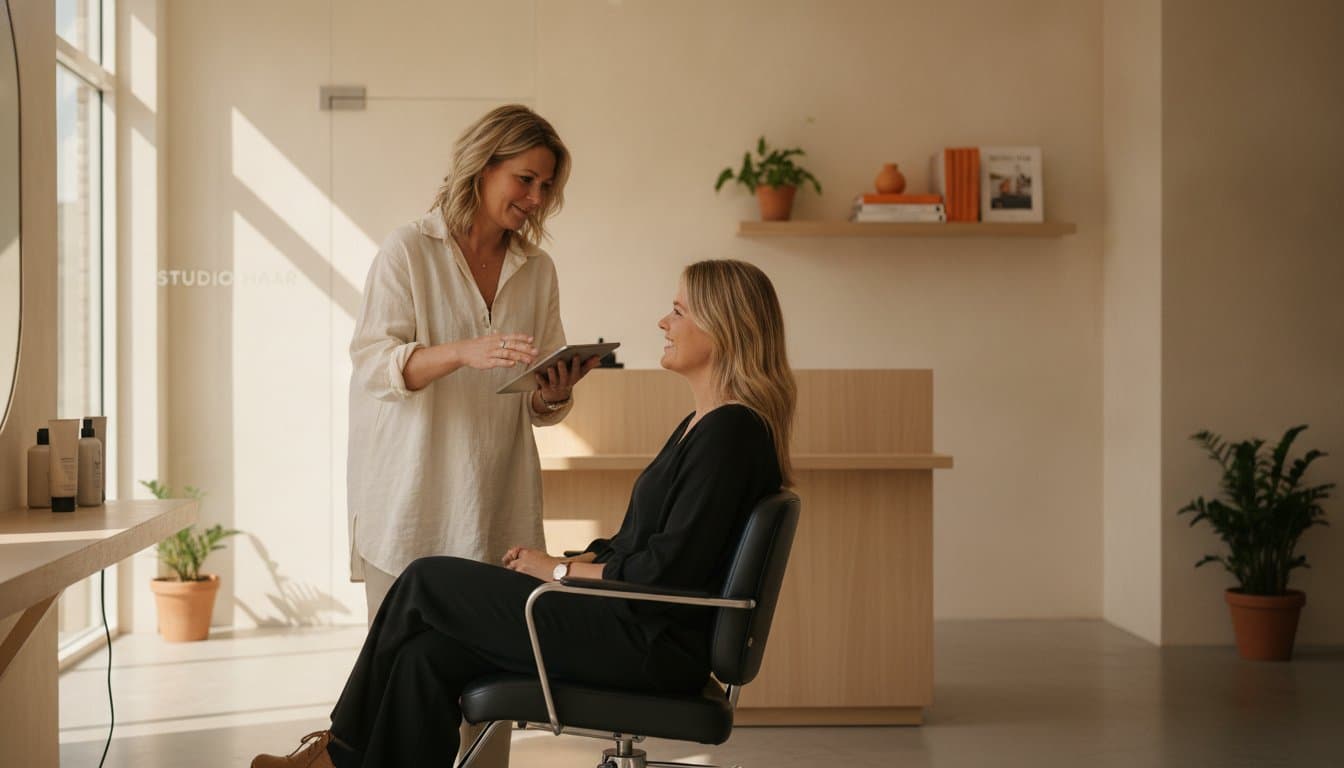
On social media an algorithm decides who sees your post. Email works differently: you have a direct line to the inbox of people who have already sat in your chair. They know your name and they know how you work. That is a very different starting point from advertising to strangers. Anyone who looks into what email marketing actually involves will quickly see why the channel suits a salon with a regular clientele so well.
The practical benefit shows up in a quiet week. If you spot three gaps in Monday's schedule, a short mailing to your client list is often enough to fill them after all. You do not need to invent anything new for it: your existing clients are the audience. Just keep the step from email to booking small, so that someone can click straight through to your bookings management and pick a time themselves.
On top of that you are building something harder to measure but every bit as valuable: familiarity. Someone who hears something useful from you about hair care each month is more likely to think of you when they want a new look. You stop being only the person who cuts and become an adviser outside the salon chair too. That makes switching to another hairdresser a good deal less tempting.
The fixed structure of an issue that works
A newsletter only becomes easy once you stop starting from a blank page every time. Work with a fixed layout and fill it in each month. Four sections are usually enough:
- One main topic. A new treatment, a seasonal tip, or the story behind a product you use yourself. Keep it to one thing per issue. - One concrete piece of advice. How to keep a colour looking fresh for longer, what helps against frizz in damp weather. This is the reason people open your email. - Availability. A short line about your next free slots, with a direct link to book. - Something personal. A new colleague, a course you took, a photo from the salon. This is what separates you from a leaflet.
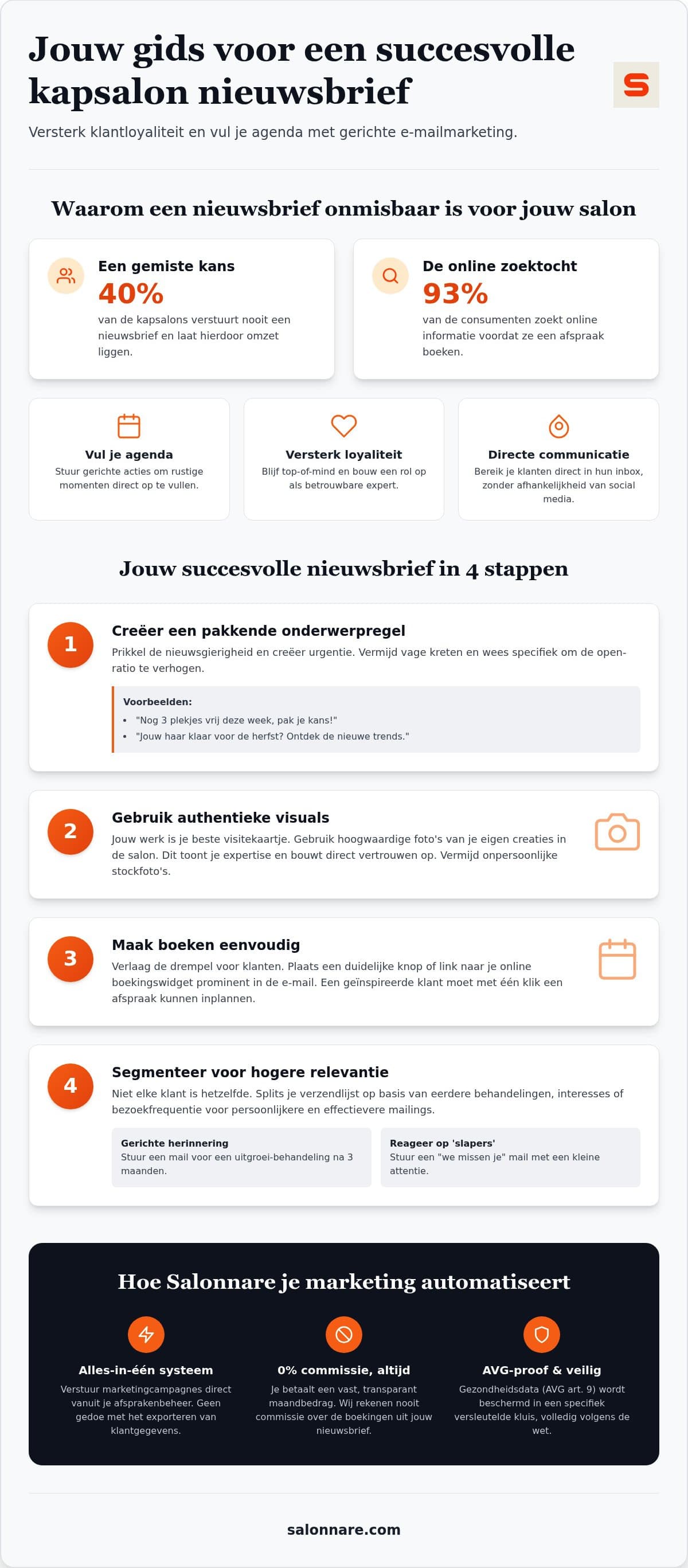
There is one rule for imagery: use your own work. A photo of a colour you did last week beats the finest stock image. It shows what a client can expect from you, and that is exactly the proof someone needs before booking. If you run a booking widget on your own website, point them there, so the client stays in your environment instead of ending up on a marketplace.
Keep the text short. Two or three brief paragraphs per section is plenty. Most people read your email on their phone, somewhere between two other things.
Subject lines that actually get opened
The subject line decides whether the rest of your work gets seen at all. Vague phrases like "March newsletter" or "News from the salon" give the reader no reason to click. What does work falls into three categories:
- Concrete availability. "Three slots left this week" or "Thursday afternoon just opened up". Direct, urgent and immediately clear. - A question that lands. "Is your colour due a refresh?" or "Ready for the autumn weather?" People answer a question like that in their head and open afterwards. - A promise of usefulness. "Three ways to keep your cut in shape for longer". You say exactly what the reader gets out of it.
Keep the line short enough to stay fully visible on a phone, roughly forty characters. Put the most important word first, because the rest gets cut off on small screens. Avoid words like "FREE" in capitals and rows of exclamation marks: they raise the odds of your message sticking in a spam filter.
Then simply test it. Send two versions to two halves of your list and see which one opens better. After three or four issues you will know precisely what your clientele responds to, and that beats any rule of thumb from a blog.
How often to send, and how a newsletter differs from a reminder
Once a month is the right rhythm for most salons. Often enough to stay visible, calm enough not to feel like spam. If you have a specific promotion or a last-minute gap, you can send a short one-off email in between. Consistency counts for more than volume: a steady monthly issue delivers more than four emails in January followed by silence until June.
The distinction with your automated messages matters. A booking confirmation or an automatic reminder is transactional: it concerns one specific appointment and is triggered per client. Your newsletter is editorial and goes to a group. Do not blur the two, because then your reminder turns into a marketing email and that works against your attendance rate.
Not everyone needs to receive everything. A mailing about beard care is irrelevant to a large part of your list. Split your send list based on past treatments and relevance goes up while unsubscribes go down. If you want to go deeper into reactivating dormant clients and campaign types per audience, read the guide on email marketing for your hair salon, which covers the strategic side in more detail than this practical setup.
Setting up your newsletter in Salonnare
It saves a lot of manual work when your mailing and your calendar live in the same system. In Salonnare you build a campaign straight from your existing client CRM, without exporting addresses to a separate mail tool and updating them by hand later. Anyone who unsubscribes is immediately unsubscribed on their client card too.
The costs stay clear up front. You start on the Free plan at €0 per month, good for 1 staff member and 50 bookings per month. As your salon grows you move up to Starter at €29 or Pro at €59 per month. Salonnare charges no marketplace commission on the bookings that come out of your newsletter: you pay a fixed monthly price (plus the 0.5% platform fee, min. €0.30, per payment) and keep the rest of your margin. The full pricing sits on a single page, with no tiers appearing after the fact.
On privacy, this trade sits close to sensitive data. If you note down allergies or scalp conditions, those are health data within the meaning of article 9 of the GDPR. Salonnare keeps them in a separately encrypted vault, apart from ordinary client notes, and all data sits on servers inside the EU. Every campaign email automatically gets a working unsubscribe link, as the law requires.
Ready to send your first issue? Create a free account and set up your fixed sections this week.
Frequently asked questions
How often should I send a newsletter for my hair salon?
Once a month is the right rhythm for most salons: often enough to stay visible, calm enough not to push. If you have a last-minute gap or a short promotion, send a separate one-off email for that. Consistency matters more than volume, so a steady monthly issue works better than a burst followed by months of silence.
What is the best time to send my newsletter?
Tuesday or Thursday morning around ten often works well, as does the early evening around half past seven. Those are the moments when many people go through their inbox unhurried. Monday morning and weekends are less suitable, because your message gets buried more easily. Above all, test it yourself: your clientele may differ from the average.
Do I need a separate tool for my salon newsletter?
Not necessarily. If you send from the same system as your calendar and client cards, you avoid exporting address lists and unsubscribes stay in sync automatically. In Salonnare you build a campaign from your existing client base. Because no marketplace commission is charged (only the 0.5% platform fee, min. €0.30, per payment), the return on a mailing shows up largely in your own revenue.
What do I need to arrange to send a GDPR-compliant newsletter?
Make sure you have a demonstrable opt-in from new clients, put a working unsubscribe link in every email, and process unsubscribes immediately. Do not keep sensitive information such as allergies in your mailing list but in a secure environment: that is health data under article 9 of the GDPR. Salonnare stores it in a separate encrypted vault, keeps all data inside the EU, and adds an unsubscribe link to every campaign email automatically.