



Getting new clients into your hair salon: the complete 2026 guide
A ninety-minute gap on a Thursday afternoon is not just annoying, it is revenue you will not make up that day. The reflex is to sign up with a booking marketplace that promises to fill your calendar. That often works, but you pay for it per client, and the client relationship stays with the platform rather than with you. This guide treats client acquisition as a system with four steps: getting found, letting people book through your own channel, making sure that first appointment actually happens, and turning it into a returning client. Each step tells you what to set up, and at the end you will find what it costs, including the amount that does come off an online payment.
What a new client really costs you

There are broadly two ways a new client reaches you. Through a marketplace, where they scroll past a row of competitors first and you hand over a percentage of the treatment. Or through your own channel: your Google listing, your website, your Instagram bio.
The difference is not only the percentage. With a marketplace, that client's details sit in the marketplace's system. If you want to send them a note next quarter that it is time again, you often cannot, or only by paying for it. You are renting the client relationship instead of building it.
That does not make marketplaces useless. They work well as an extra tap you can open. But the foundation is a channel of your own that you do not pay for per booking and where the client data stays yours. The four steps below build that foundation.
Step 1: be visible at the moment someone is searching
Most people looking for a new hairdresser start on Google or Instagram, usually on their phone, and usually outside your opening hours. What they see at that moment decides whether they tap through or keep scrolling.
Your Google Business Profile does most of the work here, and it is free. Fill in your opening hours and keep them current around holidays, because a profile that wrongly shows you open on a Sunday earns you angry reviews. Add photos of your actual salon and your actual work, not stock images. Ask clients for a review after a treatment they were happy with, and reply to everything that comes in, including the critical ones. Setting that profile up step by step is covered in the guide to Google Business Profile for salons.
Instagram and TikTok are your portfolio. Before-and-after shots of real clients work better than polished advertising photos, because a new client mainly wants to know whether your work suits her hair. Just make sure the link in your bio leads somewhere she can book straight away; how to set that up is covered in the article on taking bookings through Instagram.
Step 2: let people book on your own site, not on someone else's
Someone has found you and wants an appointment. Every step between that moment and the confirmation costs you a share of those people. A phone number is one of those steps: calling only works during the day, and during the day you are cutting hair.
A booking widget on your own site removes that barrier. The client sees which slots are free, picks a treatment and a time, and gets an immediate confirmation. A good share of those bookings arrive in the evening, exactly when you could not have picked up anyway. How to set up a widget without technical knowledge is covered in the guide to a booking widget for your salon website.
Watch three settings that are often forgotten. How far ahead clients may book, how close to the appointment they still can, and how long each treatment genuinely takes. That last one matters most: put a colour treatment down as ninety minutes when it takes you a hundred and twenty, and your whole afternoon runs late from the second client onwards. You can see how bookings management works in practice on the feature page.
Make sure the same calendar is attached to your Google listing. Then someone who looks you up can book straight from the search results, without ever landing on a marketplace.
Step 3: make sure that first appointment happens
A new client who does not show up costs you more than one who cancels, because you can no longer sell that slot. And it happens more often with new clients: there is no relationship yet, and an appointment made on a phone three weeks ago feels non-committal on the day itself.
Two things help most against this. The first is an automatic reminder, roughly a day in advance. Early enough that you can still fill the slot if someone cancels after all, late enough that it has not been forgotten again. With Salonnare that goes out by email.
The second is a deposit at the time of booking (part of Salonnare's Pro plan), certainly for long colour treatments and for people coming in for the first time. The client pays part of it online by card through Stripe, or with a local method such as iDEAL through Mollie, and that money goes straight to your own bank account. So it does not sit with an intermediary until some payout date. What else helps against empty slots is covered in the article on preventing no-shows.
Step 4: turn the first visit into a second one
Acquisition is expensive, coming back is cheap. A client who visits four times a year is worth a multiple of a one-off visitor, and yet most attention goes to the top of the funnel.
It starts with recording what you did at that first appointment. The colour formula, the products used, how long it took, what the client hesitated about. On the second visit you have all of that again, and the difference is immediately noticeable. What the client card looks like is shown on the page about client CRM.
On that basis you send targeted messages rather than general newsletters. Someone who normally comes every eight weeks and has now let twelve go by is exactly the person who should get a note. That works better than sending a discount to your entire list.
Part of what you record carries more legal weight. Allergies, medication or a skin condition are special category personal data under Article 9 of the GDPR, and they do not belong in an ordinary notes field. At Salonnare they sit in a separately encrypted vault with its own access rights, so not every employee or trainee sees them by default. Those per-employee rights are useful on their own too: a freelancer renting a chair from you does not need access to your clients' records.
What it costs, and what comes off a payment
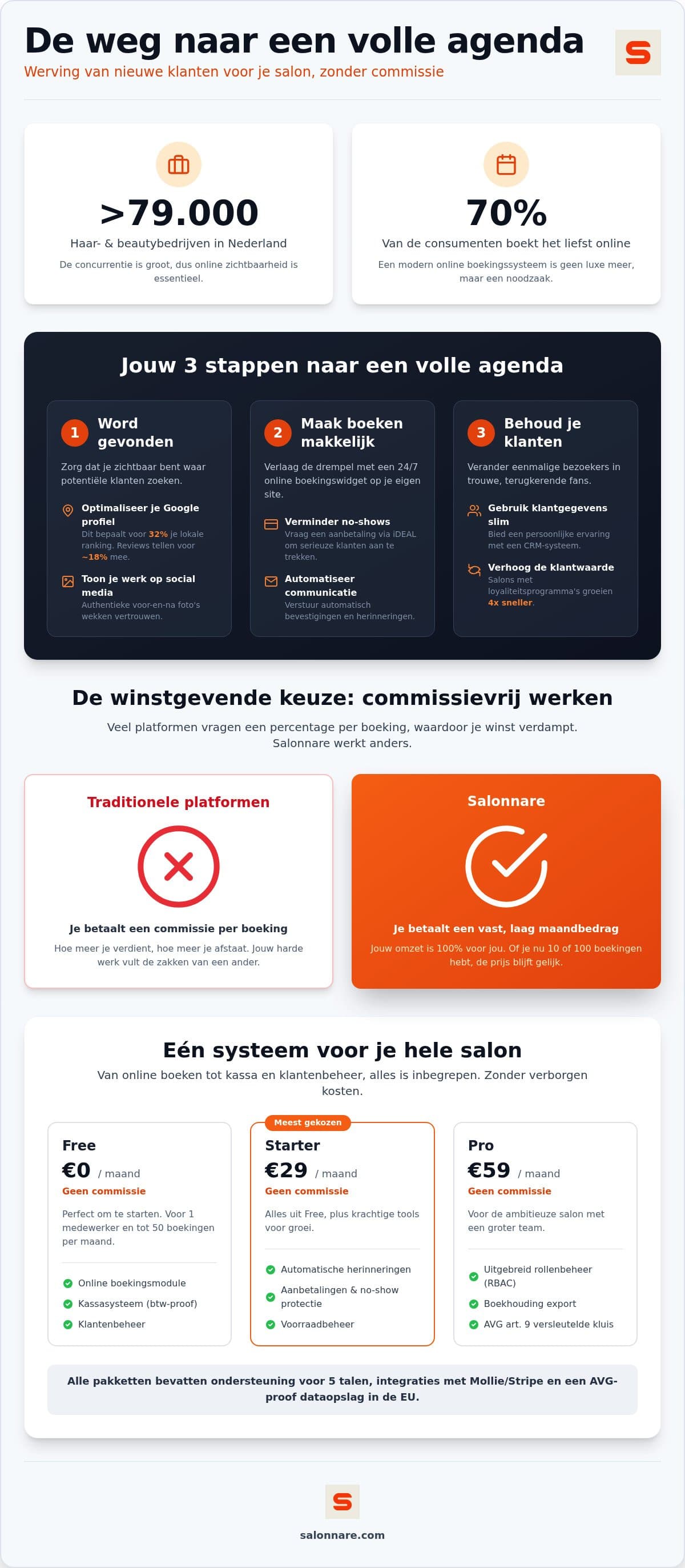
With Salonnare you start on the Free plan at 0 euro per month: one employee, up to 50 bookings per month. That is not a trial that stops after two weeks. If your salon grows past it, Starter is 9.99 euro per month and Pro is 14.99 euro per month, keeping your calendar, client data and settings. The plans sit side by side on the pricing page.
Be precise when you come across the word commission, because that is where providers differ. Salonnare takes no marketplace commission on new clients who reach you through the platform: that percentage is 0. What does come off is a platform fee of 0.5 percent with a minimum of 30 cents, on every online or card payment. On a 90 euro colour treatment that is 45 cents. If you settle in cash, that payment falls outside it.
That is not the same as free, and it is also not the same as a percentage per booking across your whole turnover. Do the maths for your own salon before you commit: number of online payments per month times 0.5 percent, with that 30 cent minimum per transaction. If you also want to sort out your till and VAT handling, the guide to a POS system for beauty salons explains what to look for.
How to set this up this month
Do not do it all at once. Start with your Google Business Profile: correct opening hours, ten photos of your own work, and ask every client for a review over the next fortnight. That costs you an hour and pays off fastest.
Then switch on online booking. Enter your five most-booked treatments with the duration they genuinely take, set your limits for how far ahead and how close to the appointment people can book, and put the link in your Instagram bio and on your Google listing.
In week three, switch on reminders and the deposit for new clients and long treatments. In week four, fill in your client list with the clients from the past year; the rest will arrive by themselves at their next appointment. You can start today on the free plan.
Start with a booking channel of your own
Put your treatments in the calendar, let clients pick a free slot on your own site, and send an automatic reminder a day in advance. The Free plan costs 0 euro per month, is meant for one employee with 50 bookings per month, and does not expire.
Start free with SalonnareFrequently asked questions
What does it cost to get a new client through a booking marketplace?
It varies by platform, but it usually comes down to a percentage of the treatment, sometimes only on the first booking and sometimes on every booking. Work it out with your own average ticket and the number of clients arriving that way. Set that against the cost of your own channel: a Google Business Profile is free, and a booking widget on your own site is paid per month rather than per client. At Salonnare a platform fee of 0.5 percent with a minimum of 30 cents applies to online and card payments; there is no marketplace commission on new clients.
How do I stop new clients from not showing up?
Combine an automatic reminder roughly a day in advance with a deposit at the time of booking. Use that deposit especially for new clients and long colour treatments, because that is where the loss is largest. The client pays online by card through Stripe or with a local method such as iDEAL through Mollie, and the amount goes straight to your own bank account. State your cancellation terms visibly during the booking process so there is no discussion afterwards.
What does Salonnare cost, and is there a commission?
The Free plan costs 0 euro per month and is meant for one employee with up to 50 bookings per month. Starter is 9.99 euro and Pro is 14.99 euro per month. There is no marketplace commission on new clients who arrive through the platform: that percentage is 0. A platform fee of 0.5 percent with a minimum of 30 cents does apply to every online or card payment. Cash payments fall outside it.
How quickly will I notice a difference?
The Google Business Profile and reviews usually work fastest, because they make you visible to people who are searching right now. Online booking shows up mainly in the evenings and at weekends, when clients could not have called anyway. The fourth step, turning a first visit into a regular one, takes longer to show in your revenue, but it is the part that fills your calendar structurally rather than occasionally.