



How an online calendar transforms your hair salon: the first quarter, step by step
Most articles about an online calendar for a hair salon explain what such a system can do. This one is about something else: what actually changes in your salon once you switch it on, and in what order. Because the benefits do not all arrive at once. In week one the interruption during a colour treatment disappears, over the following weeks the number of no-shows drops, and only after a month or two do you see what it does to your occupancy and your margin. Below is that timeline across a full quarter, with the setting you turn on at each stage and the number that tells you it is working.
Week 1: the phone stops interrupting your work
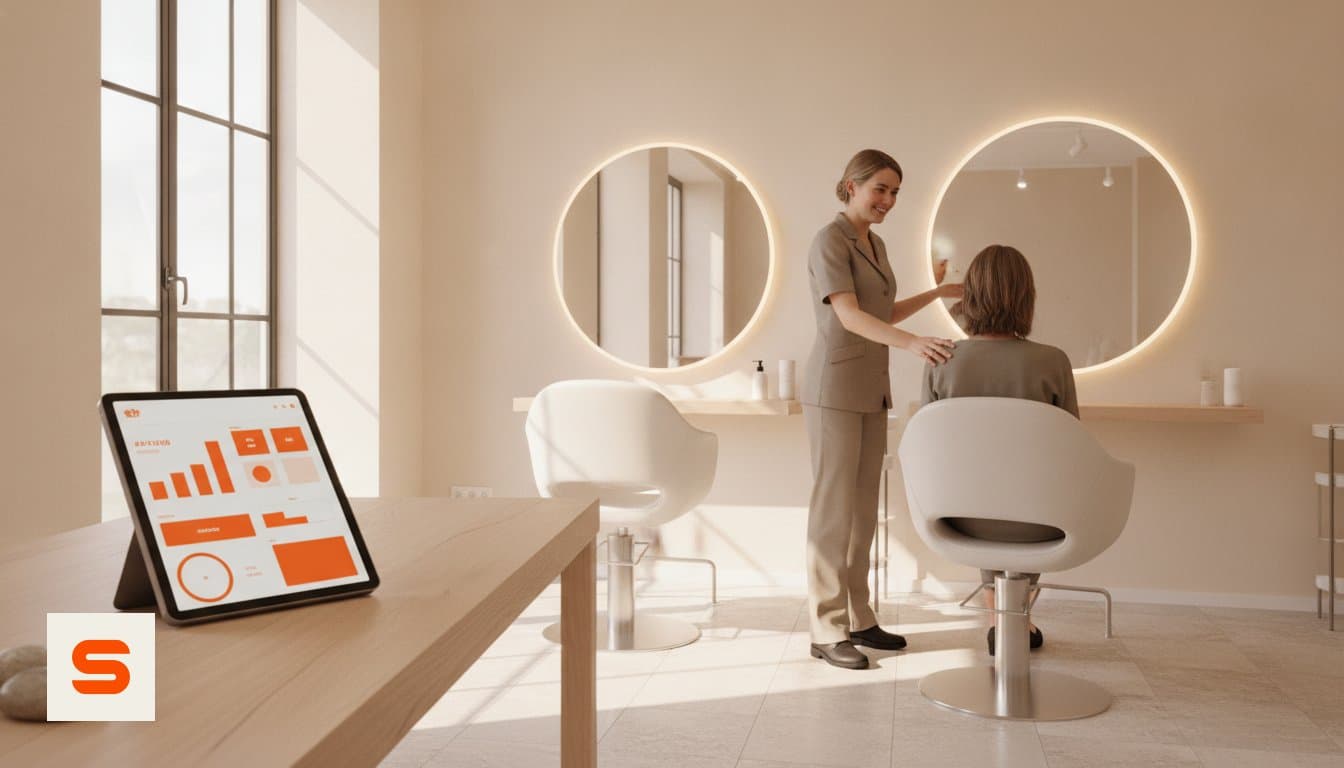
The first change is the one you feel most, and it arrives immediately. As soon as your booking page is live, the large majority of new appointments come in without anyone calling. Your client picks a moment, sees only the slots that are genuinely free and gets a confirmation straight away. You no longer put down your scissors for a two-minute conversation that in practice takes five.
That is not only more pleasant to work with, it removes an entire category of mistakes. Double bookings, a time written down wrong in the diary, a treatment duration that does not match reality: that kind of noise comes from manual note-taking and disappears with digital planning. Software for appointment scheduling software is built for exactly this, and you notice the effect within days.
What to watch in week one:
- The number of calls during treatment time. Keep a tally for a week. It is the easiest baseline you will ever have. - When bookings come in. A large share of online bookings arrive outside opening hours, often in the evening. Those are appointments a phone-only diary simply would not have captured. - Whether your treatment durations are right. Enter the real times in the first week, including processing and clean-up. A calendar set too tight runs late all day.
Weeks 2 to 4: from forgotten appointments to confirmed ones
A no-show does not cost you half a day of admin, but it does cost you a full slot of revenue. In this phase you switch on the two settings that make the biggest difference, and you switch them on one after the other so you can see which one delivers what.
Reminders first. An automatic message by email, twenty-four hours ahead, works best in practice: recent enough to stay fresh, early enough to let the client reschedule instead of simply not turning up. A rescheduled appointment is not a loss, because the slot comes back into your calendar. How to set this up is covered under automatic reminders.
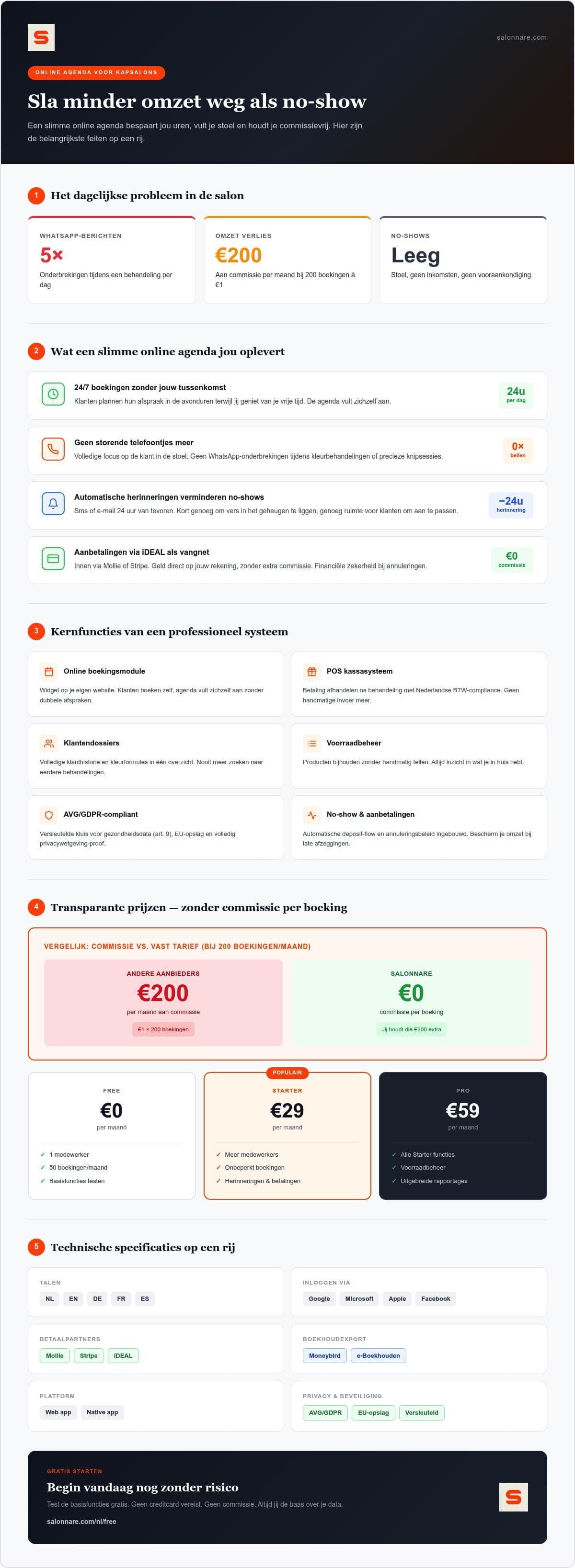
Deposits second. Do not ask for one on every booking straight away. Start with the category where a no-show hurts most: long colour and balayage appointments, and new clients. Payment runs through your own Mollie or Stripe account, so the client pays by iDEAL or card and the money lands in your account, with no commission per booking, only Salonnare's platform fee of 0.5% (min. €0.30) per payment. Deposits are part of the Pro plan. You arrange that under online payments.
The number that tells you this phase worked: no-shows per month, compared with the month before you started. Compare the same type of week, not a holiday week against a busy one.
Month 2: your occupancy becomes visible, and therefore steerable
As long as your diary is on paper, you know Tuesday mornings are quiet but not what that costs you. Digitally it is a number. By the second month you have enough booked weeks to see patterns: which parts of the day are structurally half full, which treatment gets booked most, and which staff member has the most returning clients.
That is the moment to widen the inflow. You place the booking widget on your own website, so a visitor stays with your brand instead of clicking away to a platform. You also connect the calendar to your Google listing, so someone searching for a hairdresser nearby can book straight from the search result. Making use of digital tools for small businesses is no longer a luxury, it is where most new clients find you.
Three changes that pay off most in this phase:
- Fill the quiet hours deliberately. Open your longer treatments on the slow parts of the day and keep your peaks free for short appointments. - Let clients rebook themselves. Someone who can book a follow-up right after the treatment tends to come back sooner than someone who has to arrange it later. - Use a waiting list. When a cancellation comes in, a list of clients who would like an earlier slot is the difference between an empty chair and a filled one.
More background on setting up such a calendar is in our article on the online calendar for your salon.
What the switch costs, and what it does to your margin
Price is why many salons put this off, so here it is without detours. Salonnare has three tiers: a free plan at € 0 per month for one staff member and 50 bookings per month, Starter at € 29 per month and Pro at € 59 per month. No commission per booking, on any of the three, only a platform fee of 0.5% (min. €0.30) per online payment.
That last point only becomes properly visible over a year. With a per-booking model your costs grow with your success: process 200 appointments a month at one euro per booking and that is € 200 a month in costs that rise the moment you get busier. With a fixed monthly fee that line stays where it is, and every extra appointment goes almost entirely to your own revenue.
Start small. The free plan is enough to genuinely work through the first two phases above, apart from deposits (Pro): online booking, reminders, client records. Only when you run into the limit of one staff member or 50 bookings is there a reason to move up. You can start for free today and run the calendar alongside your existing way of working for a week.
If you want to weigh Salonnare against other packages first, our guide to comparing salon software gives you a fair checklist.
What changes behind the scenes: permissions, privacy and admin
The transformation does not stop at the calendar. Once appointments, clients and payments live in the same system, the work you normally do in the evening changes too.
Permissions per staff member. You decide who sees what. A stylist needs the calendar and the client card, not your revenue figures. That separation is not just tidy, it is what the GDPR expects once more than one person works in the system.
Sensitive data kept separate. Notes about an allergy, medication or a scalp condition fall under article 9 of the GDPR and do not belong among your ordinary client notes. They live in a separate, encrypted vault with its own access right and its own audit log. Your data stays inside the EU.
The admin afterwards. The point of sale settles with the correct VAT rates and splits the amounts properly at the moment of payment. You export your figures to your accounting package, and that export is built to fit tools such as Moneybird and e-Boekhouden. It is an export you import yourself, not a live connection that pushes everything across automatically.
Logging in without friction. You sign in with your existing Google, Microsoft, Apple or Facebook account, and you install the app straight from your browser onto your phone so it sits alongside your other apps. If you work with an international team or international clients, the environment is available in nine languages.
Month 3: how you know the transformation worked
After a quarter the question is no longer whether the system works, but whether it has given you something. You test that against four numbers, and one feeling.
1. Interruptions during treatment time. Compare your tally from week one with an ordinary week now. 2. No-shows per month. Set them against the same month under your old way of working, or against the month before you started. 3. Occupancy per part of the day. The quiet stretches are the interesting ones: are those slow mornings fuller than in month one? 4. Cost per appointment. Divide your monthly fee by your number of appointments. That figure falls as you get busier, and that is precisely the difference with a commission model.
The feeling is harder to measure but just as important: do you go home in the evening with a calendar you trust, or still with a phone full of loose messages? The salons where this switch works best are not the ones that turn everything on in a single week, but the ones that set up one thing properly per phase and leave it alone.
If you are ready to begin, you can start free with Salonnare today and see for yourself what changes in the first week.
Ready to let your calendar do the work?
Start with the free plan for one staff member and 50 bookings per month. No commission per booking - just a 0.5% platform fee (min. €0.30) per payment - and, on Pro, deposits through your own iDEAL or Stripe account.
Start free with SalonnareFrequently asked questions
Is an online calendar for a hair salon hard to set up?
No, and you need no technical background. The system runs in the cloud, so there is nothing to install on your computer. You create an account and sign in with Google, Microsoft, Apple or Facebook. Allow one evening to enter your services, treatment durations and working hours properly. That is the step that takes the most time, and also the one that determines whether your calendar is accurate afterwards.
What does an online booking system for hairdressers cost?
Salonnare has three tiers with no hidden costs: a free plan at € 0 per month for one staff member and 50 bookings per month, Starter at € 29 per month and Pro at € 59 per month. There is no commission per booking. Salonnare does charge its own platform fee of 0.5% (min. €0.30) per payment. Your monthly fee therefore does not rise as you process more appointments, and that extra revenue stays mostly yours.
Can I connect the online calendar to my current website?
Yes. You place a booking widget on your own site, so visitors book within your brand instead of clicking through to a platform. You can also connect the calendar to your Google listing, so people book straight from the search result. The booking environment also works as an installable web app on your phone.
How exactly do deposits with iDEAL work?
Deposits (part of the Pro plan) run through your own Mollie or Stripe account. The client pays at the moment of booking by iDEAL or card, and the amount arrives in your own account, minus Salonnare's own platform fee of 0.5% (min. €0.30) per payment. You decide which treatments require a deposit. In practice it works best to start with long treatments and new clients.