



Email marketing for hair salons: segmentation and automation for a full calendar
Most salons send the occasional newsletter to their entire list and see very little come back. That is rarely down to the writing. It is down to everyone receiving the same message, at a moment decided by your week rather than by the client's. This article turns that around: split your client list into groups that genuinely matter, and let each group receive a message at the moment there is something worth booking. Not more email, then, but better targeted email - and most of it running on its own.
Why email is the only channel that is genuinely yours
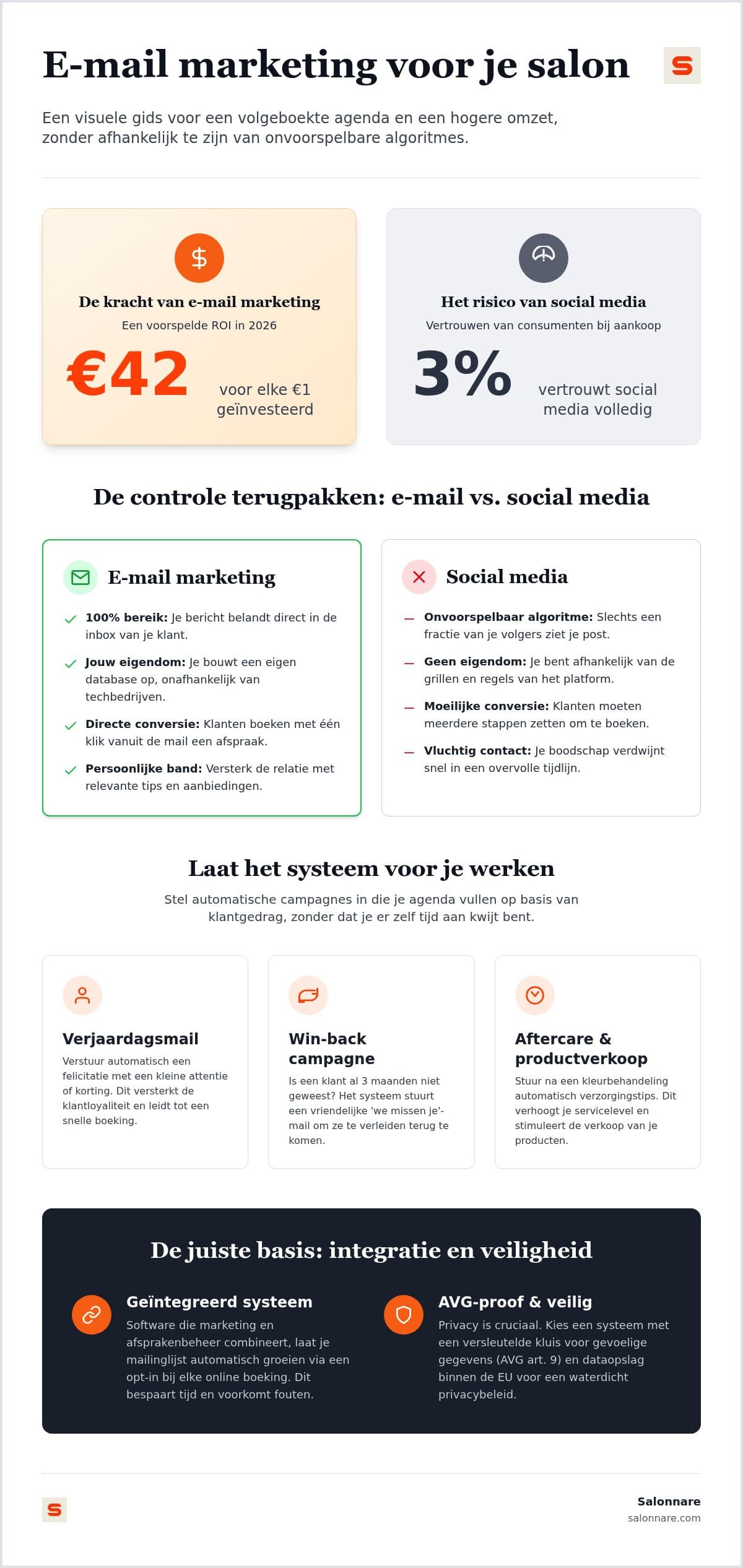
On social media you borrow your reach. You post something and an algorithm decides who sees it. When that algorithm changes, your reach changes with it and there is nothing you can do about it. An email address a client handed you personally works differently: that list is yours, and it still works tomorrow if a platform rewrites its rules.
Sending directly to your own clients is exactly what email marketing is: relevant messages to people who have already been in your chair. For a salon that is a favourable starting position, because you are not emailing strangers. You are emailing people whose last visit and last treatment you already know.
The difference is timing. A post reaches everyone at once. An email can leave at the moment that particular client has something to decide: eight weeks after a colour service, the week before a birthday, or exactly when a Thursday afternoon slot opens up.
And you can measure it all the way to the booking. A social post gives you reach and likes. A mailing tells you who opened it, who clicked through and whether an appointment followed. That is the difference between a feeling and a decision about where your time goes.
Segmentation: your client list already contains the groups
Segmentation sounds like something for large companies, but it comes down to a simple question: which clients would actually benefit from hearing from me right now? Salonnare derives four of those groups automatically from your own booking and till data, so you do not have to maintain them by hand.
Sleeping clients. People who have stayed away longer than is normal for them. This is where most of the unused revenue sits, precisely because nobody notices them leaving. You set yourself after how many days someone lands in this group.
No-show risk. Clients with a relatively high share of missed appointments. For that group an extra reminder or a deposit makes more sense than a discount offer.
High spenders and loyal guests. Two groups at the top of your list: the first based on total spend, the second on number of visits. They are your first candidates for a new treatment or for a slot in your busiest week.
On top of that you filter yourself. For a campaign you build an audience from last visit, total spend, birthday month, labels you attach to clients yourself, and whether an email address is known at all. The system shows you how many clients fall inside that selection before you send, so you know what you are sending. All of it comes from your client records; how to build those up properly is covered in the guide to client records software for your salon and on the client management page.
Four automated emails that fill your chair without you doing anything
A campaign is something you send yourself, in a few clicks, to a segment. Alongside that there are messages that run entirely on their own once you switch them on. That is where the time saving sits, because those emails also go out in the weeks you never think about them.
The appointment reminder. A message the day before the appointment cuts missed slots, and it is the email with the highest return per line sent. It asks nothing of the client beyond confirming that it still stands.
The birthday email. Set it up once and it leaves on the right day every year after that. For a salon this is a natural moment: people like to look well groomed around their birthday.
The rebooking nudge. A set time after a completed treatment, a friendly message goes out automatically to clients who have not booked anything new. This is the email that catches sleeping clients before they truly drift off, and you decide after how many days it leaves.
The review request. After a treatment the system asks for a rating. That gives you the reviews that convince new clients, without anyone having to ask for one at the desk.
These messages go to the same client list as your campaigns, so you maintain a single list. What goes out at each step, and when, is configured under appointment management.
From opened email to booked appointment
An email succeeds when an appointment comes out of it, not when it gets opened. That means the route from inbox to calendar has to be as short as possible.
Write the subject line for one person. Vague titles like Newsletter from the salon say nothing about what is inside. Concrete works better: name the treatment, the occasion or the time. How to structure a mailing and which parts belong in it is worked out in the article on creating a salon newsletter.
One button, not four. Every extra choice is a chance to drop out. Point that single button straight at your online booking page, so the client can pick a time from their phone instead of having to call during your working hours.
Make sure it reads on a phone. Emails are opened on mobile almost every time, often standing in a queue or sitting on the sofa. Salonnare renders campaigns from templates that scale to any screen, so you are not fiddling with layout yourself.
Then look at the right numbers. Per campaign you see how many recipients opened it and clicked through. Use those two figures to adjust your subject line and your button, and judge the result in the end by the appointments that appeared in your calendar afterwards.
GDPR: ask for consent, make opting out easy
Commercial email requires consent, and that is not a formality you arrange afterwards. The good news is that you can ask for it at the most natural moment there is: during booking.
Build your list at the booking. A checkbox in your online booking form is the simplest way to grow legally. The client is already dealing with your salon at that point, and you never have to retype anything from a paper list.
Opting out has to take one click. Every campaign email carries an unsubscribe link. When someone clicks it, that is processed straight into your client records and the person receives no further commercial email. It is a legal requirement, and it keeps your list clean: what remains are the people who actually want to hear from you.
Bad addresses drop out on their own. Salonnare tracks per client whether an address exists and whether earlier mail was delivered. Addresses that bounce hard, or that generated a complaint, are skipped on the next send. That keeps your sender reputation intact so your post still arrives with everyone else.
Sensitive data does not belong in a mailing. Allergies, medication and skin conditions fall under article 9 of the GDPR. Salonnare keeps those in a separately encrypted vault, apart from your ordinary client notes, with permissions per staff member. Your data stays inside the EU, and you decide per staff member who is allowed to send campaigns.
Getting started: your first automated email is ready in an afternoon
Do not start with a campaign calendar for the whole year. Switch on the messages that run by themselves first, and only then send your first targeted mailing to a single segment.
Step 1. Switch on the appointment reminder, the birthday email and the rebooking nudge. This is one-off work and it keeps running afterwards.
Step 2. Enable the opt-in in your online booking form, so your list grows from today onwards.
Step 3. Pick one segment, for instance clients who have not been in for ninety days, and send that group one email with one button to your calendar. Look a week later at what came out of it.
A fixed price, no commission per booking. Salonnare has three plans: Free (0 euro, 1 staff member and 50 bookings a month), Starter (29 euro) and Pro (59 euro, the plan that includes email campaigns). No percentage is taken from the appointments a mailing brings in, only Salonnare's own platform fee of 0.5% (min. €0.30) on payments. What each plan includes is on the plans and pricing page.
Payments land in your own account. Through Mollie or Stripe, online payments including iDEAL go straight to your own bank account, with no intermediary passing your revenue on.
And it connects to the rest. You work in nine languages, sign in with Google, Microsoft, Apple or Facebook, and export your figures at month end for packages such as Moneybird or e-Boekhouden.
Start free with Salonnare and switch on your first automated email today.
Let your email do the work while you are cutting
Segments from your own client list, automatic reminders and (on Pro) campaigns with one button to your calendar. From 0 euro a month, with no commission per booking - just a 0.5% platform fee (min. €0.30) per payment.
View the plansFrequently asked questions about email marketing
How often should I send a newsletter to my clients?
For a general newsletter, once a month is usually enough to stay visible without becoming pushy. The real gain is not in frequency but in the automated messages: an appointment reminder, a birthday email or a rebooking nudge arrives exactly when there is something to decide. Put relevance above volume and your emails stay welcome while your unsubscribes stay low.
Is email marketing not very time consuming for hairdressers?
Only if you send every email by hand. The lifecycle messages in Salonnare are set up once, after which they keep running while you are on the floor. For a campaign you pick a segment, adjust the text and send: a few minutes of work, not an evening. Most of the effort sits in the initial setup, not in the upkeep.
Do I need permission from clients before emailing them?
Commercial email requires consent, and the easiest way to ask for it is a checkbox in your online booking form. For existing clients the GDPR allows a limited exception for similar services, provided every email offers a clear way to opt out. Transactional messages such as a booking confirmation or reminder fall outside this. If your situation is unclear, take advice, and make sure unsubscribing always takes one click.
What should I do when clients unsubscribe from my emails?
Nothing by hand. An unsubscribe is processed straight into your client records, after which that client receives no further commercial email. Do not read it as a loss: your list becomes more accurate, your sender reputation improves and your messages reach the people who are waiting for them.