



Beauty salon checkout system: from treatment to VAT-proof receipt in 2026
How many hours a week do you lose to adding up amounts, sorting receipts and chasing your VAT return? Checkout looks like a two-minute detail, but it is exactly where your bookkeeping is born. If something goes wrong there, the error travels all the way to your quarterly return. This article is not about choosing software. It is about that one moment: from the final brushstroke to a correct, VAT-proof receipt. You will read how to make sales land on the right VAT rate automatically, how long you have to keep that data, how to collect a deposit that goes straight into your own bank account, and how to hand your accountant an export they do not have to repair.
What a checkout system in your beauty salon actually solves

A paper diary and a calculator have their charm, but they leave no trace. At the end of the week you know what is in the cash drawer, not which treatment produced it, which VAT rate applied, or which product went over the counter with it. That difference - an amount versus a recorded transaction - is exactly what a checkout system adds.
In trade terms such a system is a point-of-sale system, or Point of Sale (POS): the place where the sale is actually recorded. Every checkout captures what was sold, to whom, at which rate and how it was paid. Those four data points together form the backbone of your entire administration. Your client gets a tidy digital receipt, and you no longer have to reconstruct anything at closing time.
Most of the gain sits in what you stop doing. No more adding up totals while someone waits at the desk, no more shoebox of receipts, no more wondering whether Tuesday's product sale was ever booked. Our point-of-sale page shows what that looks like in practice.
VAT-proof checkout: rates, receipts and record-keeping
Sales have to land on the correct VAT rate, and that rate depends on the type of service. In several European countries beauty treatments and cosmetics fall under the standard rate while hairdressing sits under a reduced rate - in the Netherlands, for example, 21 percent versus 9 percent. If you offer both, splitting that by hand stops being viable fairly quickly.
A checkout system attaches the rate to the treatment or the product itself, not to your memory. At checkout the sale is booked into the right category automatically, including the VAT amount on the receipt. At quarter's end you pull a report in which revenue is already split by rate.
Then there is record-keeping. Tax authorities require you to retain your financial administration for a set number of years, and your checkout data is part of it. A digital system does that by itself; a shoebox does not. How seriously regulators take digital registration is clear from Belgium, where the rules on the registered cash register system prescribe in detail how transactions must be recorded and retained. The exact requirements differ per country, but the underlying idea is the same everywhere - a sale that was never recorded does not exist as far as the tax office is concerned.
When you compare systems, check that you can actually get the data out again. A system that tracks your revenue neatly but will not release it simply moves the problem to your accountant.
Paying at the desk and up front: deposits into your own account
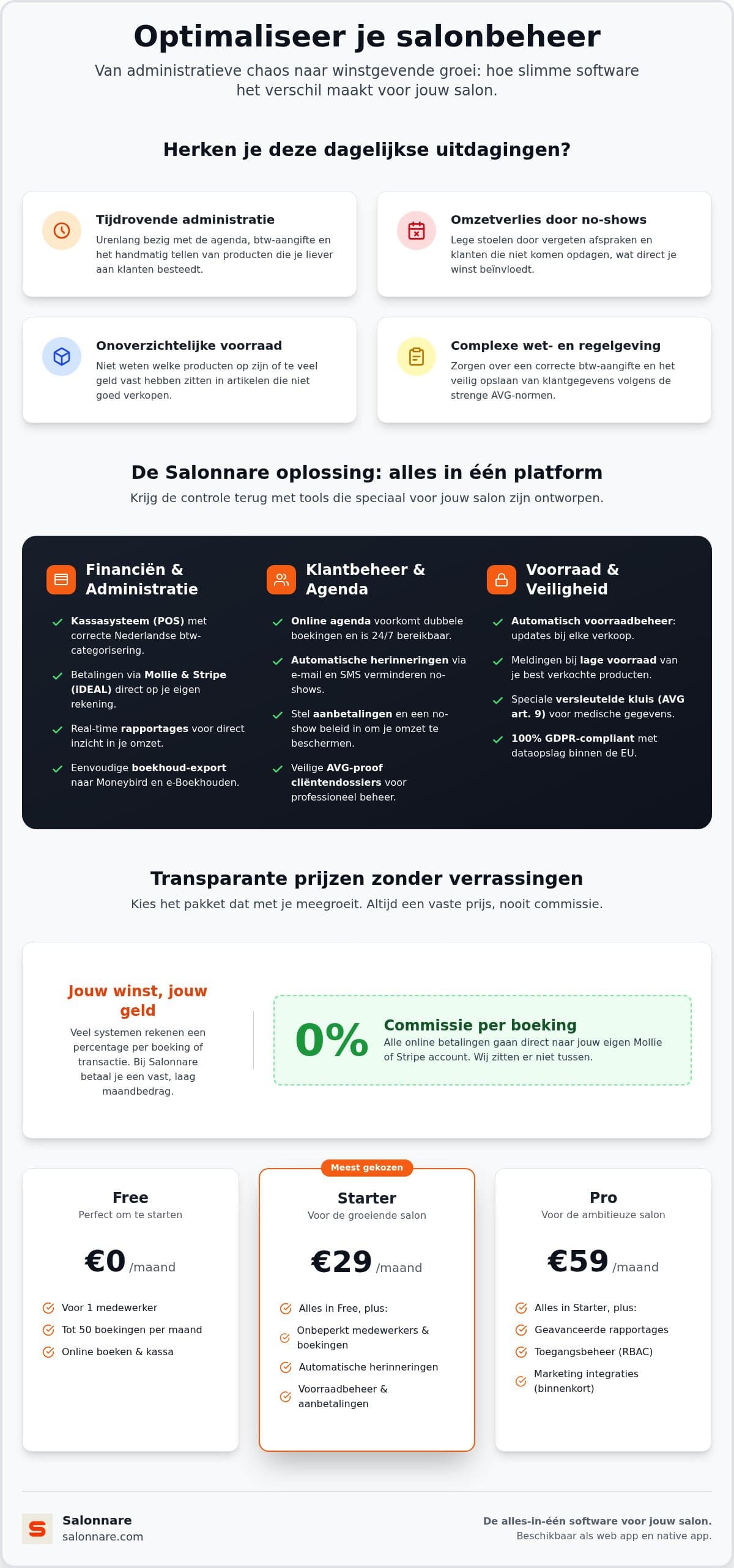
These days checkout often starts before the client walks in. A deposit at booking time makes an appointment less non-committal, and you see that straight away in your no-show rate. With online payments and deposits you decide per treatment whether you ask for something up front and how much: a small amount for a short appointment, a firmer share for a long colour or skin treatment.
Where that money goes matters just as much. Salonnare connects to your own Mollie or Stripe account, so a payment lands directly in your bank account. You are not waiting on the payout cycle of an intermediary that holds your revenue first.
We would rather be precise about the costs, because this market generates a lot of fog. Salonnare charges no marketplace commission on your bookings: you pay a fixed monthly fee. The Free plan costs 0 euro per month for 1 staff member and up to 50 bookings per month, Starter costs 29 euro per month and Pro 59 euro per month. On top of that, every online or card payment through your connected provider carries a platform fee of 0.5% (min. €0.30), alongside the regular rates charged by Mollie or Stripe themselves. That is not nothing, but it is a fraction of the 30 to 35 percent that booking marketplaces such as Booksy (with Boost) and Treatwell charge on a new client's first booking - and unlike a marketplace, your monthly price does not climb with your revenue. The full overview is on the pricing page.
Combine the deposit with automatic email reminders. The deposit raises commitment, the reminder simply prevents forgetting. You can try this today by starting for free; deposits come with the Pro plan.
From checkout to stock, client records and bookkeeping
A checkout touches more than your till. Sell a serum and that product leaves your stock as well. In a connected system that happens at the same moment, without a second action. You get an alert when an expensive cream drops below the minimum you set, so you reorder before you run out rather than after. That saves both lost sales and capital tied up in an oversized stock. The details are on our inventory management page.
The second line runs to the client record. In a beauty salon you often record more than a phone number: allergies, skin conditions, products used. Those are health data and they fall under article 9 of the GDPR, with a heightened duty of protection. Salonnare keeps them in a separately encrypted vault on servers inside the EU, apart from ordinary client notes, with permissions per staff member so only authorised colleagues can look. Our guide to client records software for your salon covers how to build such a record in practice.
The third line runs to your accountant. Salonnare deliberately offers an export function rather than a live integration: you generate a file that you import into your bookkeeping package. That sounds more old-fashioned than it is - you keep control over which data you share and when, and a stalling synchronisation cannot leave duplicate or missing lines in your books.
If you want to put systems side by side before choosing, our guide on how to compare salon software helps you weigh the criteria. Would you rather just experience it? Start with Salonnare for free today.
Ready for a checkout that does your admin for you
Free is 0 euro per month for 1 staff member and 50 bookings, Starter costs 29 euro and Pro 59 euro per month. No marketplace commission on your bookings - only a platform fee of 0.5% (min. €0.30) per payment, straight into your own account.
See the pricingFrequently asked questions about a beauty salon checkout system
What does a checkout system for a beauty salon cost?
With Salonnare you pay a fixed monthly fee: the Free plan costs 0 euro per month for 1 staff member and up to 50 bookings per month, Starter costs 29 euro and Pro 59 euro per month. No marketplace commission comes off your revenue. You do pay a platform fee of 0.5% (min. €0.30) on every online or card payment through your connected Mollie or Stripe account, alongside your payment provider's own rates. Your monthly price stays the same no matter how much you turn over.
Does the system categorise my VAT automatically?
Yes. You link the VAT rate to a treatment or product once, after which every checkout lands in the right category automatically. In the Netherlands, for example, that means 21 percent on beauty treatments and cosmetics and 9 percent on hairdressing services. At the end of the quarter you pull a report in which revenue is already split by rate, which makes your return faster and less error-prone.
How long do I have to keep my checkout data?
That depends on the country you operate in; in the Netherlands the tax authority applies a seven-year retention period for your financial administration, and checkout data falls under it. Check the term that applies where you are based. A digital checkout system retains that data automatically and keeps it searchable, so an audit does not depend on paper receipts that fade or go missing.
Can I pass my checkouts through to my bookkeeping?
You export your financial data to a file that you import into your bookkeeping package. This is deliberately an export function and not a live API integration: you keep control over which data you share and when, and a stalling synchronisation cannot put duplicate or missing lines into your books.
Does a checkout system help against no-shows?
Indirectly it does, by moving the payment forward. You can require a client to pay a deposit when booking, which makes the appointment less non-committal. That payment runs through your own Mollie or Stripe account straight into your own bank account. Combined with automatic email reminders it covers the two main causes: non-commitment and forgetfulness.