



Automate salon management: what it saves you per week
Automating salon management means confirmations, reminders and client records run on their own while you stay with the client in your chair. This article works out how much time that saves a small salon each week, shows which steps to automate and what to look at when choosing and switching.
Do the maths first: what does manual work cost you per week?

Take a salon with 25 appointments a week. These are assumptions, so adjust them to your salon.
Doing it by hand, each appointment takes about 4 minutes to schedule and message back and forth, 2 minutes for a confirmation and 2 minutes for a reminder: 8 minutes. For 25 appointments that is 25 × 8 = 200 minutes, or 3 hours 20 minutes a week.
If the client books online themselves and the confirmation and reminder go out automatically, about 1 minute of checking per appointment remains: 25 × 1 = 25 minutes.
Saving: 200 - 25 = 175 minutes a week. Over 4 weeks that is 700 minutes, or 11 hours 40 minutes (11.67 hours).
Against Starter at €9.99 a month, that works out to €9.99 / 11.67 = about €0.86 per hour saved. With Pro (€14.99 a month) it is €14.99 / 11.67 = about €1.28 per hour. Whether you really win those hours back depends on what you do with them, but you can check the sums yourself.
Let confirmations and reminders run by themselves
A digital calendar takes bookings outside opening hours too and sends a confirmation by email straight away. Put the date, time, staff member and treatment in it, and show the client how to change the appointment.
Also set up an automatic email reminder at a fixed time before the appointment, with the same details and the same contact details as the booking. Test both messages yourself on your phone. For how reminders work in practice, see automatic appointment reminders.
Want to know whether it works? Count the no-shows in the weeks before and after you switch it on.
Client details and treatment history in one place
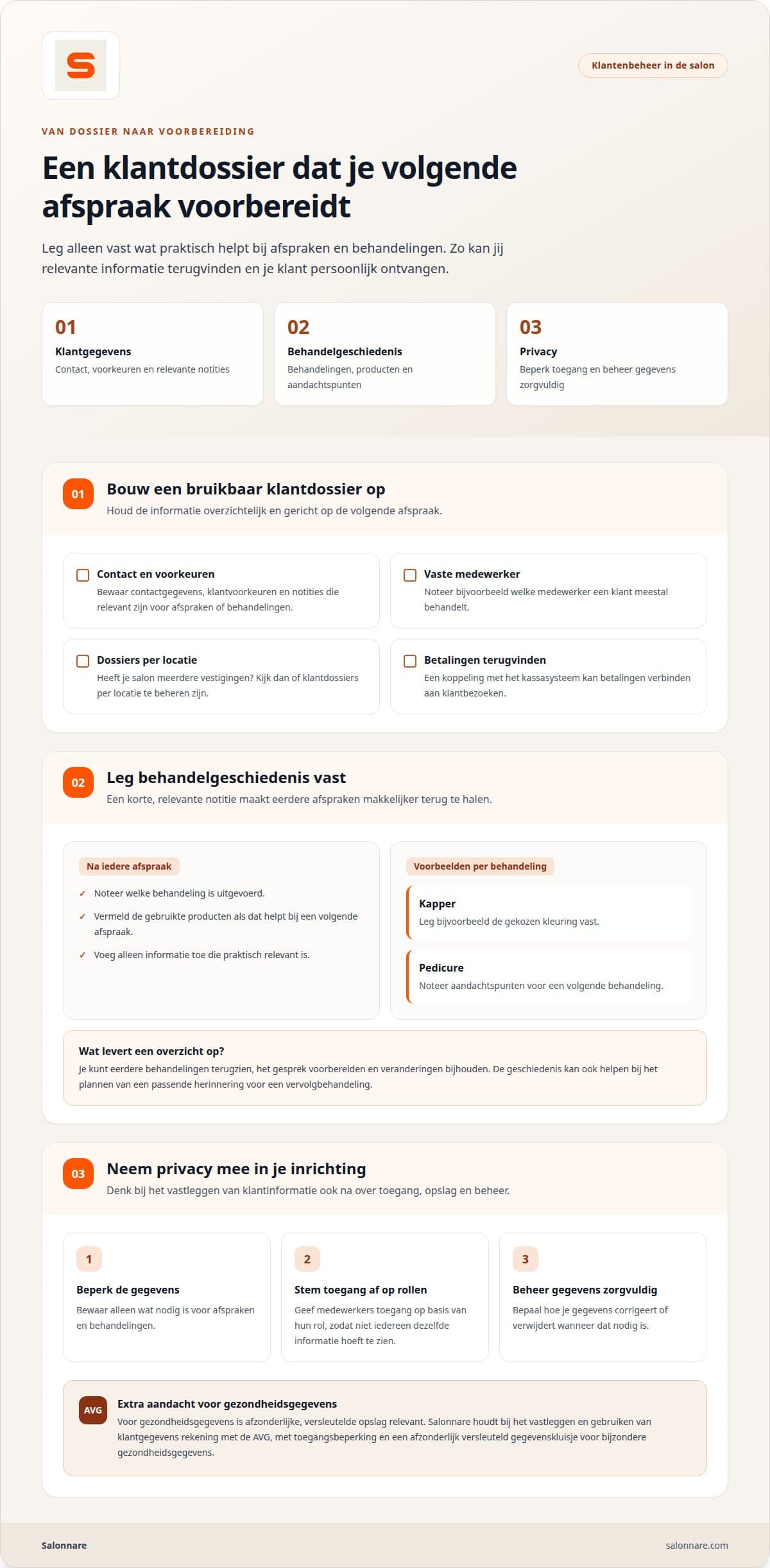
Keep contact details, preferences and notes in one client record and note the treatment and products used after each appointment. A hairdresser might record the colour formula, a chiropodist points to watch next time. Add only what helps at the next appointment.
In client management that sits with the appointment. Health data goes in a separate encrypted vault under GDPR Article 9, and roles decide who sees what. Also decide in advance how you correct or delete data when a client asks.
Choosing and switching without double bookings
Put the systems you compare against the same checklist: calendar, client records, till, stock and reports. What you need differs per salon: a hair salon schedules per staff member and records sales, a beauty salon tracks treatments and products, a chiropodist relies on treatment notes. Test how quickly you can find an appointment on your phone.
Switching takes four steps: export the existing data, compare names, contact details and upcoming bookings with the new records, import them and spot-check that appointments are linked to the right client. Test with a copy first. Double bookings appear when two calendars keep running side by side, and data goes missing when a file is incomplete.
Payments through Mollie or Stripe arrive in your own account. For your bookkeeping you export the data, for example to Moneybird or e-Boekhouden. That is an export, not a live link: compare the totals with your till per period.
You schedule appointments in bookings management. For a calmer set-up see salon management without chaos. Finally, agree with your team who updates data and how appointments are handed over.
What it costs in Salonnare
Free costs €0 a month, Starter €9.99 and Pro €14.99 a month, excluding VAT and cancellable monthly.
Every online or card payment through Salonnare carries a 0.5% fee, with a minimum of €0.30. Example: on an online payment of €35, 0.5% is €0.175, so the €0.30 minimum applies. On €100 it is €0.50.
See the prices per plan or start free with Salonnare.
Let your calendar do the repetitive work
Start with the free Free plan (€0 a month). As your salon grows, move up to Starter (€9.99) or Pro (€14.99), cancellable monthly.
Start free with SalonnareFrequently asked questions
How do I start automating salon management?
Enter treatments, staff and available times. Clients then pick a slot themselves and the appointment lands in the calendar. Start with one popular treatment and check that the availability you set matches your team's working hours.
Who is salon software for?
Hairdressers, beauty salons, nail studios, barbershops and chiropodists, including self-employed people. Choose features based on your daily processes: a salon that sells products benefits from stock tracking, a team with several practitioners from shared calendars and access rights.
What is the difference between free and paid salon software?
At Salonnare, Free costs €0 a month, Starter €9.99 and Pro €14.99 a month, excluding VAT and cancellable monthly. The free plan suits a small start or a limited booking flow; paid plans are for salons that need more staff or extra features.
What does salon software give you?
Less double entry. Appointments, client details, till and stock sit in one system, so after a treatment you register a product sale straight away and the stock updates.