



Salon management without chaos: your guide to calm and more revenue in 2026
It is Sunday evening and your phone buzzes again: a client wants to move her Tuesday appointment. You reach for the diary, see that the eleven o'clock slot is already taken, and remember that last week's receipts are still on the kitchen table. There goes a free evening, and you have not earned a thing. The chaos usually is not too much work. It is work stored in the wrong places. Appointments in your head, stock in a drawer, client details in a notebook: every separate system asks for attention you are not giving a client. This guide is about the opposite. You will read which parts of your salon to write down first, which gaps in your calendar quietly cost money, and how to get your evenings back without booking less.
Where the chaos comes from (and why working harder does not fix it)

Most salons do not run on one system but on five half-systems. The calendar is on paper, confirmations go through WhatsApp, revenue sits in a cash drawer, stock lives in the head of whoever places the order, and client history is in a notebook behind the mirror. Each part works fine on its own. The trouble starts at the handovers: the appointment that was promised but never written down, the colour that has run out while the client is already in the chair.
Working harder does not solve that, because the problem is not pace but memory. As long as you are the link between the systems, you have to remember everything - including on your day off. What does work is reducing the number of places where information can live.
That is exactly what structuring your business processes means: instead of demanding more discipline from people, you make the steps connect so that forgetting is no longer an option. In a salon that comes down to one calendar everyone can see, and client information attached to the appointment rather than to your memory.
Start with the calendar: everything else hangs off it
If you digitise one thing, make it your calendar. Not because paper fails, but because every other part depends on it. The till needs to know which treatment was done, stock needs to know what was used, the reminder needs to know when someone is expected.
An online booking page takes over the part of your job that interrupts you most: the back-and-forth about availability. Clients pick their own treatment and only see slots that are genuinely free, including at half past eleven at night. Double bookings simply cannot happen, because two people cannot take the same slot. See bookings management for how it works.
The gain is mostly in what stops happening. No messages between two clients, no appointment you agreed to and cannot find later, no morning that starts with working out who is actually coming. Put the booking link on your Google profile too, so someone searching nearby can book straight away instead of only finding a phone number.
No-shows: the gap you cannot fill on the morning itself
An empty hour is not something you recover later in the day. That makes no-shows the most expensive form of chaos: you reserved the time, kept the space free and sometimes already laid out products.
Two measures do most of the work. The first is an automatic email reminder the day before, sent by the system without you thinking about it. Most no-shows are not bad will but forgetfulness, and a message at the right moment is the answer to that. See automatic reminders.
The second is a deposit at the time of booking, set per treatment. For a trim that is overkill; for a three-hour colour it is not. Someone who has paid up front either turns up or cancels in time, which leaves you room to fill the gap. Deposits are part of the Pro plan. Payments run through your own Mollie or Stripe account; the settings live at online payments.
Worth knowing: Salonnare sends reminders by email, not by SMS. That is deliberate, because an SMS bundle is a recurring cost that grows with every message, while email does not.
Stock and till: where the money quietly leaks away
Stock is the quietest cost there is. You order a colour that was still sitting at the back of the cupboard, or you run out mid-treatment and have to improvise. Both cost money, and neither ever shows up as a loss in your books.
The difference comes from linking stock to your treatments: if the system knows what a treatment consumes, it counts down at checkout. You get a warning before something runs out rather than after, and you see which retail products actually move. Keep backbar and retail separate so internal use does not pollute your sales margin. See inventory management.
On the till side, the time saving is in VAT. Services and the products you sell over the counter often fall under different rates, and a receipt with both on it has to be split. Do that by hand afterwards and you lose an evening a month; let the till do it per receipt and it is finished when the client walks out. See point-of-sale.
For bookkeeping you hand over an export that you load into your accounting package. Expect an export you import yourself, not a live connection that syncs continuously - that saves disappointment later. If you want a broader look at the legal and financial side of running a business, the official guide to managing your business is a useful checklist.
Client records and health notes: the part you cannot fix afterwards
A good client record is the difference between a client who returns and one who tries the salon down the road. Last time's colour formula, the length she found too short after all, the treatment that worked well: that belongs with the appointment, not in the memory of the colleague who is off today.
Some of that information is more sensitive than the rest. An allergy to a colouring agent, medication that affects the skin, or a pregnancy are health data, and they fall under article 9 of the GDPR. They do not belong in an ordinary notes field and certainly not in a group chat.
Salonnare keeps those notes encrypted in a separate vault, apart from the regular record, with recorded consent and a log of who has looked inside. If you work with a team, you decide per staff member who can see what: an apprentice does not need the revenue figures, and not every colleague needs access to medical notes. All data sits on servers inside the EU, and your client list stays yours.
This is one of the few parts you cannot easily put right later. Once sensitive notes are scattered across chats and notebooks, cleaning up becomes a project in itself.
What it costs, and why the model matters more than the amount
With salon software the pricing model matters more than the monthly figure. A system that charges a percentage per booking gets more expensive the better you do: a busy month costs you more than a quiet one, while the work for the software stays the same. That penalises exactly the result you are working for.
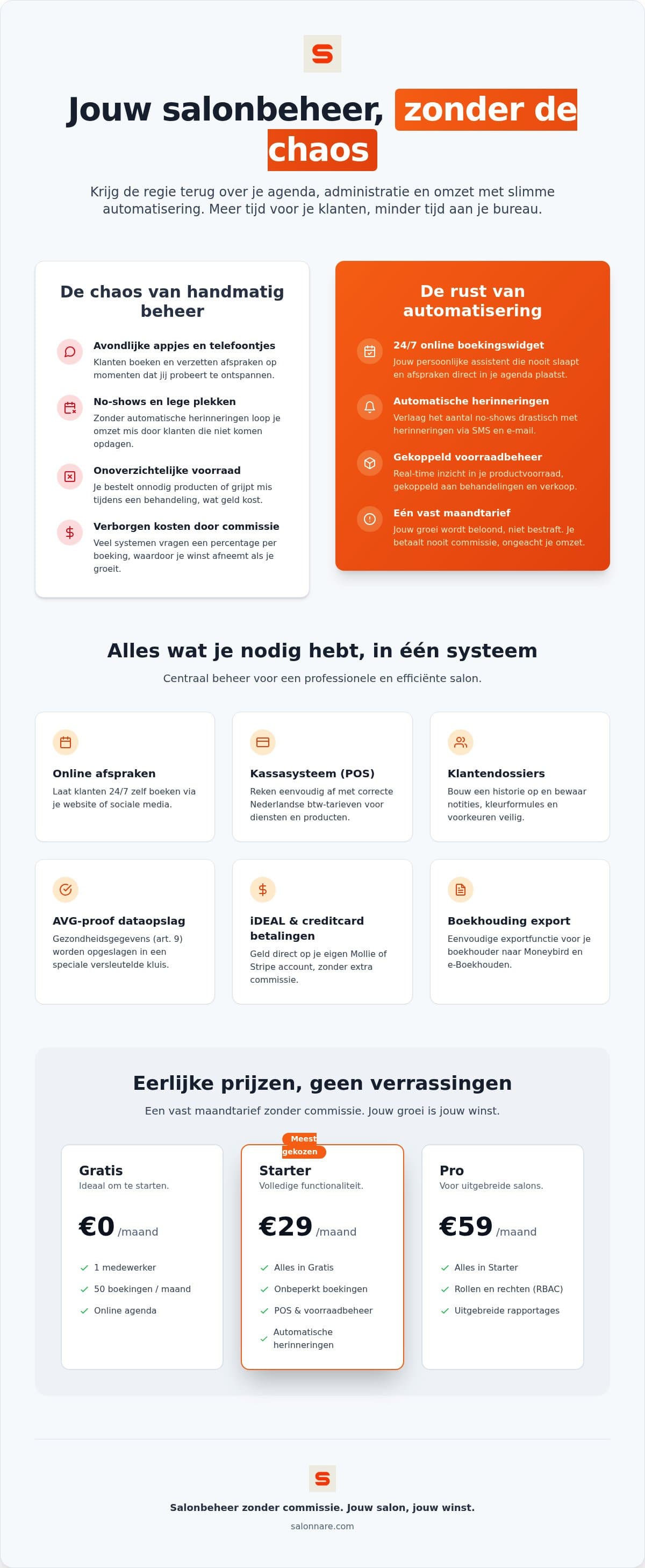
Salonnare uses a fixed monthly fee with three plans. Free costs €0 per month and is meant for one staff member with up to 50 bookings per month, including online booking, till, client records and email reminders. Starter costs €29 per month for three staff members and unlimited bookings. Pro costs €59 per month for unlimited staff, with marketing automation and your own branding. None of the plans include commission per appointment.
One thing you should know up front, because pricing pages tend to be vague about it: if you take payments online or ask for a deposit, that payment runs through your own Mollie or Stripe account and the money lands in your own bank account. On top of that provider's rates, Salonnare charges 0.5 percent with a minimum of €0.30 per transaction. That is separate from your monthly fee - a €50 payment therefore costs the minimum of €0.30 in platform fees, since 0.5 percent would come to only €0.25. Cash payments in the salon are not affected, and neither are card payments on a terminal you do not link through Mollie; a card payment through a Mollie terminal linked to Salonnare does carry the fee.
Start small. Most salons pick the largest plan and six months later are still only using the calendar and the till.
The order that delivers calm fastest in practice
Moving everything at once is the most reliable way to give up halfway. What works better: one part per week, in the order in which they build on each other.
In week one, set up your treatments with the right duration and price, because everything else calculates from that. If the duration is wrong, your calendar runs crooked all day. In week two, switch on online booking, put the link on your site and your Google profile, and enable email reminders straight away - the cheapest measure against no-shows there is.
Week three is the till with VAT splitting and the export for your bookkeeper. Week four is stock, and only then the rest: gift cards, loyalty, campaigns. Those are nice, but they do not solve chaos.
You can start that route without payment details; stock control, gift cards, loyalty and the accounting export come with Starter, campaigns with Pro. The free plan stays free, and only when you hit the limit of 50 bookings or add a second staff member does a paid plan come into play. Start free with Salonnare and set up your first treatments tonight - next week that Sunday evening feeling will be a good deal lighter.
Start with the calendar, the rest follows
Set up your treatments, switch on online booking and let the system send the reminders. Free to try, no payment details and no commission per appointment.
Start for freeFrequently asked questions
What does salon software without commission per booking cost?
At Salonnare, Free costs €0 per month for one staff member with up to 50 bookings, Starter costs €29 per month for three staff members with unlimited bookings, and Pro costs €59 per month for unlimited staff. None of the plans include commission per appointment. If you take payments online, transaction fees of 0.5 percent with a minimum of €0.30 per payment apply on top of the rates of your own Mollie or Stripe account.
How do I reduce no-shows in my salon?
Two measures do most of the work. The first is an automatic email reminder the day before the appointment, sent by the system itself. The second is a deposit at the time of booking, set per treatment: overkill for a short trim, sensible for a long colour service. Someone who has paid up front either turns up or cancels in time, which still leaves you room to fill the gap.
Does Salonnare send reminders by SMS?
No, reminders go by email. That is a deliberate choice: an SMS bundle is a recurring cost that grows with every message, while email does not. Confirmation, the reminder the day before and the rebook nudge after the treatment all run automatically by email.
Where should I store client allergies and other health data?
Not in an ordinary notes field. Allergies, medication and pregnancy are health data and fall under article 9 of the GDPR. Salonnare stores them encrypted in a separate vault, apart from the regular client record, with recorded consent and a log of who has looked inside. You set access per staff member.
Can I move my existing client list across?
Yes. Whether you are coming from another system or from a paper diary, you move your contacts across with an import so you do not start from scratch. Do it on a quiet day and then spot-check a handful of records for phone numbers and email addresses. Your data stays yours and sits on servers inside the EU.
Can I connect my accounting package?
You supply your revenue and VAT figures through an export that you load into your accounting package. That is not a live connection syncing continuously, but a file you provide periodically. For most salons a monthly export is enough, and it saves retyping receipts.