



Salon automation software: where your hours go and what you win back
Your week is not full because your chair is full. It is full because something keeps landing in between treatments: the phone ringing mid-colour, the message you answer on a Sunday evening to confirm a booking, the receipts you retype later. This piece is not about which package has the prettiest dashboard, but about the question underneath it: how many of those hours are really there, and which of them can salon automation software take off your hands? You will read where the time in a salon week goes, how to measure your own gain in a single week, and what automation explicitly will not solve for you.
Where the hours in a salon week actually go

The hours your business takes from you rarely show up in your calendar. They sit in the margins: the call you answer with gloves on, the message you reply to in the evening, the gap you have to rebook because someone did not turn up.
Pull those actions apart for a moment. Taking a booking and slotting it in. Sending a confirmation. Reminding the day before. Cashing up and splitting the VAT correctly. Taking a sold bottle out of stock. Writing down a treatment note. Then, at month end, gathering all of it for the bookkeeping.
Each one costs two to five minutes. That feels like nothing. The problem is the frequency: at twenty appointments a week that adds up to hundreds of small interruptions a month, and they all arrive at moments when your hands are literally in someone's hair. It is not the duration that wears you down, it is the switching.
And that is exactly where automation goes to work. Not on your treatment time, which stays human, but on the links in between.
What salon automation software actually takes over
Automation sounds big, but in a salon it means something very practical: chaining together the actions that always happen in the same order so they run by themselves. The principle is called business process automation, and the difference from a standalone online calendar lies in that chaining.
One booking puts itself in the calendar, blocks the right slot with the right staff member, creates a client profile, sends a confirmation and schedules the reminder in advance. You touched nothing.
These are the links that in practice remove the most work from your week:
- Online booking, including outside opening hours. A booking page on your own website and through Google catches the appointments that would otherwise land on your voicemail. - [Automatic confirmations and reminders](https://salonnare.com/en/features/automatic-reminders). A confirmation straight after booking, a reminder a day ahead by email. This is the cheapest way to bring down no-shows. - Deposits at the moment of booking. For long treatments or new clients you ask for an amount up front. Someone who has already paid either shows up or cancels in time. - [Checkout with automatic VAT splitting](https://salonnare.com/en/features/point-of-sale). The till applies the right rate to services and to retail products without you checking it receipt by receipt. - [Stock that keeps itself up to date](https://salonnare.com/en/features/inventory-management). A sold bottle comes off the stock straight away, so you reorder before the shelf is empty. - [Client data in one place](https://salonnare.com/en/features/client-crm). Treatment history, preferences and formulas sit with the client, not in a notebook or in your head.
The first three are about your calendar, the rest about your till and your admin. That is no coincidence: those are the actions that repeat every single working day.
The time audit: measure in one week what you really win back
Before you choose a package, it pays to know what you are looking for. A five-day time audit gives you that, and it costs you nothing more than a sheet of paper next to the till.
Here is how to run it:
- Tally for five days. Put a mark down for every action that is not a treatment: call, message, confirmation, reminder, rebooking, retyping a receipt, updating stock. - Add a time to each. Roughly estimate the minutes per action. Precision is not needed, order of magnitude is. - Multiply into a month. Four times your weekly total. That number is your starting point. - Mark what repeats. Anything that goes the same way every time is a candidate for automation. Anything where you make a judgement call stays yours for now. - Convert one thing into money. What is an empty chair from a no-show worth to you? That figure makes the discussion about deposits concrete immediately.
The outcome surprises most salon owners at the same point: it is not the big jobs that get in the way, but the small ones that keep coming back. And those are precisely the easiest to hand over to software.
If you then want to switch those actions on in a sensible order, the guide on which tasks to automate first walks through it step by step. You can also put the audit straight next to a free account and start at no cost.
What automation will not solve for you
An honest account belongs here, because a good share of the disappointment with salon software comes from expectations that were never accurate in the first place.
Bad input does not fix itself. If your treatment durations are too tight, the system will happily book your week solid and you will still run behind. If your service list is wrong, your calendar is wrong. That is why the first week is about entering data, not about saving time.
Client notes stay human work. Software stores last time's formula, it does not invent it. What you record determines how much use you get from it later.
No-shows go down, not to zero. Reminders and deposits take out a solid share. The remainder stays, and that is normal.
Switching costs time first. Importing your client list, setting up services, linking rotas, bringing your team along. Count on a few evenings before you get anything back.
Automation does not replace your hospitality. A confirmation is not a greeting. The hours you win back are only worth something once you spend them on your clients or on yourself.
Knowing this in advance means you go in with the right expectation and stick with it until the return actually becomes visible.
What it costs, and why the pricing model can eat your gain
Your gain in hours only becomes real profit if your costs do not grow along with your success. That is the biggest difference between providers, and it is rarely on the front page.
If a platform charges a percentage on every booking, you pay more as your calendar fills up. A flat monthly fee does the opposite: the more appointments, the lower the cost per appointment. So always run one month through with your own numbers before you sign.
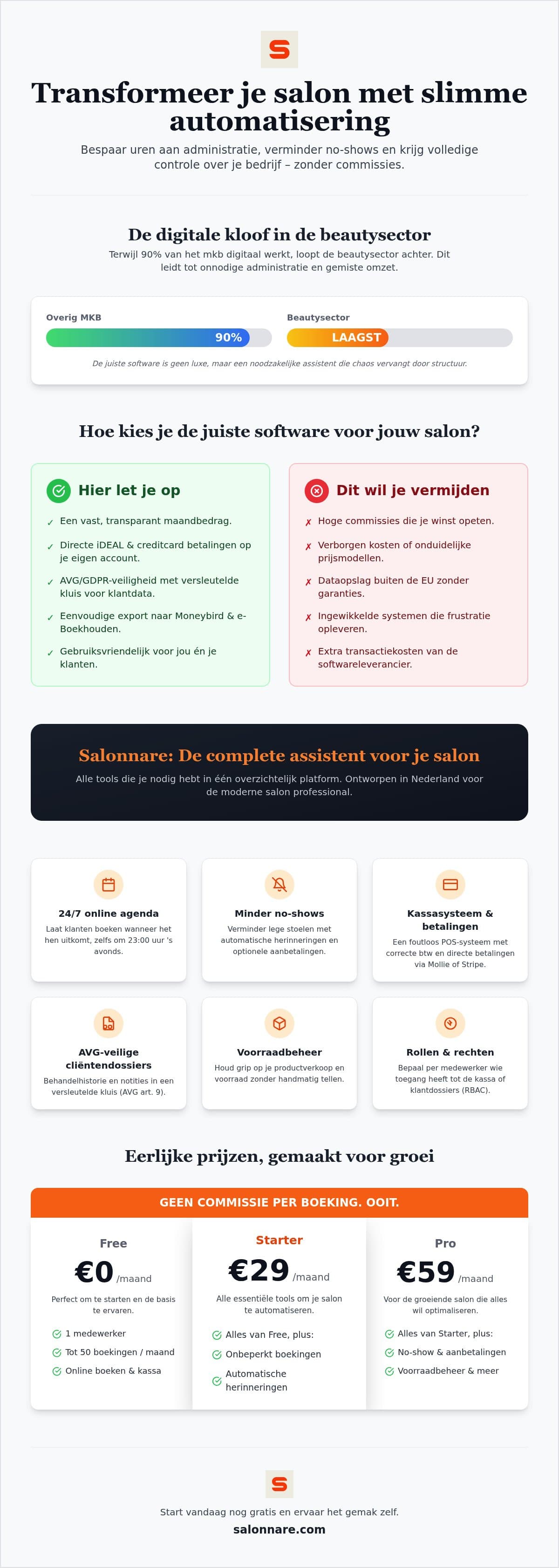
At Salonnare you pay a fixed monthly price: Free costs €0 per month for one staff member and 50 bookings a month, Starter €9.99 per month and Pro €14.99 per month. There is no marketplace commission on new clients from the marketplace, that one is €0. There is a platform fee of 0.5% with a €0.30 minimum on every online or card payment. Those payments run through Mollie or Stripe straight into your own bank account, so you are not waiting on a payout from a middleman.
Beyond price, four things bear directly on your gain in hours:
- Does the till hang off the same calendar? If not, you are updating two systems and your gain is gone. - Can you export to your bookkeeping? An export that plugs into your accounting package saves you retyping receipts. - Can you set permissions per staff member? Roles let you decide who reaches the till or client records, which keeps the floor calm. - Where does your data live, and what about health data? Salonnare stores data in the EU and keeps a separately encrypted vault for special category data such as allergies or medication, in line with GDPR Article 9.
If you want to line providers up systematically, the guide on comparing salon software works through those criteria one by one. If you would rather simply measure what it saves you, start for free and switch on your first automation this week.
Measure what automation gives you back this week
Start on the permanently free plan at €0 per month: set up your services, let online booking and confirmations run by themselves, and put the result next to your time audit. The free plan has no contract; you only pay a platform fee of 0.5% (min. €0.30) on every online or card payment.
Start for freeFrequently asked questions about salon automation software
What does salon automation software cost on average?
Prices vary widely, mainly because providers use different pricing models: a fixed amount per month, a percentage per booking, or a mix of the two. At Salonnare you pay a fixed monthly price: Free is €0 per month for one staff member and 50 bookings a month, Starter €9.99 per month and Pro €14.99 per month. There is no marketplace commission on new clients from the marketplace (€0), but every online or card payment carries a platform fee of 0.5% with a €0.30 minimum. Run one month through with your own booking numbers at every provider, because a percentage per booking grows with your revenue while a fixed amount does not.
Is my data safe in the cloud with a salon software provider?
That depends on where the data sits and how it is shielded. Salonnare stores data inside the EU and works to the GDPR. For special category personal data such as allergies, medication or skin conditions there is a separately encrypted vault in line with GDPR Article 9, kept apart from ordinary client notes. On top of that you set permissions per staff member, so not everyone can reach everything. Always ask a provider about the storage location, about a data processing agreement, and about your ability to export your own data.
Can I import my existing client list easily?
Yes. You export your current list from your old system as a CSV or Excel file and import it in one go, so you do not have to retype hundreds of names. Make sure name, phone number and email address sit in separate columns beforehand, and open ten random profiles as a spot check after the import. You do not need to carry over every old treatment note: fill those in again the moment the client is back in the chair.
Does salon automation software work on a tablet or smartphone?
Yes. Salonnare runs in the browser and is built for small screens, and you can install the app on your phone or tablet so it opens like a regular app. That means your calendar, your till and your client records are with you even when you are not behind the desk. Worth knowing: if you plan to use a tablet as your till, check first that taking payment and issuing the receipt feel comfortable at that size before you put it into service on the floor.