



Hairdresser software: from client card to a full chair
A full calendar only pays off if you know who comes back. Hairdresser software (Dutch salons often search for "Friseurprogramm") brings client data, appointment history and calendar together. Here is how client card, calendar, newsletter and waitlist work together, and what one refilled slot is worth.
The client card as a starting point

A digital client card holds contact details, past treatments and preferences. Record only what you need, such as "shorter sides" or the colour used, and note whether the client agreed to your newsletter.
Health data such as allergies does not belong in an ordinary notes field. Salonnare has a separate GDPR vault for it, and roles and permissions control what each team member can see.
Switching systems? Export clients from your old system first, import a suitable file, and test a few client cards and the calendar before going fully live. Whether appointment history carries over depends on the file structure.
The calendar: time per treatment and per team member
Set the duration and staff member for each treatment, since a cut and a colour need different blocks. Clients book online on your own site or via Google and only see slots that are really free, so double bookings do not happen.
If you work with a team, read hairdressing software for multiple staff. In reports, compare booked hours with available hours and watch for recurring cancellations or quiet parts of the day.
Newsletter and waitlist: keeping the calendar full
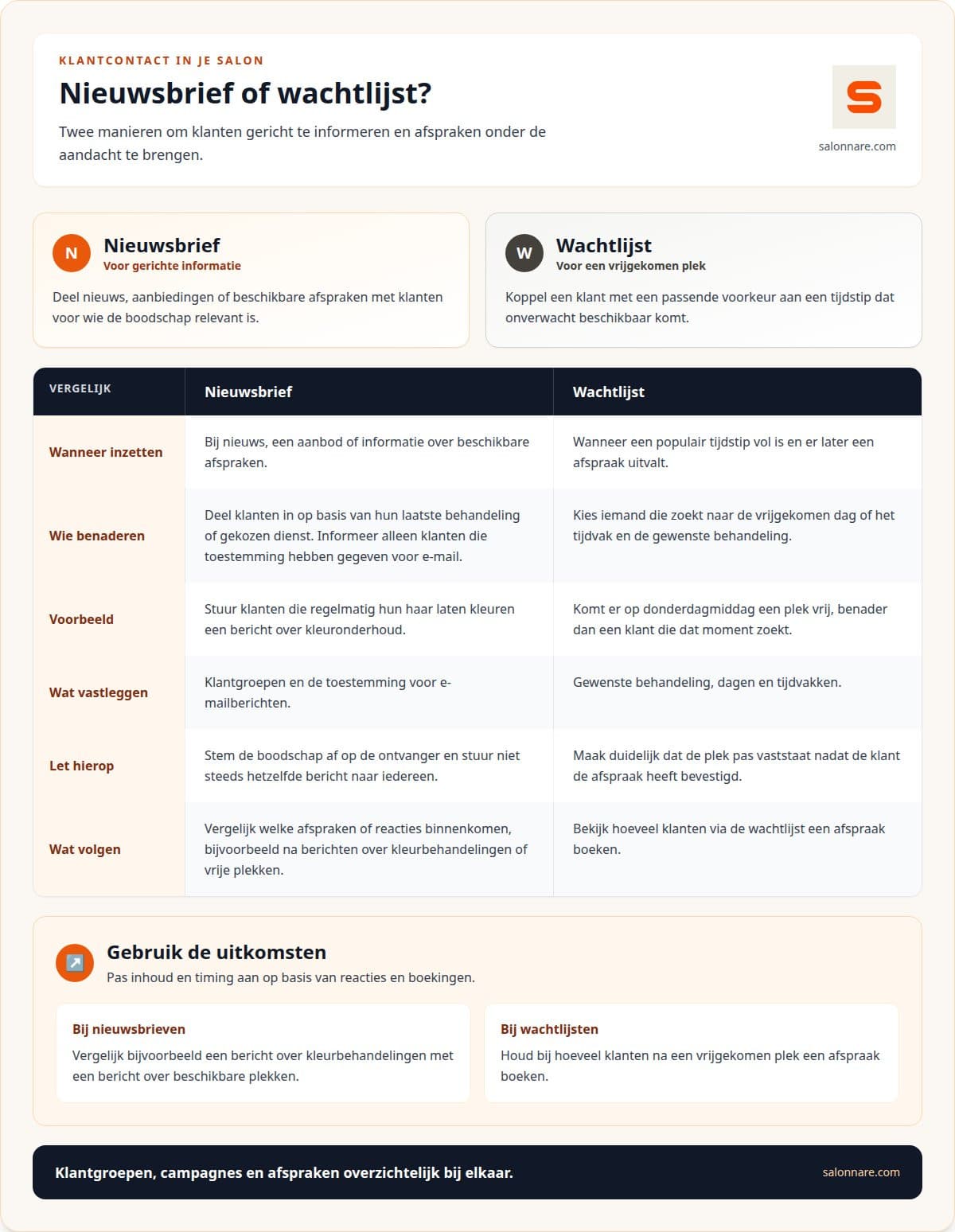
A newsletter works when the message fits the reader. Group clients by last treatment: regular colour clients get a note about colour upkeep. Only write to clients who gave consent. More in marketing automation with treatment-based newsletters.
A waitlist helps when a popular time is full. Note the treatment, days and time ranges, and get in touch when a slot opens. The slot is only the client's once they confirm. See fill empty hairdresser slots with a waitlist.
Worked example: what is one refilled slot worth?
Assume a 45 euro haircut (swap in your own price). A waitlist client takes a slot that would have stayed empty and pays online.
- Transaction fee: 0.5% of €45 is €0.225. The minimum is €0.30, so you pay €0.30. - You keep: 45 - 0.30 = €44.70. - Starter costs €9.99 a month excl. VAT: 9.99 / 44.70 = 0.22, so one refilled slot a month covers it easily. - Pro costs €14.99 a month excl. VAT: 14.99 / 44.70 = 0.34, again less than one refilled slot.
All amounts exclude VAT. Free costs €0 a month, so you can try it first. Plans can be cancelled monthly.
How to start
Pick one process to begin with, such as client cards or the waitlist, rather than changing everything at once. Ask your team which tasks are done twice and agree who keeps the data up to date. Want to try it? Start free with Salonnare.
Try it in your own salon
Start free and build up your client cards and calendar at your own pace.
Start freeFrequently asked questions
What is hairdresser software?
A digital workspace for salon management: client cards, calendar, checkout and stock in one place. Check that the setup fits how you work, since a solo hairdresser has different needs from a team.
What does it cost per month?
With Salonnare, Free is €0, Starter €9.99 and Pro €14.99 a month, excl. VAT. Online and card payments carry a 0.5% transaction fee with a €0.30 minimum. Compare per-transaction costs for any system.
What about clients' health data?
Salonnare has a GDPR vault for health data. You decide which data you keep and how you run your records.
Can I connect my bookkeeping?
You can create an accounting export compatible with Moneybird and e-Boekhouden. It is an export, not a live link.