



Booking tool for a hair salon: set up your team
A Friseur-Buchungstool (German for an online booking tool for hairdressers) lets clients book their own appointment, even when your salon is closed. This article shows how to set it up for a team of several stylists, what email reminders do and what a booking tool costs per month. You can check the worked example with your own numbers.
Set up online booking: services, times and staff

Clients pick a service, a stylist and a free time slot. The appointment lands straight in your calendar, with no calls or messages. Set it up in this order:
1. Add your services with a fixed duration, for example a cut of 30 minutes and colouring of 90 minutes. 2. Set working days, breaks and bookable services per stylist. 3. Place the booking widget on your own website and share the same link in your Instagram bio or via Google. Every channel then uses one calendar, so you do not get double bookings.
After setting up, make a test booking yourself: are the duration, stylist and confirmation email correct?
One calendar for several stylists
A shared week calendar shows each stylist's appointments and free slots. With role-based access, everyone sees only what the work requires. A client profile bundles past appointments, preferences, notes and allergy alerts, so the next stylist knows what to watch for. Health data is stored separately in an encrypted vault (GDPR Article 9).
Read more about the calendar on bookings management and about client profiles on client CRM.
Email reminders and fewer no-shows
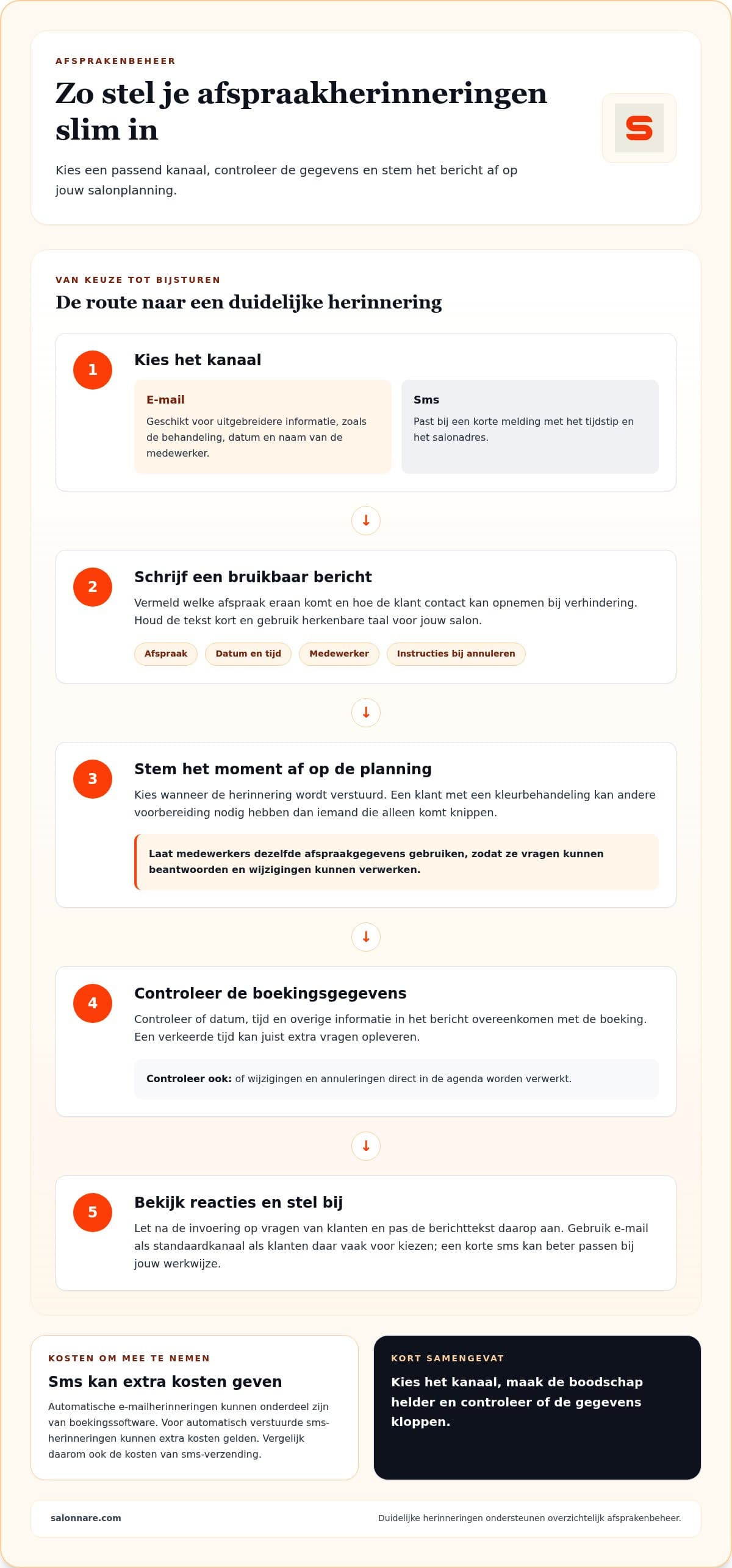
Salonnare sends confirmations and reminders by email; no SMS messages are sent. Put the date, time, stylist and how to reschedule or cancel in the reminder. To cut no-shows further, you can ask for a deposit when clients book online; the money goes to your own account.
See automatic reminders and online payments for details.
Worked example: what does a booking tool cost your salon?
Use Salonnare's real prices: Free €0 per month, Starter €9.99 and Pro €14.99. Paying monthly can be cancelled monthly; you are not tied to a contract.
1. Starter per year paid monthly: 12 × €9.99 = €119.88. 2. Starter paid yearly: €99.90, so €119.88 − €99.90 = €19.98 less. 3. Pro: 12 × €14.99 = €179.88 per year, or €149.90 paid yearly (€29.98 less). 4. Every online or card payment carries a 0.5% fee with a minimum of €0.30. A €35 haircut: 0.5% × 35 = €0.175, so the €0.30 minimum applies. An €80 colour treatment: 0.5% × 80 = €0.40. 5. Say 40 clients a month pay online for a €35 haircut: 40 × €0.30 = €12.00. With Starter you land on €9.99 + €12.00 = €21.99 per month, or €21.99 ÷ 40 = about €0.55 per appointment.
Fill in your own numbers; this is a worked example, not a guarantee of a particular saving.
What Salonnare offers
Salonnare combines a booking widget for your own website with a point-of-sale that handles VAT, and iDEAL payments straight to your own account. You can start free on the Free plan. For more background on online booking for hairdressers, read online booking tool for hairdressers or see the pricing.
Start free with Salonnare
Set up your booking page in an afternoon. The Free plan costs €0 per month.
Start freeFrequently asked questions
Which booking tool suits a hair salon?
It depends on team size, calendar layout and the features you use daily. Salonnare is an option for salons that want booking, client records and checkout on one platform. Make a test booking to see whether it fits your way of working.
Can I ask for a deposit against no-shows?
Yes, you can ask for a deposit when clients book online. Payments go through iDEAL or Mollie to your own account; a 0.5% fee (minimum €0.30) applies to online and card payments. Available features depend on your plan.
What is the difference between free and paid?
Free costs €0 per month, Starter €9.99 and Pro €14.99 (€99.90 and €149.90 when paid yearly). Paying monthly can be cancelled monthly. The pricing page shows which features are in which plan.
How do I handle client data?
Be clear about how you use personal data and limit access to staff who need it. With Salonnare you manage client profiles with appointments, preferences, notes and allergy alerts.