



Excel for salon administration: where does your time go?
Excel looks tidy until a computer crash locks you out of your appointments and client details. The drawbacks come mostly from manual entry, double registration and formulas that are quietly wrong. In this article you see where the time goes, work through an example with numbers you can change yourself, and read when a spreadsheet remains perfectly workable for a small salon.
Where does the time go with manual entry?

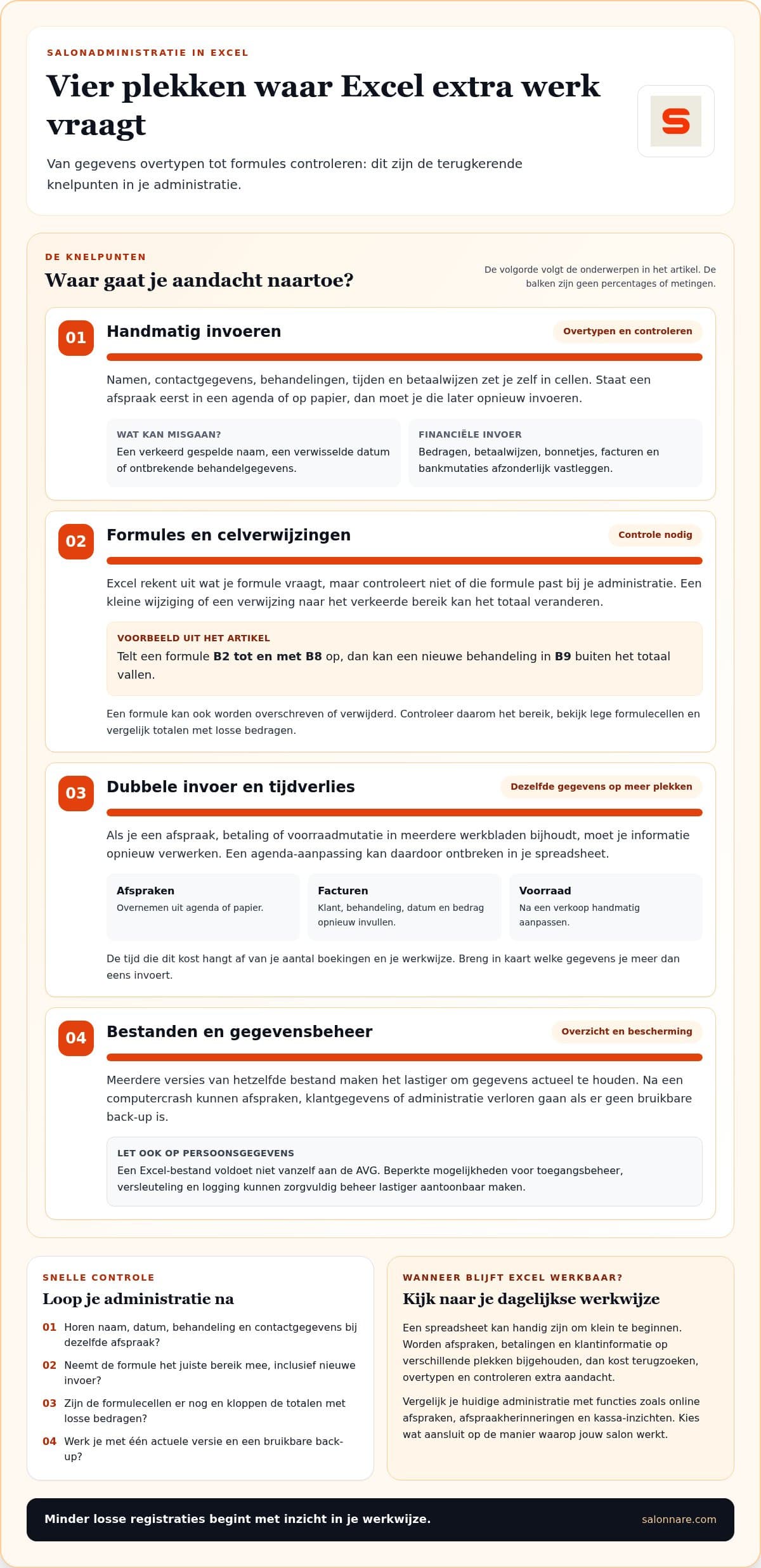
After a treatment you note the client, the treatment, the amount and the payment method. If the appointment sits in a diary first and in Excel afterwards, you record the same appointment twice. These are the moments where it usually goes wrong:
- Appointment: name, date and treatment are in your diary and again in a spreadsheet. A typo or a swapped date makes a client hard to find. - Payment: you note the amount and payment method, then look up the matching bank transaction later. - Product sale: you keep the receipt and adjust the stock on another tab. - Invoice: you copy client details, treatment, date and amount into a separate document. If one field is wrong, you edit the invoice and save it again.
Every step is small, but you repeat them after each treatment. So first map which data you enter more than once: those steps show where your administration costs time.
Why are spreadsheet formulas error-prone?
Excel only calculates correctly when input, formulas and cell references are right. Say a formula adds the revenue in B2 to B8. If a new treatment sits in B9, it stays outside the total, even though nothing looks wrong. Copying formulas to other rows makes that more likely.
A deleted formula also gives a silently wrong result. If you accidentally remove the formula at the bottom of a column of daily takings, new amounts are no longer counted. That is awkward when you use the figures for your quarterly VAT return: you have to check the original lines.
Set up a fixed check for every period. Compare the total with a few individual amounts and see whether the formula cells are still there. Want to see how this works in bookkeeping software for hair salons? Read bookkeeping software for your hair salon.
Worked example: what does double entry cost you per year?
Work it out with your own numbers. This example assumes a salon with figures you can adjust:
1. You have 40 appointments per week. 2. Retyping and checking in Excel takes 3 minutes per appointment (appointment, payment and possibly stock). 3. That is 40 × 3 = 120 minutes per week, so 2 hours. 4. Over 48 working weeks that is 2 × 48 = 96 hours per year. 5. If you value an hour of your own time at €30, that is 96 × 30 = €2,880 of time per year.
Salon software does not remove all administration, but retyping the same appointment disappears when the calendar and the till are in one system. For comparison: Starter costs €9.99 per month (€119.88 per year) and Pro €14.99 per month (€179.88 per year). The Free plan costs €0 per month. On online or card payments, 0.5% (minimum €0.30) per payment comes on top: on a €40 treatment that is €0.30.
This is not a guaranteed saving, but it shows the question to ask yourself: how many hours a year do I spend on data that already lives somewhere else?
What does Excel lack and what can salon software take over?
Excel has no booking page, no automatic appointment reminders and no till as standard. Your diary and your spreadsheet can drift apart, and you have to adjust stock by hand after a sale. An Excel file also does not comply with the GDPR by itself: limited access control, no encryption and no logging make it harder to show careful handling of personal data.
Salonnare brings these parts together. Clients book through a booking widget on your own website. With client management client records live in one place, and health data goes in an encrypted vault in line with GDPR Article 9. The point-of-sale works with VAT, and with inventory management you no longer track stock separately. You can start for free.
How to switch calmly
You do not have to replace everything at once. Start with the question: which task interrupts my working day most often? Then map which data you want to bring together and who updates it. That way you judge a new way of working on overview, ease of use and fit with your daily processes, and pick a manageable next step.
Start free with Salonnare
With Salonnare you manage appointments, client records and the till in one place. The Free plan costs €0 per month.
Start freeFrequently asked questions
What if my computer crashes?
After a crash you can lose data if the Excel file is saved only locally. Keep a current backup in another, secure location and check regularly that you can open it. A backup only helps if the saved version is recent enough to restore your appointments and administration.
What are the drawbacks and risks of Excel for a salon?
You notice them mostly when one file has to do several jobs. A formula can quietly come out wrong, a backup can lag behind and a shared file can differ from your current working version. Agree which file is leading and who may change it.
What are the risks of sharing, losing or damaging Excel files?
A shared file can be overwritten, sent to the wrong person or saved as a separate version. If it is damaged or lost, appointments and administrative data can become inaccessible. Limit access to people who need it and test the restore with a copy, not with the working file.
When is Excel still suitable for a small salon and when is switching sensible?
Excel can suit a small salon that works about one day or half-day a week and handles few transactions. According to Finnerz, bookkeeping in Excel can be feasible for a sole trader with fewer than ten invoices and transactions a month. Switching becomes more practical when you track appointments, staff, payments or stock in several places and the checks keep coming back.