



Automating salon stocktaking: from annual count to continuous stock value
Most salons count their stock once or twice a year, usually on an evening after closing with a printed list and a pen. That count is accurate for exactly one day: the next morning you colour and sell again, and the paper is already behind what is on the shelf. This article is not about stock management in general, but about the count itself: how to do it properly once, how to keep your stock value current afterwards without repeating it, and how to hand your accountant a figure at year end without going back into the cupboard.
What a manual count actually costs you

The cost of counting by hand is rarely written down anywhere, which is exactly why it goes unnoticed for years. It has three parts, and each one looks small on its own.
The hours themselves. Work it out once with your own numbers: hours spent per count, times counts per year, times what an hour of your time is worth. That amount appears on no invoice, but it comes straight out of your margin. For most salon owners it lands higher than expected, simply because counting happens outside working hours and therefore never feels like work.
The errors you notice much later. Counting by hand means a line gets skipped, a number gets typed wrong or a box at the back of the shelf gets missed. You find out weeks afterwards, when a colour appointment cannot go ahead because the right shade turns out to be gone. Inventory management software exists precisely to take this kind of measurement error out of the process.
The money standing still. Products that have been on the same shelf for two seasons are no longer stock, they are tied-up capital. Without counting history you cannot see which items those are, so you order them again with the next delivery.
From separate counting sessions to stock that keeps itself current
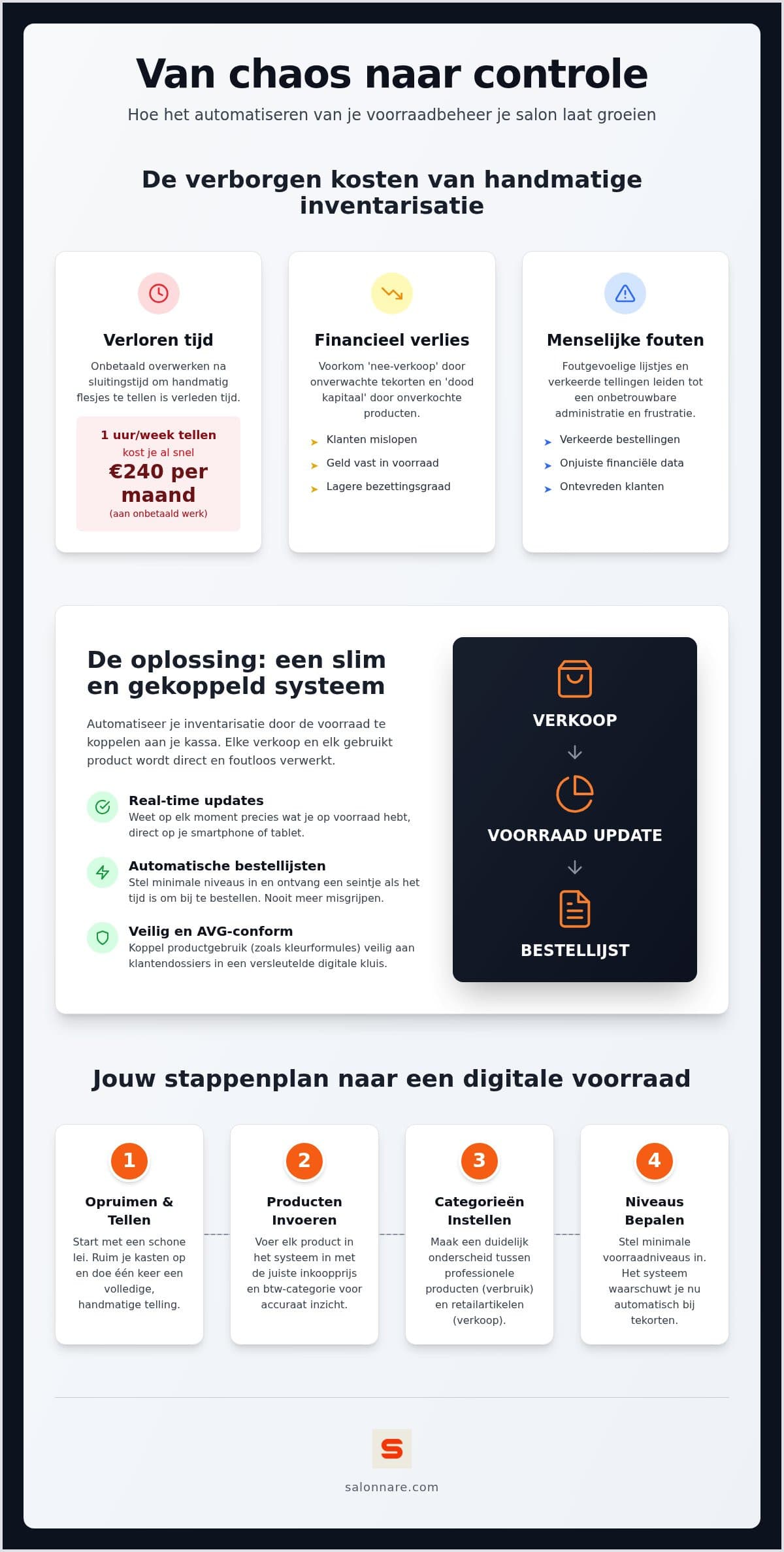
Automating does not mean software starts counting for you. It means every movement of a product is recorded at the moment it happens, so there is nothing left to reconstruct afterwards.
Deduction happens at checkout. Sell a bottle of shampoo at the desk and it comes off stock straight away. Use a tube of colour during a treatment and you record that usage against the same treatment. Your stock level stops being a snapshot and becomes a running balance.
Alerts replace the walk-around check. Instead of inspecting the cupboard every week, you set a minimum level per product. Drop below it and you get a signal, so you can order before you run out. You only look at the products that need attention.
Client experience is attached to this directly. A treatment that cannot go ahead because a product is missing is not a stock problem to your client, it is a cancelled appointment. The fact that effective stock management feeds straight into the customer experience is exactly why this link pays back more than the counting time it saves.
Count backbar and retail separately, or your margin will not add up
A salon effectively keeps two stocks in the same cupboard, and they behave nothing alike. Lump them together during a count and you end up with a total that traces back to nothing.
Backbar is consumption. Colour, developer, cotton and foil disappear during treatments. They never produce a separate sales line; they sit inside the price of the treatment. You track these to know your cost per treatment.
Retail is trade. Shampoo, styling and care products are resold at a margin. Here what matters is turnover speed: which product sits too long, which one runs out too early every time.
Why the split pays off. Only when both flows are tracked separately can you see where you earn and where money leaks away. That insight is what well-organised stock management uses to drive small business growth: not by working harder, but by seeing which items are worth the work.
For the practical set-up of that split, including purchase orders and low-stock alerts, see the article on salon inventory management.
The baseline count: one afternoon that saves you years of evenings
Automating starts with one final manual count. There is no way around it, because software cannot know what is on your shelf today. So do it properly in one go.
Pick a quiet moment and clear out first. Throw away anything past its date and set aside what you no longer sell. You do not want to enter items you will never touch again.
Enter four things per product: the quantity on the shelf now, the purchase price, the retail price and the VAT rate. The purchase price is the field that later determines your stock value, so do not skip it because you are in a hurry.
Set the minimum level while you are there. For each product, ask yourself at what quantity you would normally reorder. Filling that in takes three seconds and is later the difference between getting an alert and running out.
Start with your twenty busiest items. In practice they cover most of your movement. You add the rest over the following weeks, each time you have a product in your hands anyway. That way you do not have to wait until the whole cupboard is done before you start. Salonnare's inventory management lets you add products one at a time, so a phased start works fine.
Stock value for your bookkeeping, without an extra counting round
The count that ultimately matters is the one on 31 December. Your accountant wants to know what is on the balance sheet, and that figure has to be substantiated.
The balance is the count. If every sale and every usage has been deducted throughout the year, your stock level on the last day of the financial year is your count. Multiply it by the purchase price and you have your stock value. A separate evening in the cupboard is no longer needed.
VAT comes through from the till. Treatments and retail products can fall under different rates. In Salonnare's point-of-sale the correct rate is applied per line at checkout, so there is nothing to recalculate at the end of the quarter.
Export instead of retyping. You pull your stock and sales figures out of Salonnare as an export and hand them over for packages such as Moneybird or e-Boekhouden. It is an export, not a live integration: you decide when you supply what.
Do keep spot-checking. A running balance drifts slowly through breakages, testers and products that leave without being deducted. Count a handful of items each quarter and correct what differs. That is fifteen minutes of work instead of an evening. If you are still choosing a till, the comparison in POS system for beauty salons will help you weigh it up.
Automating stocktaking in Salonnare
Salonnare is a young Dutch platform, and that shows in the pricing model: no percentage of your revenue, but a fixed amount per month, plus a platform fee of 0.5% (min. €0.30) per online or card payment.
Three plans, low commission. Free costs 0 euro and covers 1 staff member and 50 bookings per month. Starter is 29 euro per month, Pro is 59 euro per month. No commission comes off your bookings or your product sales, only Salonnare's own platform fee of 0.5% (min. €0.30) on payments, so the margin on a bottle of shampoo stays mostly yours. What each plan includes is on the plans and pricing page.
Payments land in your own account. Through Mollie or Stripe, online payments including iDEAL go straight to your own bank account, with no intermediary passing your revenue on.
Permissions per staff member. You decide who may see purchase prices and stock value. A stylist deducting products does not need access to your margins.
Sensitive client data kept apart. Allergies do not belong in an ordinary notes field; colour formulas simply stay on the client card. Salonnare stores special category data in a separately encrypted vault in line with GDPR article 9, with its own access rights. Your data stays within the EU.
Usable on the floor. You work through the installable web app or the native app on tablet or phone, so you check the level at the cupboard instead of behind a computer. You can sign in with Google, Microsoft, Apple or Facebook.
Start with a baseline count of your twenty busiest products and let the rest follow over a month. Stock management comes with Starter. Start free with Salonnare and automate your stocktaking.
Done with counting after closing time?
Let your stock track your till, keep backbar and retail apart and pull your stock value straight out at year end. Getting started is free (stock management comes with Starter), with no commission per booking - just a 0.5% platform fee (min. €0.30) per payment.
Start free with SalonnareFrequently asked questions
Do I still need to count everything manually once a year?
Not as a full count. If sales and usage are deducted throughout the year, your stock level on the last day of the financial year is your stocktake. What you do keep is spot checks: count a handful of products each quarter to catch drift from breakages, testers or forgotten deductions. That takes fifteen minutes rather than an evening, and keeps your figure trustworthy.
How do I track backbar usage without adding work at the chair?
By linking usage to the treatment rather than to a separate form. After the treatment you book the backbar products you used against that appointment, so they come off stock straight away and count towards your cost per treatment. That takes a few taps per appointment, only for what you actually used, so your team does not gain an evening of admin.
What if my counted stock differs from what the system says?
You correct the level to what is physically there and note the reason. Differences are normal and informative: they usually come from breakages, testers, products that left without deduction, or a wrongly entered opening balance. If the same item shows a shortfall every quarter, there is a structural cause behind it that a change in working practice will solve.
Can I start without entering my whole cupboard first?
Yes, and that is usually the fastest route to results. Start with the twenty products that move most often; they cover the bulk of your sales and usage. You add the rest over the following weeks, whenever you have a product in your hands anyway. That way the system delivers value before the full stocktake is finished.