



Salon inventory management: tracking retail, backbar and purchase orders without a spreadsheet
A salon usually keeps two kinds of products on the shelf: products that clients buy and take home (retail), and products that are consumed behind the scenes during treatments - colour paste, developers, washing emulsions, wax (backbar or consumables). Those two flows call for a different way of tracking, but in most salons they end up in the same notebook or the same spreadsheet - or nowhere at all. The result is predictable: you only order when something has run out, not when stock is getting low. Purchasing decisions are made on gut feeling instead of on the actual count. The margin on retail products is unclear because purchase and sale prices are not tracked. And the real cost price of a colour treatment is unknown, because nobody writes down how much colour paste each client consumes. This article describes how to set up salon inventory management step by step, which signs indicate that your current system is straining, and how software brings that hassle back down to a routine.
Two kinds of products, two ways of tracking
The biggest misconception in salon inventory management is that all products should be tracked the same way. Retail products and backbar products place different demands on your records, and that confusion costs money.
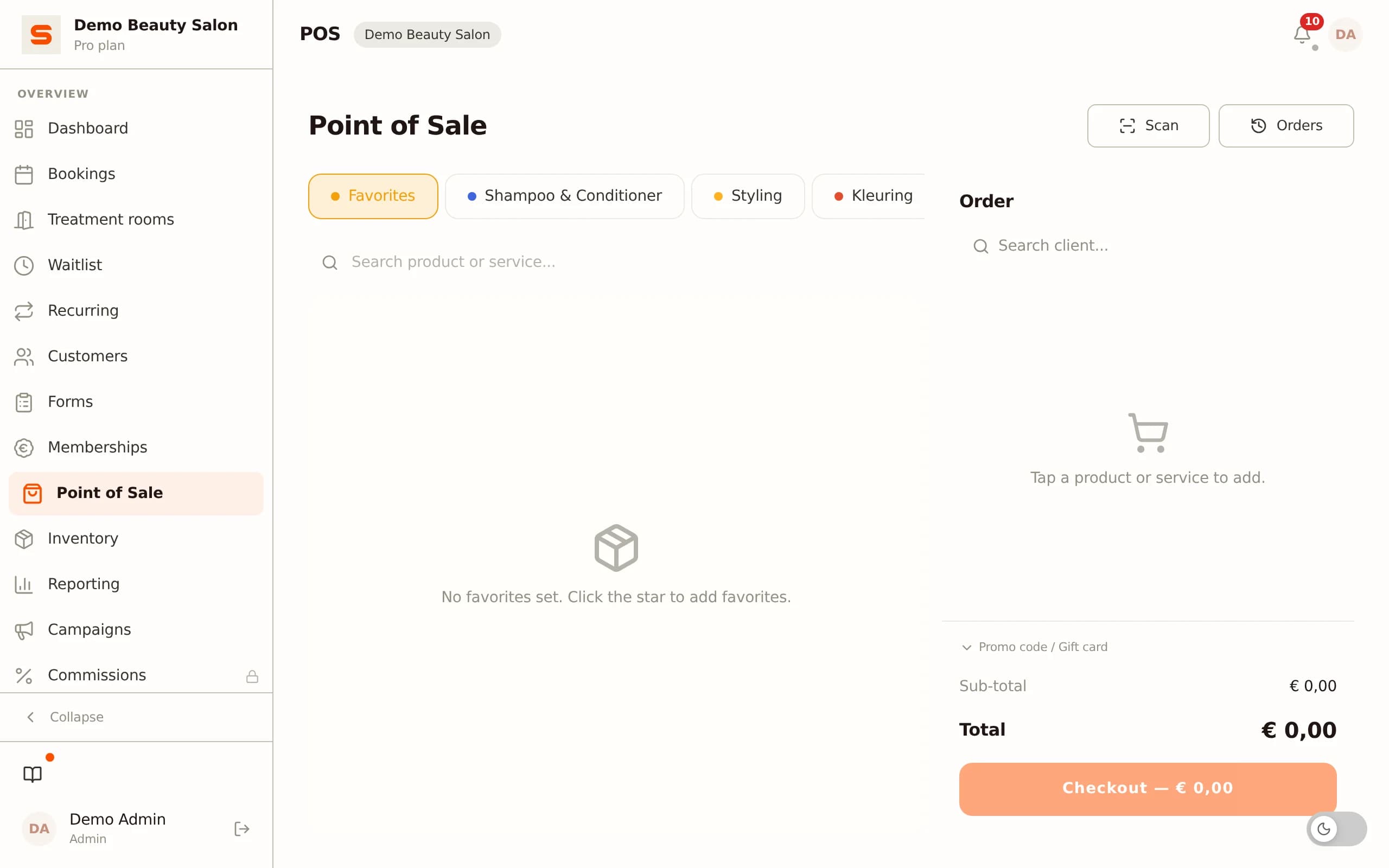
Retail products are products you resell to clients: shampoo, conditioner, styling products, nail polish, aftershave. With retail it is about margin: what do you buy it for, what do you sell it for, and how much profit does each sale make? Without those two prices - purchase price and sale price - tracked per product, you have no idea which products actually generate a return and which only take up space on the shelf.
With retail, every sale counts as a stock movement. If you link the till to your inventory, the count is updated automatically the moment a client takes a bottle of shampoo home. That way you always see what is still on the shelf without having to count.
Backbar products work differently. You do not sell these, you consume them during treatments: colour products, developers, hair masks, washing products. Here it is not about sale price but cost price per treatment. How many grams of colour paste does an average colour treatment use? What does that cost per treatment, and how does it compare to what you charge for the treatment?
That cost calculation is impossible if you do not track backbar consumption. Salons that account for colour paste by the tube and have no idea how many tubes go through per month cannot judge whether their colour treatments are profitable. That is exactly why the distinction between retail and backbar is not merely administrative, but directly affects the decision of whether you need to adjust your prices.
Seven signs that your inventory management needs improvement
Poor stock records do not always stand out immediately - the damage is diffuse and builds up slowly. These are the seven most common signs.
1 - You discover too late that a product has run out. The most recognisable: a client is ready and the product you need is gone. Without a low-stock alert you only learn this when the bottle is empty, not when it is almost empty.
2 - You over-order because you do not know what is still in stock. You see a low shelf and order five bottles, but three were still hidden behind other boxes. Over-ordering is the most expensive variant of poor record-keeping: tied-up capital sitting on the shelf and ageing for months.
3 - You do not know which retail products make a profit. If you only track a sale price but not the purchase price, you cannot calculate what each product sale contributes. Low-margin products eat up selling capacity you could better spend on higher margins.
4 - Supplier invoices arrive as a surprise. If orders are not tracked in a system but passed on verbally or via loose messages, you do not know what is on its way. Invoices on delivery do not match what you thought you had ordered.
5 - You have no insight into consumption per treatment. Without backbar records you only know what you bought and what is on the shelf - not what was consumed in between and for what. That makes a fair cost calculation impossible.
6 - Old and new product get mixed up. Without clear categorisation and location management, products from different batches end up next to each other. With colour products that have an expiry date, this leads to waste.
7 - You count manually every week. If a weekly count is needed just to have a roughly current picture, that is a sign the records do not hold up in between. A good digital inventory is always up to date because every movement is entered immediately.
Setting up inventory management: six concrete steps
Step 1 - Make a complete product list. Start with a baseline count: count all products you have in the salon, give each product a name and note the current quantity. That is the opening balance of your digital inventory. This takes a one-off effort - an hour or two for an average salon - but it is the foundation for everything afterwards.
Step 2 - Determine the type per product: retail, backbar or both. Retail products get a sale price and a purchase price. Backbar products get only a purchase price and are tracked by quantity consumed. Some products fall into both categories: a shampoo you sell but also use while washing.
Step 3 - Group products into categories. Categorising makes overview possible: colouring, retail hair care, nails, washing products, supplies. Without categorisation, a list of dozens of products quickly becomes unmanageable. Choose categories that match how you yourself think about the shelves.
Step 4 - Set a minimum threshold per product. Determine per product the level you do not want to drop below before reordering. That threshold differs per product: for a fast-consumed backbar product you set a higher threshold so you can order in time; for a slow-moving retail item one bottle in reserve is enough. The threshold triggers an alert as soon as stock drops below it.
Step 5 - Record every movement immediately. Inventory management only works if every change - a sale, a received delivery, a treatment consumption, a correction after counting - is entered immediately. The temptation is to save this for the end of the day, but that is where the backlog starts. A quick entry in the moment takes less effort than trying to remember everything consumed that day.
Step 6 - Review the discrepancies monthly. Each month, compare the theoretical inventory (opening balance + received - sales - consumption) with the actual counted stock. Discrepancies point to unrecorded consumption, breakage or theft. That review takes half an hour but gives you insight into where the records are still leaking.
How Salonnare integrates inventory management into the working day
Inventory management only works if it is low-friction: one extra click, not a separate system you have to maintain on the side. In Salonnare the inventory module (Starter plan and up) is part of the daily workflow instead of a separate admin package.
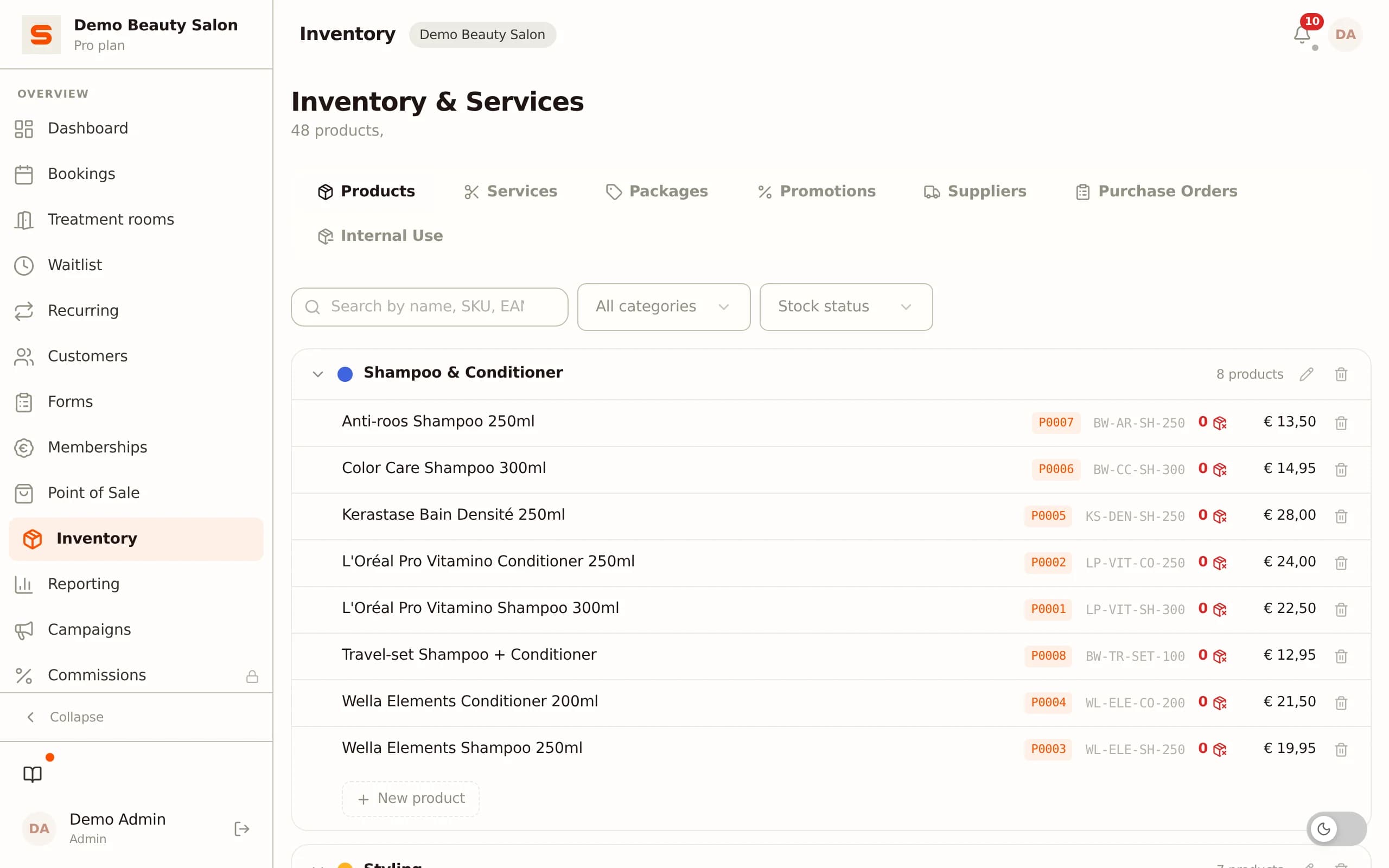
Retail and backbar in one overview. Per product you set whether it is retail, backbar or both. Retail products automatically appear in the till as sellable items when you create a checkout. Backbar products are tracked as consumables and do not appear in the sales list. That way you have one product database, but the two flows are processed differently.
Low-stock alerts. Per product you set a minimum threshold. As soon as the current stock drops below that threshold - through a sale, a consumption record or a manual correction - an alert appears in your salon notification centre. So you never have to walk the shelves manually to check whether something has run out; the system flags that for you.
Transaction history per product. Every stock movement is logged: who made the movement, at what moment, with what reason and with what delta (plus or minus). That history is visible per product, so you can trace when a particular product was adjusted and why. With discrepancies between the count and the system, you can look the movements back up instead of having to guess again.
Supplier management and purchase orders. You record suppliers once with contact details and website. When you want to order something, you create a purchase order per supplier - with products, quantities and an expected delivery date. As soon as the delivery arrives and you mark the order as received, the quantities are automatically added to the inventory. That way you always have a link between what you ordered, what is on its way and what is on the shelf.
Consumption orders for backbar. For backbar products you can create consumption orders: a record of which products in what quantities were consumed during a treatment or on a given day. Over time you build a picture of the real consumption per treatment type, which is the basis for a fair cost calculation.
The result is an inventory that stays current without weekly counting, a purchasing process that runs on data instead of gut feeling, and insight into the cost price of your treatments.
Frequently asked questions
What difference does it make whether I track retail and backbar separately?
Retail determines your margin per product sale: if you do not know what you paid for a product, you cannot judge whether the sale price is right and whether the product is worth the shelf space. Backbar determines your cost price per treatment: without knowing how much colour product goes into each treatment, you cannot check whether your prices cover the purchase. Together they give you insight into which products and treatments are profitable - information you do not have if both flows run together.
Do I need special hardware for salon inventory management?
No. Inventory management in Salonnare works entirely via the browser-based dashboard, without barcode scanners or special hardware. You enter movements manually via the system on your tablet or computer behind the desk. Products have an optional EAN barcode field you can fill in for reference, but scanning is not a requirement for the basic workflow. This keeps the threshold low: you start straight away without buying extra equipment.
How do I handle product consumption during a treatment?
For backbar products you use consumption orders: you create a consumption record with the products and quantities consumed during one or more treatments. That record deducts the quantities from inventory and logs when the consumption took place. Over time that gives an average consumption per treatment type, with which you can calculate what a treatment costs in materials on top of the labour cost.
How do I get started with Salonnare if I currently track everything manually?
You start with a baseline count: count all products, enter them as a product definition with name, category, type (retail or backbar), purchase and sale price, and the current stock level. That is the opening balance. After that you enter every movement immediately via the dashboard. For existing clients and products a CSV import is available. Create a free account via salonnare.com/en/free, switch to the Starter plan (€29 per month, which includes inventory management) and set up the product catalogue in the first week - after that the system keeps itself current.