



Salon software for the self-employed: what a solo hairdresser really needs
If you work for yourself in the salon industry - a freelance hairdresser, a beautician with your own cabin, a nail artist working from home or a barber on a single chair - your situation is different from a salon with a team. You are the owner, the therapist, the receptionist and the bookkeeper all at once. Salon software for a one-person business has to fit that: powerful enough to make your day lighter, but without the price and the complexity of a package built for a chain. The risk is that you pick software that is too big for you (lots of modules you never use, a fixed monthly price that does not match your turnover) or too small (a free calendar app that starts to pinch after six months). The right choice sits in between: only the core features a solo owner uses every day, at a cost that suits one person. 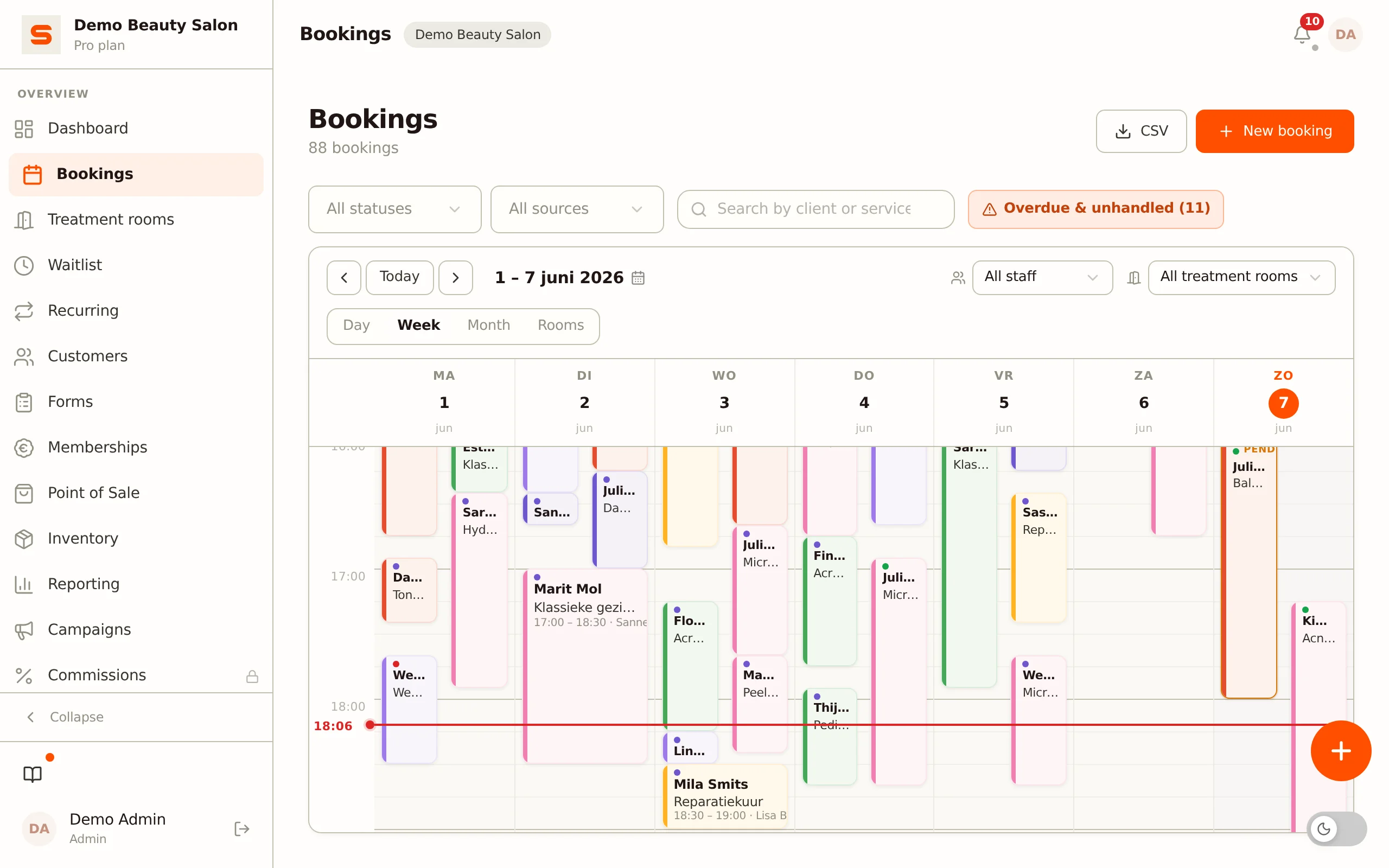 This article walks through what a self-employed professional in the salon industry really needs, why a free or low-cost plan with one staff member is often ideal for a solo owner, and how a short checklist helps you choose the right software without getting lost.
What a self-employed salon professional really needs
As a solo owner you want software that does four or five things well, not fifty things halfway. For most self-employed people in the salon industry it comes down to this core:
An online calendar. The heart of your day. All your appointments in one place, clear by day and by week, with the right duration per treatment. You see at a glance how tomorrow looks and where a gap remains - on your phone between two clients, or at home when you prepare the week.
Clients who book themselves. When you work alone, every ringing phone is an interruption for the client currently in your chair. A booking page lets clients grab a slot themselves, 24/7, from the times you have released. Your calendar fills up while you work.
A simple till. After the treatment you settle up - cash, card or an online payment method - and record straight away what was sold, with the right tax rate. No separate cash book to update in the evening.
Client records. Who is this client, what did she have done last time, which colour or product did you use? A client profile keeps that so you do not have to ask again every time, and so a regular feels remembered.
Reminders. An automatic confirmation and a reminder the day before, so clients turn up. For a freelancer every no-show counts double: you have no colleague to fill the gap.
Anything above that - loyalty programmes, stock control, staff rosters, commission calculation - is nice when you grow, but no reason to buy an expensive package now. Start with the core.
Online calendar and self-booking: less phone, more calm
For the self-employed the calendar is not a luxury but the basis of your turnover. As long as you work with a paper diary or a chat app, you are the only one who can put anything in it. Every booking goes through you, every change costs a phone call, and when you are off, your planning stands still.
An online calendar turns that around. Clients book themselves through a link you put in your Instagram bio, on your website or in your Google profile. They see only the free slots you have released, choose a treatment and a time, and confirm instantly. The appointment appears automatically in your calendar - you never have to pick up the phone.
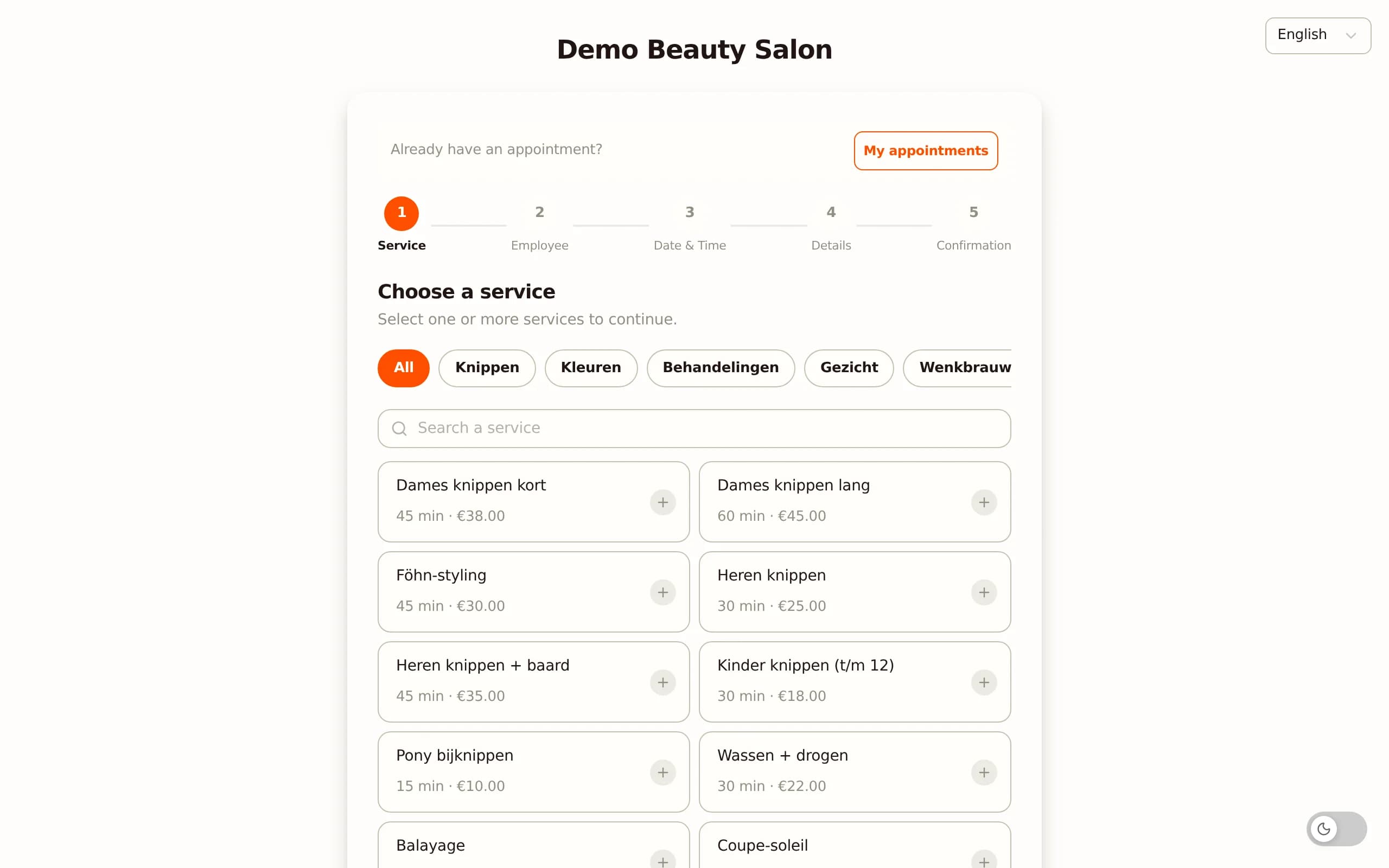
You stay in control: how many days ahead clients may book, how many hours in advance, and whether new clients can reserve straight away or first need your approval. That keeps your calendar tidy, even when clients fill it themselves.
Important for a solo owner watching costs: with Salonnare those bookings come in through your own channel, not through a marketplace that takes a percentage per appointment. You pay a fixed monthly price (or nothing on the free plan), with no commission per appointment; online payments carry only a platform fee of 0.5% (min. €0.30). Through the Google connection a reserve button also appears in Google Search and Maps, so someone searching for a "hairdresser near me" can book you right away.
A simple till and clean bookkeeping for the tax office
As a self-employed professional you are responsible for your own bookkeeping, and that is exactly where many freelancers struggle: receipts, tax rates, keeping track of daily turnover. Good salon software takes most of that manual work off your hands by making your calendar and till the single source of truth.
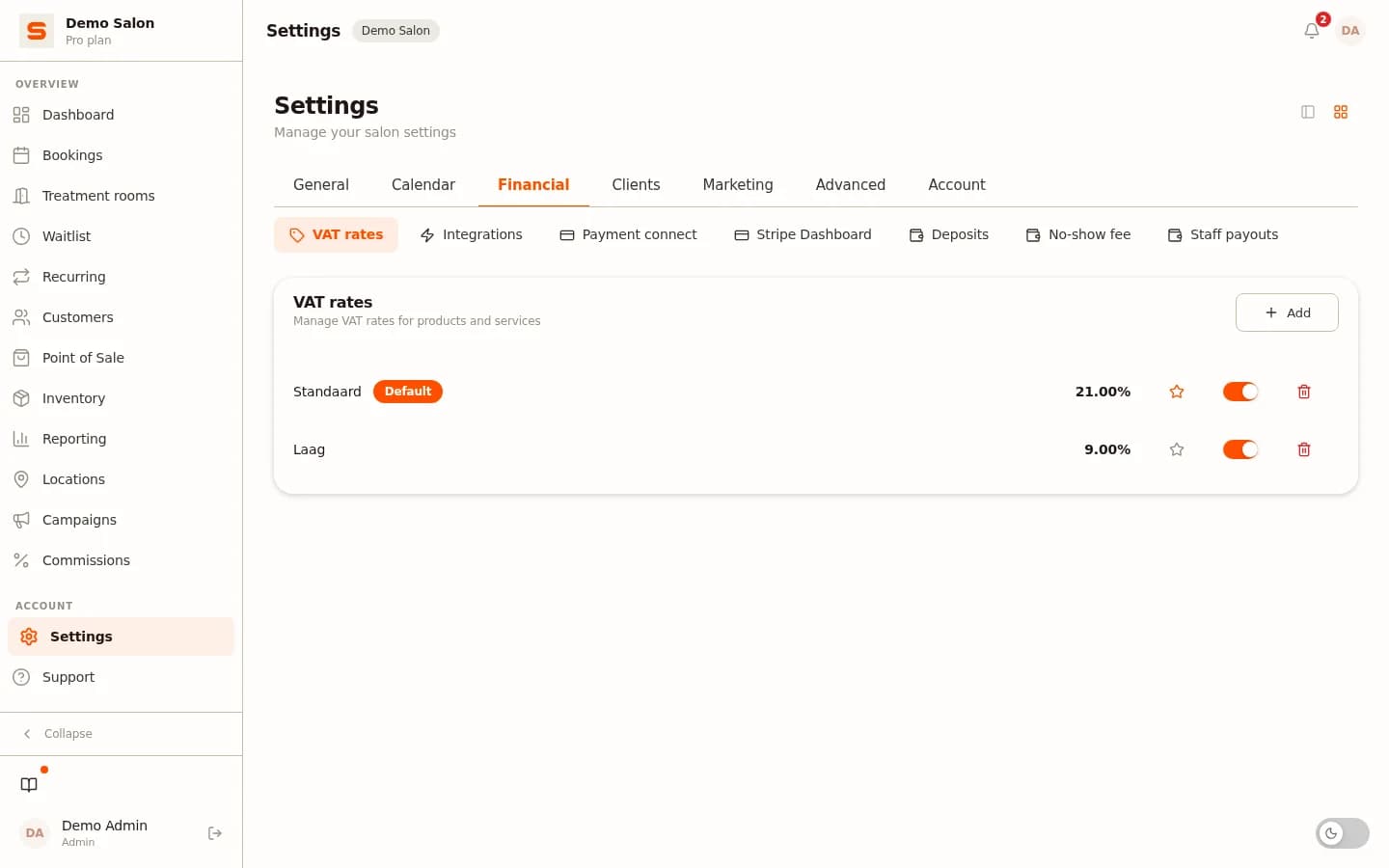
After each treatment you settle up in the same environment where you plan. Whether your client pays cash, by card or with an online payment method, the system records the sale with the right price and the right tax rate. Where different rates apply - for example a reduced rate on hairdressing services and the standard rate on retail products - having the till register that per line means your quarterly totals roll out automatically.
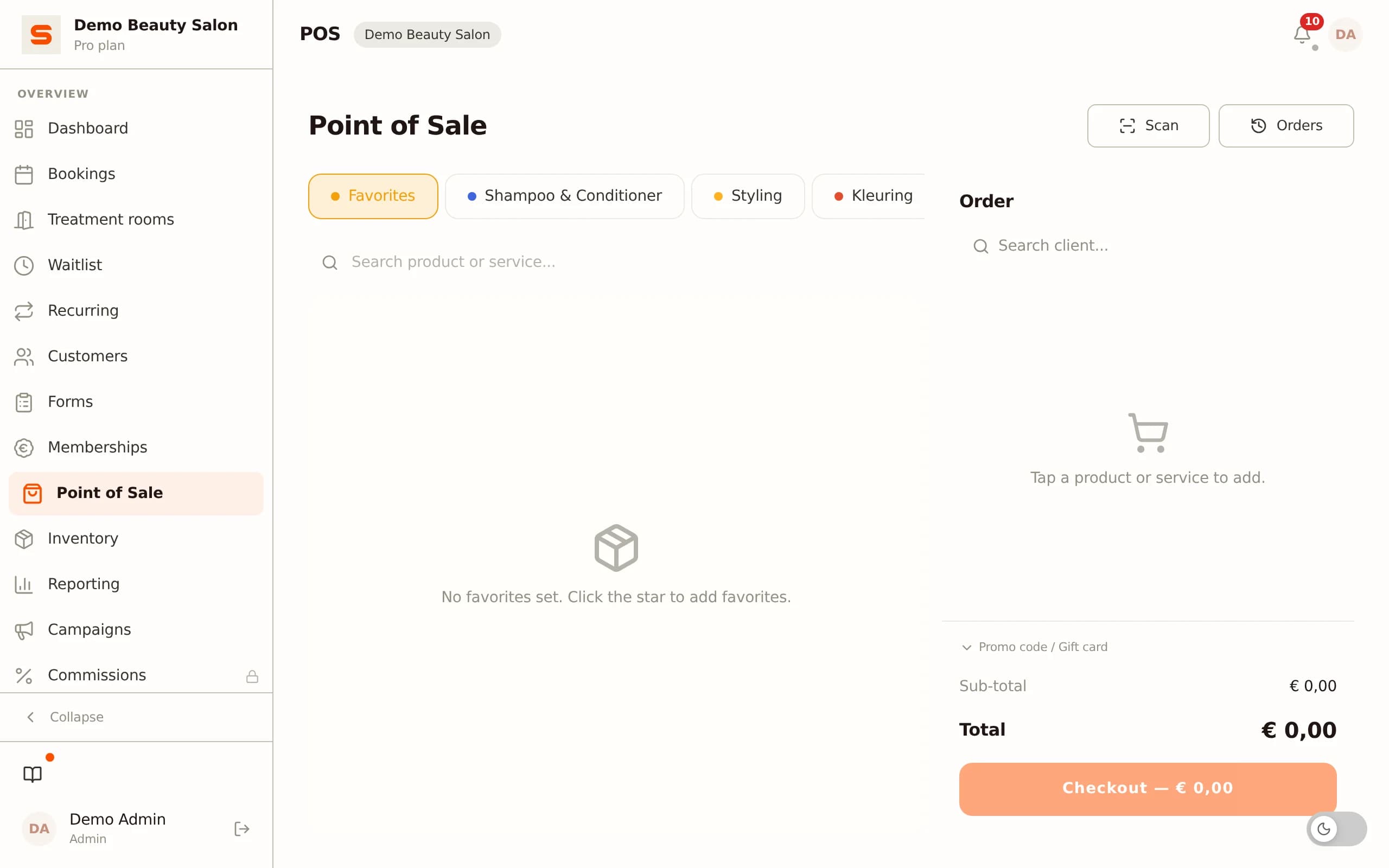
For your tax return you export a per-period overview with turnover split by rate and payment method. You no longer have to work out per treatment which rate applied, and your accountant receives a clean file instead of a spreadsheet full of cross-references. Because everything is stored digitally and in a structured way, you automatically meet your record-keeping obligations.
A big advantage for the self-employed is that your payments go to your own account. Online payments and card come straight into your bank account, without a marketplace skimming a commission - just Salonnare's own platform fee of 0.5% (min. €0.30) per online payment. Read more about the administrative side in the article on bookkeeping for the freelance hairdresser.
Client records and reminders against no-shows
For a self-employed professional, regulars are your most valuable asset. You have no big marketing budget; you run on the people who come back and who recommend you. Software helps you keep that relationship warm without extra work.
A client profile holds treatment history, preferences and notes. Which colour did you use last time, which treatment did you do, what did the client tell you about her skin or her schedule? You do not have to remember it or ask again - it is simply there next time.
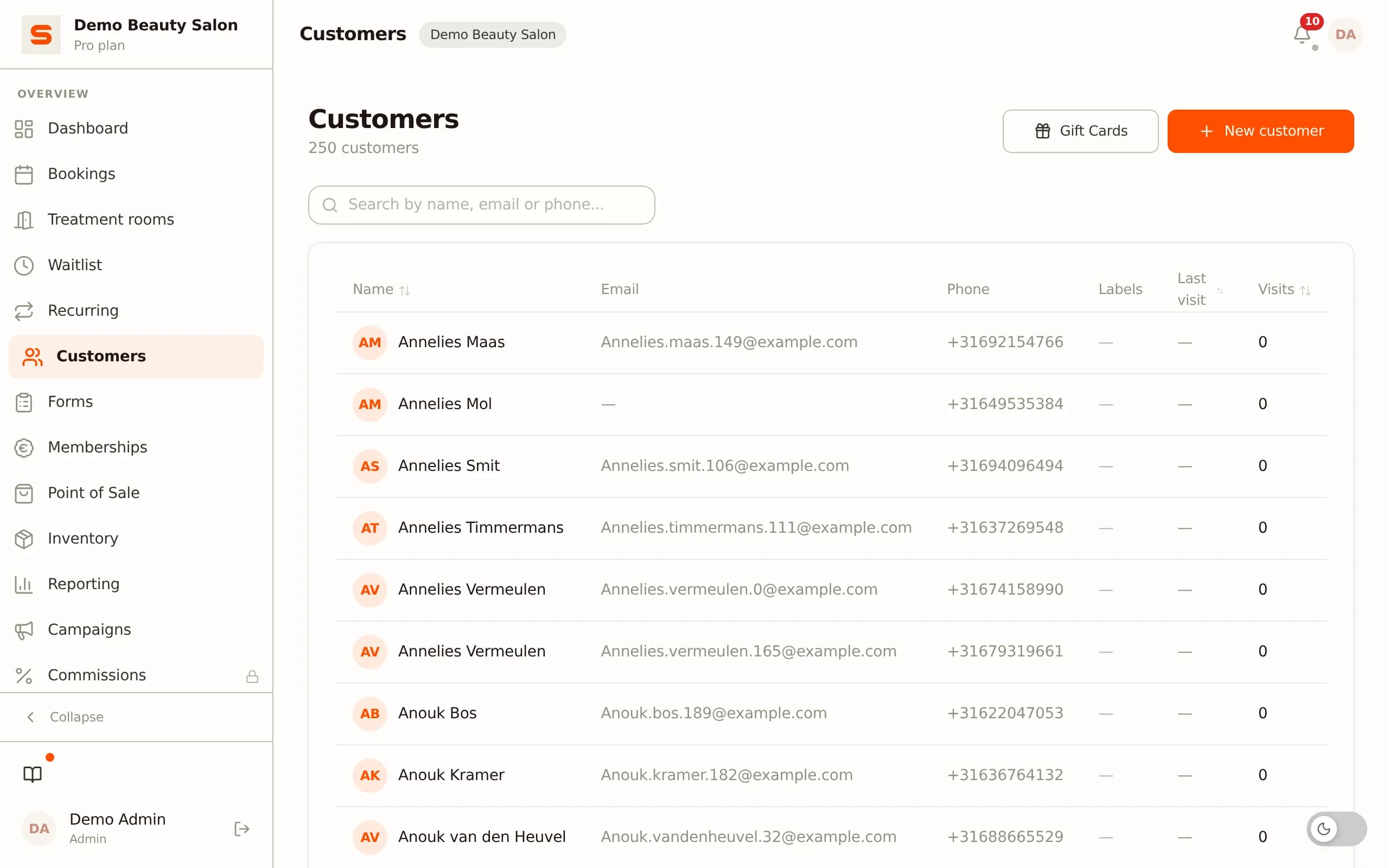
No-shows hit a freelancer hard: an empty gap means an immediate loss of turnover, and you have no colleague to cover it. Two built-in features work together here. First, automatic reminders: as soon as someone books, a confirmation goes out, and a day before, a reminder follows automatically. A timely reminder alone noticeably lowers the number of forgotten appointments. Second, on the Pro plan, for busy times or new clients, a deposit: a fixed amount or percentage the client pays when reserving. Someone who has already paid something is more likely to show up; on a timely cancellation the client gets it back automatically.
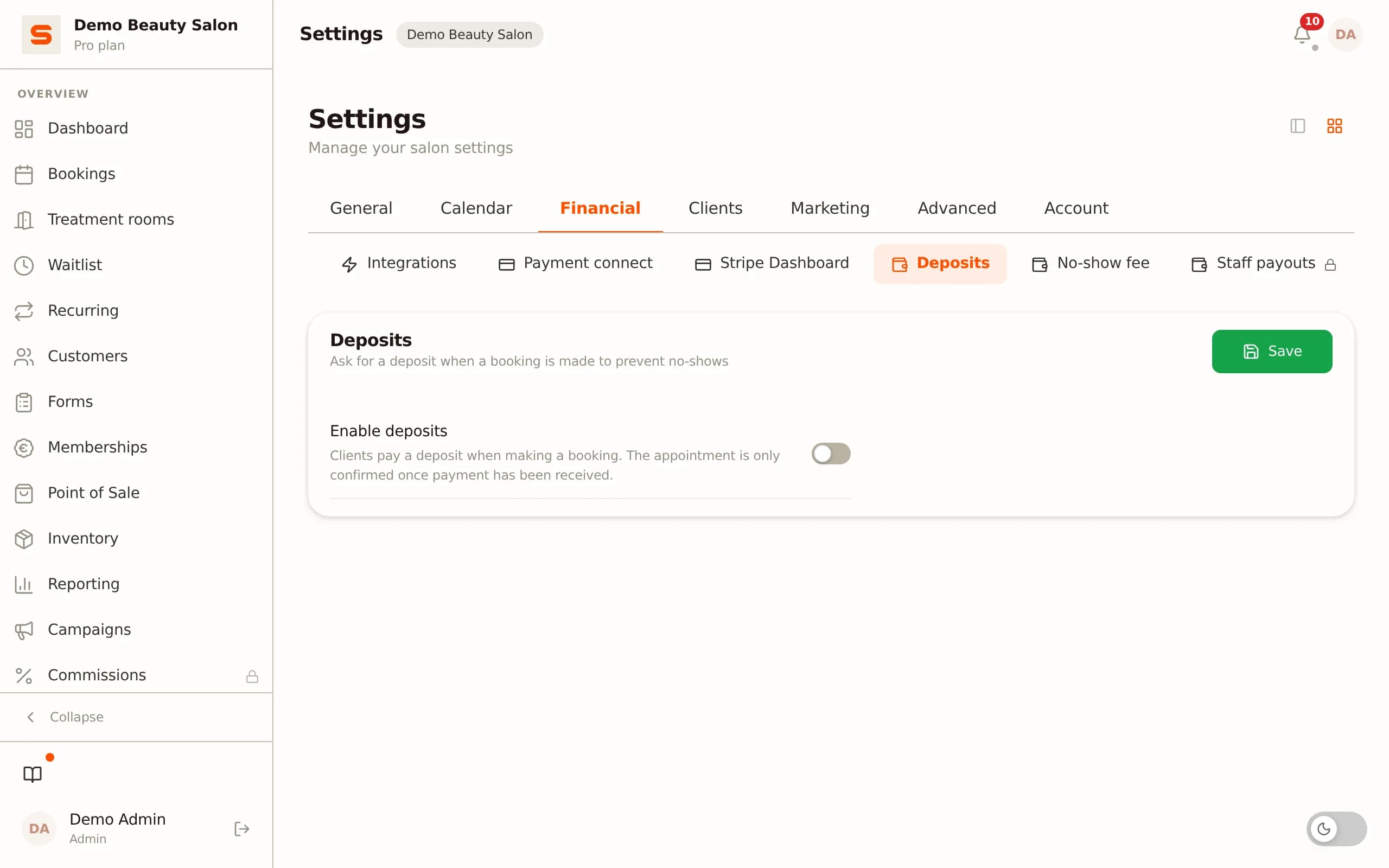
You set this up once and it then runs along with every booking. Exactly what you want when you work alone: less manual work, more clients who turn up.
Without high fixed costs: why a one-staff plan is ideal
The biggest difference between software for a chain and software for the self-employed is the pricing model. Many packages charge per staff member or take a percentage of every online booking. For a solo owner with fluctuating weeks that is exactly wrong: you pay for capacity you do not use, or your turnover shrinks with every appointment.
As a one-person business you only need one calendar, one therapist and one till. A plan tuned to one staff member gives you exactly that, without paying towards features you only need with a team. And a fixed, predictable price (or no price) means a quiet week does not push you into the red.
That is why a permanently free plan with one staff member is often the ideal start for a freelancer. Salonnare Free costs 0 euro per month and gives you one staff member and up to 50 bookings per month - with all the core features included: the online calendar, the booking page, the till, client records and automatic reminders. For many starting or part-time freelancers that is enough to run completely without ever paying.
When your practice grows and you keep hitting 50 bookings a month, you move to Starter for 9.99 euro per month with unlimited bookings. Want to add a second chair or a colleague later? Starter already covers up to three staff members; Pro for 14.99 euro per month removes the limit. So you only pay more once your business can carry it, not before. See the pricing to compare what each plan includes.
Checklist: choosing the right salon software as a solo owner
Want to compare software as a one-person salon? Run through these points. They keep you focused on what really matters to a freelancer and filter out the expensive chain features.
1. Is there a genuinely free or low-cost starting point? A permanently free plan (not just a trial) lets you start without risk and pay only when you grow.
2. Are the core features in the entry plan? Calendar, online booking, till, client records and reminders should be there from the start - not behind an expensive upgrade.
3. Do you pay a fixed price or a percentage per booking? For a solo owner a fixed, predictable monthly price is almost always better than commission per appointment.
4. Do payments go to your own account? Online and card payments should land in your bank account, not first at a platform.
5. Does it help with your tax and bookkeeping? A per-period export, split by rate, saves you hours around your return and keeps your accountant happy.
6. Does it work on your phone? As a self-employed professional you are on the move, at home or between clients. An app and a web app showing the same live calendar are essential.
7. Is your data safe and GDPR-compliant? You store clients' personal data. Encrypted storage on EU servers is not an extra but a basic requirement.
8. Can you grow with it? If you ever add a second chair or a colleague, you do not want to switch systems again. A plan that scales keeps you future-proof.
Tick off these eight points and you can be sure the software fits a solo owner and not a chain. For the hairdressing context in particular, also read the niche explainer on hair salon software.
Conclusion: start small, grow when you can
As a self-employed professional in the salon industry you do not need a big, expensive package. You need an online calendar where clients book themselves, a simple till that records your tax correctly, a client base that keeps your relationships warm and reminders that bring no-shows down - without high fixed costs that weigh on a quiet week.
That is precisely why a permanently free plan with one staff member fits a solo owner so well. Salonnare Free (0 euro per month, one staff member, up to 50 bookings per month) gives you all the core features to run completely: calendar, booking page, till, client records and automatic reminders. Payments via online methods (from Starter) and card go to your own account, your data sits GDPR-compliant in the EU, the interface comes in nine languages and there is both a web app and a native app.
When your practice grows, you scale up to Starter (9.99 euro) for unlimited bookings and up to three staff members, or Pro (14.99 euro) for an unlimited team - a fixed price, without marketplace commission per booking (plus a platform fee of 0.5%, min. €0.30, per online payment). You only pay more once your business can carry it.
Start this week without risk: create a free account, set up your treatments and your booking page, and let your calendar fill up by itself.
Frequently asked questions
Which salon software do I need as a freelancer or one-person salon?
As a solo owner you need five core features: an online calendar, a booking page where clients reserve themselves, a simple till, client records and automatic reminders. Anything above that - loyalty, stock, staff rosters, commission - is only needed once you grow. So choose software that does this core well and is tuned to one staff member, rather than an expensive package built for a chain. That way you do not pay for capacity and features a one-person business never uses.
Is free salon software enough for a self-employed professional?
Often yes, as long as it is genuinely permanently free and not just a trial. Salonnare Free costs 0 euro per month, gives you one staff member and up to 50 bookings per month, and includes all the core features: calendar, online booking, till, client records and reminders. For a starting or part-time freelancer that is enough to run completely. If you structurally hit 50 bookings a month, you move to Starter (9.99 euro per month) with unlimited bookings. So you only pay once your business can carry it.
Does salon software help with my bookkeeping and tax?
Yes. Because your calendar and till are linked, every appointment and sale is recorded automatically with the right price and the right tax rate. For your return you export a per-period overview that splits turnover by rate and payment method. You no longer have to reconstruct per treatment which rate applied, and your accountant receives a clean file. Because everything is stored digitally, you automatically meet your record-keeping obligations. You remain responsible for the return itself, but the collecting work is done.
What does salon software cost for a solo owner?
With Salonnare you start for free: the Free plan is 0 euro per month for one staff member and 50 bookings per month, with all core features. As you grow, Starter is 9.99 euro per month (unlimited bookings) and Pro is 14.99 euro per month (unlimited staff; Starter already covers up to three). It is a fixed, predictable monthly price without marketplace commission per booking (just a platform fee of 0.5%, min. €0.30, per online payment), and payments via online methods and card go to your own account. For a freelancer with fluctuating weeks that is more favourable than a package that takes a percentage of every online appointment.
Can I upgrade later as my practice grows?
Yes, and that is exactly the idea. You start on the free plan with one staff member and all core features. If you hit the booking limit, you switch to Starter for unlimited bookings. Starter already allows up to three staff members; for a bigger team you move to Pro. You do not have to change systems for that: your clients, calendar and settings simply stay in place. So you only pay more once your business can carry it, and not before.