



Salon deposits: reduce no-shows and improve cash flow with prepayments
Every salon owner knows it: a full schedule on Friday, and two clients who simply don't show up. The appointment slots are blocked, the stylist is ready, but no one walks through the door. Those hours are lost - not just the revenue from the treatment, but also the opportunity to fill the slot with someone else. Deposits at the time of online booking solve this problem structurally. A client who has already paid a deposit has a financial stake in the appointment. The threshold for not showing up or cancelling at the last minute is significantly higher. At the same time, a deposit improves your cash flow: you receive part of the revenue before the treatment even takes place. This article explains how deposits work for salon appointments, when to use them, how to set them up in Salonnare and what legal rules apply.
What is a deposit for a salon appointment?
A deposit (also called a prepayment) is an amount a client pays at the time of booking as partial upfront payment for the planned treatment. The remaining balance is paid after the appointment.
Partial deposit versus full prepayment
There are two variants. With a *deposit*, the client pays a portion of the treatment price upfront - typically 20 to 50 percent. The rest is settled at checkout. With a *full prepayment*, the client pays the entire amount at booking. Both are possible; which you choose depends on the type of treatment and the client relationship.
Card authorisation as an alternative
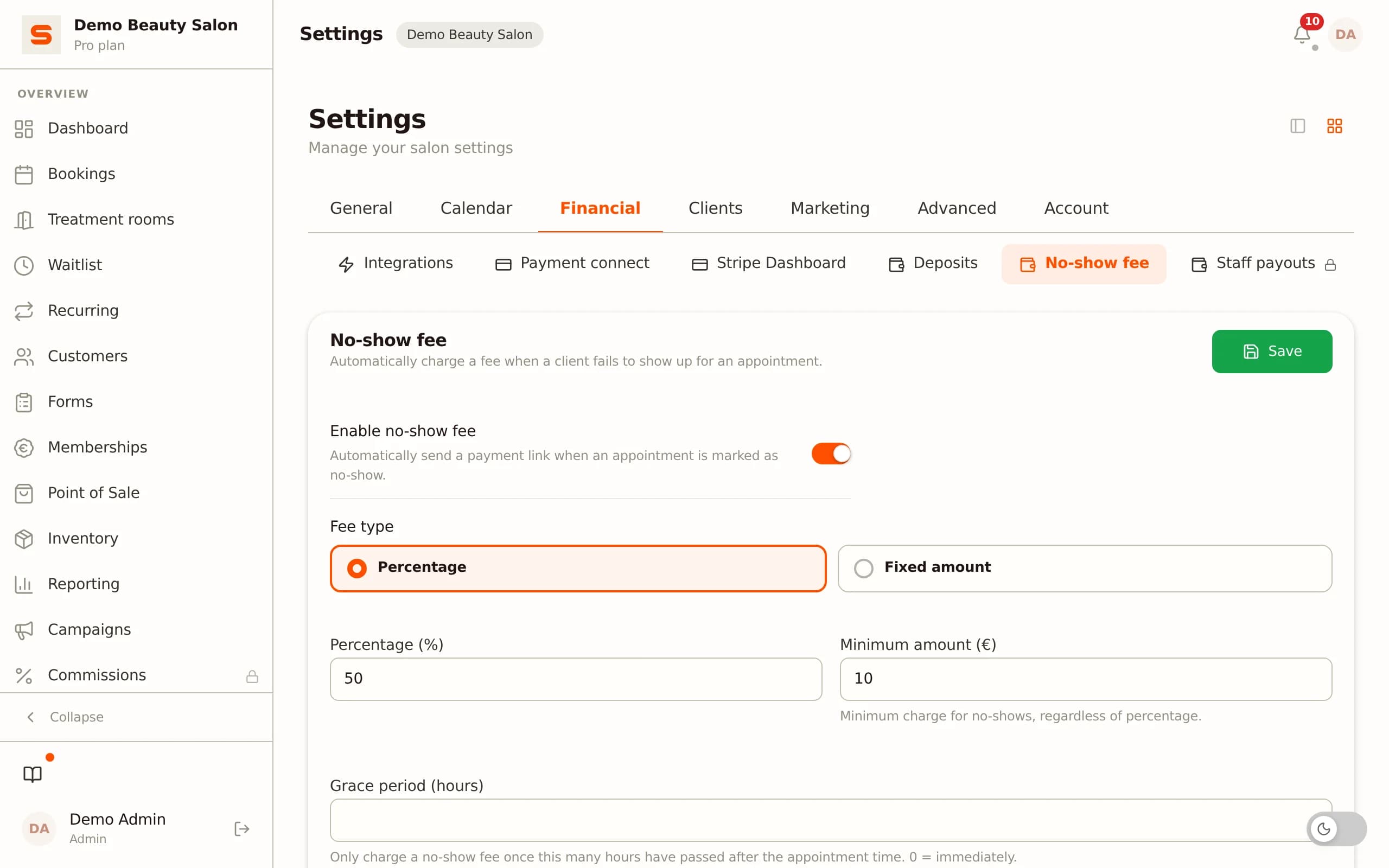
A third option is card authorisation: the client secures their payment card at booking, but the charge only goes through after the appointment. If the client does not show up or cancels too late, a no-show fee is automatically charged. This is technically not a deposit, but achieves a similar effect: the client has something to lose financially if they do not follow through.
When to use which option?
- Deposit: ideal for expensive treatments such as hair colouring, keratin treatments, bridal styling or lengthy beauty treatments. The client pays a portion upfront, covering your material costs and reserved time. - Full prepayment: suitable for gift cards, workshops, group bookings or treatments with new clients who have no booking history. - Card authorisation: works well for shorter treatments where a deposit might feel like an extra barrier, but you still want protection against no-shows.
Salonnare supports both deposits and no-show fees via card authorisation when booking online.
Why deposits reduce no-show rates
No-shows are a persistent problem in the salon industry. On average, 5 to 15 percent of all appointments are not honoured - at popular salons with long waiting lists, that figure can be even higher. Every missed appointment is direct revenue loss that cannot be recovered.
The psychological mechanism
When a client has already paid at the time of booking, their mental commitment to the appointment is much stronger. Not showing up has a cost: the reserved deposit. That changes the calculation on a busy morning or in bad weather. Clients who can cancel for free - or simply not appear - make that calculation differently from clients who already have something at stake.
Fewer last-minute cancellations
It is not just no-shows that decrease. Late cancellations - within 24 or 48 hours of the appointment - also become less frequent when a deposit has been paid. Clients plan their schedule more actively around the appointment once they have paid, and cancel earlier when something genuinely changes rather than on the day itself.
Better client quality
Clients who are willing to pay a deposit tend to be more committed and serious about their booking. The filter of a deposit attracts a different kind of client than a completely free-to-cancel appointment - someone who recognises the value of your time and expertise.
Material costs are covered
For expensive treatments - hair colouring, keratin, acrylic nails, professional skin treatments - you have already incurred costs before the client walks in. Colour mixed, products laid out, equipment warmed up. A deposit covers those material costs if the client does not show. Want to see in black and white what no-shows cost you? Work it out with the free no-show calculator and see how much a deposit keeps in.
Setting up deposits in Salonnare
In Salonnare, you configure deposits per treatment type. That gives you the flexibility to require a deposit only for expensive or time-consuming treatments, while shorter appointments can be booked without one.
Step 1: Connect a payment provider
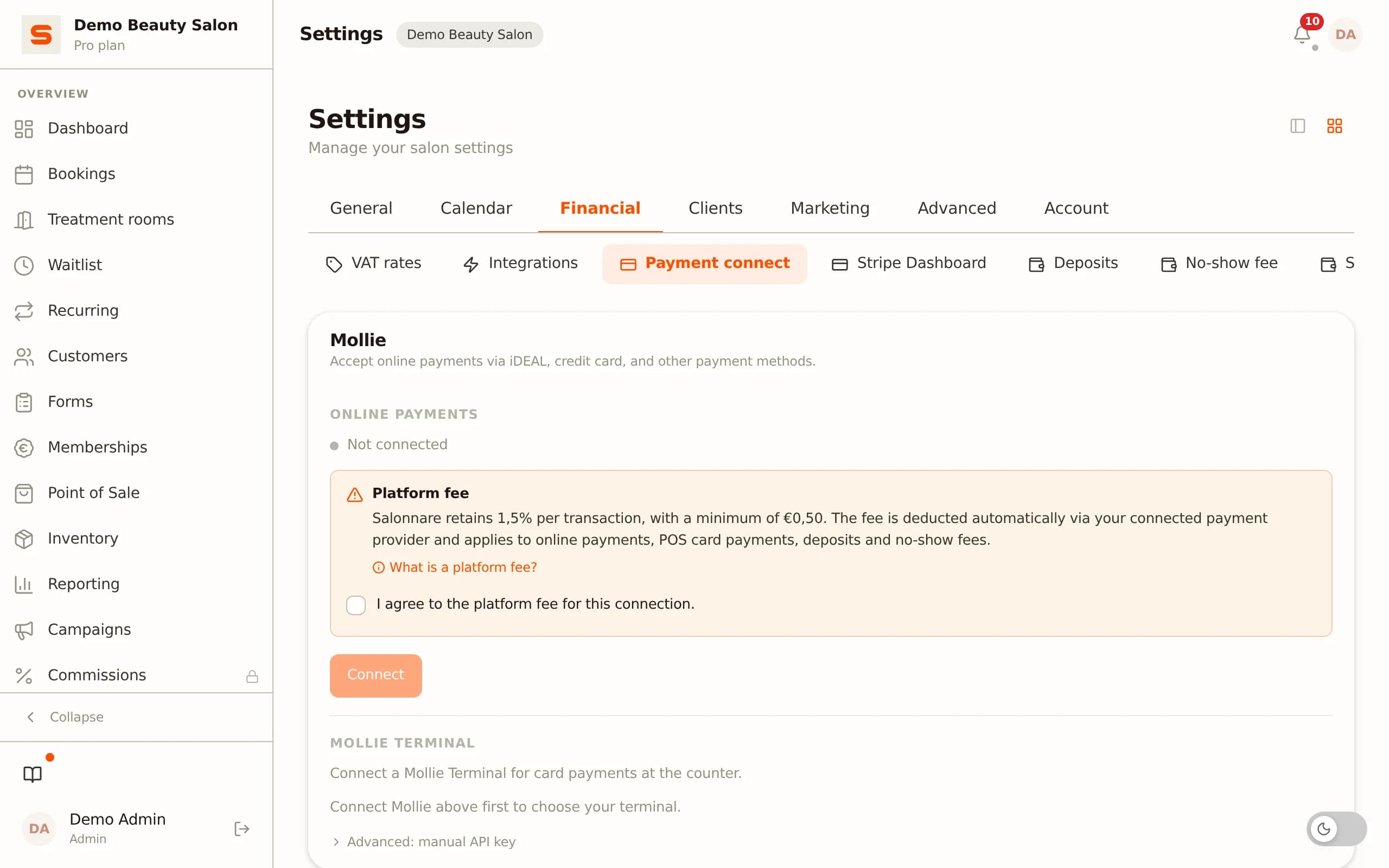
Processing deposits through Salonnare requires a connected payment provider: Stripe or Mollie. Go to Settings - Payments to link your Stripe or Mollie account. The deposit is charged directly to the client's card or bank account when they book online.
Step 2: Set the deposit per service
Go to Services and open the service for which you want to require a deposit. Under the Booking tab, you will find the deposit settings. You can choose: - No deposit (default) - Fixed deposit (amount in euros) - Percentage deposit (percentage of the treatment price)
If you set a fixed deposit of 25 euros for a 120-euro colour treatment, the client pays 25 euros at booking and the remaining 95 euros after the treatment at checkout.
Step 3: Set the cancellation policy
At the same time as the deposit, set your cancellation policy. How many hours in advance can a client cancel for free, and what happens to the deposit if they cancel too late or do not show? You can choose: - Full refund of the deposit on timely cancellation - Partial refund - No refund (deposit is retained for no-shows or late cancellations)
Communicate the cancellation policy clearly on your booking page and in the confirmation email - this prevents disputes later.
Step 4: Checkout after the treatment
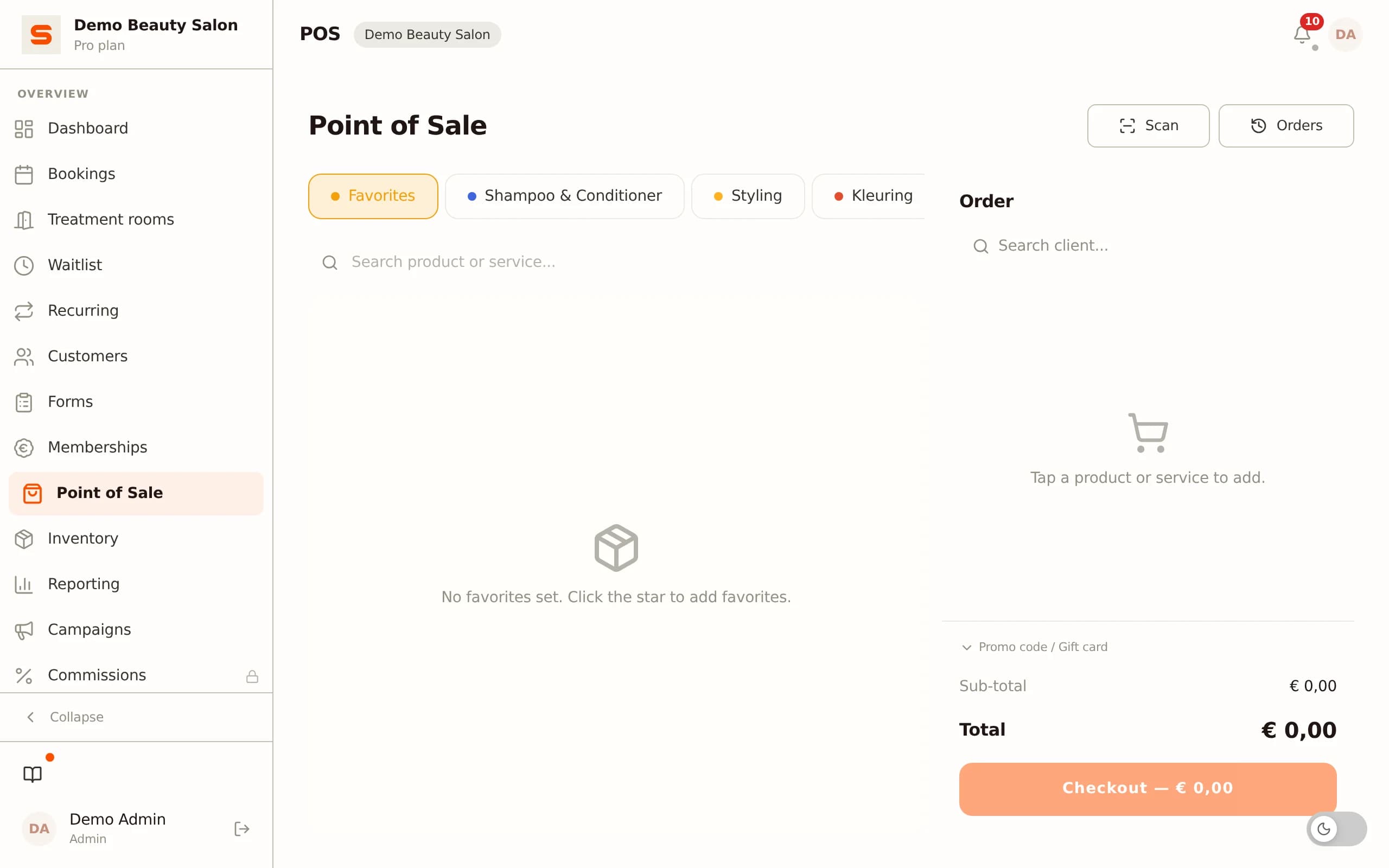
At checkout, Salonnare automatically offsets the deposit already paid. The POS screen shows the total amount, deducts the deposit received and calculates the remaining balance the client needs to pay.
Step 5: Client communication
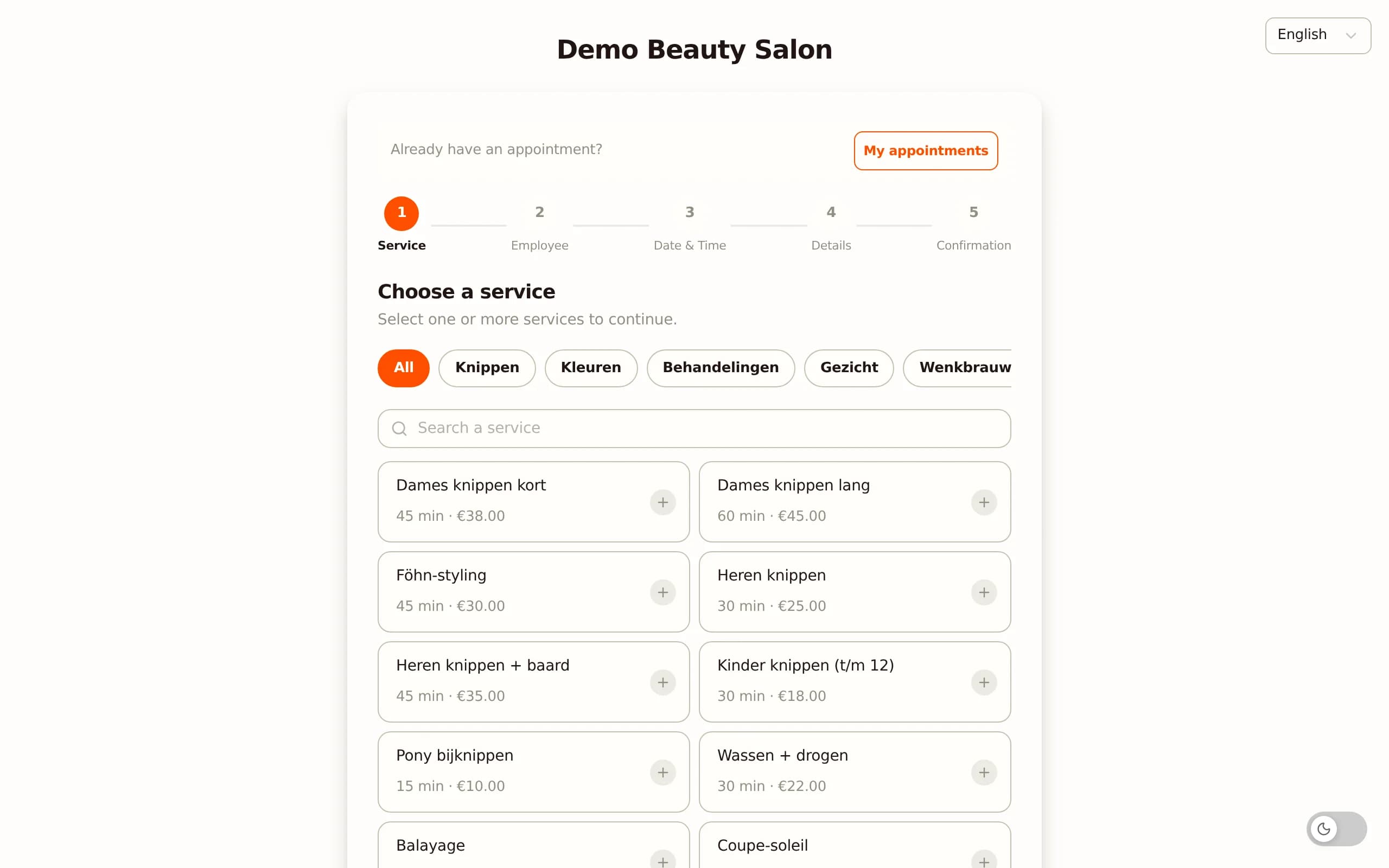
When booking online, the client clearly sees that a deposit is required and for how much. After payment, they receive a booking confirmation including the deposit paid, the remaining balance and the cancellation policy.
Legal rules for deposits in the Netherlands and Europe
Deposits are perfectly legal in the Netherlands and across the EU, but there are a few rules to keep in mind.
Duty to inform at booking
You must clearly inform the client about the deposit amount and cancellation policy before they confirm the booking. This requirement follows from consumer law (duty to inform for distance contracts). Make sure the deposit and cancellation terms are visible on the booking page, not just buried in fine print.
Right to a refund on cancellation
If a client cancels an appointment, the right to a refund depends on the agreed terms. As a salon, you may retain the full deposit if a client cancels too late or does not show - provided you communicated this clearly in advance. If you were not clear about the terms, the client may be entitled to a refund.
VAT on deposits
VAT on a deposit is generally due at the moment you receive the deposit, not only when the service is delivered. You account for the VAT on the amount received in the period in which the deposit is paid. Consult your accountant on how best to handle deposits in your VAT administration. Salonnare registers deposits as separate transactions in the accounting export.
Chargebacks
If a client paid via iDEAL, a chargeback is virtually impossible (iDEAL transactions are final). With credit card payments, a chargeback is possible if the client claims the service was not delivered. Keep clear documentation: the booking confirmation, the cancellation policy and your communication with the client.
Combining deposits with no-show fees and client management
Deposits and no-show fees are complementary tools - you do not have to choose one. In Salonnare, you can configure a deposit per treatment type and separately set a no-show fee for treatments where you do not require a deposit.
When to choose a deposit versus a no-show fee?
- Deposit: ideal for long or expensive treatments where you need to commit material costs and staff time upfront. Hair colouring, bridal treatments, keratin, acrylic sets. - No-show fee via card authorisation: suitable for shorter treatments where a deposit would raise the barrier too high. Clients secure their card at booking; the fee is charged on a no-show or late cancellation.
Client history and deposit overview
In the client profile, you can see all previous deposits, cancellations and no-shows for that client. This gives you context for future bookings: a client with multiple previous no-shows can be required to pay a higher deposit or a full prepayment.
Impact on cash flow
A salon with fifteen deposit payments per week averaging 25 euros starts the week with 375 euros already received. Paid out monthly via your payment provider, this adds up to a structurally positive cash balance - even in weeks when occupancy is slightly lower.
Deposit reporting
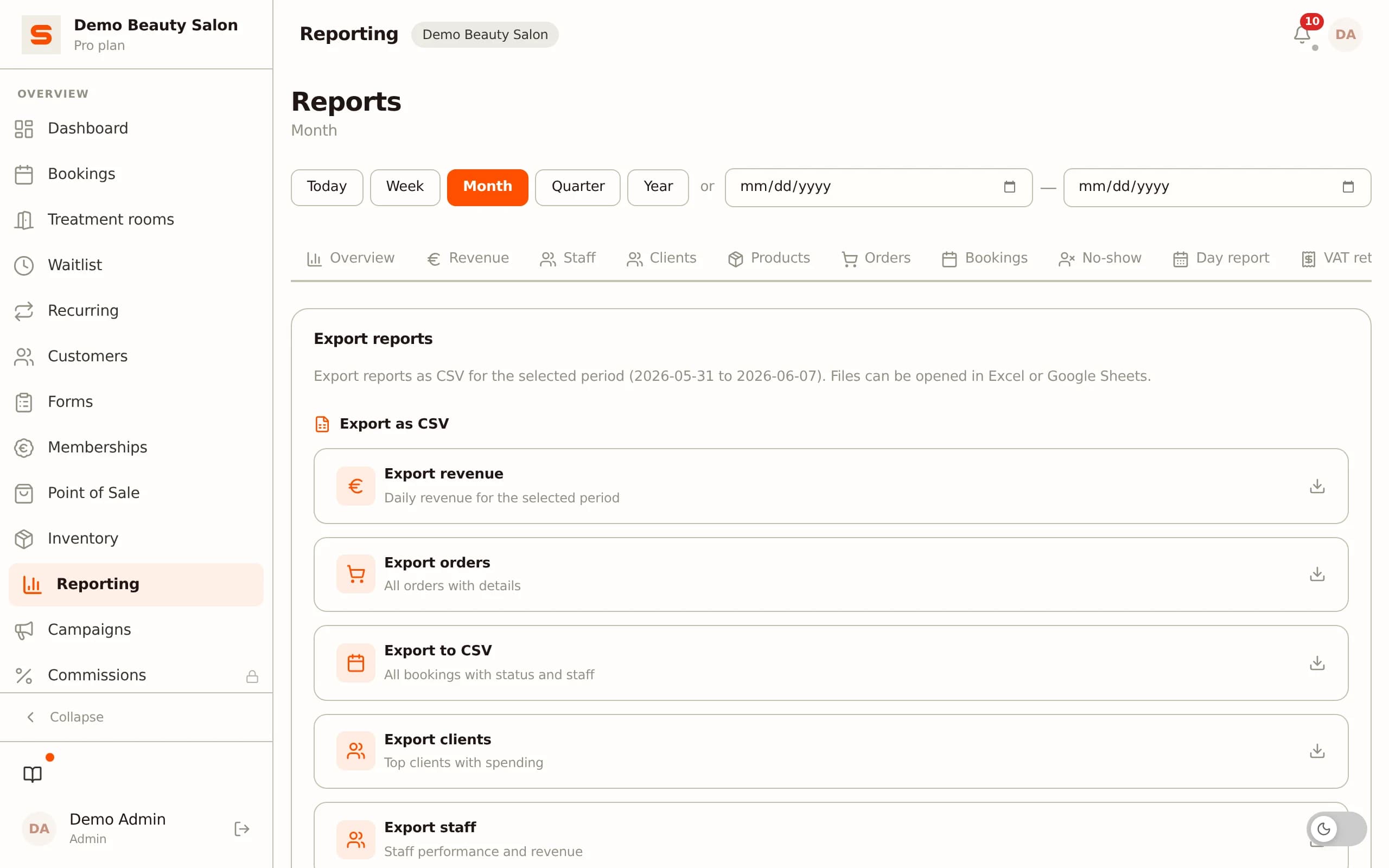
In the reporting module, you can see per period how many deposits were received, how many were offset against treatments and how many were retained for no-shows or late cancellations. This data helps you track the no-show pattern in your salon and decide whether your policy needs adjustment.
Getting started with Salonnare
In Salonnare you set deposits and no-show fees per service, process them via Stripe or Mollie - including local methods such as iDEAL - and the money lands in your own bank account. You pay a fixed monthly price with no percentage per booking, plus a platform fee of 0.5% (min. €0.30) per online payment, and every deposit is automatically offset at checkout and listed as a separate line in the accounting export. Want to try it yourself? Start free at salonnare.com/en/free - the free plan stays free and no credit card is needed.
Set up deposits with the free plan
Start free with Salonnare and configure your first deposit. The free plan stays free - no credit card required, everything works straight away.
Start freeFrequently asked questions
Do I need to require a deposit for every treatment?
No. In Salonnare, you configure whether a deposit is required on a per-service basis. You can restrict deposits to expensive or lengthy treatments - such as colour services, keratin treatments or bridal styling - and allow shorter appointments to be booked without one. This is the most common approach: requiring deposits selectively, so clients feel no extra barrier for standard treatments but you are protected for high-value appointments.
What happens to the deposit if I need to reschedule the appointment?
If you as the salon reschedule or cancel an appointment, you must refund the deposit in full. In Salonnare, you initiate the refund from the booking screen. The refund is processed via the same payment provider (Stripe or Mollie) and typically appears in the client's account within a few business days.
Can clients book without iDEAL or a credit card if I use deposits?
Clients booking online with a required deposit must pay via the connected payment provider. If a client does not want to use a card or iDEAL, they can book by phone - you add the appointment manually and arrange a separate deposit payment. Salonnare allows you to manually register deposits in the client card.
How do I communicate the deposit policy to my existing clients?
Introduce deposits gradually: start with new clients and new treatments, and communicate the policy via a short message on social media and in appointment confirmations. Explain why you are implementing it: it creates a fairer system for clients who do show up and prevents you from losing time and materials to no-shows. Most clients understand this readily when you explain it transparently.
Does the deposit also apply when clients book via my website or Google?
Yes. Deposits configured in Salonnare apply to all bookings that come through the public booking page, regardless of where the client found the link. The booking link on your website, your Google Business Profile or Instagram all lead to the same booking page - the deposit setting applies everywhere.