



Pedicure admin: online booking, records and POS for your foot-care practice
 A pedicure practice runs on precision and trust. Clients return every six to eight weeks, often with a medical background you cannot afford to forget: diabetes, rheumatism, a high-risk foot or an allergy to certain products. At the same time you have to fill your calendar, prevent no-shows, take payment cleanly and keep your books in order at year-end. Do all of that with a paper diary, a notebook of client notes and a standalone till, and each of those points quietly leaks time and money. Pedicure software brings those parts together in one system. In this article you will read what pedicure software actually is, how an online calendar and a foot-care record make your day calmer, how to catch no-shows with deposits, how to take payment and keep your admin tidy, and what to look for when choosing software for your foot-care or medical pedicure practice.
What is pedicure software?
Pedicure software is an application that digitises the core processes of a foot-care practice: online booking, client and foot-care records, POS, payments and administration in one overview that works on your computer, tablet and phone.
Instead of a paper diary, a separate cash book and a notebook of treatment notes, you use one system where everything is linked. Book an appointment and the client appears in your record straight away; take payment and the revenue counts towards your daily close immediately.
Most packages cover the same building blocks:
1 - An online calendar with appointments per staff member and chair. 2 - An online booking page where clients pick a time themselves. 3 - A client database with contact details and treatment history. 4 - A POS for checkout, discounts and payment methods. 5 - Automatic emails: confirmations, reminders and rebooking prompts. 6 - Reports on revenue, occupancy and popular treatments.
A medical pedicure adds one requirement on top: health data on people with diabetes, rheumatism or high-risk feet is special-category personal data under the GDPR and belongs in an encrypted vault, not in an ordinary note field. Good pedicure software handles exactly that.
Salonnare bundles all of these parts into one package, with a permanently free plan (Free, €0 per month for 1 staff member and 50 bookings per month) to start on, and paid Starter (€29) and Pro (€59) plans as you grow.
Online booking and a calendar that fills itself
The biggest time saving is online booking. Every pedicure practice in Salonnare gets its own booking page that you share via your website, your Google profile or social media. Clients pick a treatment, a time and, if they wish, a staff member, and confirm right away - including evenings and weekends, when you are not on the phone.
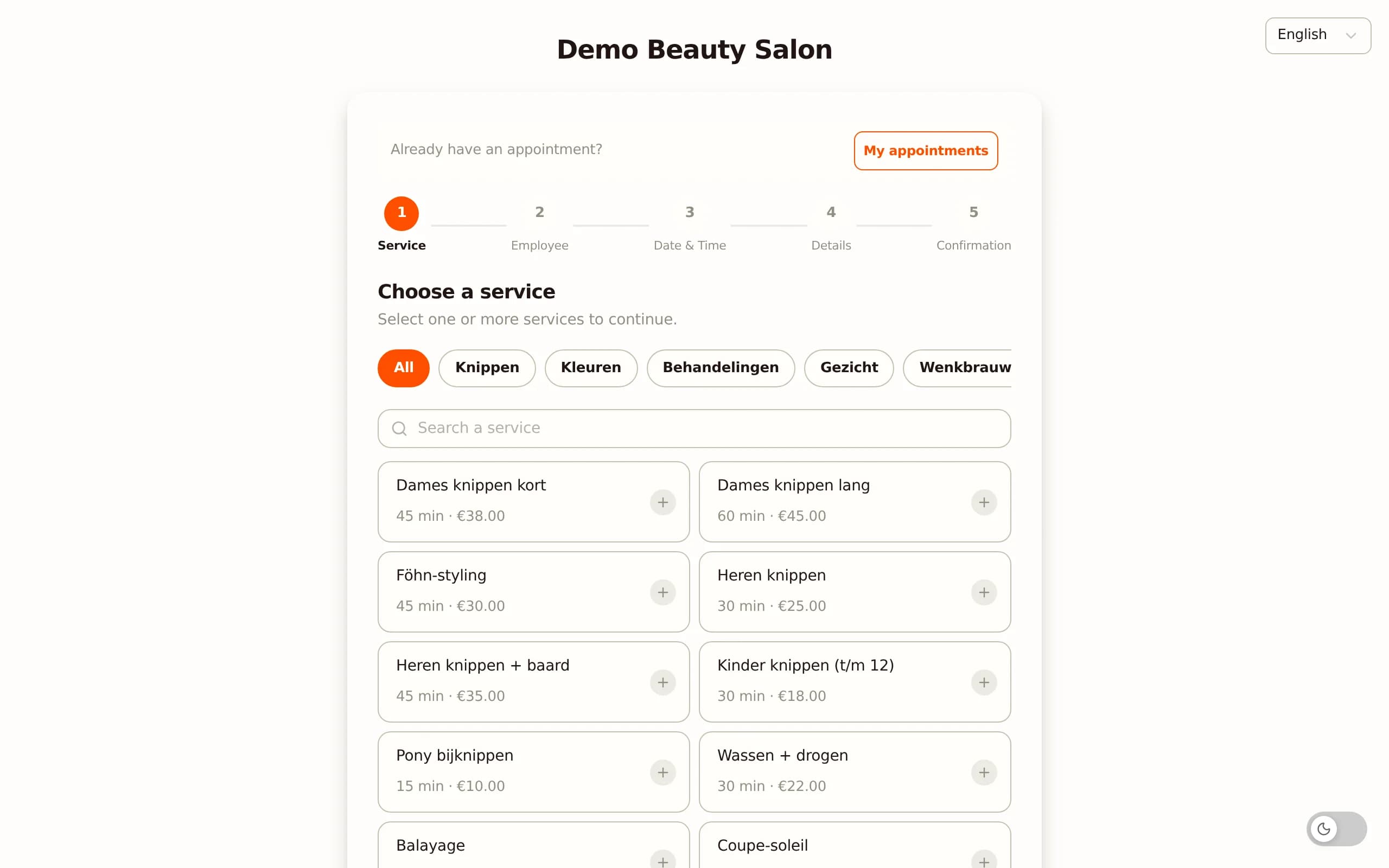
Different treatment durations. A regular pedicure is shorter than a diabetic or rheumatic foot-care treatment with a thorough inspection. In the software you set the right duration per treatment, so your online availability matches reality and you do not end up with two long treatments back to back without a break.
Automatic reminders. Just before the appointment an email reminder goes out automatically. That cuts no-shows without you having to call anyone by hand. The emails carry your salon's name and logo, so they look professional.
Keeping the return rhythm. Foot care is maintenance: most clients want to come back every six to eight weeks. The software can automatically nudge clients who are due for a follow-up to rebook. That keeps your calendar full with your loyal client base instead of constantly having to win new clients.
Found through Google. Through the Google integration your booking button appears directly in Google Search and Maps, so clients who find your practice can book straight away without first visiting your website.
A foot-care record per client: notes, diabetes and the high-risk foot
In foot care you only know what to do once you know what happened last time. A good client record captures the treatment history per client: which treatment, which findings, which products and when the next appointment should fall. You note pressure points, callus build-up, fissures, nail conditions and skin problems systematically, so at the next visit you know exactly what to watch for.
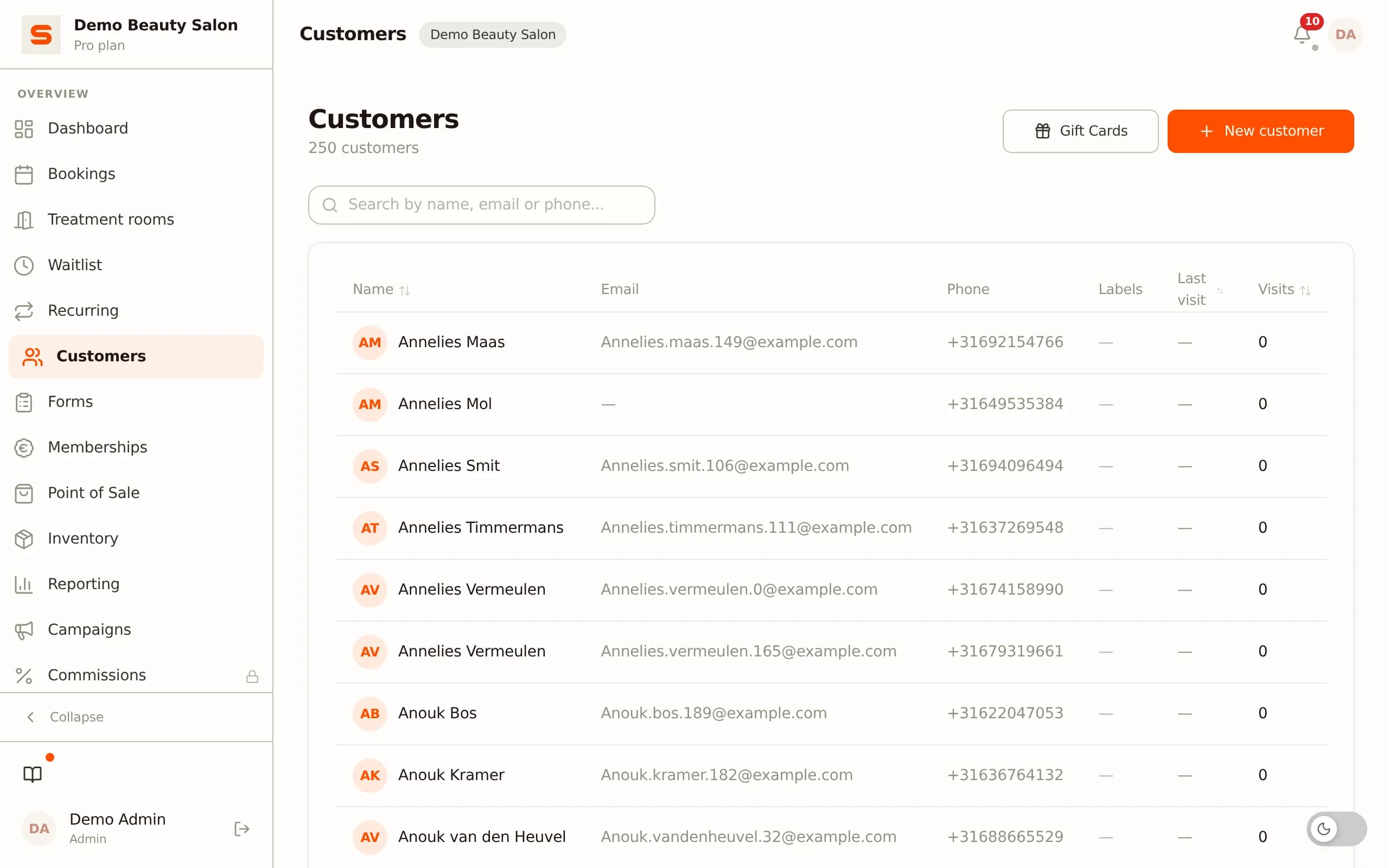
Sensitive data belongs in a vault. For a medical pedicure this is sensitive territory. Information about diabetes, rheumatism, circulation problems, medication or a diagnosed high-risk foot falls under Article 9 of the GDPR: special-category personal data that requires extra protection. Salonnare keeps these health notes in a separate, encrypted vault - not in the ordinary note field everyone sees. The data is stored encrypted on EU servers.
Permissions per staff member. If you work with several pedicurists or a podiatrist in the same space, you decide per staff member who may view the health notes (RBAC). That keeps medical data limited to those who need it, and every access is logged in an audit trail.
Referral letters and treatment plans. Does a client refer to a GP or podiatrist, or the other way round? You store referral letters and treatment plans GDPR-compliantly per client in the record and can export them as a PDF with the client's consent. That gives you a complete, traceable picture at referral time without loose paperwork.
Preventing no-shows with deposits and reminders
A no-show in a pedicure practice is pure loss: a 45- to 60-minute block you can no longer fill, especially for a thorough foot-care treatment. Pedicure software gives you several layers of protection.
Deposit at booking. On the Pro plan you can require clients - or only new clients - to pay a deposit at booking via iDEAL. That significantly lowers the temptation to simply not show up. The deposit runs to your own bank account.
No-show fee. If a client does not show up or cancels outside the agreed window, a no-show fee can be charged automatically. You set the cancellation window and the amount yourself, and the client sees those terms clearly before the appointment is confirmed.
Reminders and waitlist. The automatic reminder just before the appointment catches most forgotten bookings. If someone does drop out, the waitlist can automatically notify the next client as soon as a slot opens up - the difference between an empty afternoon and a full calendar.
POS and payment: iDEAL, card and cash on one receipt
After the treatment you take payment straight away at the POS. The built-in point of sale processes your treatments and any retail products - think foot creams, toe separators or orthotics - on one receipt.
Local payment methods to your own account. Clients pay with iDEAL, card, a payment request or cash. Importantly, your payments arrive via iDEAL (Mollie) and Stripe directly in your own bank account, not with an intermediary that sits on them for weeks. There is no marketplace commission per booking: you pay a fixed, predictable monthly price instead of a percentage on every treatment, just a platform fee of 0.5% (min. €0.30) per online payment.
Clean receipts and tips. Every checkout gets a sequential receipt number with date and time, and the receipt goes to the client by email if they wish. Tips are tracked per staff member. That way you close your day reliably and your till matches what is in the system.
Admin and VAT: from daily close to bookkeeping
Pedicure admin software takes the manual work off your hands. Every checkout automatically counts towards the daily revenue, and you get reports on revenue, occupancy and the most popular treatments without typing a single cell.
VAT per treatment. For foot care this matters. A regular, cosmetic pedicure falls under the standard VAT rate. Medically necessary foot care - for example diabetic foot care on referral - can be VAT-exempt under conditions where it qualifies as a medical service. In Salonnare you set the right rate per treatment, so "cosmetic pedicure" carries standard VAT and "diabetic foot care on referral" can be exempt. The receipt splits this cleanly and the daily report aggregates revenue per rate. If you are unsure about your own situation, check it with your accountant or the tax authority - the software supports both cases.
Not a bookkeeping package, but bookkeeping-ready. Salonnare is not a bookkeeping package and does not replace your accountant, but it keeps your administration so tidy that the handover to your books runs smoothly. You export your revenue as a CSV file in a format common bookkeeping tools can read, so while you may be searching for "pedicure bookkeeping software", in practice what you mainly need is a clean source administration that connects seamlessly. See all the features Salonnare offers to keep your admin light.
What to look for when choosing pedicure software
On paper packages quickly look alike. The difference is in the details that only surface after months of use. Run through these points before you choose.
1 - Encrypted health vault. For a medical pedicure this is not a luxury but a GDPR requirement. Check that health data is stored separately and encrypted, with permissions per staff member and an audit trail.
2 - Variable treatment durations. Can you adjust the duration per treatment and per client? Without it, your online availability never matches your real schedule.
3 - Fixed price or percentage? Some providers charge a commission per online booking. That grows with your success and gets expensive as you get busier. A fixed monthly price is predictable and does not penalise growth.
4 - EU data and data portability. Choose a provider with data on EU servers and a clear GDPR approach, and check that you can export and import your client data later via CSV, so you never get locked in.
5 - Your own booking page. Do you book on your own page under your own name, or on a marketplace where competitors sit next to you and a percentage is withheld?
6 - Web and native app. Behind the counter you work on a tablet or computer, on the go on your phone. Check that the system supports both.
7 - Language and local payment methods. An app that supports iDEAL and works in your own language (and is available in 9 languages for an international client base) fits better than an English-only platform. Salonnare is built around exactly these points.
Conclusion: start small, grow with it
Running a foot-care practice is enough work without your admin fighting you. With pedicure software you put your online calendar, your foot-care records, your POS and your admin in one system, and keep sensitive health data GDPR-safe in an encrypted vault. You catch no-shows with deposits, and your loyal clients come back through automatic reminders at their own rhythm.
You do not have to start big. Many pedicurists start solo on the free Free plan (€0, 1 staff member, 50 bookings per month) and move to Starter (€29) once they pass the 50-booking limit; as the practice grows to several practitioners, Pro (€59) scales with it. See the pricing for the detail per plan, or read more on the page about pedicure software.
Create a free account today at salonnare.com/free and set up your practice this week - no credit card required.
Frequently asked questions
Is a medical pedicure record GDPR-proof in the software?
Yes. Health data such as diabetes, rheumatism, medication or a high-risk foot is special-category personal data under Article 9 of the GDPR. Salonnare keeps it in a separate, encrypted vault - not in the ordinary note field - on EU servers. You decide per staff member who may view the health notes (RBAC), and every access is logged in an audit trail. You store referral letters and treatment plans GDPR-compliantly per client and export them as a PDF with consent.
Can I set different treatment durations for regular and diabetic foot care?
Yes. You set the right duration per treatment. You could, for example, set a regular pedicure to 30 minutes and a diabetic foot-care treatment with a thorough inspection to 60 minutes. That way your online availability always matches your real schedule and you avoid two long treatments being booked back to back without a break.
Can I set a different VAT rate per treatment?
Yes. A cosmetic pedicure falls under the standard VAT rate, while medically necessary foot care on referral can be VAT-exempt under conditions. In Salonnare you set the right rate per treatment, the receipt splits this automatically, and the daily report aggregates revenue per rate. For your own situation it is wise to confirm this with your accountant or the tax authority.
What does pedicure software cost?
Salonnare has a permanently free Free plan (€0 per month) for 1 staff member and 50 bookings per month - ideal to start solo. Above that there is Starter at €29 per month and Pro at €59 per month with unlimited bookings and more extensive features. You pay a fixed monthly price with no marketplace commission per booking - only a platform fee of 0.5% (min. €0.30) per online payment - so your costs do not automatically grow with your revenue.
Can I import my existing client base?
Yes. A CSV import is available for existing client data, so you do not start with an empty database. You export your clients from your current system or spreadsheet and import them into Salonnare. The other way round, you can always export your data as CSV too, so you are never locked in to one provider.