



Running a massage practice: online booking, secure intake and a till
 Massage salon software is an online system that brings the admin of a massage practice together in one place: online booking, a digital intake with health questions, client records, deposits, a till and automatic reminders - instead of a paper diary, loose forms and a spreadsheet. For a massage salon or massage practice that is more than convenience. You work with sensitive health data - complaints, medication, pregnancy, contraindications - and it has to be stored in a GDPR-secure way. This article explains which features really matter, what to look for when choosing, and how Salonnare covers those parts for therapists.
What massage salon software actually does
The term massage salon software covers a broad package, but at its core it comes down to six building blocks that most practices need.
1 - Online calendar. A central calendar with every appointment per therapist and per treatment room, so you never double-book.
2 - Online booking page. Clients pick a treatment, a therapist and a time slot themselves - even outside opening hours.
3 - Digital intake. A health form the client completes in advance, covering complaints, medication and contraindications.
4 - Client record. Contact details, session notes and treatment history in one place.
5 - Till and payments. Checkout with iDEAL or card, with a correct receipt and VAT per service.
6 - Automatic communication. Confirmations, reminders and rebooking requests that go out on their own.
Where a massage practice differs from, say, a hair salon is its emphasis on health data and repeat visits. Good massage salon software allows for that with a separate, encrypted place for special categories of personal data and with multi-session cards or subscriptions for returning clients.
Online booking per therapist and treatment room
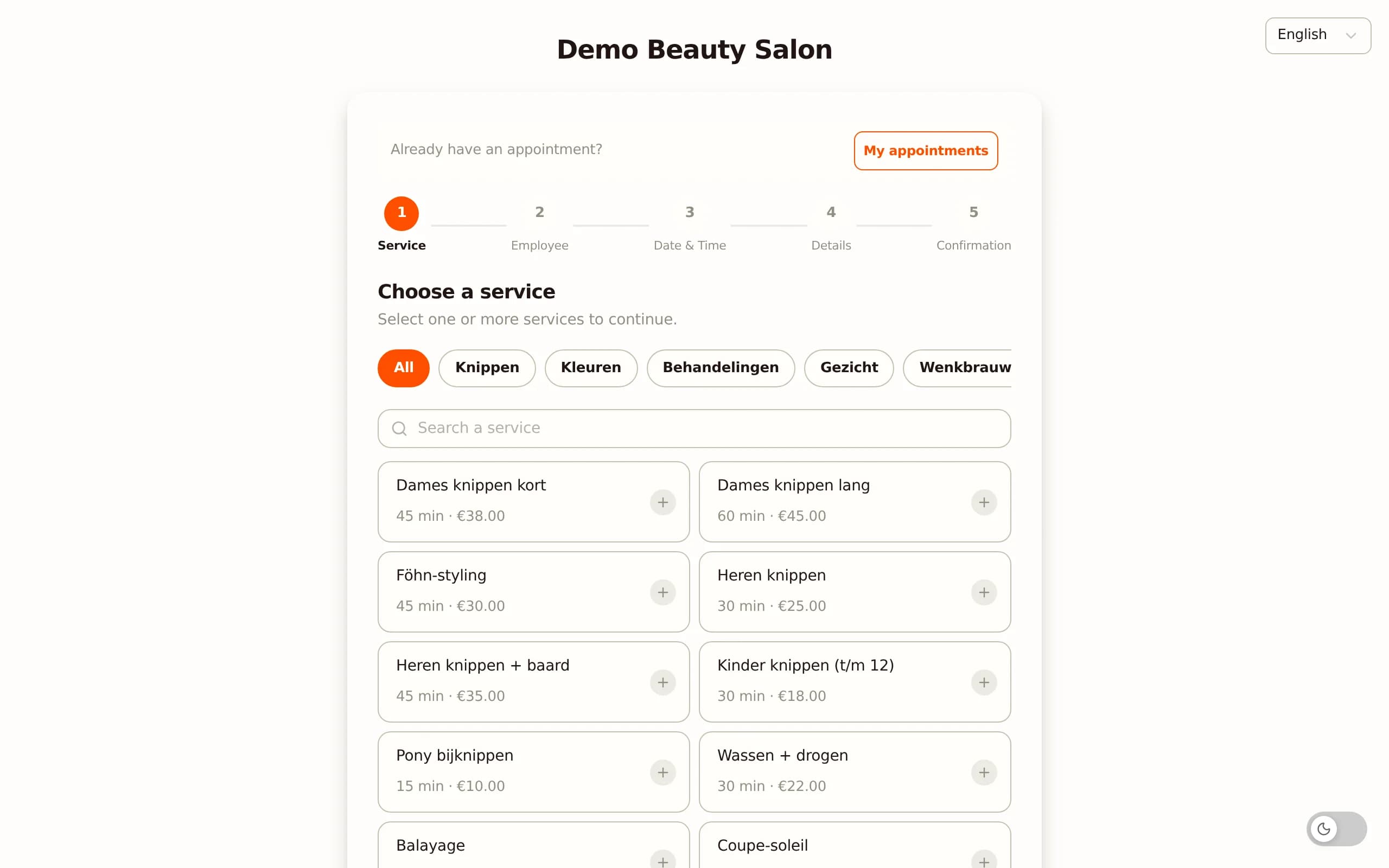
The core of any massage salon software is the online calendar. Clients book themselves through a page you link to your website, your Google Business Profile and your Instagram bio. A large share of bookings comes in outside opening hours - on the sofa in the evening, at the weekend - exactly when you cannot pick up the phone yourself.
Availability per therapist. If you work with several therapists, each therapist has their own roster and their own services. The client picks a specific therapist or "first available". That stops two therapists from claiming the same treatment room.
Treatment rooms as a separate resource. A massage practice often has more therapists than rooms. Software that treats treatment rooms as their own resource only lets an appointment go through if both a therapist and a room are free. Without that logic you fill a calendar that in reality has no space.
Your own rules. You decide how many hours in advance someone can book, how far ahead, and whether only existing clients may book. Salonnare calculates the free slots based on treatment duration plus an adjustable buffer between sessions, so you keep time for notes and tidying up.
Intake, health forms and the GDPR-secure vault
This is where massage salon software really differs from ordinary salon software. Before you massage someone, you want to know whether there are contraindications: recent surgery, cardiovascular problems, pregnancy, skin conditions, medication use or allergies to massage oil. That information is a special category of personal data under the GDPR (Article 9) and needs extra protection.
Digital intake in advance. When booking, the client is sent an intake form and fills it in at home. At the appointment you immediately see a summary - no more loose sheets of paper to archive or lose.
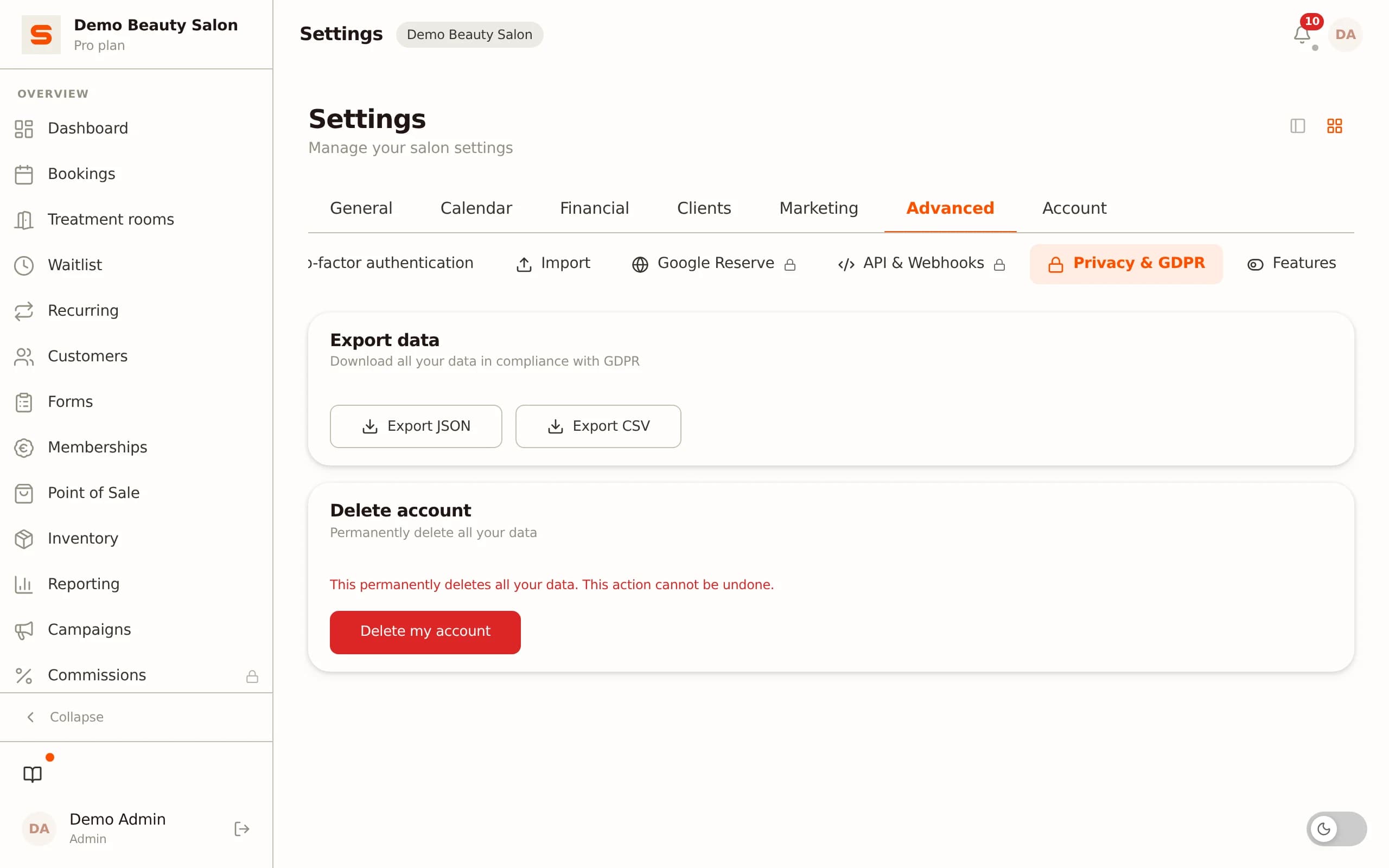
Encrypted health vault. Salonnare stores health notes, allergies and skin conditions in a separate, encrypted vault (AES-256-GCM), apart from the ordinary client notes. Only staff with explicit permission can view them - controlled with role-based access per staff member (RBAC). The data sits on EU servers.
Consent and logging. You record the client's consent, and every time a health note is opened it is logged. If you receive an access request, you can show exactly what has been stored. That is not only proper towards the client, but also what the GDPR expects of you.
For a massage practice that takes health data seriously, this vault is often the deciding difference when choosing a system.
Cutting no-shows with deposits
An empty slot in the calendar costs a massage therapist revenue straight away: an hour you no longer sell never comes back. Deposits and no-show fees are the most effective way to limit that.
Deposit at booking. You set it so the client pays part of the amount up front when booking online, or authorises their card. That significantly lowers the temptation to stay away without notice, because something is at stake.
No-show fee. If someone still fails to show up or cancels too late, the agreed fee is charged automatically. You set the fee for your salon as a fixed amount or a percentage of the treatment price - so a long deep-tissue session weighs more heavily than a short chair massage.
Automatic reminders. Most no-shows are simply forgotten appointments. A reminder by email the day before prevents a good share of them, without you having to phone anyone. Salonnare combines deposit, fee and reminders so your calendar stays reliably filled and you are not left with gaps.
Till and payments: iDEAL and card
After the treatment you want to check out quickly and correctly. A till (POS) that sits in the same software as your calendar saves double work: the appointment is already there, you only have to settle up.
Local payment methods. Dutch clients prefer to pay by iDEAL or card. Salonnare supports iDEAL via Mollie and card payments via Stripe, with the money going straight to your own account; only the platform fee below is deducted.
No marketplace commission per booking. Unlike marketplace-style platforms, Salonnare charges a fixed monthly fee instead of a percentage per appointment - with only a 0.5% platform fee (min. €0.30) per payment. With a full calendar that adds up considerably over a year.
VAT per service and a clean receipt. Massage therapy usually falls under the standard VAT rate, but with a medical exemption (for example through a professional association) a 0% rate may apply. You set the rate per service; the receipt splits it correctly and the daily report totals per rate.
Retail included. If you sell massage oil, heat pads or gift cards, you settle those in the same transaction and the system keeps track of stock.
Client management and repeat visits
A massage practice runs largely on returning clients. The client record and the repeat features therefore determine how much revenue you get from your existing clients.
Session notes per client. After each session you record what you treated - trigger points, response to deep tissue, points of attention for next time. On the next visit you pick that thread straight back up, even if a colleague takes over the client.
Multi-session cards and subscriptions. Selling single sessions produces less predictable revenue than a 10-session card or a monthly subscription. Salonnare automatically deducts one session each visit and can link a subscription via direct debit to the calendar, so clients do not have to pay again every time.
Rebook reminders. For clients with chronic complaints the system sends a friendly rebooking message at the right moment. That keeps your calendar filled with existing clients instead of constantly having to recruit new ones.
Gift cards. Around the holidays, digital gift cards for a massage are popular. They appear on your booking page and the balance is tracked automatically when redeemed.
What to look for when choosing
Not every massage salon software suits a massage practice. Run through these points before you choose.
1 - Handling of health data. Does the system have a separate, encrypted place for special categories of personal data, or does it throw everything in with the ordinary notes? For a massage practice this is the single most important criterion.
2 - Pricing model. Do you pay a fixed amount or a percentage per booking? With many appointments a fixed monthly fee is almost always cheaper.
3 - Local payment methods. Does iDEAL work, and does the money go to your own account? Foreign systems often do not support iDEAL, or only at extra cost.
4 - Treatment rooms and multiple therapists. Can you plan rooms as a separate resource and roster per therapist?
5 - Permissions per staff member. Can you set who may see which client data? Important as soon as you work with several therapists.
6 - A free way to start. Can you begin without risk? Salonnare has a permanently free Free plan (€0, 1 staff member, 50 bookings per month), then Starter (€29) and Pro (€59). So you test the basics before you pay; the digital intake and online payments come with Starter, deposits with Pro.
A native app and a web version, plus signing in with Google, Microsoft, Apple or Facebook (SSO), are handy extras that further lower the daily barrier.
Conclusion
Good massage salon software takes the admin off your hands so you can focus on the treatment: online booking per therapist and treatment room, a digital intake with a GDPR-secure health vault, deposits against no-shows, a till with iDEAL and repeat features that keep your calendar filled.
Salonnare brings this together for massage practices at a fixed monthly fee without marketplace commission on your bookings (just a 0.5% platform fee, min. €0.30, per payment), with your revenue going straight to your own account and your data on EU servers. Read more on the massage salon software page, or create a free account today at salonnare.com/en/free and set up your practice this week - no credit card needed.
Frequently asked questions
Is massage salon software suitable for a self-employed massage therapist?
Yes. As a solo therapist you benefit precisely from automatic reminders, online booking and a digital intake, because you do everything yourself. Salonnare's Free plan is free for one staff member with 50 bookings per month, so you can start at no cost and only move to Starter (€29) once you grow past that limit or want the digital intake.
How does Salonnare store massage clients' health data securely?
Health notes, allergies and contraindications go into a separate, encrypted vault (AES-256-GCM), apart from the ordinary client notes. Only staff with explicit permission see them, every access is logged and the data sits on EU servers. That meets the requirements of GDPR Article 9 for special categories of personal data.
Can I work with multiple therapists and treatment rooms?
Yes. Each therapist has their own roster and their own services, and you plan treatment rooms as a separate resource. An appointment only goes through if both a therapist and a room are free, so you do not get double bookings. With permissions per staff member you decide who may view which client data.
Which payment methods does the till support?
Salonnare supports iDEAL via Mollie and card payments via Stripe, with the proceeds going straight to your own bank account. You pay a fixed monthly fee instead of a percentage per booking, plus a platform fee of 0.5% (min. €0.30) per online payment. Per service you set the correct VAT rate (standard rate or 0% with a medical exemption), so the receipt and daily report are accurate.
What does massage salon software cost?
With Salonnare you start free on the Free plan (€0, 1 staff member, 50 bookings per month). As your practice grows you choose Starter (€29 per month) or Pro (€59 per month). There is no marketplace commission per booking and no setup fees - just a 0.5% platform fee (min. €0.30) per payment, and otherwise you pay a predictable fixed amount, no matter how many clients you treat.