



Moving client data without an export button: step-by-step plan with a worked example
No export button in your current salon system does not mean your client data is lost. This article covers what you can request, how to map columns to fields, how to avoid duplicate client records and how to keep the old system as a temporary reference. A worked example shows how many hours importing saves compared with retyping.
No export button: what you can still do

First ask your current provider's support for a CSV export. If that fails, try these routes in this order:
1. Save client lists and appointment overviews as Excel or PDF files, if the system allows it. 2. Pull phone numbers and email addresses from your phone and mail contacts. 3. Can you only view data? Start with clients from the last 12 months and retype those.
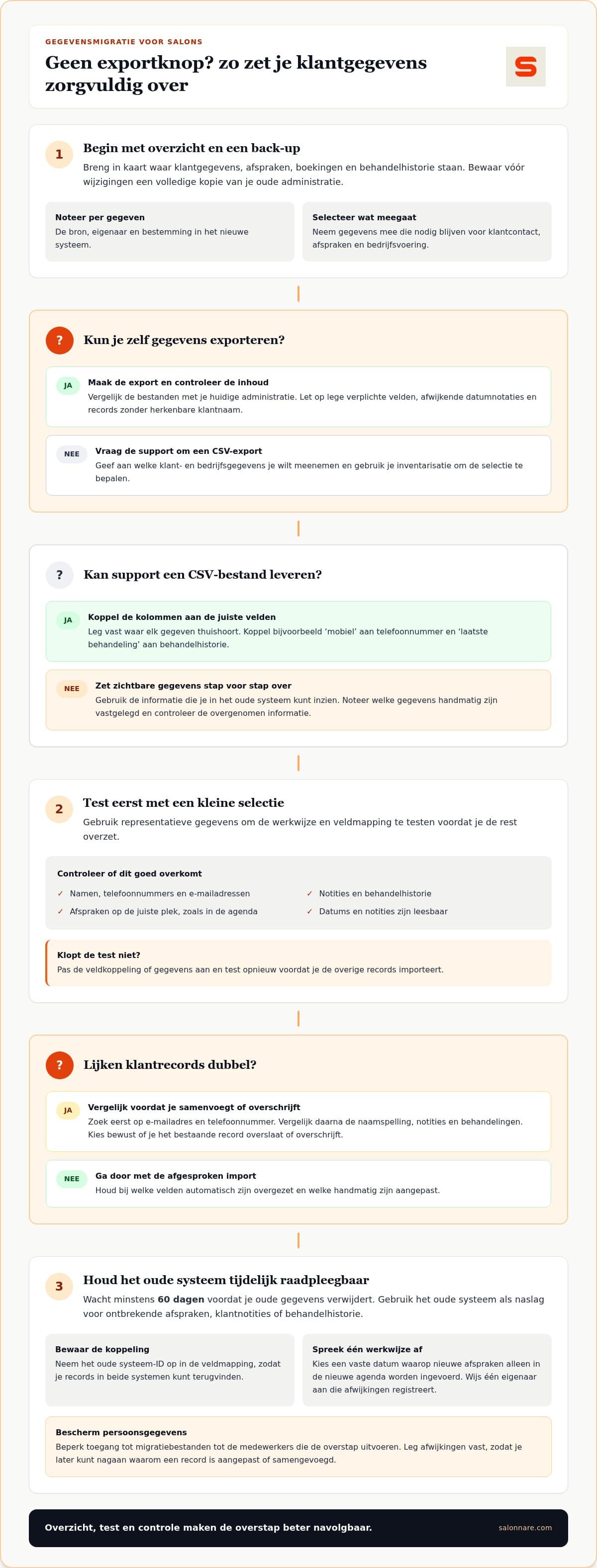
Also map out where else your data lives: Excel files, mailboxes and paper records. Make one overview with source, owner and destination per data type, and keep a full copy before you change anything.
Field mapping and avoiding duplicate client records
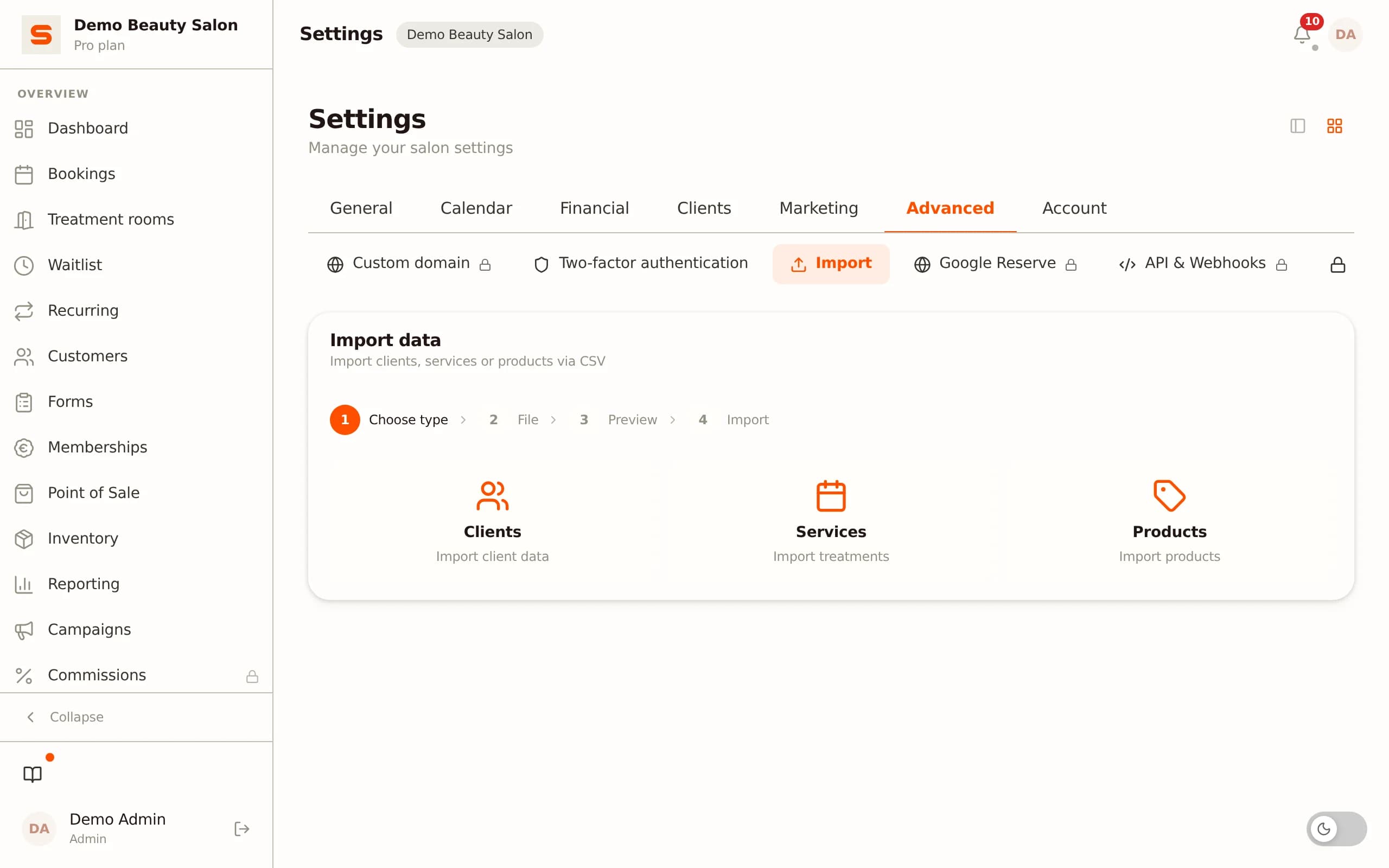
Write down which column goes to which field: 'mobile' to phone number, 'last treatment' to treatment history. An appointment date belongs in the calendar, not in a free text field. Salonnare imports client lists via CSV.
How to avoid duplicate client records:
- Before importing, search by email and phone number, then compare name spelling. 'Sam Smith' and 'S. Smith' may be the same client. - Choose deliberately whether to skip or overwrite an existing record. - Agree that the most recent phone number wins, but keep relevant old notes. - Keep the old client number in an import note so you can find a record in both systems.
Import a small selection first and check that client details, appointments and treatments are readable.
Worked example: retyping or importing
Take a salon with 400 clients. The times are assumptions you can adjust:
1. Retyping: 400 x 2 minutes = 800 minutes, which is 13 hours 20 minutes. 2. Importing: 15 minutes mapping + 15 minutes test import of 20 clients + 30 minutes checking = 1 hour. 3. Difference: 13 hours 20 minutes minus 1 hour = 12 hours 20 minutes. 4. Duplicates: at 5% duplicate records that is 400 x 0.05 = 20 records to review.
Even if your file needs extra cleaning, importing stays far faster than retyping. How long the switch really takes depends on file size, data quality and manual corrections.
Keep the old system as a reference for 60 days
Make a full copy before importing and store it separately. Keep the old system accessible for at least 60 days afterwards so you can look up missing appointments, client notes or treatment history. Only delete something once the new system has proven itself in daily use.
Two systems side by side need ground rules: pick a fixed date after which new appointments only go into the new calendar, do not update client details in two places, and name one owner who logs discrepancies.
Checks after the import
Compare a sample of 20 clients (5% of 400) against the source file. Look at dates, empty fields and notes, and keep a log of changes.
Health data does not belong in a regular notes field. Salonnare stores it in an encrypted vault under GDPR Article 9, separate from ordinary client notes. Under the GDPR people have the right to a copy of their personal data, so give only the staff doing the transfer access to the file. Read more in client management and CRM for your salon.
Try it with your own client list first?
With the free Salonnare plan you can import a small selection of clients via CSV and check for yourself that everything lands in the right place, before you let go of the old system.
Start for freeFrequently asked questions
How do you map out which data to bring along?
List client details, appointments, treatment notes, stock and revenue, and give each a destination: daily work, reference or reporting. Decide deliberately what stays behind so you do not copy your whole old administration.
What does the import flow look like?
Usually source file, check, field mapping, test import and result check. Keep a separate version of the file at each step and adjust the field mapping before you process the full data set.
How long does the switch take?
It depends on the amount of data, data quality and manual fixes. Plan time for the test import and the checks, not just the import itself.
Will I lose my treatment history?
Only what is in the source file can come along. Check that treatment dates, notes and any photos are included and review the client records after the import.