



POS system for a hair salon: test it with six checkout moments from your own working day
A demo always shows a POS system at its best: one client, one treatment, one card payment. A hairdresser's day looks different. A mother with two children is waiting at the desk, a walk-in client wants to pay cash, someone picks up a shampoo next to their colour treatment, and late in the afternoon a client comes back because the colour did not turn out right. Whether a POS system fits your hair salon only becomes clear once you take it through those moments. In this article you will find six checkout moments that happen in almost every hair salon, what to check at each one, and how to run the test yourself before you switch.
Choose by how you work, not by the feature list
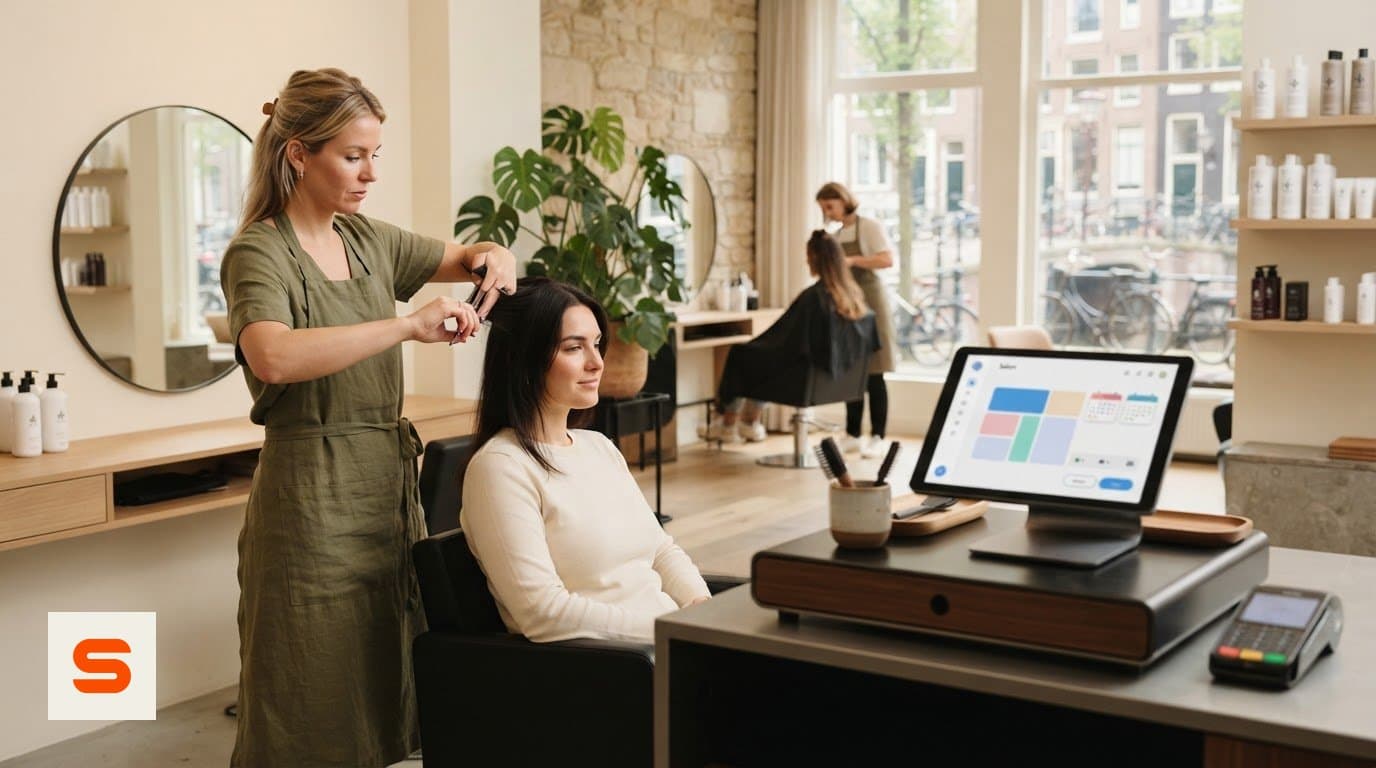
Almost every POS system can record an amount and print a receipt. The difference lies in what happens just before and just after that moment: how the appointment ends up on the receipt, what happens with a product, how you correct a mistake and who is allowed to see what. That is why a feature list is a poor way to choose. Two systems can both tick "stock management" or "reports" and still feel very different in practice.
So start with how you work. That also determines which plan you need:
- You work alone in one chair. You mainly need a quick receipt that connects to your calendar. Salonnare's Free plan costs €0 and is meant for 1 staff member and 50 appointments a month, with the till for cash and card. - You work with a small team. Then you want permissions per staff member, stock tracking and a daily report. Starter costs €29 a month, for up to 3 staff members and unlimited appointments. - You have a larger team or take deposits. Pro costs €59 a month, with unlimited staff and deposits for online bookings.
The monthly price is not the whole story. On every online or card payment, 0.5% (min. €0.30) is deducted; Salonnare charges no marketplace commission on new clients, but it does charge the 0.5% (min. €0.30) transaction fee. Include those amounts when you compare systems, as well as the cost of your own card terminal.
Want to see the bigger picture for hairdressers first? The page on hair salon software explains how calendar, client card and till fit together. Then use the six moments below as your test.
Moment 1: cut and colour plus a shampoo, straight from the appointment
This is the moment that happens most often, and therefore the most important one. A client has an appointment for a cut and colour and picks up a bottle of shampoo at the desk.
Check with every system:
- Does the appointment land on the receipt by itself? Or do you type the treatment in again? Every time you retype something is a chance of a wrong amount. - Which price ends up on the receipt? If you changed your prices in the meantime, you want to know whether the client pays the price from the moment of booking or the new one. - Does every line get the right VAT rate? A treatment and a product can have different rates. The receipt should show the correct amount per rate. - Is the shampoo deducted from stock? If you sell a lot of products, this is the moment your stock either stays right or starts to drift.
In Salonnare, today's appointments appear as tiles in the till. You tap the appointment, the treatments are added at the price from the moment of booking, and you add the product. If you try to check out the same appointment twice, the till warns you. Stock management is included from Starter. Read more about a receipt that is right for VAT in the article on a checkout system with VAT-proof receipts, and about products and stock in a POS with inventory management.
Moment 2: two appointments, one person paying
A mother has booked appointments for herself and her two children and wants to pay for everything at once. Or a couple comes in together and one of them pays.
This is where many systems fall short. If you can only pick one appointment per receipt, you end up with three receipts and three payments, or you add the children's treatments separately by hand. In the first case the client pays by card three times; in the second, two appointments stay open in your calendar as if nobody had paid for them.
So check: can you put several appointments on one receipt, and are they all marked as completed afterwards? In Salonnare you put both appointment tiles in the same basket. At checkout, all appointments on the receipt are completed at the same time, so your calendar has no loose ends at the end of the day.
Moment 3: the walk-in client who pays cash
A client walks in for a quick cut, has no appointment and would rather not have a client card. He pays cash and leaves the change as a tip.
What you are testing here:
- Can you check out without an appointment and without a client? A system that forces you to create a client card first slows down your desk and collects data you do not need. - Does the till round cash amounts to 5 cents? In the Netherlands that is the custom for cash payments. The difference should be visible on the receipt, so your cash drawer adds up at the end of the day. - Can you record the tip separately? A tip is not revenue from the treatment. If it goes on a separate line, you can later see per staff member how much came in as tips.
Salonnare does all three: a receipt without a client, rounding to 5 cents for cash and a separate tip field. In the daily report (from Starter), tips are shown separately from revenue, per staff member and per payment method.
Moment 4: card, a gift card or a deposit
Paying at the desk happens in more ways than you think. Walk through these three situations:
Card. If you use a standalone terminal from your bank, you record the payment in the till as card. If you work with a connected Mollie or SumUp terminal, ask when the receipt is marked as paid. In Salonnare that only happens once the provider confirms the payment. If the payment is interrupted halfway, the receipt does not show up as paid in your overview by mistake.
A gift card. A client received a gift card for her birthday. Can you enter the code, is the amount deducted from the balance and is the rest kept? Gift cards are included in Salonnare from Starter.
A deposit. If clients pay in advance when booking online, that deposit has to come off the total at the desk. Otherwise the client pays twice or you have to settle it by hand. Deposits are part of Pro; the till automatically deducts a paid deposit from the receipt.
With every system, also ask what a card payment costs. With Salonnare it is 0.5% (min. €0.30) per online or card payment, and the money arrives in your own Mollie or Stripe account.
Moment 5: the client who comes back because the colour did not turn out right
You would rather avoid this moment, but it happens. A client comes back two days later and you decide to refund part of the amount.
Check how the system handles corrections:
- Can you still delete or edit a paid receipt? That sounds convenient, but it is a risk. Your revenue and VAT for a period that is already closed change after the fact, and your records no longer match what your accountant has seen. - Is there a credit note? The clean way is a second receipt with negative lines next to the original one. That way it stays visible what was sold and what was refunded. - Can it be partial? A client does not always need to get everything back.
In Salonnare a paid receipt cannot be deleted. A refund creates a credit note, for the whole receipt or for some of the lines. If the payment went through Mollie or Stripe, the money can go back the same way. That keeps your receipt history an honest record of the day.
Moment 6: end of the day, and who may do what
The last moment takes place after closing time, and this is where you notice whether a system was built for a team.
Who may do what? A trainee does not need to see everyone's receipts, while a permanent stylist should be able to check out. In Salonnare you set per staff member whether someone may view the till or also check out. If you work with more than one staff member, you need Starter or Pro.
What do you see at the end of the day? From Starter you get a daily report with revenue per staff member and per payment method, with tips shown separately. You put your cash count next to that overview. How to do that step by step is explained in the article on the end-of-day close of your till.
How does it reach your accountant? From Starter, Salonnare creates an export you can import into Moneybird or e-Boekhouden. It is an export, not a live connection: you create the file yourself and process it in your accounting software.
How to run the test yourself
You do not have to guess. Set aside an hour and play through the six moments in every system you are considering.
1. Create two test clients and put an appointment in the calendar for both, with at least one combination of two treatments. 2. Add two products, with a different VAT rate from your treatments if that applies to you. 3. Check out the six moments: appointment plus product, two appointments on one receipt, a cash walk-in with a tip, card, a correction and a look at the end of the day. 4. Note for each moment how many steps it took and where you hesitated. That list is your real comparison.
With Salonnare you can do this on the Free plan. Plan features such as stock, gift cards and the daily report can be tested from Starter. See on the page about the POS system for salons what the till looks like, and start free with Salonnare to play through the six moments with your own treatments.
Play through the six moments with your own treatments
Add your treatments and products to Salonnare and check out an ordinary salon day before you switch. You start free with the Free plan.
Start freeFrequently asked questions
Do I need a separate card terminal with a POS system for my hair salon?
To accept card payments at the desk you need a card terminal. POS software records the sale, the terminal processes the payment. With a standalone terminal you record the payment as card. With a connected Mollie or SumUp terminal, the till marks the receipt as paid once the provider confirms the payment. On every online or card payment through Salonnare, 0.5% (min. €0.30) is deducted.
Can I connect Salonnare to Moneybird or e-Boekhouden?
From the Starter plan you can create an export that you import into Moneybird or e-Boekhouden. It is an export and not a live connection: data does not move back and forth by itself. So agree with yourself or your accountant how often you make the export, for example monthly or quarterly.
Is there a free POS system for a hair salon?
Yes. Salonnare's Free plan costs €0 and is meant for 1 staff member and 50 appointments a month, with the till for cash and card. If you work with more people or need stock, gift cards or a daily report, look at Starter (€29 a month) or Pro (€59 a month).
Can I still change a paid receipt if I made a mistake?
No, and that is deliberate. A paid receipt stays as it is, so your revenue and VAT do not change afterwards. You correct a mistake with a credit note, for the whole receipt or for some of the lines. Then, if needed, you create a new, correct receipt.