



Salon staff scheduling: a roster that matches both occupancy and revenue
A good roster is the backbone of the week in any hair salon - but in most salons it runs on gut feeling and WhatsApp messages. One Saturday everyone is in at once, on Wednesday there is a single hairdresser, and the moment someone calls in sick the puzzle starts. Staff scheduling costs a salon owner a fair amount of time every week: building rosters, forwarding changes, translating it all into the appointment flow. Over a year those hours add up considerably - time you could have spent on clients instead. A large share of them go into adjustments that could have been avoided with a better basic setup. This article describes the five most common scheduling mistakes, gives you a practical checklist to build a roster that matches your occupancy and revenue, and explains how software cuts that weekly time investment down to a quarter of an hour.
Five common staff scheduling mistakes in hair salons
Knowing what goes wrong is half the solution. The same mistakes return in salons of every size.
Mistake 1 - The roster and the appointment flow are disconnected. If your roster lives in a spreadsheet and your booking system has no view of who works when, online booking and occupancy are out of sync by definition. A client can book an appointment for Wednesday at 2pm while the only available hairdresser that day does not start until 3pm. This leads to manual rescheduling or quiet hours in the diary.
Mistake 2 - Planning too late. Rosters built only two days in advance give staff almost no room to adjust their personal lives. Hairdressers with families or second jobs need at least a week to shift things around. The result: last-minute swap requests, availability conflicts, and a manager who constantly has to be reachable to put out fires.
Mistake 3 - Informal changes outside the system. "Just send a quick message that you are leaving early" works for one hairdresser, but with four or five team members there is always someone who did not receive the right update. If the roster is not accurate in real time, nobody trusts the system anymore and everyone goes straight to the owner.
Mistake 4 - No buffer for sickness or absence. A 100% booked roster looks efficient, but a single Sunday-morning call from a sick employee throws the entire Monday plan into chaos. Salons with a structural shortage of flexible hours or a pool of on-call staff run into this scenario every time.
Mistake 5 - No insight into peak times per day or per stylist. Friday afternoon and Saturday morning are traditionally busy, but the exact patterns differ per salon. Without data you plan on feeling: sometimes too little cover on a busy Wednesday morning, sometimes three hairdressers on shift while there are only twelve appointments on a quiet Tuesday.
Practical checklist: setting up a roster in seven steps
Step 1 - Set the starting point: fixed contract hours. Note the number of contract hours per week and the fixed day(s) off for each employee. This is your unchangeable base. Use it as the skeleton before you fill in variable shifts.
Step 2 - Analyse the booking data from the past three months. How many appointments did you have per day of the week? In which time blocks were there gaps, and in which were clients on the waiting list? Even a simple CSV export from your booking system with daily counts is enough to move your planning from feeling to data.
Step 3 - Match occupancy to expected demand. If Tuesday is structurally 30% quieter than Friday, there is no point running both days with the same cover. Make a simple split: busy days (Fri, Sat, possibly Wed) get full cover, quieter days (Mon, Tue) get light cover or overlapping breaks so at least one hairdresser is always fully available.
Step 4 - Plan at least two weeks ahead, preferably four. Two weeks is the absolute minimum for staff to adjust their personal lives. Four weeks leaves room for holiday requests, shift swaps and arranging on-call staff in time. Plan the roster period in blocks and communicate the deadline for shift requests and swaps.
Step 5 - Assign every shift to the right employee in your booking system. Once the roster is fixed, enter the shifts as working hours per stylist. That way the booking system knows which hairdressers are available when, and clients can only book online at times when someone is actually present. This prevents double bookings and empty hours.
Step 6 - Reserve a flexible buffer of 10-15%. If you normally have four slots on Monday, make sure one slot is not immediately available for online booking. You release that buffer on Friday if few bookings have come in, or you keep it as a reserve for a sick call. Clients see no difference; you have room to manoeuvre.
Step 7 - Review monthly and adjust the structure. At the end of each month, compare your planned occupancy with the actual number of appointments per day. Is there an empty shift every Tuesday morning? Consider one hairdresser fewer or a shorter shift. Does Saturday afternoon keep exceeding expected capacity? Add a shift or bring in on-call staff.
Revenue-driven planning: matching shifts to demand
The most underused way to control labour costs is to link shift rosters directly to the expected revenue per time block. Instead of fixed shifts that are the same every week, you adjust cover based on what your booking data tells you.
A concrete approach: export the completed bookings from the past twelve weeks, sort by day and hour, and calculate the average revenue per two-hour slot. That gives you a heatmap: which time blocks structurally generate little, which are always full? Plan your most expensive capacity (senior stylists, full-time staff) on the busiest times and use flex hours or on-call staff for the fringe hours.
A second-order effect that many salons miss: peak times shift per season. Summer holidays and public holidays move demand considerably. Do not schedule everyone for holiday at the same time, and check every quarter whether your occupancy pattern still matches actual booking demand rather than last August.
With multi-service bookings - where a client combines several treatments in one appointment - occupancy planning gains an extra dimension: the hairdresser needs to be available for longer blocks, and if several stylists are involved in one client (a colour specialist plus a cutter) both have to be rostered at the same time. When planning, account for overlapping shifts and set in your booking system which service combinations require which stylists.
How Salonnare simplifies staff scheduling
The link between roster and booking system is where manual spreadsheet planning structurally falls short and software makes the difference.
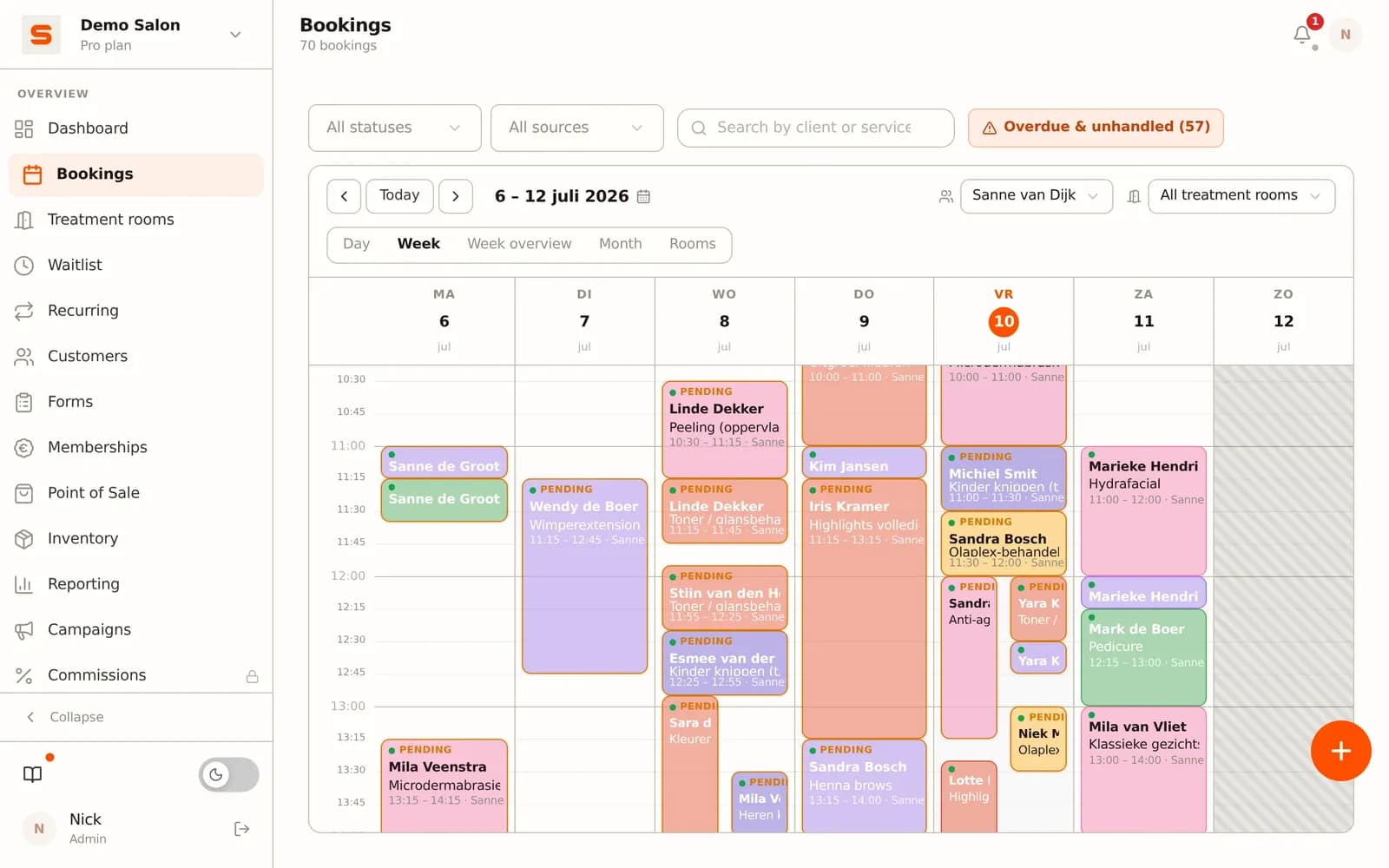
In Salonnare you set each employee's working hours as availability blocks. Those blocks are directly visible in the booking diary: clients booking online only see time slots where the stylist in question actually works. That eliminates manually rescheduling wrongly booked appointments.
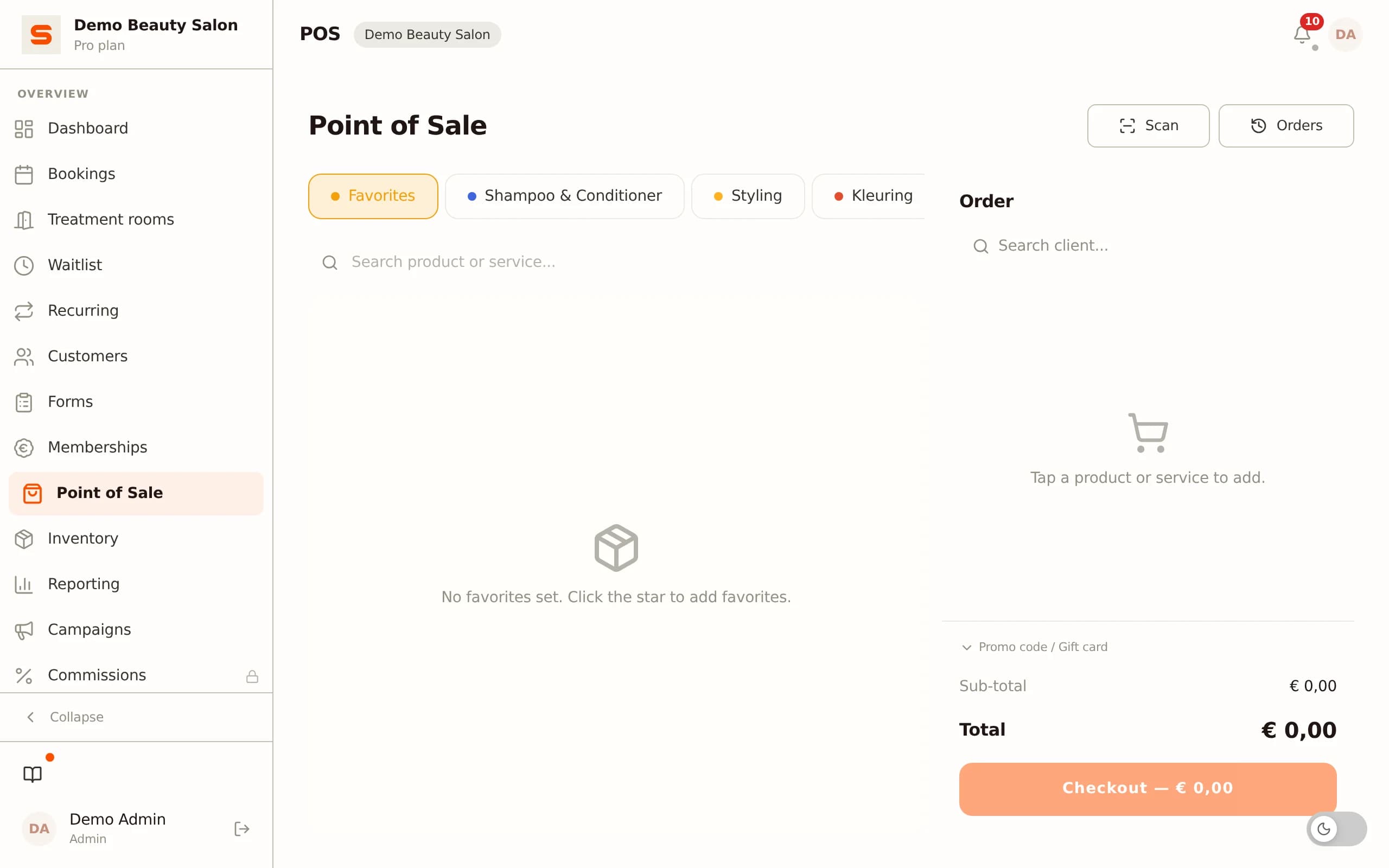
For salon owners with multiple stylists: every treatment is linked to the stylist who performs it, so from the Starter plan you see revenue per stylist in the reports without keeping a spreadsheet at the end of the week. With the Pro plan, Salonnare also calculates commission per stylist, which you export as a CSV or SEPA file for the payout. Stylists see their own appointments through their personal login.
With multi-service bookings - a client booking both colour and a cut in one session - Salonnare automatically distributes the right time blocks across the stylists involved. You do not have to think about overlap manually; the system blocks the required time for each stylist contributing to the session.
Adding or adjusting employees is done from the staff panel. Onboarding a new hairdresser then takes a few minutes instead of manually updating several documents and separate settings.
Frequently asked questions about staff scheduling in hair salons
How far ahead should I plan a roster?
At least two weeks, preferably four. Two weeks gives salaried staff enough time to adjust their personal lives. Four weeks leaves room for holiday requests and arranging cover in time. Bear in mind that the collective labour agreement for the hairdressing sector requires the roster to be published in good time; check the current agreement for the exact deadline that applies to your situation.
What is the ideal ratio between fixed and flexible staff?
That depends on the stability of your occupancy. A salon whose weekly revenue fluctuates little (subscription clients, recurring appointments) can lean more heavily on fixed contracts. A salon with a changing client flow - many first-time clients, seasonal peaks - benefits from a base of 60-70% fixed hours and 30-40% flex. Make sure you have at least two flex moments per week that you only schedule 48 hours in advance based on actual bookings.
Can I require employees to swap a shift?
No. A shift swap is voluntary; you cannot force an employee to take over a colleague's shift. What you can do is include in the employment contract that employees are willing to discuss availability in unforeseen situations. Always record swap requests in writing (email or via the system) so there is no confusion over who accepted the shift.
How do I process sickness directly into the roster?
As soon as an employee calls in sick, immediately block their working hours in the booking system so no new appointments are scheduled for that day. Then notify clients with a booking with that employee and offer them the option to reschedule or be seen by another stylist. In Salonnare you can adjust a stylist's working hours per day, after which the diary updates automatically.
Frequently asked questions
What does poor staff scheduling cost a hair salon on average?
The direct costs are hard to separate from indirect losses, but the most visible items are: idle hours (hairdresser present, no client), unpaid overtime (friction with staff), and no-shows that worsen because clients do not know exactly who they are booked with. Salons that switch from manual spreadsheet rosters to a connected system typically save a meaningful amount of admin time per week and have fewer last-minute reshuffles.
Can I import an existing roster into Salonnare?
You set working hours per employee directly via the staff panel; there is no separate import for rosters. You can import client data and historical appointments via CSV - that way you keep continuity in your data when you switch from another tool. You set up the link between working hours and the booking diary once, after which the system automatically knows when each stylist is available.
Does staff scheduling in Salonnare also work for self-employed stylists who rent a chair?
Yes. Self-employed stylists working in your salon get their own stylist login. You set their availability blocks per week. With Pro they can also rent a chair from you: the renter gets their own environment, takes payment for their own treatments on their own Stripe or Mollie account, and you send a rent invoice. As a salon owner you have full visibility of the diary.
How do I get started with Salonnare if I currently work with loose rosters?
[Start for free](/free). During setup you add employees and set their working hours - that takes a few minutes per employee. You import existing client data and appointments via CSV so you do not lose your appointment history. Within a day you have a working link between roster and booking diary.