



Salon POS system: what you need and how to choose
A generic cash drawer and a standalone card reader: that is how many salons started, and for some of them that setup is still in place ten years later. Technically it works - the bill goes out, the payment comes in - but what it does not do is keep track of who paid for which treatment, which stylist generated the revenue, or whether the client had a gift card. That information vanishes into a drawer or a notebook. A POS system built specifically for salons is more than a calculator with a payment terminal. It is the point where everything comes together: the appointment, the treatment, the payment, the client history and the financial bookkeeping. This article describes what makes a salon till different from a generic one, which features you need at a minimum, and what goes wrong when you choose without those requirements clearly in mind.
What makes a salon POS system different from an ordinary till
A supermarket POS system is built around the principle of scanning items, adding them up and charging the customer. That model does not fit a salon, for a few reasons.
Services, not products. Most of a salon's revenue comes from services: cuts, colour, nails, facials. Those services have a duration, a staff member, and sometimes several practitioners tied to a single session. An ordinary till knows nothing about services - it only records amounts.
Staff and commission. In a salon it is common for stylists to receive a percentage of their revenue as commission, or for freelance stylists who rent a chair to receive their own income directly. A POS system for salons has to keep track of which treatment was completed by which stylist, so commissions are calculated automatically. Adding up revenue by hand at the end of the week is error-prone and a waste of time.
Integration with the calendar. In an ideal workflow the till is populated from the appointment: the client booked, the treatment was carried out, and at checkout the till automatically pulls in the service and the amount. Without that link you key everything in twice, or worse: you charge what the client says they had instead of what is actually in the system.
Client profile at the till. At the moment of checkout you want to know whether the client has a gift card, whether a returning-client discount applies, and when their last visit was. A generic till has no client profiles. A salon till does.
Receipt and bookkeeping. A salon receipt should show the treatment, the staff member, the payment method and the VAT. That sounds obvious, but generic POS software sometimes produces receipts that do not meet the VAT requirements for service providers.
Ten features your salon POS system must have
Not every POS system that calls itself "salon software" has all the features you need in practice. Use this list as a checklist when making your selection.
1 - Integration with the booking software. At checkout the till should open the client's appointment, with the services and the matching prices. Retyping by hand is a source of errors and double work.
2 - Multiple services in one checkout. A client who has both colour and a cut in one visit should see both treatments on a single receipt. If you can only process one service per checkout, you are artificially splitting the session.
3 - Staff assignment per service. If two stylists worked on one client - a colour specialist and a cutter - the till must recognise both and assign the revenue to the right person.
4 - Card, online payment and cash in the same system. Clients want to choose how they pay. Make sure your system records multiple payment methods without you having to switch manually or process receipts twice.
5 - Activating and redeeming gift cards. A client who receives a gift card expects to redeem it on a future visit. The till must track the remaining balance and settle it automatically.
6 - Commission tracking per stylist. Every completed service should be automatically linked to the stylist involved in a commission overview, so payout at the end of the week or month is simple and verifiable.
7 - Receipts by email. A paper receipt is quickly lost. Automatically send a digital receipt to the client's email address, so they always have proof and you save on printing costs.
8 - Client history visible at a glance. At checkout you want to know whether someone is a first-time visitor, whether there are outstanding invoices, and whether they have an active membership or discount. That belongs on the same screen as the checkout.
9 - Day close and cash overview. At the end of the day you want to see in one click how much came in, broken down by payment method and staff member. That overview should add up automatically - not start with a manual tally.
10 - VAT-compliant receipts. Tax law requires a receipt to list the VAT amounts separately. Check whether your system produces receipts that meet the tax authority's requirements for service providers.
How Salonnare connects till, calendar and client profile in one system
Most pitfalls with salon POS systems arise because two or three separate tools that were not built for each other are tied together: a booking tool here, a till app there, and a spreadsheet for commissions. That works on paper, but in practice it produces fragmented data, manual retyping and errors at the monthly close.
In Salonnare the till is not a standalone module - it is the end point of the appointment journey. As soon as a treatment is finished, you open the checkout from the appointment. The services are already filled in, including the staff members involved. All you need to do is choose the payment method and confirm.
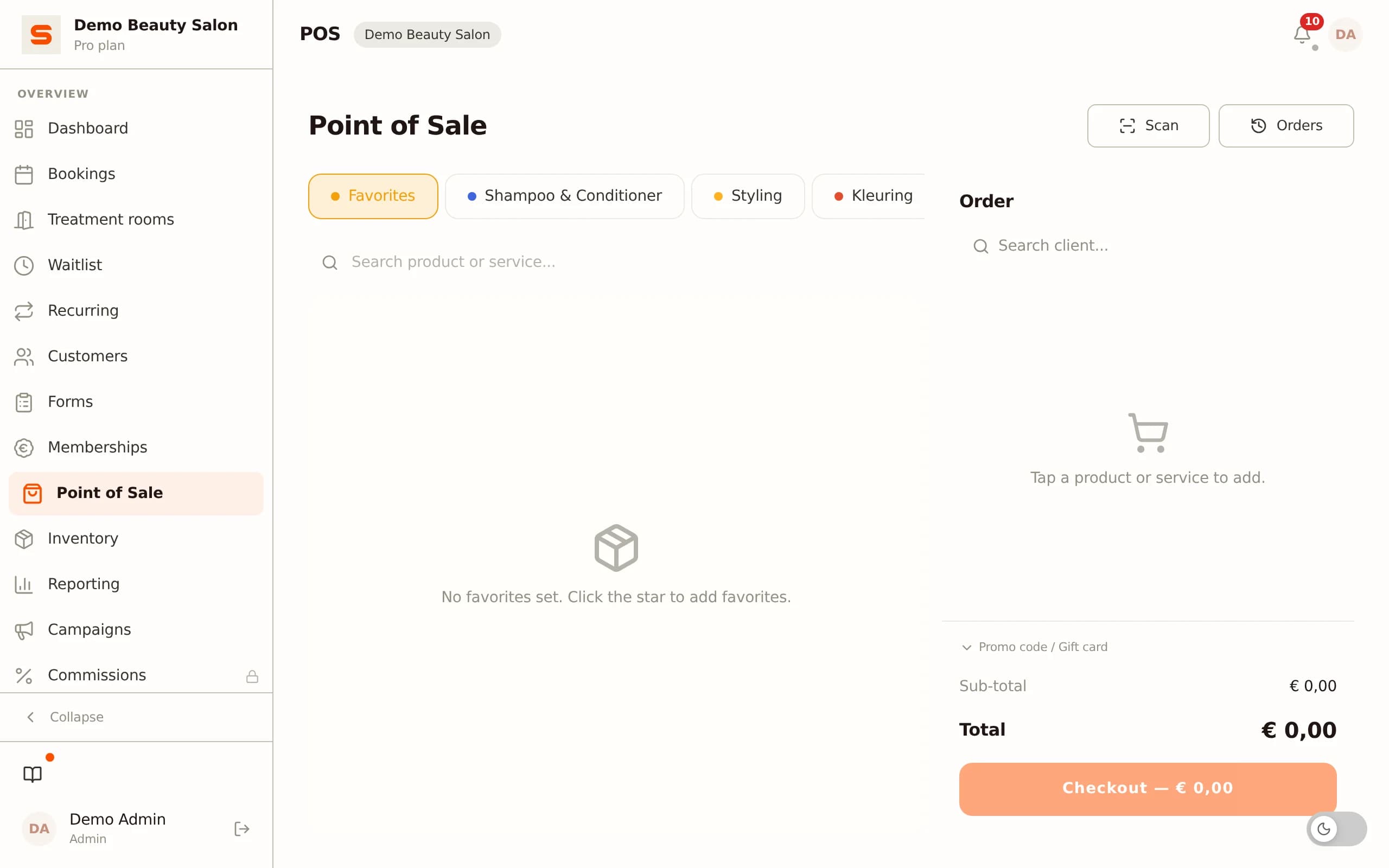
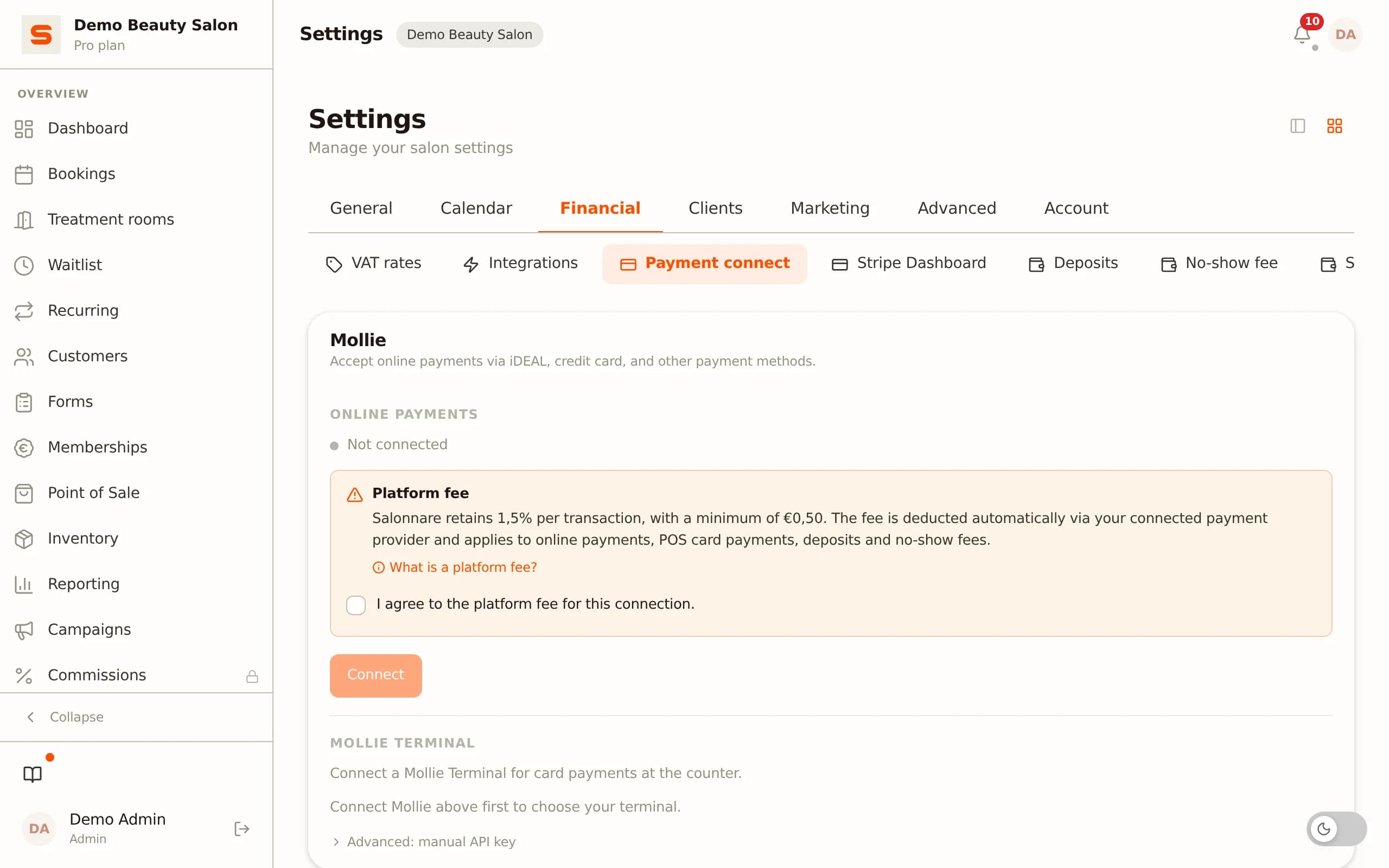
Payment by online method or card runs directly through the integrated payment connection. Online payments (Starter plan and up) run via your own Mollie or Stripe account, card payments at the counter via a linked Mollie or SumUp terminal; Salonnare charges a 0.5% platform fee (min. €0.30) per online payment on top of the provider's costs. The client pays, the payment is recorded on the appointment, and the receipt is automatically emailed to the address in the profile. No manual entry of amounts, no standalone card reader that is not linked to the system.
Commissions: every treatment is already linked to the stylist who performed it, so the day close and the reports show revenue per staff member. In the Pro plan, Salonnare calculates commission per staff member automatically, on revenue after discounts and excluding VAT. If a freelance stylist rents a chair from you, they take payment for their own treatments in your till on their own Stripe or Mollie account: Salonnare splits the receipt, and your products stay on your receipt.
Gift cards are redeemed at the till via the unique code printed on the card. The system deducts the amount from the balance automatically and records the transaction on the client profile. That way you always see the remaining balance without manual tracking.
Multi-service checkouts work automatically: a client who has both colour and a cut gets one receipt with both treatments and the stylists involved. The revenue is split internally to the right staff members, even when those are two different people.
The result is a day close that adds up without arithmetic: you see per day what came in, by which payment method, and how much revenue each staff member generated.
Common mistakes when choosing a POS system for your salon
Choosing the wrong POS system is an expensive mistake - not only because of the purchase or subscription cost, but also because migrating to another system later costs time and data. These are the mistakes we see most often.
Choosing on price instead of function. A cheap generic POS system looks attractive, but if it has no link to your calendar and does not track commissions, you create manual work elsewhere that costs more than the system saves you.
Keeping the calendar and the till separate. If your booking software and your POS software do not communicate, you enter services twice: once at booking, once at checkout. That is not just a waste of time - it also increases the chance of errors in your revenue records.
No commission tracking. Salons with several stylists working on commission underestimate how much time it takes to track revenue by staff member manually. A POS system that does not do this automatically costs hours of admin each month that could be put to better use.
Not accounting for growth. A system that works fine for one stylist sometimes breaks down the moment you hire a second stylist or open a second location. During selection, always ask how the system scales: can several staff members check out at the same time, does the system handle multiple locations?
No test with real transactions. Demos always show the prettiest flow. Always ask for a trial period in which you can run real checkouts: redeem a gift card, check out a multi-service session, view a day close. Only then do you see whether the system holds up in practice.
Frequently asked questions about salon POS systems
Does a salon POS system have to be certified for tax purposes?
Service providers face specific requirements for receipts: the receipt must identify the business (name and VAT number), state the date and time, specify the services and show the VAT amounts separately. In some countries there is no mandatory fiscal till certification (unlike, for example, Belgium or Germany for hospitality), but the receipts must still be compliant. Always check whether your system produces receipts that meet these requirements.
Can I accept online payments through my POS system?
Yes, if your POS software is connected to a payment provider such as Stripe or Mollie. Processing payments via a standalone QR code or an emailed payment request is also an option, but it breaks the link with the POS system. Better is an integrated connection where the payment is booked directly onto the right appointment.
How does commission payout to stylists work?
There are two models: the salon collects everything and pays stylists their commission periodically (via salary or invoice), or freelance stylists receive their share directly via a payment connection such as Stripe Connect. The second model has the advantage that payout happens automatically and no manual settlement is needed. Choose a POS system that supports the model that fits your employment structure. In Salonnare (Pro) it works like this: for employed staff Salonnare calculates the commission and you export the payout as a CSV or SEPA file; a stylist who rents a chair takes payment for her own treatments on her own Mollie or Stripe account, and you send her a rent invoice.
What is the difference between a POS system and a booking system?
A booking system manages the calendar: who books what and when. A POS system processes the payment after the treatment is completed. In well-integrated salon software the two are linked: the booking supplies the data for the till, and the till sends the revenue data back to the client profile. To avoid entering everything twice, you need a system that fulfils both roles or links them seamlessly.
Frequently asked questions
Which payment methods should a salon POS system support?
At a minimum: card via a connected payment terminal, online payment (for online bookings and deposits), cash, and gift card redemption. Salons with international clients or a higher average transaction value sometimes add credit card as well. It is not only about which payment methods your till knows, but also whether those payments are booked onto the right appointment automatically without manual retyping.
How do I connect my existing card reader to salon POS software?
That depends on your current terminal and software provider. Some POS systems have a direct integration with payment providers so amounts are sent to the terminal automatically (no manual entry of amounts on the card reader). Other systems work with standalone terminals where you enter the amount by hand. Ask your POS software provider which terminals they support; with Salonnare you can link a Mollie or SumUp terminal so the amount is sent to the card reader automatically, while online payments run via Stripe or Mollie.
Can I let several stylists check out at the same time?
That is a relevant question for larger salons. In a system with multiple tills or screens, stylists must be able to check out simultaneously without seeing or blocking each other's sessions. During selection, check whether the system is designed to be multi-user, not just a single-user app you can also open on several devices.
How do I start with a new POS system without bringing things to a halt?
Plan the switch at a quiet moment: the start of the week, after a holiday, or outside peak season. Make sure your existing client data (at least name, contact details and active gift cards) can be imported via CSV. Test the full checkout flow - checkout, receipt generation, day close - before going live. With Salonnare you start for free via salonnare.com/en/free and import client data via CSV so your historical records are preserved.