



Salon membership programs: predictable recurring revenue for hair and beauty salons
Salon revenue tends to follow the bookings - busy weeks in peak season, quiet stretches in the gaps between. When the appointment book is light, revenue dips with it. Salon owners looking to grow want a way to reduce that unpredictability, and membership programs are one of the most effective tools for the job. With a membership, a client pays a fixed monthly fee in exchange for an agreed set of services: a regular haircut, a weekly treatment, a monthly facial. You receive the payment automatically each cycle - whether that particular month has a quiet Tuesday in the middle or not. This article explains what salon memberships are, how to set them up in Salonnare, how Stripe handles the billing, and how memberships work alongside a loyalty program.
What are salon memberships?
A salon membership is a recurring subscription where a client pays a fixed amount monthly (or quarterly, or annually) in exchange for a set of services. The key difference from a regular appointment is when payment happens and the certainty that creates: the client pays upfront for a defined package, and you know at the start of each month what revenue is already secured.
Examples of membership packages
- A hair salon offers a "monthly haircut membership" for £39/month: one cut, wash and blow-dry included each month. - A beauty salon sells a "skincare subscription" for £79/month: one 60-minute facial every month. - A nail salon offers a "gel polish membership" for £45/month: a gel treatment every three weeks.
Membership vs. one-off appointments
With a regular appointment, the client pays after the treatment. With a membership, the payment runs automatically each period via Stripe - regardless of whether the client books that month or not. In practice, however, members tend to use their package: they have already paid, so they have every reason to come in.
Membership vs. gift cards
A gift card is a one-time purchase with a stored value the client uses at checkout. A membership is recurring. Both are available in Salonnare, but they serve different purposes: gift cards for new clients and presents, memberships for loyal regulars.
Why memberships benefit your salon
Salon memberships are popular with growing salons for two concrete reasons: predictable income and stronger client retention.
Monthly recurring revenue
Once ten clients are on a monthly membership, a predictable amount hits your account at the start of every month - regardless of how the schedule fills. That makes planning easier: you know which staffing costs you can sustain and when quieter periods are financially cushioned.
Higher visit frequency among members
Clients with an active membership book more regularly than those without a subscription. They have already paid for the period, so there is a direct incentive to plan that treatment and not let it lapse. That translates into a fuller calendar - even during periods that would otherwise be slow.
Lower price sensitivity
A member is less likely to switch to a competitor offering a one-time promotion. They are in an ongoing relationship with your salon and know the quality. The membership creates a meaningful barrier to switching, even when another salon runs a discount campaign.
Better cash flow and fewer no-shows
Because payment runs automatically via Stripe, there are no outstanding invoices and no clients who forget to pay after a treatment. The combination of upfront payment and a standing booking also reduces no-show risk: a member has a financial stake in showing up.
Upsell potential
Members who come in for a core treatment are more likely to add an extra product or service at each visit than one-time clients. The trust relationship is already established; the threshold for adding something extra is lower.
Setting up memberships in Salonnare
In Salonnare you set up salon memberships through the settings menu. The process takes a few steps: define the name, the price, the billing cycle and the included services - then clients can sign up online or at the desk.
Creating a membership
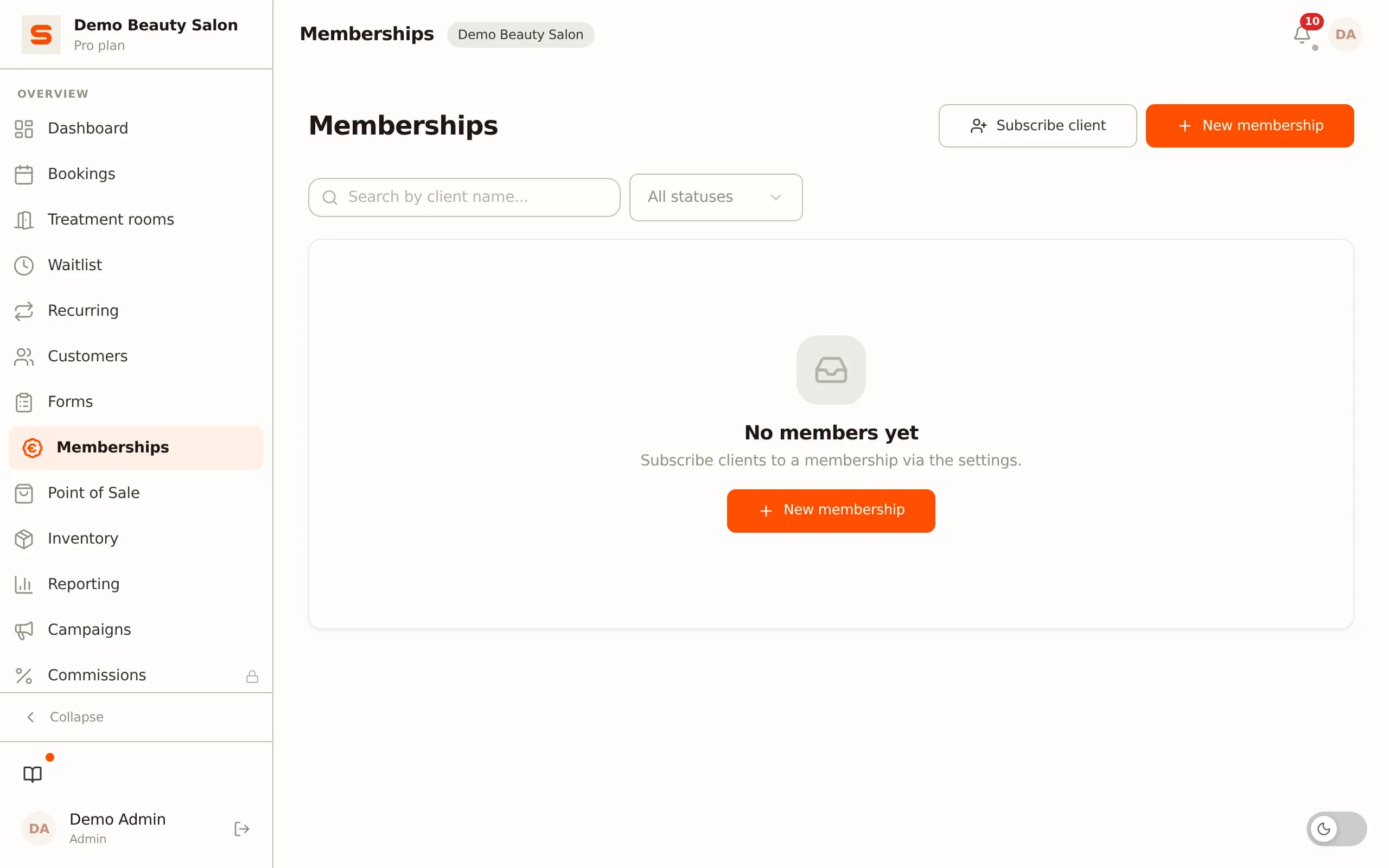
Go to Settings - Memberships and choose "New membership". Give it a clear name for clients (e.g., "Haircut membership" or "Monthly facial package"), set the monthly price and choose the billing cycle - monthly, quarterly or annual. Then add the included services: select which treatments are covered and how many uses per period are allowed.
Enrolling a client
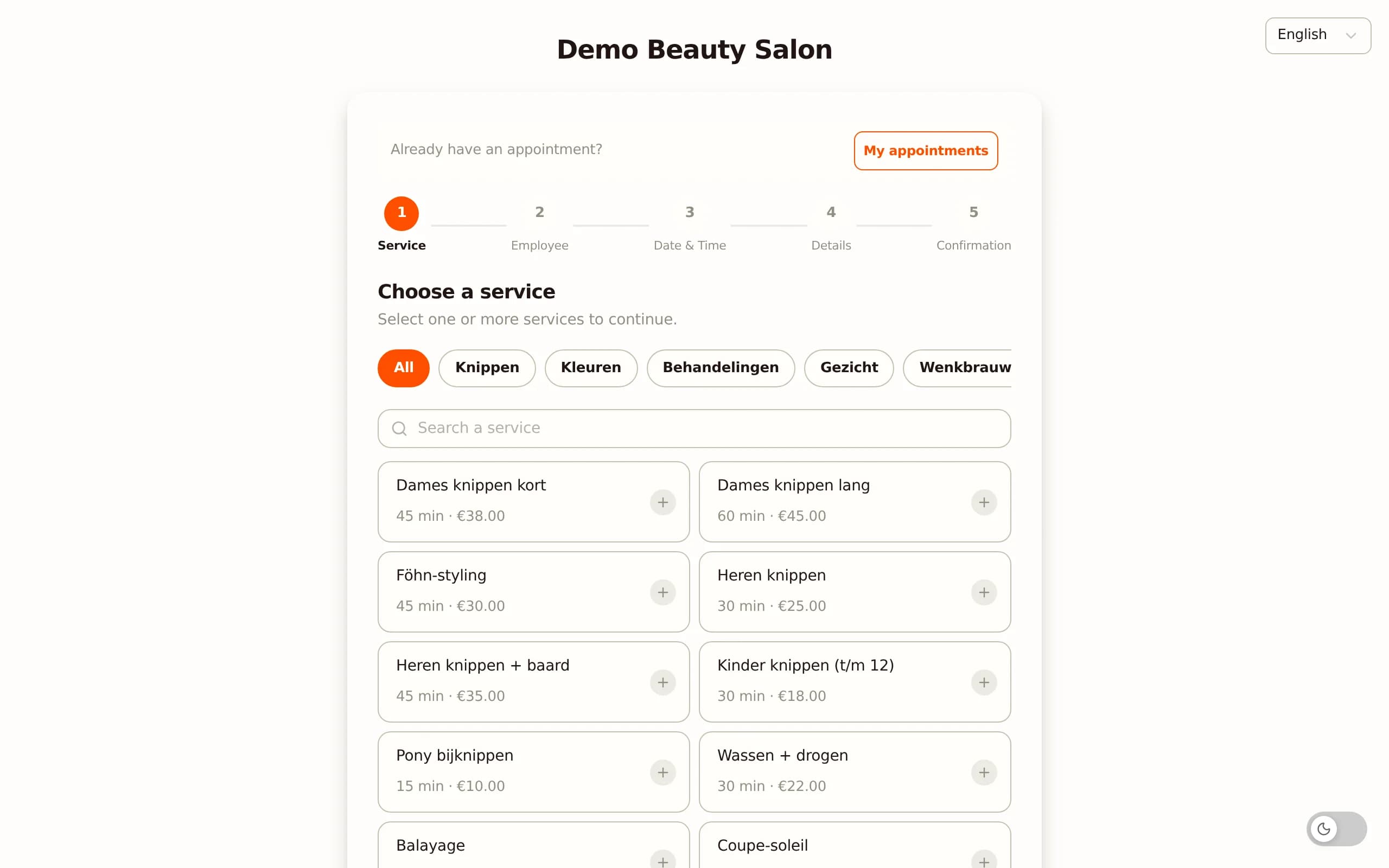
A client signs up through the public booking page - the same page they use to book individual appointments. They select the membership, enter their payment details, and are automatically billed each cycle via Stripe. Want to enrol someone at the desk? Add the membership directly from the client profile in the dashboard.
Managing active memberships
Active memberships are visible in the client profile. You can see which membership is active for each client, when the next billing date is, how much of the monthly package has been used, and whether any payments are outstanding. Cancelling or pausing is done from the same overview.
Automatic reminder on failed payment
If an automatic payment fails - for example due to an expired card - Salonnare automatically sends a reminder to the client. No manual follow-up needed; the system flags the failed payment and informs the client by email.
Billing and automatic payments via Stripe
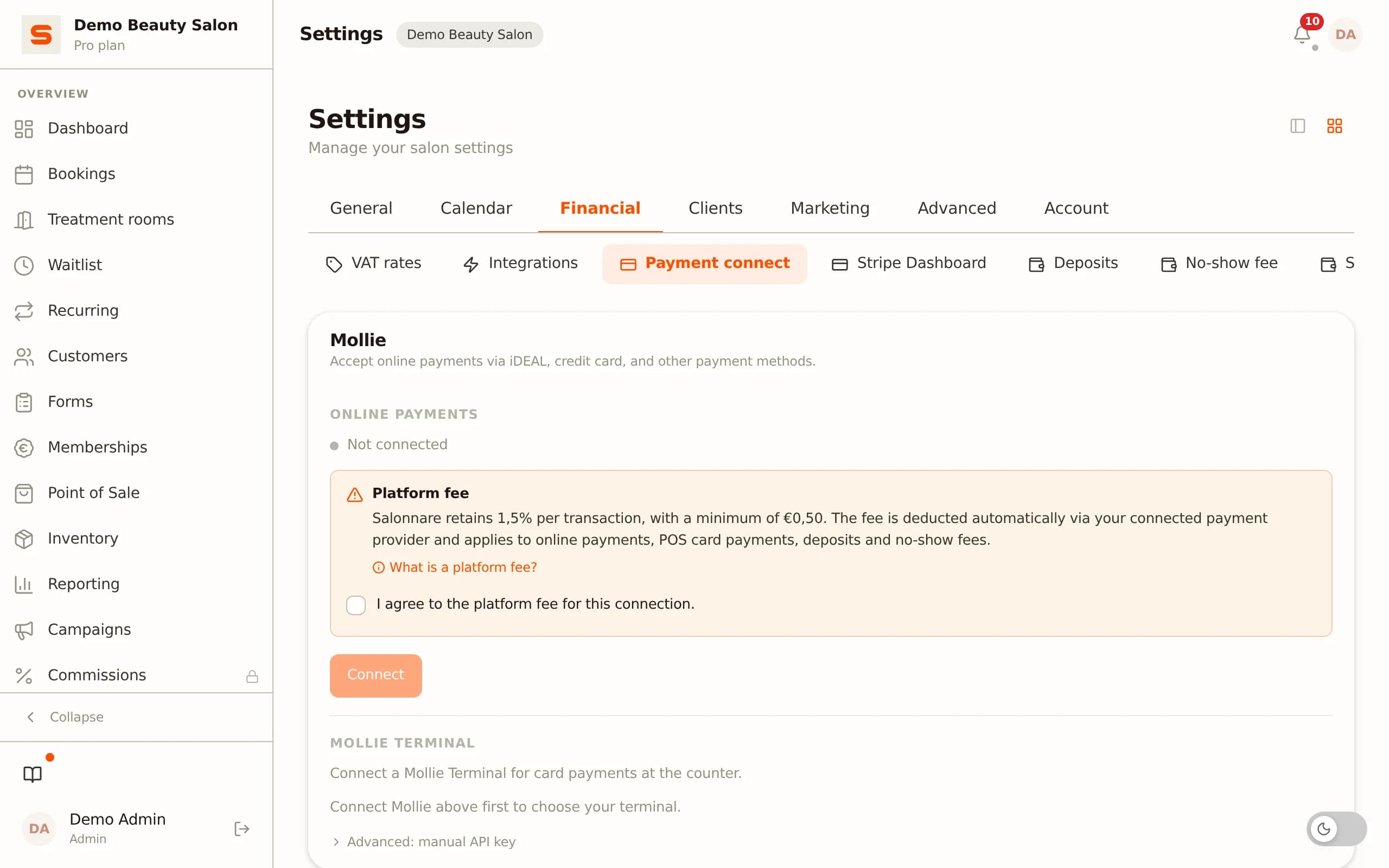
Salon memberships use recurring automatic payments via Stripe. Clients connect their payment method when they sign up - credit card, iDEAL or SEPA direct debit - and the payment runs each period automatically, without any action needed from you or the client.
Connecting Stripe
Before you can activate memberships, connect Stripe to your salon via Settings - Payments. Once Stripe is active, you can create membership plans and collect recurring payments.
iDEAL, credit card and SEPA
Stripe supports all common payment methods used across Europe. At sign-up, the client chooses their preferred method; Stripe handles the rest each billing cycle.
Invoices and payment history
Each automatic payment automatically generates an invoice sent to the client by email. In the Salonnare dashboard you can see the payment status for each membership: paid, pending or failed. No manual record-keeping of who has or has not paid.
Fees
Stripe charges its standard transaction fees for recurring payments. These are deducted directly from payouts; you receive the net agreed amount minus Stripe transaction fees. Salonnare itself runs on a fixed monthly plan price - no percentage per booking or per membership - and membership payments land directly in your own Stripe account rather than in a platform's shared balance.
Per-stylist revenue allocation via Stripe Connect
If your salon works with multiple stylists on a commission basis, Salonnare automatically allocates revenue from membership services to the correct staff member via Stripe Connect Phase A. Revenue is assigned per treatment, so the commission calculation at the end of the month is correct - including for members who visit regularly.
Memberships alongside a loyalty program
Memberships and a loyalty program complement each other. They are two different ways to retain clients - and together they are more effective than either one alone.
What is the difference?
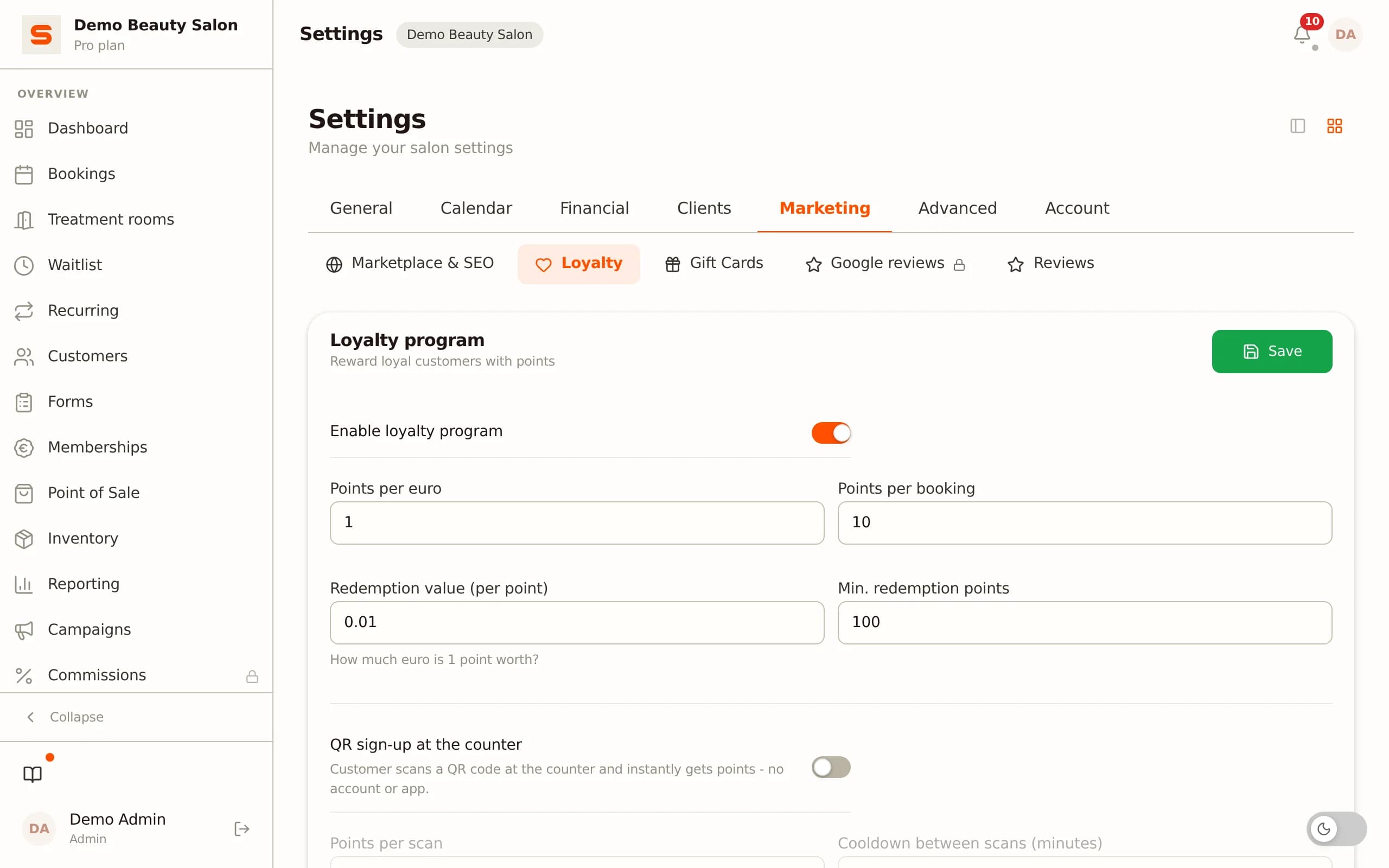
A loyalty program rewards clients after visits and purchases: they earn points for each treatment or purchase, which they can later redeem for a discount or free service. A membership is a prepayment: the client pays a fixed amount each month and receives a set of services in return.
The loyalty program focuses on visit frequency ("your 10th haircut is free"), while the membership focuses on predictable recurring revenue ("you pay monthly, always available").
Members can also earn loyalty points
In Salonnare, clients on a membership can simultaneously earn loyalty points. When a member books their monthly treatment, the system automatically credits the points that apply to that treatment. Loyal clients benefit from both programs at once.
When to use which
- Use a membership for clients who return on a predictable schedule and book the same treatment each time - the same haircut every four weeks, a weekly nail appointment. - Use a loyalty program as an incentive for clients who visit less regularly and you want to encourage to come more often. - Combine both for your most valuable clients: they pay a monthly subscription and earn points they can use towards extra purchases.
Online booking as a member
Members book through the same public booking page as other clients. When they are logged in, the system automatically sees which membership is active and whether treatment credits are still available for that period. No manual check needed at the desk - the system tracks it.
Memberships are part of the Pro plan (EUR 59 per month); loyalty, point of sale and online booking are available on every plan alongside them. You start at no cost on the Free plan (EUR 0, 1 employee and 50 bookings per month) and move to Pro when you want to activate your first membership package - no credit card needed to get started. Start free at salonnare.com/en/free.
Ready to build predictable monthly revenue for your salon?
Start free on the Free plan and upgrade to Pro to set up your first membership package. Includes automatic billing via Stripe, online booking and loyalty program.
Start freeFrequently asked questions
Can clients cancel their own membership?
Yes. Clients can cancel their membership through their account on the booking page. As a salon owner you can also cancel or pause a membership from the client profile in the dashboard. You set the cancellation notice period that applies.
What happens if an automatic payment fails?
Salonnare automatically sends a payment reminder to the client when a direct debit fails. In the dashboard you can see the payment status of all active memberships. You can set how long a membership stays active when a payment is overdue before it is automatically paused.
Can members also earn points through the loyalty program?
Yes. Members who book their monthly treatment automatically earn loyalty points for that treatment. Both programs run at the same time - there is no conflict between an active membership and earning points.
How do I set how many treatments are included per month?
When creating a membership you define per service how many credits are included per billing period. A "monthly haircut membership" might include 1 credit for the "Haircut with wash" service. If a member uses more than the included credits that month, additional treatments are billed as regular one-off appointments.