



POS system for the esthetician: till, calendar and skin file in one
A missed appointment costs an esthetician an hour of treatment time and the revenue that comes with it. Yet a good POS system for an esthetician stopped being just a till a long time ago. In 2026 your checkout is where online booking, deposits, the skin file and VAT admin come together, so you can focus on the treatment instead of chasing your calendar. This article shows which features an esthetician truly needs, how to cut no-shows with deposits and reminders, and what to look for when you want to start without expensive hardware.
What sets a POS system for an esthetician apart

The term Point of Sale (POS) originally refers to the place where a customer pays. A retail till is built to scan products and add them up. That model does not fit a beauty salon. Your revenue mostly comes from treatments - a facial, a peel, a brow treatment - and those have a duration, a practitioner and sometimes a deposit. A generic till knows nothing about that; a POS system for an esthetician is built for it.
The biggest difference is the link between everything. The moment a client books online, the treatment lands in your calendar and the checkout is already prepared when they leave. You never re-type anything and you charge for what was actually booked. That not only saves time at the end of a long day, it also prevents errors in your revenue records.
A second difference is the client profile. Where a retail till only knows amounts, a salon POS records who had which treatment, how the skin reacted and whether a gift card is still open. For an esthetician that is not a luxury but the core of the craft: your advice is only as good as the history you have at hand.
The features an esthetician really needs
Not every system that calls itself 'salon software' was built for the beauty industry. These features make the difference in practice.
An encrypted skin file (GDPR Article 9). As an esthetician you record allergies, skin conditions, medication use and sometimes pregnancy. These are special category health data, which the GDPR treats more strictly than an ordinary client note. Salonnare keeps this data in a separate, encrypted health vault - away from the ordinary client note - so you store it safely and only authorised staff can view it.
Digital intake forms. Before the first visit you send the client a form that is automatically linked to their card. That way you start the treatment prepared, without paper and without re-typing.
Consumables and retail stock. Nothing is worse than discovering mid-facial that a mask has run out. A POS system for an esthetician tracks your stock automatically and separates what you sell at the desk from what you use up in the treatment room. Many modern POS systems send you an automatic alert as soon as a product drops below a set threshold.
Deposits via local payment methods. By asking for part of the payment up front at booking, you raise the barrier to simply not showing up. The payment runs through your own Mollie or Stripe account into your own bank account, and Salonnare charges no marketplace commission per booking - only a platform fee of 0.5% (min. €0.30) per online payment.
Automatic VAT split and export. Services and retail are booked line by line at the correct VAT rate (0%, 9% or 21%). At the end of the quarter you grab a CSV export for your bookkeeper or for tools such as Moneybird or e-Boekhouden.nl. Salonnare delivers the export; you no longer split amounts by hand.
How to protect your calendar against no-shows
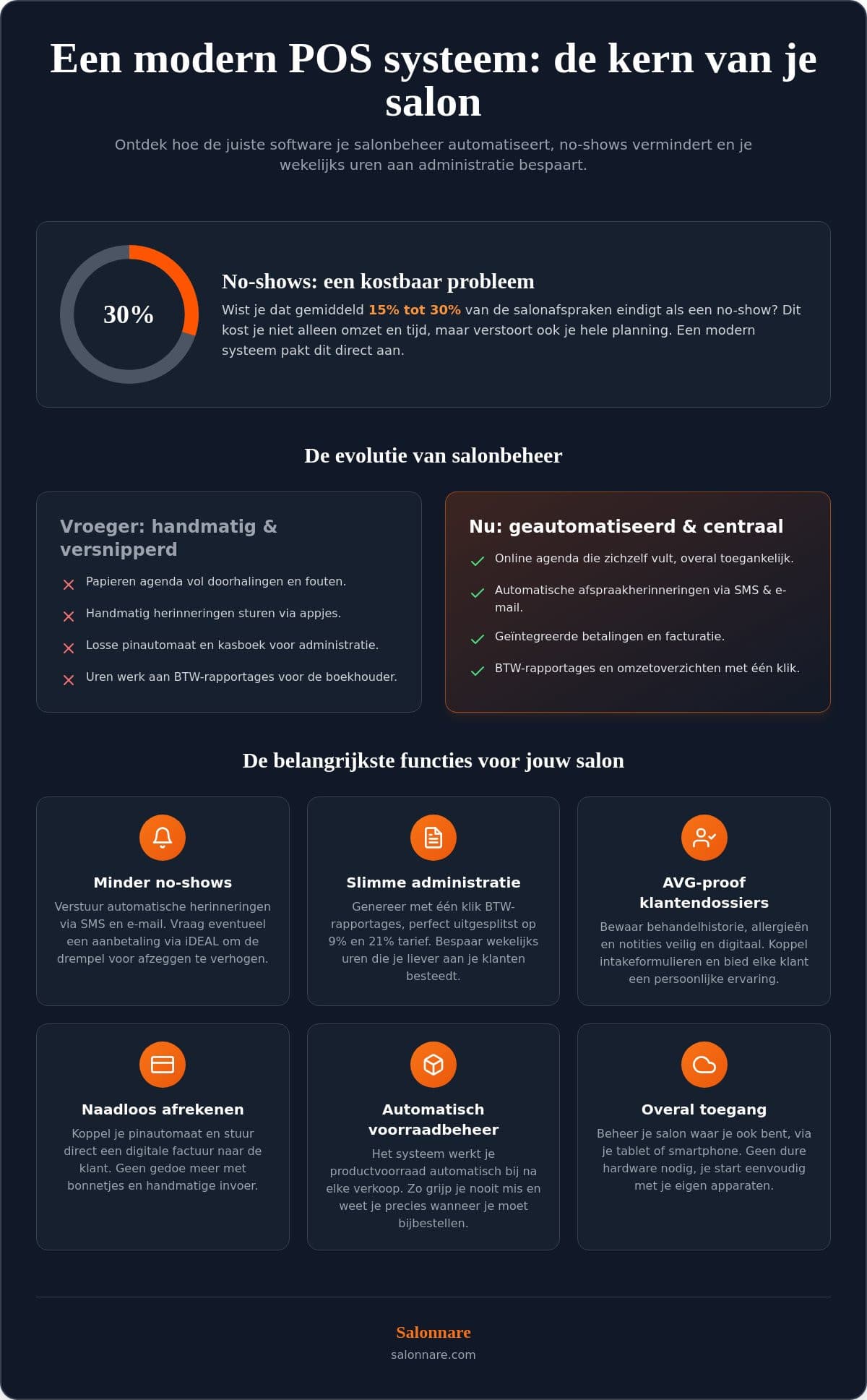
Empty slots from forgotten appointments are a direct cost. A POS system for an esthetician tackles that in two ways.
Automatic reminders. The system sends a reminder by email at the right moment, so the appointment stays top of mind. Clients appreciate the message and your calendar stays full.
Deposits. As soon as someone is financially invested, the appointment gains priority. You decide for which treatments you ask for a deposit or full prepayment. If someone still does not turn up, you handle the no-show under your own terms without an awkward conversation, because everything was agreed up front in the booking flow.
Because your system knows exactly who had which treatment, you can also encourage return visits: a friendly message to clients who have not been in for six weeks for their regular facial. That way you protect not only today's calendar, but next month's revenue too.
Start without expensive hardware: cloud, BYOD and a free plan
Many providers still try to sell you a physical till. In 2026 that is often unnecessary. The most modern systems run entirely in the cloud, so your own iPad, laptop or smartphone is usually enough. Thanks to the BYOD principle (Bring Your Own Device) you use hardware you already own.
Choose a system that grows with you. Just started out as a self-employed esthetician? Then a free entry plan is ideal. With Salonnare you start on the free Free plan (€0, 1 staff member and 50 bookings per month). As your client base grows you move to Starter (€29 per month) or Pro (€59 per month), a fixed monthly price with no marketplace commission per booking. So you know your costs in advance.
A SaaS solution also means you can reach your calendar and files anywhere, that backups and updates happen automatically, and that you can cancel monthly. Want to compare several systems side by side on price and features? Our salon software comparison and the point-of-sale feature page show exactly what you get.
Why estheticians choose Salonnare
Salonnare is a young Dutch platform built specifically for the beauty industry. Instead of a complex system with endless settings, Salonnare combines your calendar, till and client management in one clear dashboard, without you needing to be a technical expert.
Payments without marketplace commission. Local payment methods and cards run through your own Mollie or Stripe account into your own bank account, at a fixed monthly price instead of a percentage per booking - just Salonnare's own platform fee of 0.5% (min. €0.30) per online payment. You also start on a permanently free Free plan, so you go professional without risk.
Safe with sensitive data. Per-staff permissions (RBAC) make sure a colleague only sees what they need, and the skin file with GDPR-sensitive health data sits in a separate, encrypted vault. That way you meet the stricter rules for special category data.
Ready for everyday practice. You work in nine languages with support, sign in with Google, Microsoft, Apple or Facebook (SSO), and use the built-in online booking on your own site and via Google. On the move you have everything at hand through the installable app (PWA).
Want to see how this works for your salon? Explore the beauty salon software or start free with Salonnare today. No credit card needed and you can cancel monthly.
Frequently asked questions about a POS system for estheticians
What does a POS system for an esthetician cost?
Prices vary by provider; many systems start around €20 to €40 per month. Salonnare has a permanently free Free plan (€0) for 1 staff member and 50 bookings per month, so you start professionally with no fixed cost. As your salon grows you choose Starter (€29 per month) or Pro (€59 per month), a fixed monthly price with no marketplace commission per booking.
Do I need special hardware?
No. Salonnare is fully cloud-based and works on any device with internet: an iPad, Android tablet, laptop or smartphone. You use the hardware you already have, so an expensive till is not needed.
Can I import my existing client list?
Yes. You move your client base over easily via an Excel or CSV file, without losing data. Support can help you prepare your file if needed.
Is an online booking widget included?
Yes, online booking is part of the package. You place the widget on your own website or social media, so clients book themselves 24/7. New appointments appear straight in your calendar and double bookings are prevented. You are also findable via Google.
How does the system help with the VAT return?
Every sale is assigned to the correct VAT rate (0%, 9% or 21%). At the end of the quarter you generate an overview and a CSV export that you forward to your bookkeeper or import into tools such as Moneybird or e-Boekhouden.nl. Manual calculation is no longer needed.
How does Salonnare handle sensitive skin data and the GDPR?
Allergies, skin conditions and medication are special category health data under GDPR Article 9. Salonnare keeps them in a separate, encrypted health vault, away from the ordinary client note, and limits access to authorised staff. So you safely record what you need for a good treatment.
Can I sell and redeem gift cards?
Yes. You sell digital and physical gift cards, and the system automatically tracks the remaining balance on partial redemption. So you always have an overview of outstanding credit.
How does the deposit payment link work?
The payment link runs through a provider such as Mollie or Stripe into your own bank account. You decide whether you ask for a deposit or full prepayment. As soon as the client pays in the widget, the appointment is confirmed and the amount appears in your till overview. Salonnare charges no marketplace commission per booking - only a platform fee of 0.5% (min. €0.30) per online payment.