



Migrating from Treatwell to self-hosted salon software: the complete guide
Treatwell is a strong acquisition channel. Its marketplace puts your salon in front of new clients searching for treatments, and you only pay a commission - 35% - on each new client's very first booking. Every repeat booking after that is commission-free, and so is every booking you bring in yourself (phone, WhatsApp, your own website or social "Book now" button). On top of that sits a €35/month subscription, billed monthly and cancellable monthly. While your agenda still has gaps to fill, that is a fair deal: you pay for results, not for empty promises. The honest reason to reconsider comes later. Once your client base is mostly loyal repeats, you are paying a monthly fee for marketplace acquisition you may no longer need - and Treatwell, not you, owns the reviews, the brand visibility and the payment flow. This guide walks through that decision for European salons: what Treatwell really costs, what data you can extract, how to migrate without losing clients, and what tradeoffs to expect in the first three months after the switch.
What does Treatwell really cost per month?
It helps to understand exactly how Treatwell charges, because the model is fairer than salon owners often assume - and that is precisely why the decision deserves a clear head.
There are three components. One: a flat subscription of €35/month, billed monthly and cancellable monthly. Two: a 35% commission, but only on the first booking of a genuinely new client who found you through the Treatwell marketplace. Every repeat booking by that client (within 365 days) is 0%, and every booking you generate yourself - phone, WhatsApp, your own site - is also 0%. Three: a transaction fee of roughly 2% on online prepayments. So the 35% is an acquisition fee (a finder's fee for delivering a new client), not a tax on every appointment.
Now the honest comparison. Salonnare is a flat fee - Free at €0/month or Pro at €59/month - with no marketplace commission on any booking; the only charge is a 0.5% platform fee (min. €0.30) on each online or card payment. You connect your own Mollie account, so on top of Mollie's own rates (iDEAL costs roughly €0.29 flat per transaction) only that platform fee is added, well under Treatwell's ~2% prepayment fee, and the money lands directly in your bank account. You also get your own commission-free marketplace listing on Salonnare (/salons).
Whether you save money depends on how much you currently lean on Treatwell's marketplace: if that 35% acquisition fee is a meaningful line on your statement, building your own acquisition (Google, Instagram, your own marketplace listing) alongside a flat monthly fee will save money. If you barely use the marketplace and most bookings are repeats or direct, the gain is mainly about ownership - your reviews, your brand, your payment flow - plus a free or predictable flat plan instead of a per-acquisition charge.
What data can you extract from Treatwell?
Before you can move, you need to know what you keep. Treatwell exports the following via CSV from your dashboard: customer records (name, email, phone, notes, tags), booking history for the past 12 months, service menu with prices, staff schedules, and inventory levels.
What you cannot take: marketplace reviews belong to Treatwell and disappear from your profile on cancellation, payment history (individual transaction records are not exportable via UI - request via support for audit purposes), and marketplace-origin analytics (which campaigns drove which bookings).
For booking history older than 12 months, submit a support ticket - turnaround is 3-5 business days. Plan this early so you have extended history before cancellation date.
Note for EU GDPR: all exported customer data must be re-imported into a system with equivalent data-processing safeguards. Treatwell is UK-based; moving to an EU-native, Netherlands-based alternative keeps your data in the EU, which can simplify your processor register - document the export/import in your audit trail either way.
Exporting data from Treatwell: step by step
Log in at pro.treatwell.com. Navigate to Settings → Data Export. Download CSV for each tab: Customers, Bookings, Services, Staff. Open each file in Excel or Google Sheets to verify completeness - check for pagination cutoffs, missing phone numbers on verified-only records, and VAT-rate discrepancies in the service prices.
For extended booking history (beyond 12 months), open a support ticket via the help icon: "Request extended booking export up to [specific date]." Response typically takes 3-5 business days and arrives as a ZIP containing additional CSV files.
Store all exports in at least two places: local machine and a cloud backup (Google Drive, iCloud, etc). You may need these as reference during the first weeks after switching.
Migration to Salonnare (or another EU-native alternative)
Create a free Salonnare account at /free - no credit card, 1 staff member and 50 bookings/month free indefinitely. The onboarding flow offers a CSV importer that automatically recognizes Treatwell column headers. You map fields in a visual interface - "FirstName" becomes "Voornaam/First name" if desired, "PhoneNumber" maps to "Phone", and so on. After import, spot-check: search for 10 random clients in Salonnare and verify contact details, tags, and notes carried over.
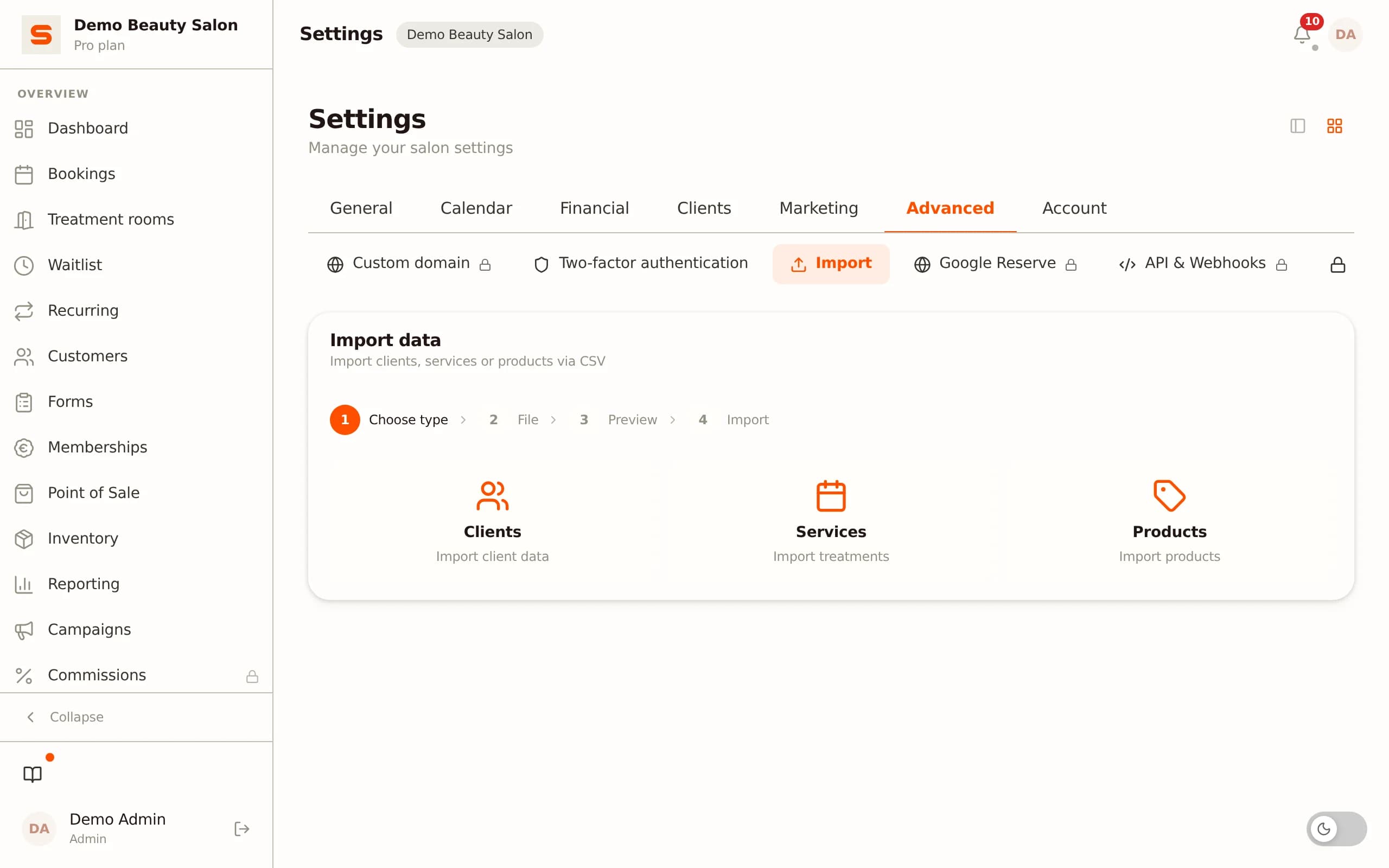
Services are imported next, but because Treatwell enforces mandatory category structure and Salonnare is more flexible, most salons recreate the service menu manually - allow 60 minutes for this. Use the opportunity to add package services or add-ons you could not model in Treatwell. Connect your own Mollie or Stripe account via Settings → Payments → Connect. The OAuth flow takes one minute: log in to Mollie, authorize Salonnare, and from that point iDEAL and card payments land directly in your own bank account. Transaction fees are whatever you negotiated with Mollie, plus Salonnare's own platform fee of 0.5% (min. €0.30) - not a Treatwell-style markup.
Notify clients and cancel Treatwell
Two weeks before switchover, email your full client list: "Our booking system has been upgraded - from [date] book via this new link." Keep the tone personal - a short explanation that you are managing bookings independently now, plus the new booking-widget link. Salonnare has a campaign module to send this to your imported customer list in one click.
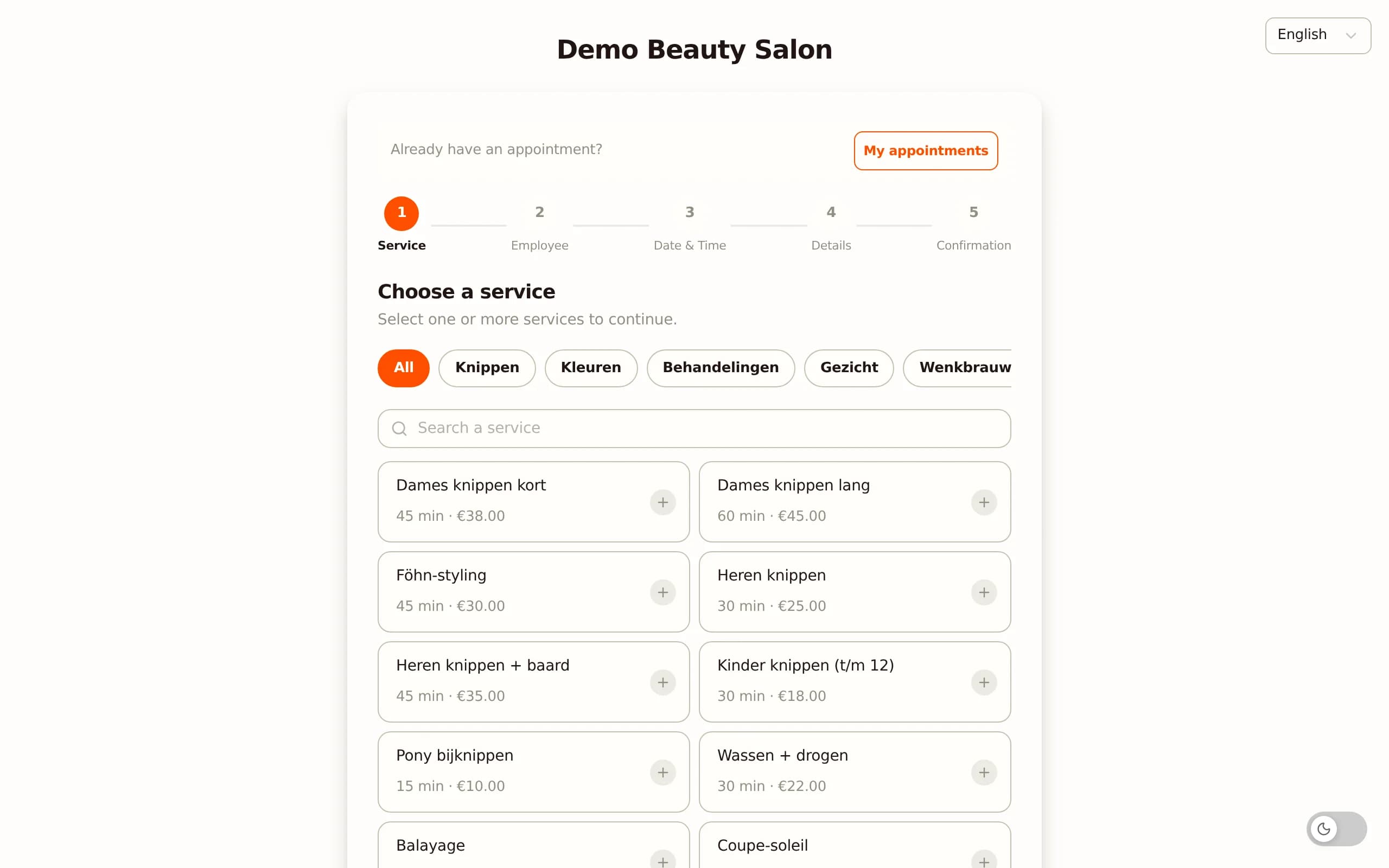
Simultaneously update Google Business Profile "Book online" URL, Instagram bio link, and any WhatsApp Business quick-links to point at the new widget. For Treatwell cancellation: Settings → Subscription → Cancel. Treatwell requires one month notice, confirmed in writing via email. Keep the old account active in parallel for 30 days so you can look up historical bookings and respond to edge-case client questions ("which color did I get last visit?"). After 30 days, cancel definitively and archive your final export. Total active work for the migration is typically one working day: four hours for data import and configuration, two hours for client communication preparation, and a day of elapsed time for client emails to land.
What changes in your daily workflow after three months?
Concrete shifts that salons report after moving from Treatwell to self-hosted software.
One: client relationship visibility returns. Treatwell gives you bookings but limited context. Your own software provides: automatic rebook reminders based on treatment history, rich per-client notes ("allergic to ammonia", "always orders a cappuccino on arrival"), and segmented marketing campaigns (birthday emails, lapsed-client re-engagement).
Two: your brand becomes visible again. Clients booking via Treatwell primarily recognize the Treatwell brand, not yours. Post-switch, your name, your design, and your domain appear in every confirmation email and reminder - which often helps you win more direct bookings via Google and Instagram because clients now know your site exists.
Three: no-shows drop significantly. Your own booking-deposit flow collects a percentage or fixed amount upfront via iDEAL, Apple Pay or card at booking time - kept automatically if the client no-shows, credited against the final bill otherwise. You set the rules, so the deposit can be as flexible as your salon needs. Deposits via iDEAL are particularly effective in the Netherlands, where iDEAL is the dominant online payment method. Salons implementing this see their no-show rates drop sharply.
Four: you own your acquisition. Once you stop paying the 35% commission on each new marketplace client and start bringing those clients in yourself, that acquisition spend turns into channels you control. Combined with a flat monthly fee instead of a per-acquisition charge, more of every new client's lifetime value stays in your business - without your gross revenue having to rise.
Treatwell vs Salonnare - cost model and ownership compared
| Treatwell | Salonnare | |
|---|---|---|
| Subscription | €35/mo (€420/yr) | Free €0 / Pro €59 (€708/yr) |
| Commission on new marketplace client | 35% of first booking | 0% (own commission-free marketplace) |
| Commission on repeat/direct bookings | 0% | 0.5% platform fee (min. €0.30) |
| Online prepayment fee | ~2% | Your own Mollie (~€0.29 iDEAL flat) + 0.5% platform fee (min. €0.30) |
| Reviews | Platform | Your salon (Google) |
| Client relationship | Shared with marketplace | Exclusive |
| Own payment processor | ✗ | Yes (Mollie/Stripe OAuth) |
| Languages | - | NL/EN/DE/FR/ES |
| Cancellation | Monthly | Monthly |
Ready to reclaim your client relationship?
Start free with Salonnare - 1 staff member, 50 bookings/month, iDEAL and SEPA native, no credit card required. CSV migration help included. Curious about the tech? Read the technical case study on vaniersel.dev.
Start freeFrequently asked questions
Can I bring Treatwell reviews to my new platform?
No. Treatwell reviews remain Treatwell property and disappear from your public-facing profile on cancellation. The workaround is to start collecting Google Business reviews in parallel before the switch - Salonnare has automatic post-appointment review requests pointing directly at Google Business, which is more valuable long-term than a marketplace-locked review pool.
How long does the full migration take?
For a salon under 2,000 clients and fewer than 100 bookings/week: one working day of active work plus two weeks of client-communication elapsed time. Larger salons or multi-location setups typically plan one week with vendor support.
What happens to outstanding Treatwell gift cards or balances?
Export them from Treatwell as CSV before cancellation and manually import as credits into Salonnare. Email affected clients an overview confirming that their balance carries over, and keep a record of each transferred balance in your client files for reference.
Will my regular clients find me without Treatwell marketplace?
Regulars will - they have your name, phone, WhatsApp. New clients previously sourced through Treatwell search you replace via: Google Business Profile (a dominant source for local searches), Instagram with direct booking link, and optionally Google Ads on brand + "hair salon [your city]". Expect a temporary dip in new-client intake during the first 2-3 months; after that point, saved commission funds organic acquisition channels comfortably.
Can I test Salonnare before canceling Treatwell?
Yes - this is the recommended path. Use Salonnare Free (€0/month, 1 staff, 50 bookings) in parallel with Treatwell for 30 days. Configure services, test CSV imports, and refine workflow before canceling. Upgrade to Starter (€29) or Pro (€59) once you are confident in the transition.