



Migrating from Salonized in 2026: when it is smart and when it is not
Salonized is a solid Dutch salon software - worth saying up front. The platform has been around for over a decade, serves thousands of salons in the Netherlands and beyond, and ships a serious feature set: iDEAL-native payments, VAT-accurate POS, memberships, marketing tools and multi-location support. Most salons running Salonized have no reason to leave, and this article is not "why Salonized is bad", because it is not. This guide is for the specific group of salons who are looking at alternatives for good reasons: growing businesses that want a permanent free plan to trial the software first, multilingual salons that want support in DE/FR/ES, or solo operators who prefer a more modern V2 design. If any of that resonates, here is how to weigh the decision and how to execute the switch without losing your membership clients along the way.
When NOT to leave Salonized
An honest list. Stay with Salonized if:
your team uses the interface fluently. Switching tools costs one to two weeks of friction per staff member; if your POS is handled by five people of mixed technical comfort, the switching cost is high.
You run serious memberships. Salonized has recurring SEPA billing wired in cleanly; moving that data to a new system means clients have to re-authorise their mandates - realistically a 10-20% drop in active memberships.
You are happy with the price. Salonized Basic starts at €35/month (1 employee) - not cheap, but for salons with 3+ staff you are typically already on a Pro tier that covers every feature; switching purely to save money is rarely worth the cost.
You have more than 5 years of history in the system. Client files with 5+ years of notes, treatment history and consent logs are hard to move in full - some fields simply do not export. If that history is your crown jewel, stay put.
When it DOES make sense to switch
Concrete situations where a move pays off.
You want to trial software alongside your current stack. Salonized only offers a 14-day trial, not a permanent free plan, so running in parallel for longer (standard practice during tool switches) means paying from day one. Salonnare Free (€0, 1 staff member, 50 bookings/month) is permanent and lets you trial risk-free for as long as you need.
You serve a multilingual client base. Salonized support and UI are primarily NL/EN. If you have German, French or Spanish clients or staff, Salonnare (5 languages natively) or an international platform is a better fit.
You want to connect your own Stripe or Mollie. Salonnare supports full OAuth connection to your own Stripe or Mollie account so iDEAL and card payments land directly in your bank account, with no platform markup. Salonized supports your own Mollie account but not Stripe; Salonnare adds Stripe and full OAuth for both, giving you more freedom in choosing your processor.
You prefer a more modern interface. This is purely subjective, but some owners simply prefer a fresher look, and Salonnare ships a modern 2026 design. If design quality is part of your brand (high-end market, younger staff), try both side by side.
The Salonized price hurts as a solo starter. A sole trader with 20 bookings a month already pays from €35/month on Salonized; on Salonnare Free that is €0. For starters this is often the difference between surviving the first year and not.
Feature-parity check
For the actual decision: which features disappear and which are covered.
Online booking: both have a 24/7 widget + embed. POS with 21%/9% VAT split: both native. iDEAL + your own Mollie/Stripe: Salonized supports your own Mollie but not Stripe, Salonnare supports both Mollie and Stripe via OAuth. Multi-location: Salonized is on a higher tier (Pro + per-employee add-ons), Salonnare is still in development (coming soon). Memberships + SEPA: Salonized is more mature, Salonnare has it (Pro) but is younger. Loyalty / points: both.
Multilingual client communication: Salonized NL/EN, Salonnare NL/EN/DE/FR/ES. Google reviews automation: both. Reporting: Salonized is very deep (a real advantage for data-driven salons), Salonnare is solid but less deep. Integrations (Moneybird - Dutch accounting software, Exact): Salonized has had them longer, Salonnare rolled out more in 2026.
Bottom line: for solo and small salons Salonnare covers everything; for chains with 5+ locations where memberships are the core revenue stream, the Salonized depth is noticeable.
Exporting data from Salonized: do it on a quiet day
Log into your Salonized dashboard. Go to Settings → Export. Available exports: clients (including notes, tags, birthdays), services + prices, staff, inventory, appointment history (12 months by default), and gift card balances.
For older appointment data, raise a support ticket; they can usually send a ZIP going back up to 5 years within 3-5 business days.
Critical things NOT to forget: Membership data. Salonized exports active memberships with price and SEPA mandate reference, but NOT the full payment transaction history. Before the export, make a note of: how long each membership client has been active, how often they have paid, and whether their SEPA mandate is still valid.
GDPR consent logs. Every client has a marketing consent timestamp - it comes through in the CSV, but make sure you carry the `marketing_consent_at` column across to the new system. Without that field you have to re-ask clients for consent, which leads to painful drop-off.
Reviews. Google reviews live with Google (not Salonized), so they follow you to your new booking system as long as your GBP stays unchanged. Salonized internal reviews (if you use them) stay there.
Migrating to Salonnare (or another alternative): the 8 steps
Step 1: create a free Salonnare account via /free. Step 2: CSV import of clients - Salonnare recognises Salonized column names, mapping takes roughly 15 minutes.
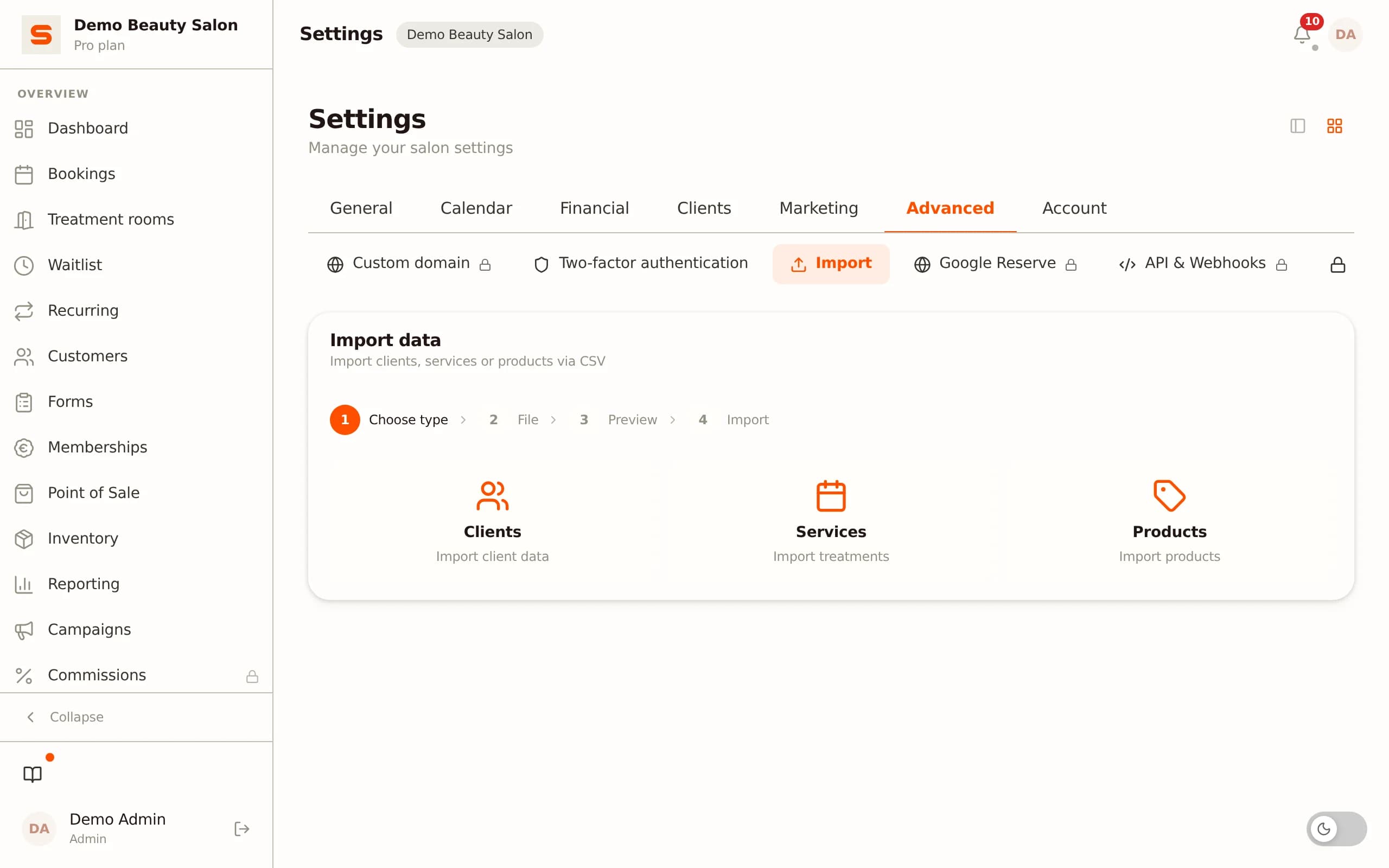
Step 3: rebuild services + prices manually; a good moment to clean up your menu. Step 4: create staff, transfer schedules. Step 5: connect Mollie or Stripe via Settings → Payments. Step 6: set up memberships one by one - clients receive an email ("Your membership has moved to our new system, click here to re-authorise your SEPA mandate"). Expect 10-20% drop-off; so communicate the reason (not "we are cheaper" but "better platform, same service"). Step 7: update the widget on your site + Google Business + Instagram.
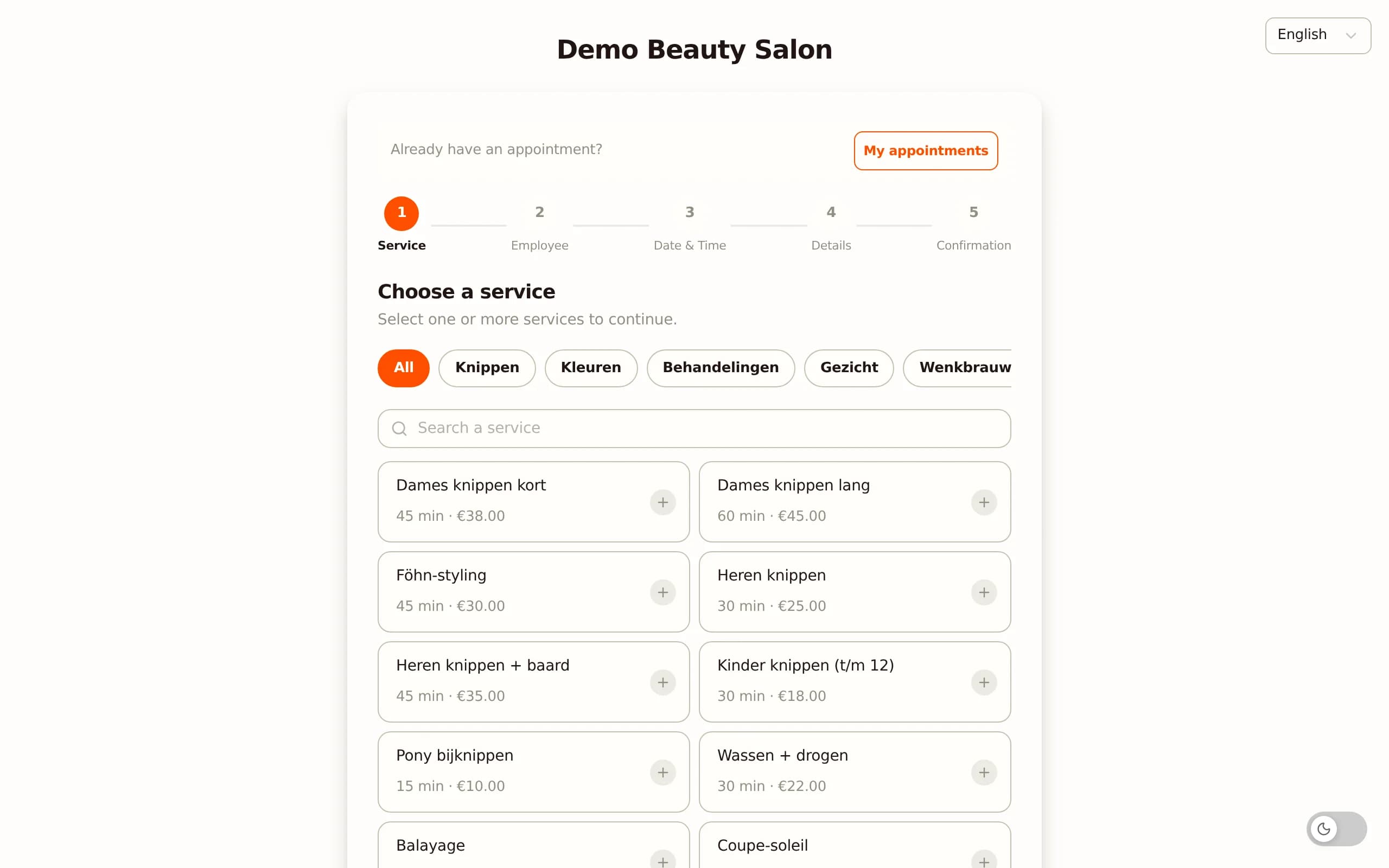
Step 8: leave Salonized running for 30 days in parallel for historical lookups. Salonized is month-to-month cancellable via Settings → Subscription → Cancel. Realistic time budget: 6-10 hours of active work spread across a working week. The biggest time sink is rebuilding memberships by hand - if you have more than 50 active memberships, block out a full day for that.
Transition risks and how to mitigate them
Being honest: a Salonized-to-elsewhere switch has risks that a Treatwell or Fresha switch does not.
Membership attrition: 10-20% drop-off is normal. Mitigation: send a heads-up email up front, offer a small discount for quick re-authorisation ("10% off your first month if you re-confirm within 7 days"), and make sure the new flow is equally intuitive.
Accounting continuity: the Salonized export to Moneybird or Exact is already set up. With new software that connection has to be rebuilt. Salonnare offers CSV export for both Moneybird and Exact Online; before you switch, check whether your accounting stack is supported.
Client familiarity: regular clients recognise your Salonized widget on your site; after a switch the site looks "different" which sometimes generates support tickets ("is your site broken?"). Pre-empt this with a simple banner on your site: "Our booking system has been upgraded."
Outstanding gift cards: export gift card balances and import them as client credits in Salonnare. Send a personalised email confirming the balance.
Reviews on the Salonized internal system: if you use the Salonized reviews module (not GBP), those disappear. Switch first to Google Business review requests (Salonnare does this natively) before you cancel, so your review volume does not collapse during the transition.
Salonized vs Salonnare - feature matrix
| Salonized | Salonnare | |
|---|---|---|
| Free tier | 14-day trial only | Yes (€0, 1 staff, 50 bookings) |
| Starter price | €35/mo (Basic) | €29/mo |
| Pro price | €55/mo | €59/mo |
| Own Mollie/Stripe | Own Mollie (no Stripe) | Mollie + Stripe (OAuth) |
| Multilingual UI + support | NL/EN | NL/EN/DE/FR/ES |
| Memberships + SEPA | Mature | Solid (Pro) |
| Stripe connection (OAuth) | No (Mollie only) | ✓ |
| Reporting | Deep | Complete |
| Modern UI | Established / classic | Modern V2 (2026) |
| Multi-location | Higher plan | Coming soon |
| Google reviews automation | ✓ | ✓ |
| Month-to-month cancellable | ✓ | ✓ |
Want to trial for free before you cancel Salonized?
Salonnare Free (€0, 1 staff member, 50 bookings/month) is built for exactly this kind of parallel trial. Connect your own Mollie, import clients via CSV, and compare the real workflow before you commit to the switch. Curious about the tech? Read the technical case study on vaniersel.dev.
Start freeFrequently asked questions
Is Salonnare really cheaper than Salonized?
For starters: yes, clearly (€0 vs €35/mo). For mid-sized salons (3-5 staff): comparable (€59 vs €55/mo for Pro). At Pro level the two are close on price - the Salonnare edge is the permanent free plan, Stripe support, 5 languages, per-employee permissions (RBAC), the encrypted GDPR health-data vault and SSO, not the raw Pro price. For chains with 5+ locations and heavy membership usage, Salonized can be cheaper thanks to deeper integrations. Run the numbers per salon.
Can my membership clients be migrated automatically?
No - no platform can do this. SEPA mandates are legally tied to the receiving party. Clients have to re-authorise on the new platform - typically via an email link they fill out in 30 seconds. Plan at least 3-4 weeks of communication around the switch so everyone has time to re-authorise before the cutoff.
Is the Salonized UI really dated, or is that subjective?
It is subjective. Salonized has a clean, established interface that has worked well for many salons for years. Salonnare ships a more modern 2026 design, but modern UX is not automatically better if your team feels no friction. Trial both side by side before you decide.
What about Salonized integrations (Moneybird, accounting)?
Salonnare offers CSV export for both Moneybird and Exact Online for now. For rarely used integrations (e.g. specific loyalty platforms), check in advance whether the new system supports it directly or can connect via Zapier/Make.
How long does the complete switch take?
For a solo salon without memberships: 4-6 hours of active work + 1 week of client communication. For a 3-staff salon with 20+ memberships: 10-15 hours of active work + 3-4 weeks of lead-up communication. Larger chains typically plan 4-8 weeks including team training.