



Migrating from Davinci in 2026: honest comparison and step-by-step guide
Da Vinci SalonSoftware has been a trusted name in the Dutch salon industry for years and is widely regarded as the market leader. It is full cloud software: you work through your browser on a laptop, tablet or phone, with a built-in online appointment book and a point of sale, from €27.95 per month and cancellable monthly. Even so, it pays to compare from time to time. Perhaps you want to start for free, an interface in several languages, payments that land directly in your own account, or a fixed monthly price with no marketplace commission on your bookings. This article offers an honest assessment - not a sales pitch - comparing when you are better off staying with Da Vinci and when switching to Salonnare makes sense, with a step-by-step migration plan included.
When to stay with Da Vinci
Honesty first: there are good reasons not to switch.
You are happy and well settled in Da Vinci
Da Vinci is the market leader in the Netherlands with an extensive, mature feature set. If everything runs smoothly and your team works comfortably with it, there is no reason to switch for the sake of switching.
You rely on specific Da Vinci features or integrations
Have you set up workflows, reports or integrations that work exactly the way you want? Then carefully weigh whether another system covers that one-to-one before you move.
Your team has limited IT affinity
Switching takes adjustment. If your staff currently navigate the familiar interface smoothly, the learning curve of a new system is a real investment of time. Allow one to two weeks per team member.
Your appointment book is still building and your client base is small
Fewer than 100 active clients and still building your regular clientele? There is no urgent reason to switch now. Build your base first.
You work entirely in Dutch and do not need a multilingual interface
Da Vinci is fully in Dutch. If you only work with Dutch-speaking clients and colleagues, a multilingual interface is not a reason to switch.
When switching does make sense
There are concrete situations where the balance shifts.
You want to be able to start for free
Da Vinci offers a free trial, but after that a paid subscription from €27.95 per month. Salonnare has a permanently free tier (€0): one staff member and 50 bookings per month. Ideal if you are just starting out or want to test calmly with no end date.
You want an interface in several languages
Salonnare is available in Dutch, English, German, French and Spanish - handy for international clients or a multilingual team. Da Vinci is Dutch-language.
You want payments directly into your own account
Salonnare connects via OAuth directly to your own Mollie or Stripe account. Payments land directly in your business account - no platform intermediary, no waiting times.
You want a fixed monthly price with no marketplace commission on your bookings
Salonnare charges a flat monthly amount - Free €0, Starter €29 or Pro €59. No marketplace commission on your bookings or per booking; every online or card payment carries only a 0.5% platform fee (min. €0.30). The price you see is the price you pay, plus that platform fee on payments.
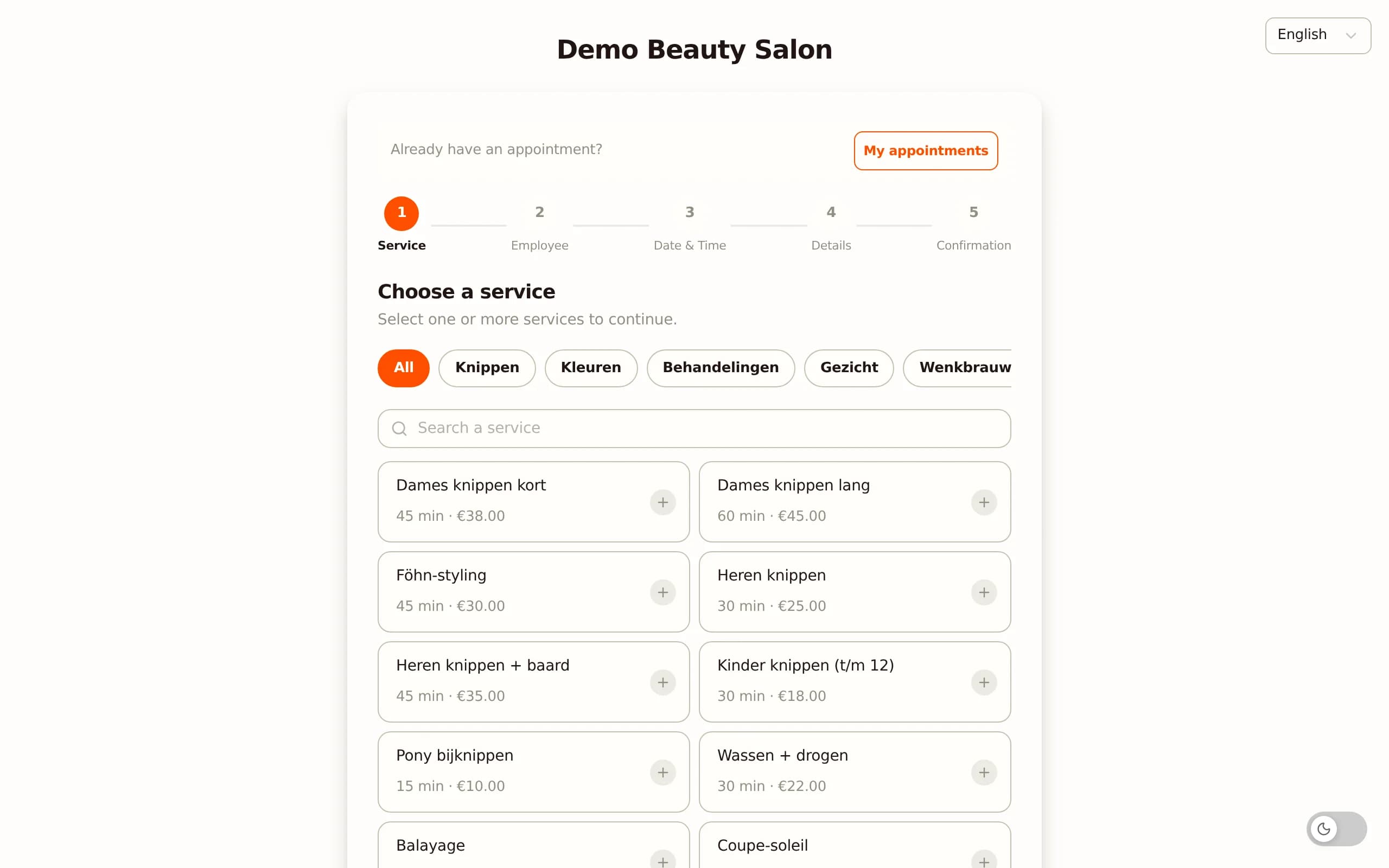
You want to set deposits and no-show fees per service
In Salonnare you set a deposit amount or no-show fee per treatment. Clients who book online immediately see the policy for that specific service, and on a no-show Salonnare collects automatically via Mollie or Stripe.
You want to be able to export client data at any time
In Salonnare you export all client data whenever you want as CSV. That keeps your data fully in your own hands and means you are never locked in.
What Salonnare offers that you already know from Da Vinci
Not losing valuable features during the switch is the minimum requirement. Here is what you will find.
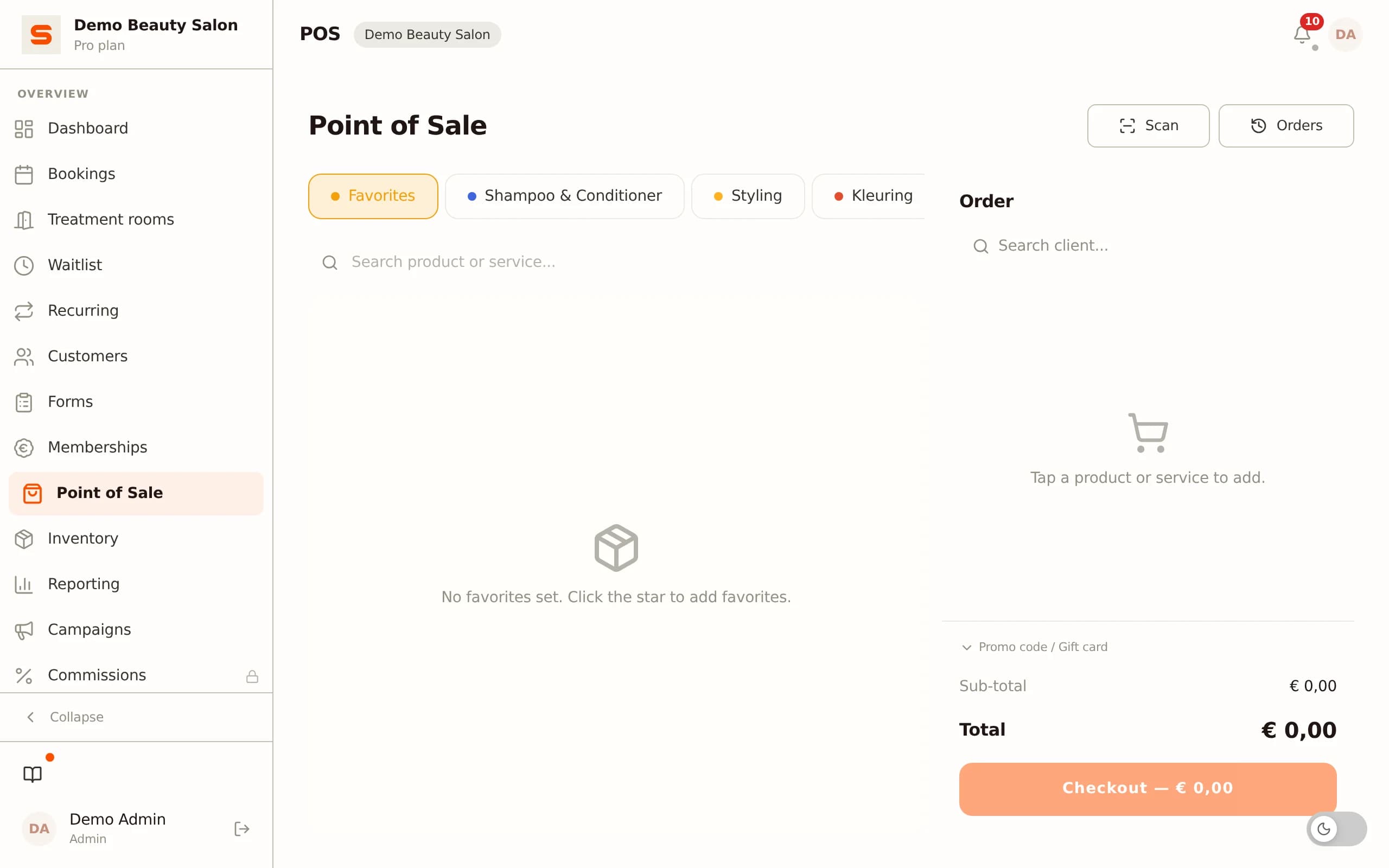
POS with VAT split
Salonnare has a full point-of-sale system with native VAT splitting. You sell services and products from the same checkout, with receipt printer support.
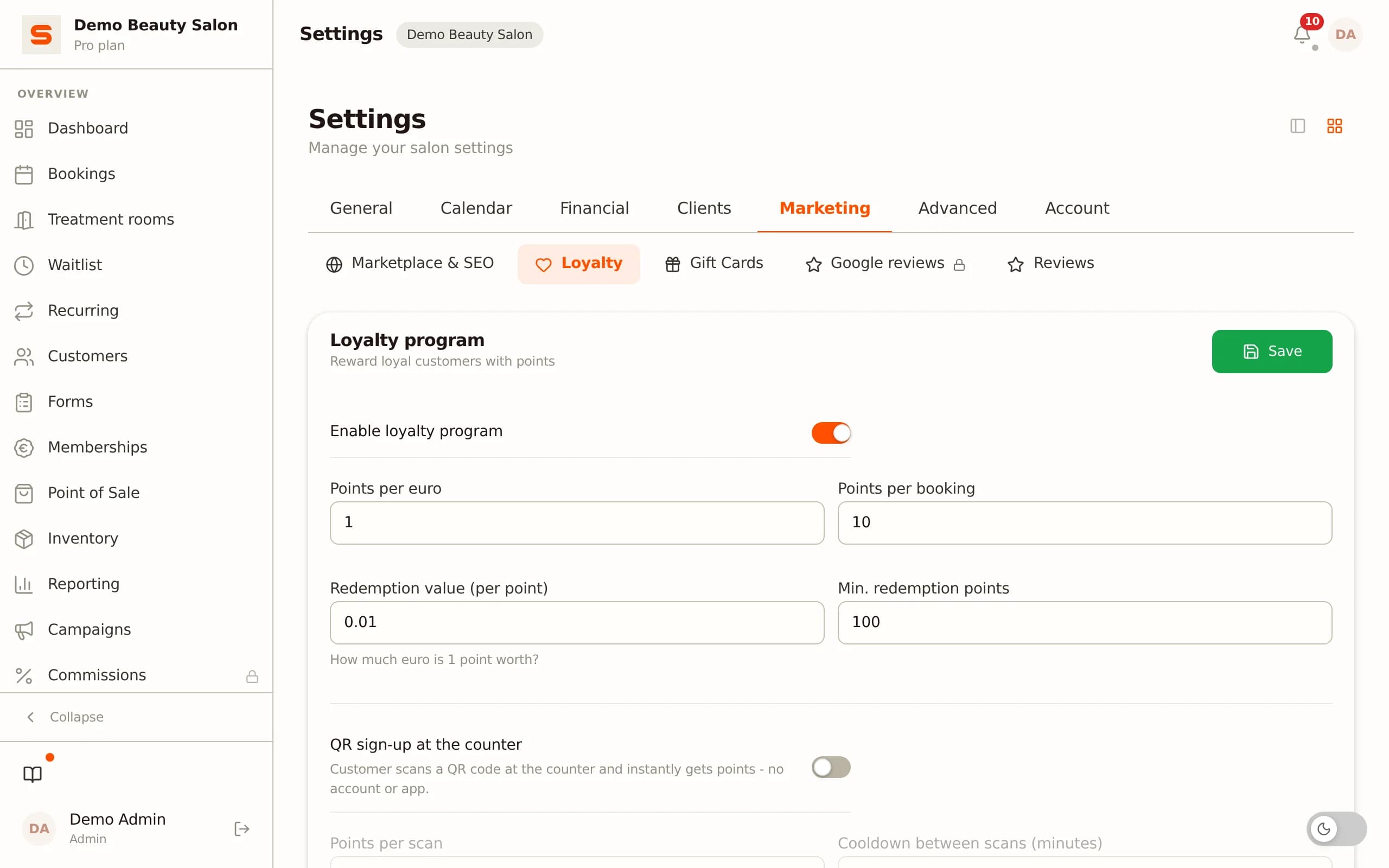
Loyalty programme
Rewarding regular clients with a points system is fully configurable in Salonnare: points per euro spent, redemption threshold, expiry date.
No-show fees per service
Set a deposit amount or no-show fee per treatment. Clients who book online immediately see the policy for that specific service. Salonnare collects automatically via Mollie or Stripe on no-show.
Inventory management and product sales
Create products, track stock levels and set low-stock alerts - all standard in Salonnare. Products are sold directly from the POS.
Staff management and schedules
Add staff members, set availability per day, and link services to specific stylists. Clients choose their preferred stylist when booking.
Gift cards
Generate gift cards, send them by email and process them directly at checkout - fully built in, no extra subscription needed.
Exporting client data from Da Vinci and importing into Salonnare
Migrating client data is one of the most practical hurdles. Here is how to handle it.
Exporting from Da Vinci
Da Vinci is online software with a client and export function. Via the client section you export your client database to CSV or Excel. The data you want to bring over: name, email address, phone number, date of birth and where possible treatment history. If you cannot find it, check the help function or contact the Da Vinci helpdesk.
What you may not get
Internal treatment notes stored per stylist are sometimes not exportable in a generic format. Before you migrate, manually spot-check your top 100 clients: are all relevant notes included? If not, export those manually before switching.
Importing into Salonnare
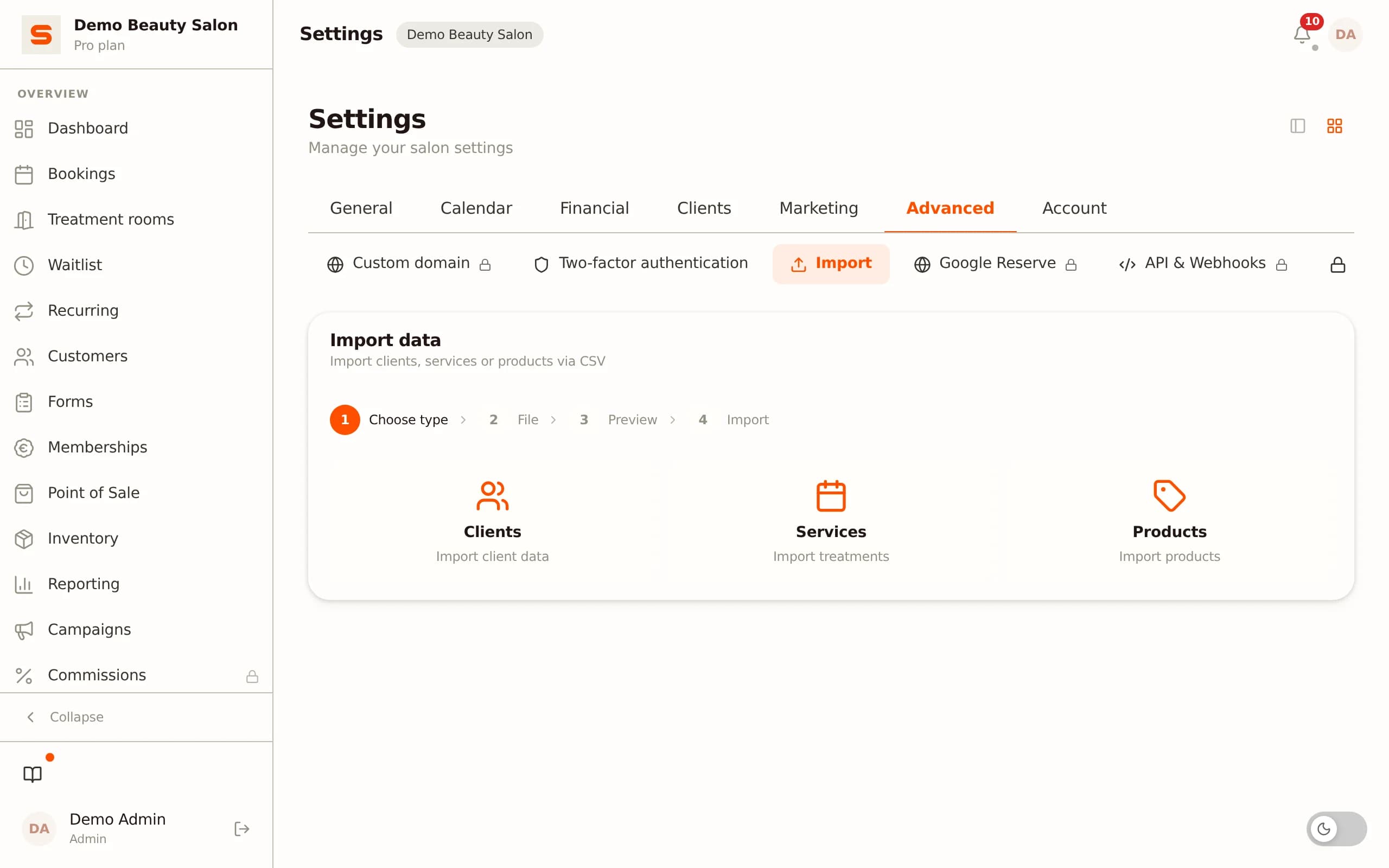
Salonnare's CSV import tool accepts the standard columns name, email and phone number. Upload the file via Settings - Import clients, map the columns in a visual step, and all clients are immediately in your new system.
Historical appointments
Historical appointments are not transferable as calendar items. They are not needed for the daily operation of your new system. Your clients simply book again via the new link.
Migrating from Da Vinci to Salonnare in 6 steps
The migration process is manageable if you tackle it in the right order. Budget three to six hours spread over a working week.
Step 1: create a free account
Go to salonnare.com/en/free and create a free account. No credit card needed. Your salon runs immediately on its own subdomain.
Step 2: enter services and prices
Enter your treatment menu. This is a good moment to clean up: remove services you no longer offer, set VAT rates per service, and set the correct duration per treatment so that automatic scheduling works correctly.
Step 3: add staff and set schedules
Add your staff members and set working hours. Salonnare links availability directly to the booking page: clients can only book in open slots.
Step 4: import clients
Export from Da Vinci and upload the CSV into Salonnare. Map name, email and phone. After the import, spot-check ten clients for completeness.
Step 5: connect payment methods
Go to Settings - Payments and connect your Mollie or Stripe account via OAuth. iDEAL, credit card and other payment methods work immediately.
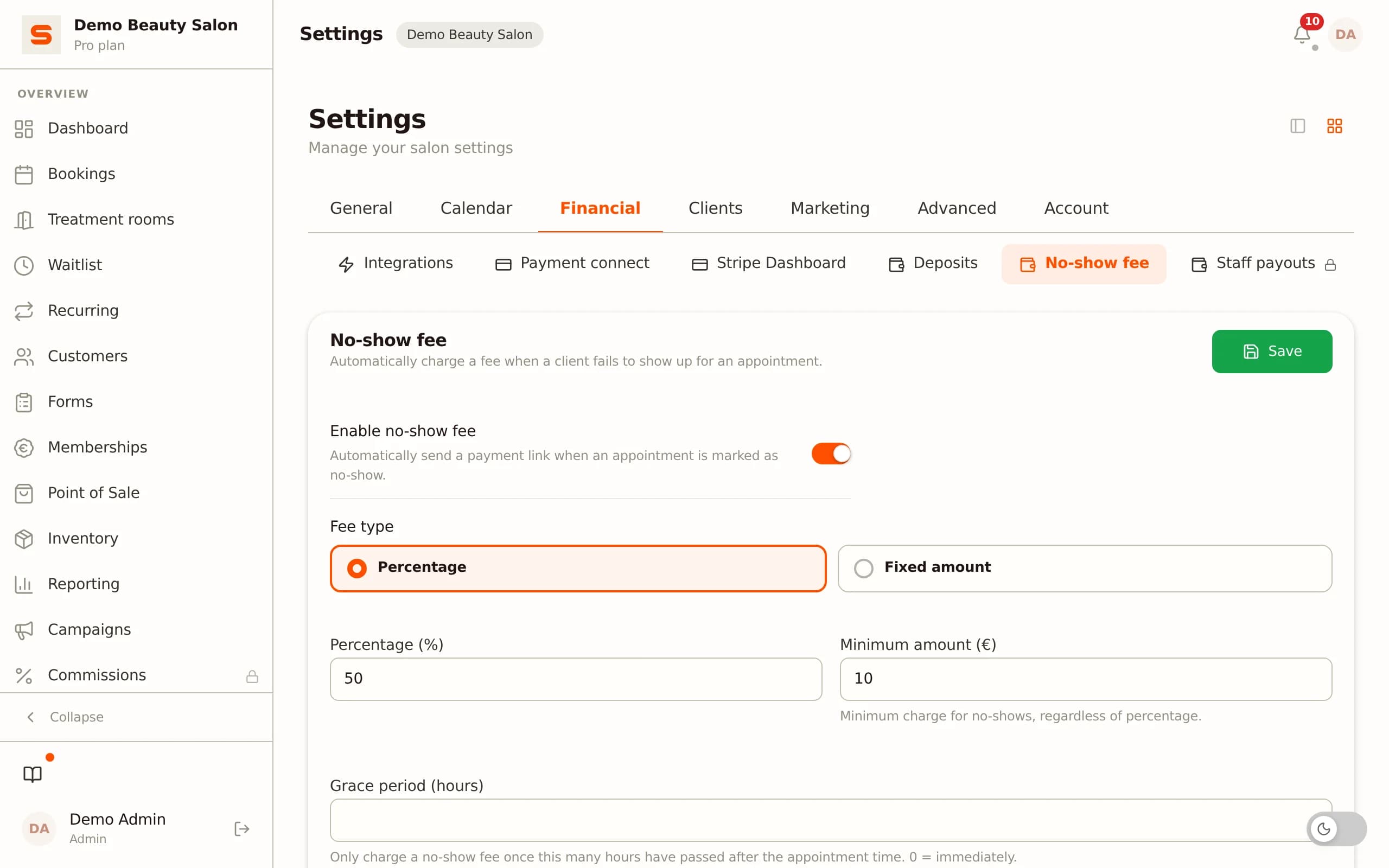
Step 6: set no-show policy and go live
Set a deposit or no-show fee per service. Then copy the URL of your Salonnare booking page and put it on your website, Google Business profile and social media. Send a short email to your regular clients: "Our booking system has been updated - please use this link going forward."
Keep Da Vinci active for 30 days for historical lookups, then cancel your Da Vinci subscription - it is cancellable monthly.
Da Vinci vs Salonnare - feature comparison 2026
| Da Vinci | Salonnare | |
|---|---|---|
| Platform | Cloud (browser, tablet, phone) | Cloud (browser, tablet, phone) |
| Built-in online booking 24/7 | ✓ | Yes, own URL |
| Point of sale (POS) | ✓ | Yes, with VAT split |
| Client management | ✓ | ✓ |
| Revenue and accounting reports | ✓ | Yes, CSV export |
| Free tier | No (free trial available) | Yes (€0, 1 staff, 50 bookings/month) |
| Monthly price (indicative) | From €27.95/month | Free €0 / Starter €29 / Pro €59 |
| Cancellable monthly | ✓ | ✓ |
| Payments | ✓ | Yes, via own Mollie/Stripe account (OAuth) |
| Interface languages | Dutch | NL/EN/DE/FR/ES |
Last verified: 2026-06-29
Try it for free before you cancel Da Vinci?
Salonnare Free (€0, 1 staff member, 50 bookings per month) is built for exactly this. Import your clients, set up your services, test the checkout and online booking - and decide afterwards. Fixed monthly price, no marketplace commission on your bookings (just a 0.5% platform fee, min. €0.30, per payment), your data stored securely in the EU.
Start for freeFrequently asked questions
Can I bring my client history from Da Vinci?
Basic client data (name, email, phone, date of birth) can be exported as CSV from Da Vinci and imported into Salonnare. Historical appointments as calendar items are not transferable, but you do not need them for the daily operation of your new system. Treatment notes should be manually reviewed and transferred as needed.
What does Salonnare cost compared to Da Vinci?
Da Vinci is cloud software with a monthly subscription from €27.95 per month, cancellable monthly. Salonnare has a permanently free tier (€0: 1 staff member, 50 bookings per month) and paid plans: Starter at €29 and Pro at €59 per month. For a solo owner who is just starting out, Salonnare Free is the most affordable option; if you need multiple staff or the Pro features, compare Starter or Pro with the price of Da Vinci.
Does Salonnare work on an iPad or Android tablet?
Yes. Salonnare runs in the browser, so it works on any device with a modern browser: Windows, Mac, iPad and Android tablet. For the POS, an iPad or Android tablet with a receipt printer is a popular combination. No special hardware or installation is needed.
Can I try Salonnare for free before cancelling Da Vinci?
Yes. Salonnare Free (€0 per month, 1 staff member, 50 bookings per month) is built for exactly this. Import your clients, set up your services, test the checkout and online booking - and then decide whether and when to switch. You only need to cancel Da Vinci once you are confident the switch is right for you.