



Migrating from Booksy in 2026: when it makes sense, when it does not, and how to do it
Booksy has built a strong presence in the European beauty market over the past few years. The platform combines a marketplace - clients can discover your salon through the Booksy app - with appointment management, a basic point of sale, and client profiles. Yet more and more salon owners are looking for alternatives: sometimes because costs run higher than expected, sometimes because they want full ownership of their client relationships without depending on a third-party platform, sometimes simply because they want software that is truly theirs. This guide gives you an honest assessment: when does switching from Booksy pay off, when is it better to stay, and how do you export your client data and execute the migration without losing clients.
When NOT to switch from Booksy
Honesty first. There are good reasons to stay with Booksy.
You are actively getting new clients through the Booksy marketplace
Booksy's biggest value proposition is discovery: clients who have never heard of your salon find you through the Booksy app. If you are in an area with limited online visibility and a significant portion of your new bookings comes through the app, leaving means giving up that inbound channel. Check your statistics to see what percentage of new bookings comes from the Booksy marketplace versus your own website or Google. If that figure is above 40%, switching has a real revenue cost.
Your team is comfortable with the interface
Switching platforms costs adjustment time. If you have three or more staff members working in the system every day, a new interface means one to two weeks of getting used to new flows. Factor that in.
You are just starting out and your client list is still small
If you have fewer than 100 clients in the system and no steady stream of returning bookings yet, Booksy's discovery function is more valuable right now than switching to software without a marketplace. Build your own returning client base first.
Everything is running smoothly
No reason to look for a solution if you are satisfied. Salonnare is not a better platform for every salon - it is an alternative that fits better when you have a specific need for full data ownership, multilingual support, or a direct Mollie/Stripe connection.
When switching from Booksy does make sense
There are concrete situations in which a switch pays off.
Your client base is established and the marketplace is secondary
After two or three years of active use, you have hundreds of returning clients who book directly through your own link or Google. At that point the Booksy app is no longer essential for new client acquisition. You are essentially paying for a feature you barely need anymore.
You want to own your client data
With Booksy, client profiles are tied to the Booksy platform. If you leave, the export is limited: name, email address, and basic history come with you, but richer profile data (notes, treatment history, contact preferences) may be incomplete. With Salonnare, all client data is yours - fully exportable at any time.
You want iDEAL or card payments via your own Mollie or Stripe account
Salonnare supports full OAuth integration with your own Stripe or Mollie account: iDEAL, credit card, and other payment methods land directly in your business bank account.
You want a more flexible no-show policy
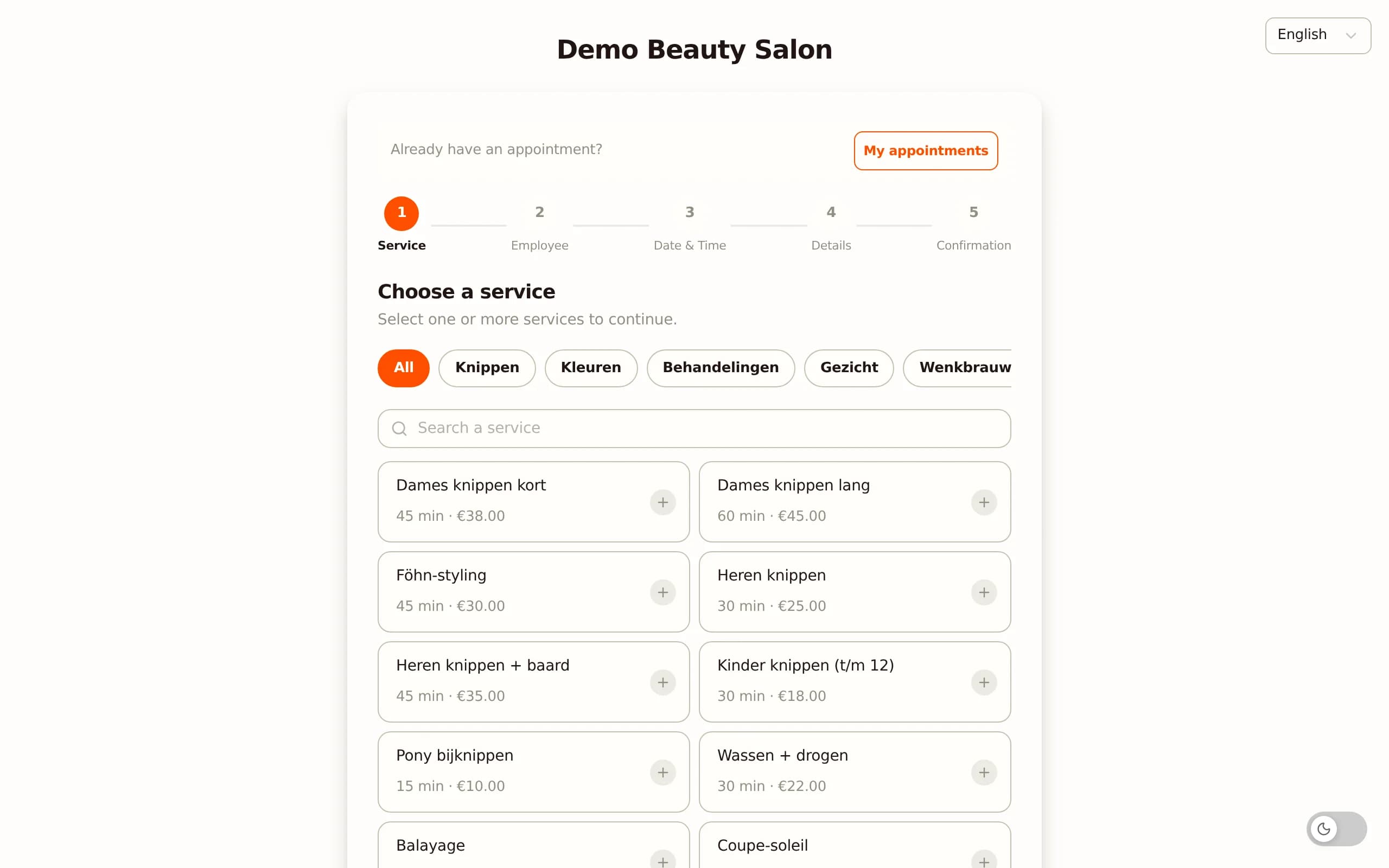
Booksy offers deposits and cancellation fees. In Salonnare you set a no-show fee per service: a fixed amount or a percentage, with automatic charge after the client fails to show up.
You serve multilingual clients or staff
Salonnare runs in five languages (NL/EN/DE/FR/ES) - from client confirmation emails to the POS interface and the booking page. Booksy supports several languages (including English, Spanish, and French) but not Dutch or German. If you have Dutch- or German-speaking clients or staff who prefer their own language, that makes a concrete difference.
You want to try before you commit
Salonnare Free (€0, 1 staff member, 50 bookings per month) lets you test the system fully without cancelling Booksy first. Import your clients, set up your services, test the checkout - and then decide.
Feature comparison: what you gain and what you give up
A fair comparison of the features that matter most for day-to-day salon use. Both platforms cover the basics: online booking, calendar management, client profiles, POS, and payments. The differences are in depth and ownership.
Where Booksy has the edge
The Booksy marketplace is a genuine asset for salons that do not yet have organic search traffic or a strong social presence. Clients who use the app to find a nearby hairdresser or beauty therapist land on your profile without any marketing effort on your part.
Where Salonnare goes deeper
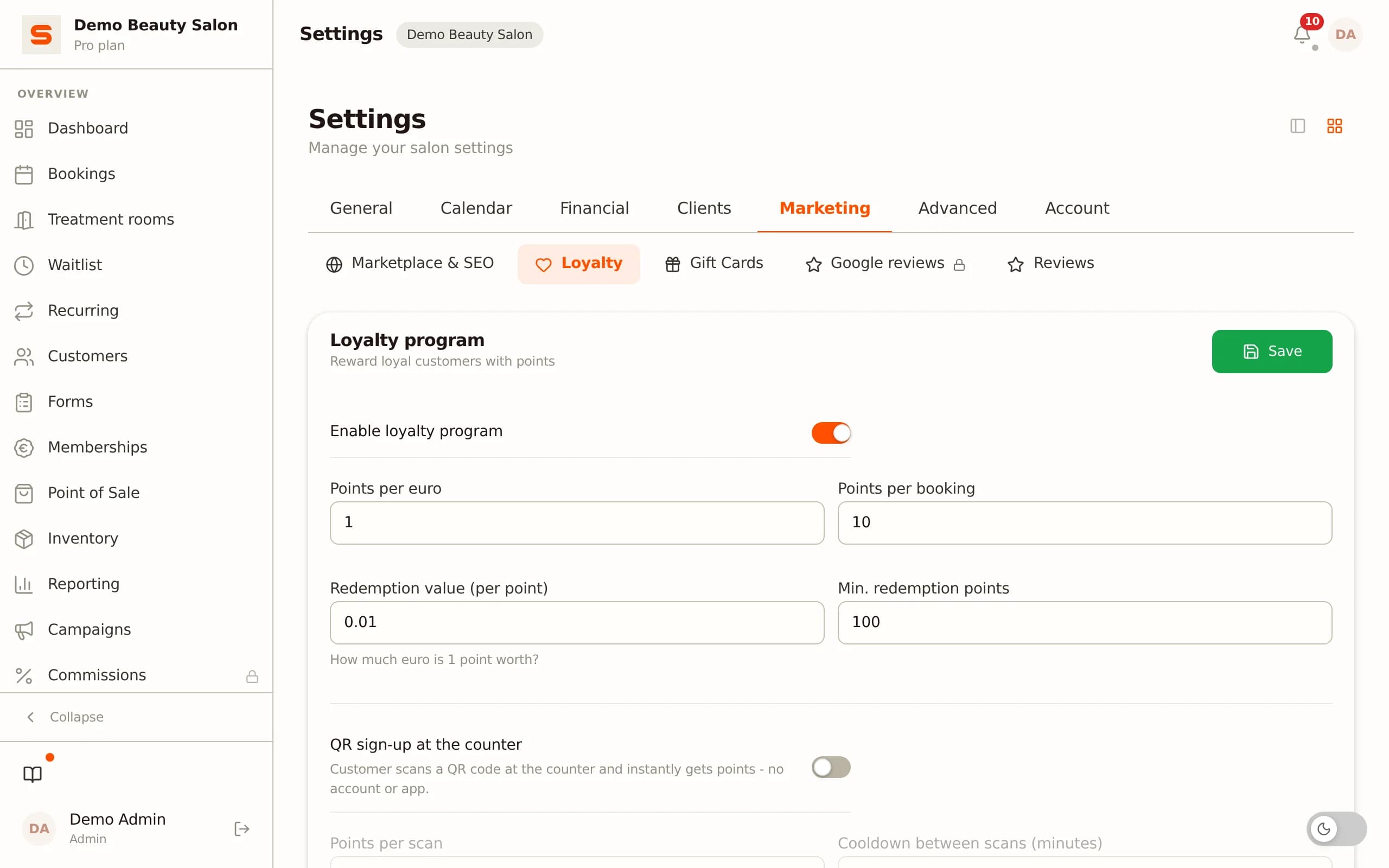
On data ownership, VAT-native checkout, loyalty programmes, no-show policies, and multilingual support, Salonnare scores higher. The VAT split for different rates is built in natively, saving manual corrections at bookkeeping time. The loyalty programme is fully configurable - points per euro, thresholds, expiry dates. And unlike platforms that take a percentage of every booking, Salonnare charges a fixed monthly fee - with only a 0.5% platform fee (min. €0.30) on online or card payments, far below what those platforms take.
What you do not lose
Google reviews stay with Google - not with Booksy. When you leave Booksy, all your reviews on your Google Business Profile remain intact. That is the most valuable part of your online reputation and it goes nowhere.
Exporting your client data from Booksy
Before you switch, secure your client data. Booksy provides an export function - here is what you can and cannot take with you.
What you can export
Log in to your Booksy account and navigate to the client overview or reports section. The export function downloads a CSV file containing name, email address, phone number, date of birth (if filled in), and number of visits. In most cases you also get the date of the last visit.
What you cannot fully export
Detailed treatment notes and internal client tags may not be fully exportable. Before you cancel, take a screenshot or create a manual record of any clients with important notes you want to keep.
Deposit payments made by clients for future appointments do not transfer. Make sure all outstanding deposits are settled before you make the switch.
Importing into Salonnare
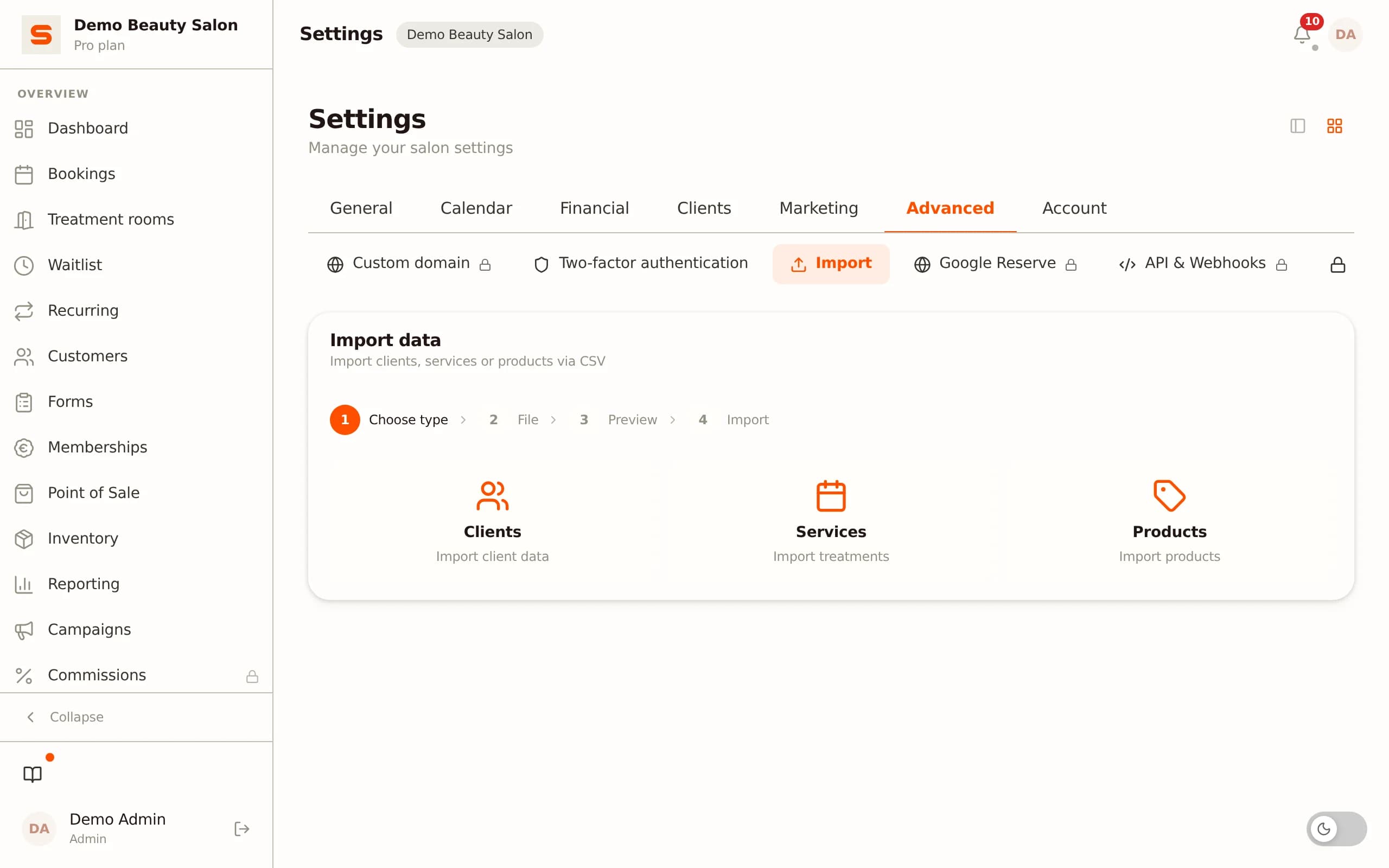
Salonnare's CSV import accepts the standard fields from a Booksy export. Upload the file via Settings > Import clients. Map the columns in a simple step, and all clients are ready in your new system.
What to do with clients who book via Booksy
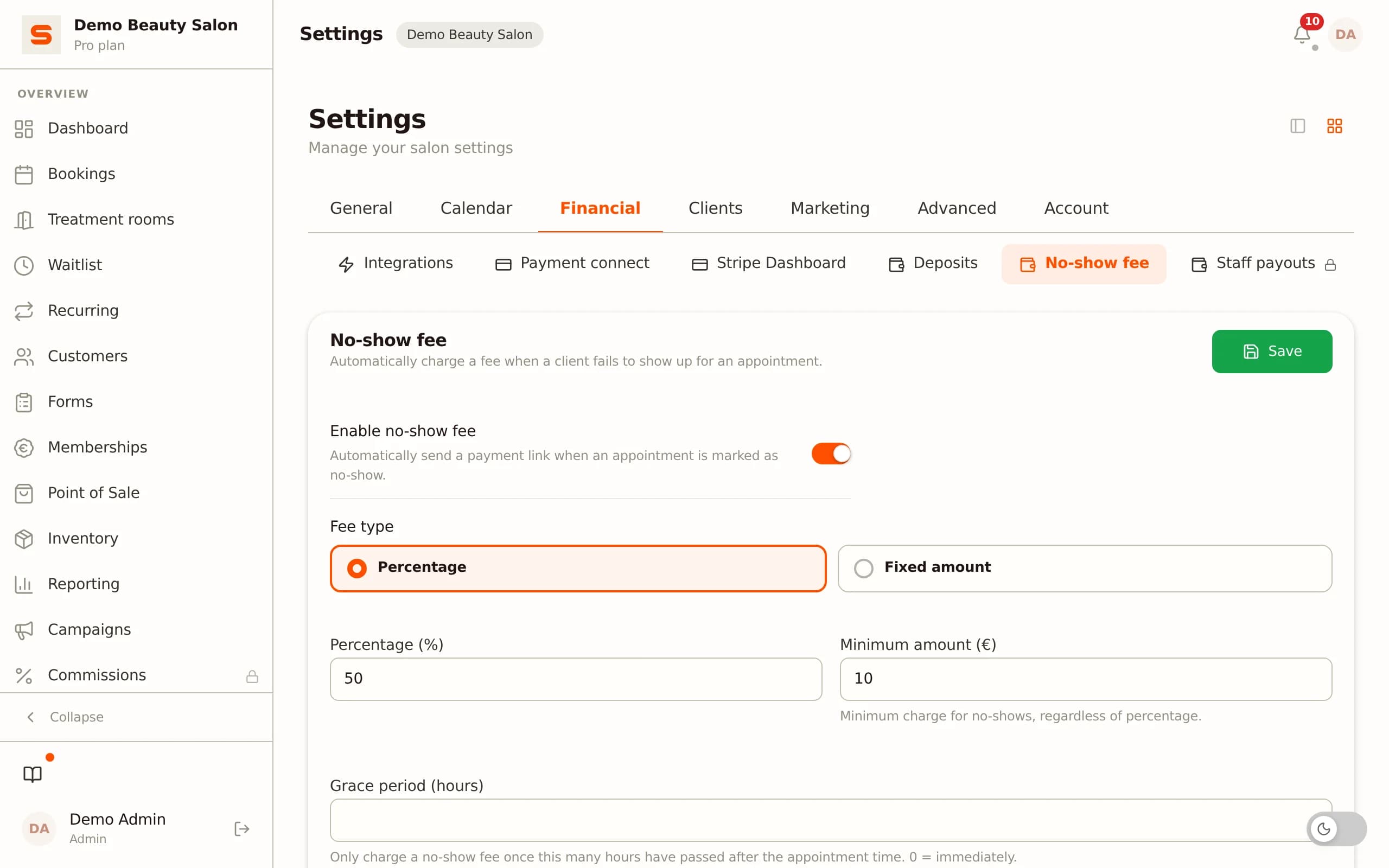
Clients who found you through the Booksy marketplace typically book via the Booksy app or a Booksy booking link on your profile. After switching, remove that link and replace it with your own booking page (available in Salonnare). Communicate this actively to your regular clients via email or your Instagram bio so they know where to book going forward.
Migration to Salonnare: 7 steps
The migration process itself is manageable if you tackle it in the right order. Budget four to eight hours spread over a working week.
Step 1: create a free account
Go to salonnare.com/en/free and create a free account. Your salon runs immediately on your own subdomain.
Step 2: add services and prices
Enter your treatment menu in Salonnare. This is a good moment to clean up: remove services you no longer offer and verify VAT rates per service.
Step 3: add staff and set up schedules
Add staff members and configure working hours per day. Salonnare links availability directly to your online booking page.
Step 4: import clients via CSV
Upload the export file from Booksy. Map the columns (name, email, phone) and import. After the import, spot-check 10 random clients for completeness.
Step 5: connect payment methods
Go to Settings > Payments and connect your own Mollie or Stripe account via OAuth. iDEAL, credit card, and other payment methods work immediately.
Step 6: configure your no-show policy
Set a deposit amount or no-show fee per service. Clients who book online see the policy immediately for their chosen treatment.
Step 7: go live with your own booking page and replace the Booksy link
Copy the link to your Salonnare booking page and replace the Booksy link on your website, Google Business Profile, and social media. Send a short email to your regular clients: "Our booking system has been updated - please use this link from now on." Keep Booksy active for 30 days for historical lookups, then cancel the subscription via the account settings.
Booksy vs Salonnare - feature matrix
| Booksy | Salonnare | |
|---|---|---|
| Free tier | ✗ | Yes (€0, 1 staff, 50 bookings) |
| Monthly price (indicative) | From approx. €35/mo | €29 (Starter) / €59 (Pro) |
| Marketplace / client discovery | Yes (Booksy app) | No (own website + Google) |
| Client data ownership | Limited (platform) | Full (you) |
| Own Mollie/Stripe via OAuth | Limited | Full |
| No-show fee configuration | Yes (deposits/fees) | Yes, per service |
| Loyalty / points programme | Basic | Fully configurable |
| Memberships | ✓ | Yes (Pro) |
| Native VAT split | Limited | ✓ |
| Multilingual UI + support | EN/ES/FR/PL (no NL/DE) | NL/EN/DE/FR/ES |
| Accounting export (CSV) | Basic | ✓ |
| Monthly cancellable | ✓ | ✓ |
Last verified: 2026-06-25
Try Salonnare free before cancelling Booksy
Salonnare Free (€0, 1 staff member, 50 bookings per month) is made for exactly this situation. Import your clients, set up your services, test the checkout and online booking - then decide when and whether to switch. Fixed monthly price, no marketplace commission per booking - just a 0.5% platform fee (min. €0.30) per payment: Starter €29, Pro €59.
Start for freeFrequently asked questions
Will I lose my Google reviews if I switch from Booksy?
No. Google reviews are stored on your Google Business Profile and are completely independent of Booksy. They remain visible after you cancel Booksy. Just make sure to update your Google Business Profile with your new booking link after you have switched.
Can clients who book via the Booksy app be automatically migrated?
Client data (name, email, phone) is exported as a CSV from Booksy and imported into Salonnare. Clients themselves do not need to do anything except use your new booking page going forward. Send them a short email with the new booking link.
What happens to deposits clients have already paid through Booksy?
Deposits processed via Booksy are tied to the Booksy system. Make sure all scheduled appointments with outstanding deposits are handled before you close your Booksy account. New appointments after the switch are processed directly via Salonnare with your own Mollie or Stripe account.
How much notice do I need to cancel Booksy?
Booksy is generally cancellable on a monthly basis via the account settings. Check your current subscription for the exact notice period. Practical advice: keep Booksy active for one month after your migration for historical lookups, and only then cancel.