



Choosing the best salon app for your salon: features, price and what to watch for
A salon app is software that lets you run your entire salon from your phone, tablet or computer: online booking, client records, point of sale, payments, stock and reporting in one place. The best salon app for your salon is the one that brings all of these tasks together without separate systems, grows with your business, and works with the payment methods your clients already use. In short: less admin, more time at the chair. The problem many salon owners run into is fragmentation. The diary lives in a paper book or a standalone online calendar, client details in a notebook or on a phone, the till is a separate device, and payments run through yet another provider. Every switch between systems costs time and creates mistakes: double bookings, forgotten reminders, and clients who never come back because nobody nudged them in time. This guide helps you choose a salon app that fits the way you work. We cover the key features, the criteria you compare on, how to read reviews from other salons, which integrations actually matter, what GDPR means for your client data, and how pricing models really work under the hood. At the end you will find a concrete step-by-step plan.
What is a salon app and why does it matter for your salon?
A salon app - also called salon software or an all-in-one app for your salon - replaces the loose tools most salons started out with: the appointment book, the client list in a spreadsheet, the standalone card reader and the separate online booking widget. Instead, everything runs in one place that you open on your phone, tablet and computer.
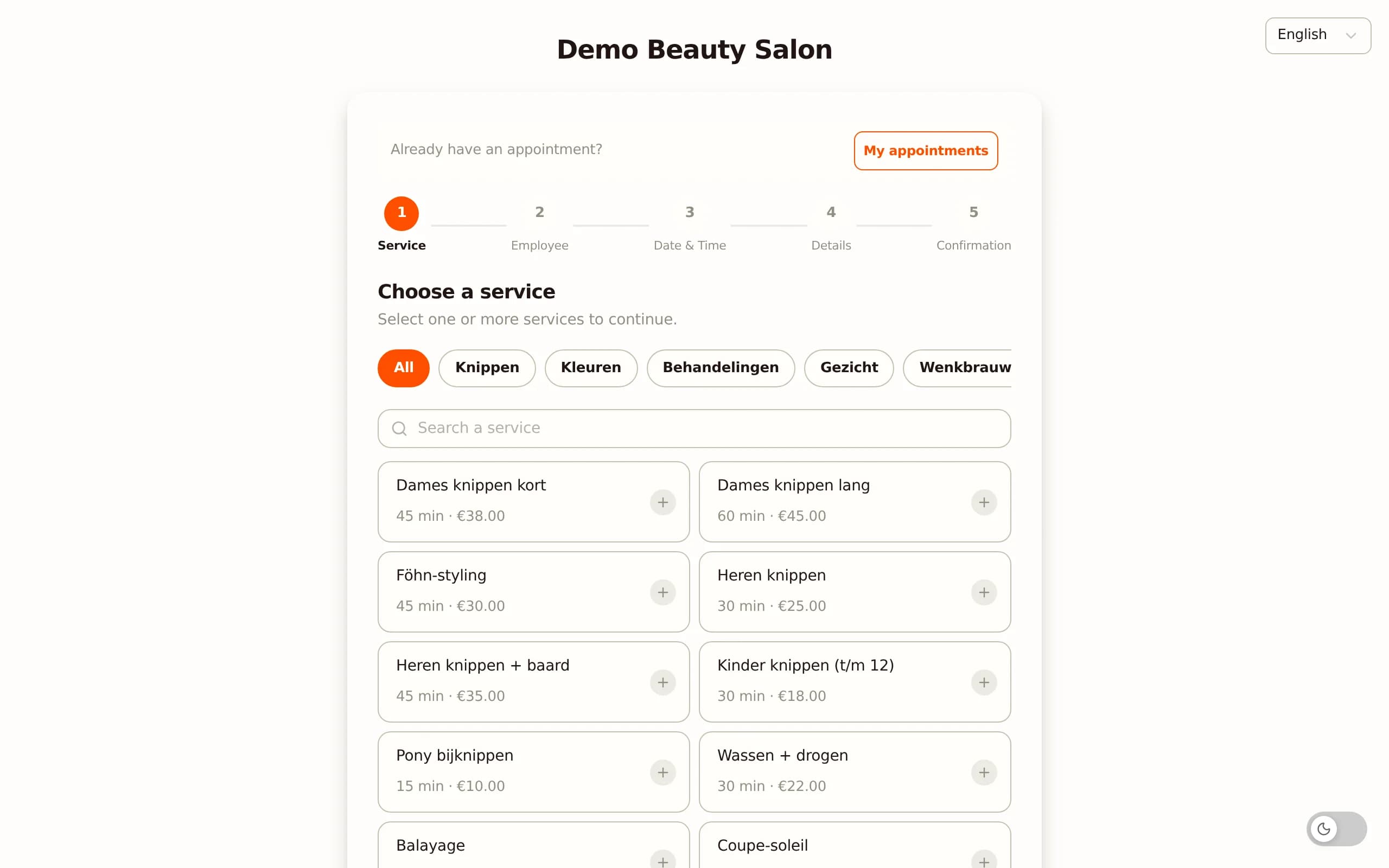
Why this matters even more for a salon. A salon lives on repeat visits and a full diary. No-shows and empty gaps in the schedule cost revenue directly, and clients who are not reminded about their next appointment simply come back less often.
A good salon app tackles exactly those points: automatic appointment reminders reduce no-shows, online booking fills your diary even outside opening hours, and client profiles with treatment history mean every stylist knows what a client wanted last time.
From loose tasks to a routine. The real benefit lies in the connection between those tasks. When a client books online, the appointment appears in the diary straight away, a confirmation and reminder go out automatically, and at checkout the right treatment is already waiting in the till. You do not have to re-type anything.
That chain - from booking to payment to return visit - is what sets a salon app apart from a simple online calendar.
The most important features of a good salon app
Not every salon app offers the same thing, and not every feature is equally important to you. These are the parts that belong in a complete app for a salon.
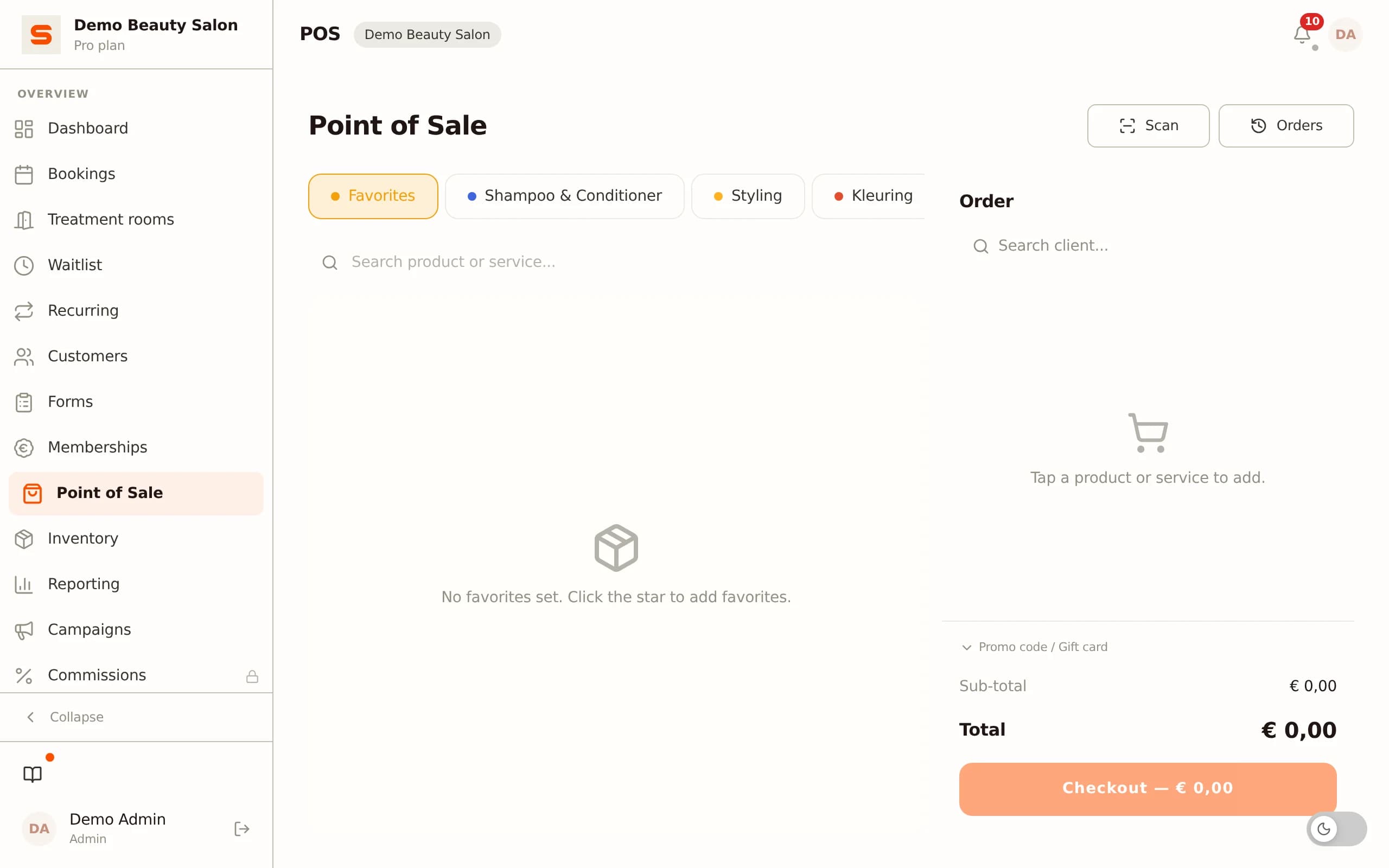
Online booking on your own page and Google. Clients want to book an appointment themselves, 24/7. A strong app gives you your own booking page and also lets clients book directly from Google, so you do not lose visitors who find you through a search.
Diary and schedule per staff member. Multiple stylists, different working hours, breaks and days off - the diary needs to handle all of that and show the right availability per staff member to whoever is booking online.
Client management (CRM). Contact details, treatment history, notes and preferences per client. That is how you build a relationship and can reach out to clients who have not been in for a while.
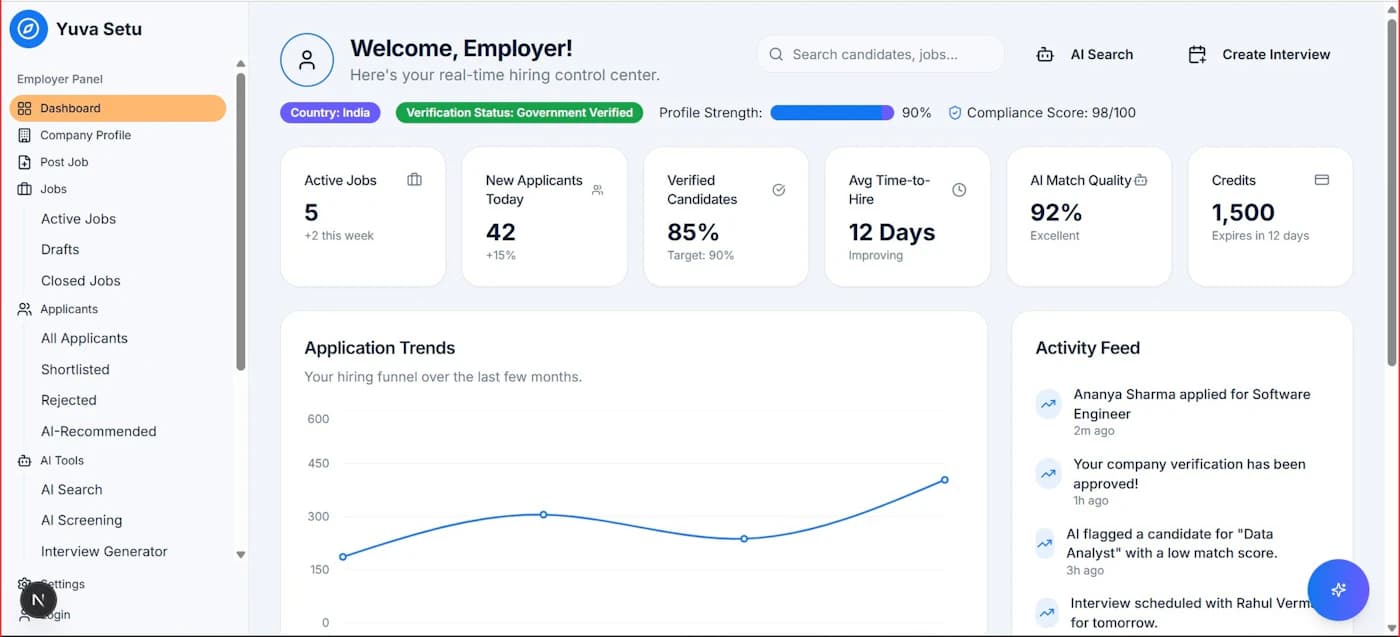
Point of sale and payments. A built-in till where treatments and retail products appear on one receipt, linked to the payment methods your clients know. For the Dutch market, iDEAL is essential.
Automatic reminders. Confirmations and email reminders bring down no-shows and save you from messaging clients by hand.
Stock and reporting. Visibility into retail and consumable products and into your revenue per treatment or staff member, so you steer on numbers instead of gut feeling.
Permissions per staff member. Decide who can see and do what - handy as soon as you have staff or chair renters. You will find a full overview of these features on the features page.
What should you look for when choosing a salon app?
When you put apps side by side, they often look the same on paper. The difference lies in the details that only show up after months of use. So keep the following points in mind before you decide.
Pricing model: fixed fee or a percentage per booking? Some providers charge a commission or transaction fee on every online booking. That looks cheap when you have few bookings, but it grows with your success and becomes expensive the busier you get. A fixed monthly fee is predictable and does not punish growth.
Does the app grow with you? Do you work solo now but want staff or a second chair later? Check whether the app scales from solo to team without forcing you to switch platforms.
Language and local market. An app that works fully in your own language and supports local payment methods fits your clients better than a purely English-only platform.
Your own booking page and data. Do you book on your own page under your own name, or on the provider's marketplace where your competitors sit right next to you? And can you export your client data if you ever want to move? Data portability keeps you from getting locked in.
Web and native app. Can you work both through the browser and through a real app on Android and iOS? Behind the desk you work on a tablet or computer, on the go on your phone. A dedicated hair salon solution takes all of these points into account.
Reviews & experiences: how do you judge them?
Reviews from other salons are valuable, but only if you read them critically. An average star rating says little; what matters is what sits behind it. Here is how to draw useful signals from other people's experiences.
Look at salons like yours. An enthusiastic review from a chain with ten locations says little about your experience as a solo stylist. Search specifically for reviews from salons of a similar size and way of working.
Pay attention to recent reviews. Software changes fast. A complaint from three years ago may well be fixed by now, and a glowing review from back then says nothing about the current version. Filter to the last six to twelve months.
Look for patterns, not incidents. A single angry review is often an exception. Recurring themes are what count: do several people complain about hidden costs, slow support or a difficult switch? That is a real signal.
Weigh support and reliability heavily. Reviews that go into how quickly a provider responds when things go wrong, and whether the system runs stably, tell you more about your day-to-day experience than the list of features.
Where do you find them? App stores (Google Play and the App Store), independent comparison sites and local salon owner groups on Facebook give a fairer picture than the provider's own website alone. Combine sources and draw your own conclusion - then test for yourself with a free account, because your own way of working is ultimately the best test of all.
Integrations & compatibility: does the app work with your systems?
A salon app does not stand on its own. It has to work together with the devices and services you already use, otherwise you still end up with separate islands.
Payments and card readers. Check which payment providers are supported and whether the money goes to your own bank account. Salonnare works with iDEAL and Mollie and with Stripe, with payments landing directly in your own account instead of sitting with the provider first.
Google and online visibility. A link with your Google Business Profile means clients find you and can book straight from Google. That captures demand at the exact moment someone is searching.
Bookkeeping. Can you export your revenue and transactions to your accounting software or accountant? A simple export saves you hours of re-typing at the end of the quarter.
Sign-in (SSO). Signing in with your existing Google, Microsoft, Apple or Facebook account saves another password to remember and makes life easier for your team.
The more of these connections an app offers as standard, the less you have to bridge by hand yourself. When in doubt, always ask explicitly which integrations are included in your plan, because sometimes they are reserved for more expensive tiers.
Security, privacy & GDPR
Your salon app holds sensitive data: names, contact details, treatment history and sometimes health information such as allergies or skin conditions. As the controller of that data, you are responsible under the GDPR for how it is stored and secured. That makes privacy not a side note but a decision criterion.
Where is your data stored? Ask whether your data is stored within the EU. Data storage inside the European Union aligns seamlessly with the GDPR and avoids debates about transfers to countries outside the EU. Salonnare hosts client data in the EU.
Special health data protected separately. If you note a client's allergies, medication or skin conditions, those are special category personal data under GDPR Article 9 that require extra protection. Salonnare keeps these in an encrypted health-notes vault, separated from the regular client notes and with its own access rights.
Permissions per staff member (RBAC). Not everyone on your team needs to see everything. With permissions per staff member you decide exactly who has access to which data - a basic principle of data protection and immediately practical as you grow.
Consent and transparency. A good app helps you record client consent and gives you a grip on who viewed which data and when. That way you can demonstrably meet your obligations without having to keep a separate log for it.
Price, free trial & subscriptions
Price is rarely as simple as the monthly figure on the website. Watch the structure underneath, because that is where the surprises hide.
Free plan versus the trial trick. Many providers offer a free trial of, say, fourteen days, after which you are required to pay. For a starting or small salon that is awkward: you barely have time to set everything up before you have to decide. A permanently free plan works differently - you can start at your own pace and only upgrade when your salon calls for it.
Salonnare in short. Salonnare has a permanently free plan (Free, €0) for one staff member and up to 50 bookings per month, ideal for getting started or for a quiet solo practice. As you grow, there is Starter at €29 per month and Pro at €59 per month with more features and headroom. These are fixed monthly fees: no marketplace commission or percentage per booking - only a platform fee of 0.5% (min. €0.30) per online payment, however busy you get.
Do the maths with your own numbers. Set the pricing model against the number of bookings you expect. A percentage per booking can add up sharply at 200 appointments a month, while a fixed fee stays the same. Look at the full pricing comparison and work it out for your own situation.
If you want to start without any risk, you can create a free account and see for yourself whether the app suits your way of working before you spend a thing.
Setup, support & training
The best features are no help if you never get going with them. So also look at how easy it is to start and what help is available.

A quick start with no installation. A modern salon app works in the browser and as a native app on Android and iOS - you do not have to install anything complicated or manage a server. You create an account, set up your services and working hours, and can receive bookings the same day.
Bringing over your existing data. If you are coming from a notebook, spreadsheet or another package, you will want to bring your client base with you. Check whether an import is available, so you do not have to re-type every client by hand.
Support in your own language. If you get stuck, help in your own language makes a big difference compared with support that is only reachable in English or outside European hours. A help centre with explanations and step-by-step guides also saves you waiting.
Training your team. If you work with several stylists, they too need to get to grips with the app quickly. A clear interface that is available in nine languages lowers the threshold for an international team and shortens onboarding.
Step-by-step plan: how to choose the best salon app
With all the criteria lined up, you can choose in a structured way. Follow these six steps so you do not get stuck in endless comparing.
Step 1 - Put your must-haves on paper. Decide which features are indispensable (for example online booking, iDEAL, reminders) and which are nice but not essential. That lets you filter quickly.
Step 2 - Work through the pricing model. Fill in your expected number of bookings for each model. Compare a fixed monthly fee against a percentage-per-booking based on your own volume, not on the lowest entry price.
Step 3 - Read recent reviews from comparable salons. Look for patterns around support, hidden costs and ease of switching, and ignore isolated outliers.
Step 4 - Check integrations and GDPR. Does the app work with your payment provider, Google and bookkeeping? Is your data stored in the EU and is health data protected separately?
Step 5 - Test with a free account. Nothing beats trying it yourself. Create a free account, set up a few services and do a test booking from start to finish - including checkout.
Step 6 - Decide on your own experience. Choose the app that felt most comfortable in your daily routine, not the one with the longest feature list. The right app already feels obvious after a week.
Conclusion
The best salon app for your salon is not necessarily the most expensive one or the one with the most features, but the one that simplifies your daily work: online booking, diary, till, payments and client management in one place, at a price that does not punish your growth and with the certainty that your client data is safe and GDPR-proof.
Salonnare brings those points together: a permanently free plan to get started, fixed monthly prices with no marketplace commission per booking (plus a platform fee of 0.5%, min. €0.30, per online payment), iDEAL and Mollie plus Stripe to your own bank account, online booking on your own page and Google, permissions per staff member, EU data with an encrypted health-notes vault, and both a web and a native app in nine languages. That makes it a logical choice for salons that want to grow without the hassle.
The fastest way to know whether it fits you is simply to try it. Create a free account today and receive your first online booking within a day.
Frequently asked questions
What does a good salon app cost?
That depends on the pricing model. Some apps charge a percentage or transaction fee per booking, which grows with how busy you are; others use a fixed monthly fee. Salonnare has a permanently free plan (Free, €0) for one staff member and up to 50 bookings per month, and above that Starter at €29 and Pro at €59 per month - fixed amounts with no marketplace commission per booking (just a platform fee of 0.5%, min. €0.30, per online payment). Always do the maths with your own expected number of bookings to compare models fairly.
Does a salon app also work on my phone?
Yes. A modern salon app works both in the browser and through a native app on Android and iOS. Behind the desk you usually use a tablet or computer for the diary and till, while on the go you check your appointments and notifications on your phone. Salonnare offers both, so you have access to the same data everywhere.
Can I bring over my existing client data?
Usually you can. If you are coming from a spreadsheet, notebook or another package, many salon apps offer an import so you do not have to re-type your client base by hand. Before switching, check whether an import is available and which data is brought across. Also keep an eye on data portability: can you export your data again later if you ever want to move?
Is a free salon app good enough for a small salon?
For a solo stylist or quiet practice, often yes. A permanently free plan like Salonnare's (one staff member, up to 50 bookings per month) covers online booking, diary, client management and a till for cash and card payments. As your salon grows - more staff or more bookings - you move up to a paid plan with more headroom. The advantage of a free plan over a temporary trial is that you can start at your own pace with no deadline.
How does a salon app help against no-shows?
Mainly through automatic appointment reminders. The app sends clients a confirmation when they book and a reminder before the appointment, so fewer people forget. On top of that you can offer online booking on your own page, so clients can easily reschedule themselves instead of not showing up. That keeps your diary full and loses you less revenue to empty slots.