



Barber shop software: what every barbershop needs in 2026
A barbershop has a distinct identity within the beauty industry. While a traditional hair salon mostly operates on appointments, barbershops combine scheduled appointments with walk-ins, have shorter average treatment times, and serve a loyal clientele that returns every three to five weeks. That regular return pattern is a major asset - but it requires a system that makes the most of it. Once a barbershop grows to two or more chairs, managing things through chat threads and paper diaries starts to break down: double bookings happen, commission calculations become a monthly headache, and a basic till does not distinguish between a haircut, a beard product, and a gift card. Barber shop software brings structure to these daily operations: from a public booking page that clients can use around the clock to a POS system that processes haircuts, beard care, and products in a single transaction. This article explains which features matter most for a barbershop and what to look for when making a choice.
How a barbershop differs from a hair salon
A barbershop shares some operational needs with a hair salon, but differs in a few key ways. Software built primarily for hair salons can have limitations that only become apparent after purchase.
Shorter treatments, higher turnover
A barbershop treatment typically lasts 20 to 45 minutes - shorter than a typical salon appointment. That means a busy day holds more appointments per chair. A system that pads every slot with a 15-minute buffer, or cannot set treatment duration per service type, wastes capacity. Because throughput per hour is higher, small planning miscalculations show up quickly in daily revenue.
Multi-service bookings: haircut plus beard care
Combining a haircut with a beard trim - or a shave with a facial treatment - is the rule rather than the exception in most barbershops. Clients want to book multiple services in one appointment without making two separate reservations. Software that does not support multi-service bookings forces the front desk to combine them manually or asks clients to book twice.
Product sales at the counter
Pomade, beard oil, shaving cream, and aftershave are sold at most barbershop counters. The POS system needs to handle services and products in the same transaction, track stock levels, and apply the correct VAT rate per category.
Commission or chair rental model
Barbershops more often use a per-barber commission model or chair rental for independent barbers. In both cases the system needs to track revenue per staff member automatically - not as a manual end-of-month calculation, but per transaction.
Online booking and no-show protection
A public booking page is a direct improvement to a barbershop's daily operations: clients book whenever it suits them, enquiry messages disappear, and the schedule fills automatically based on the availability you set.
Per-barber calendar, live availability
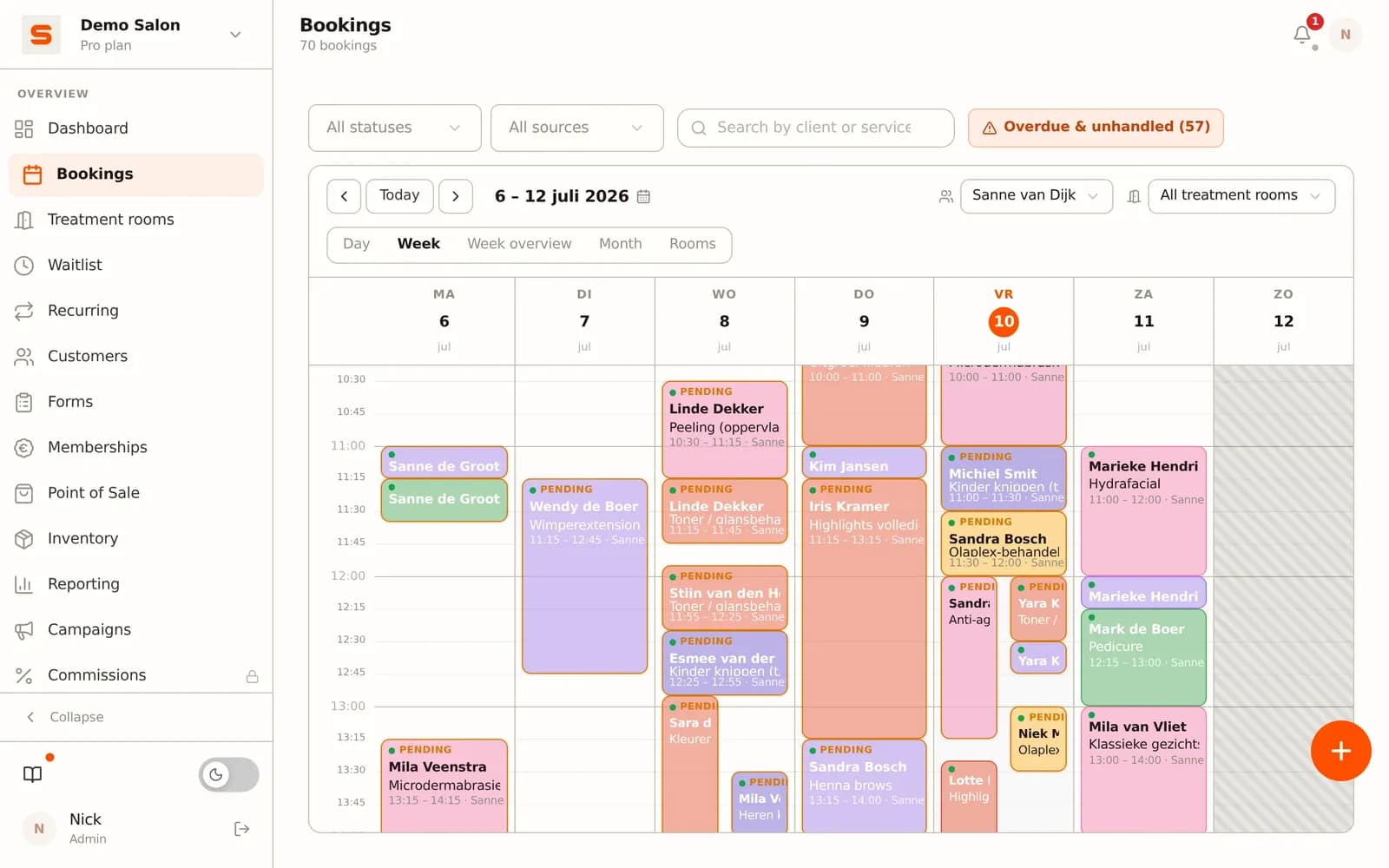
In Salonnare you set a working schedule per staff member. The booking page calculates availability based on those schedules and the treatment duration per service type. Clients only see slots that are genuinely free - no overbooking because a treatment ran over the default block time.
Multi-service bookings in one appointment
Through the public booking page, clients can combine multiple services in a single booking - haircut plus beard trim, or shave plus facial. The system calculates total treatment duration and blocks the corresponding slot in the barber's calendar. No separate conversation needed to link two services together.
No-show protection
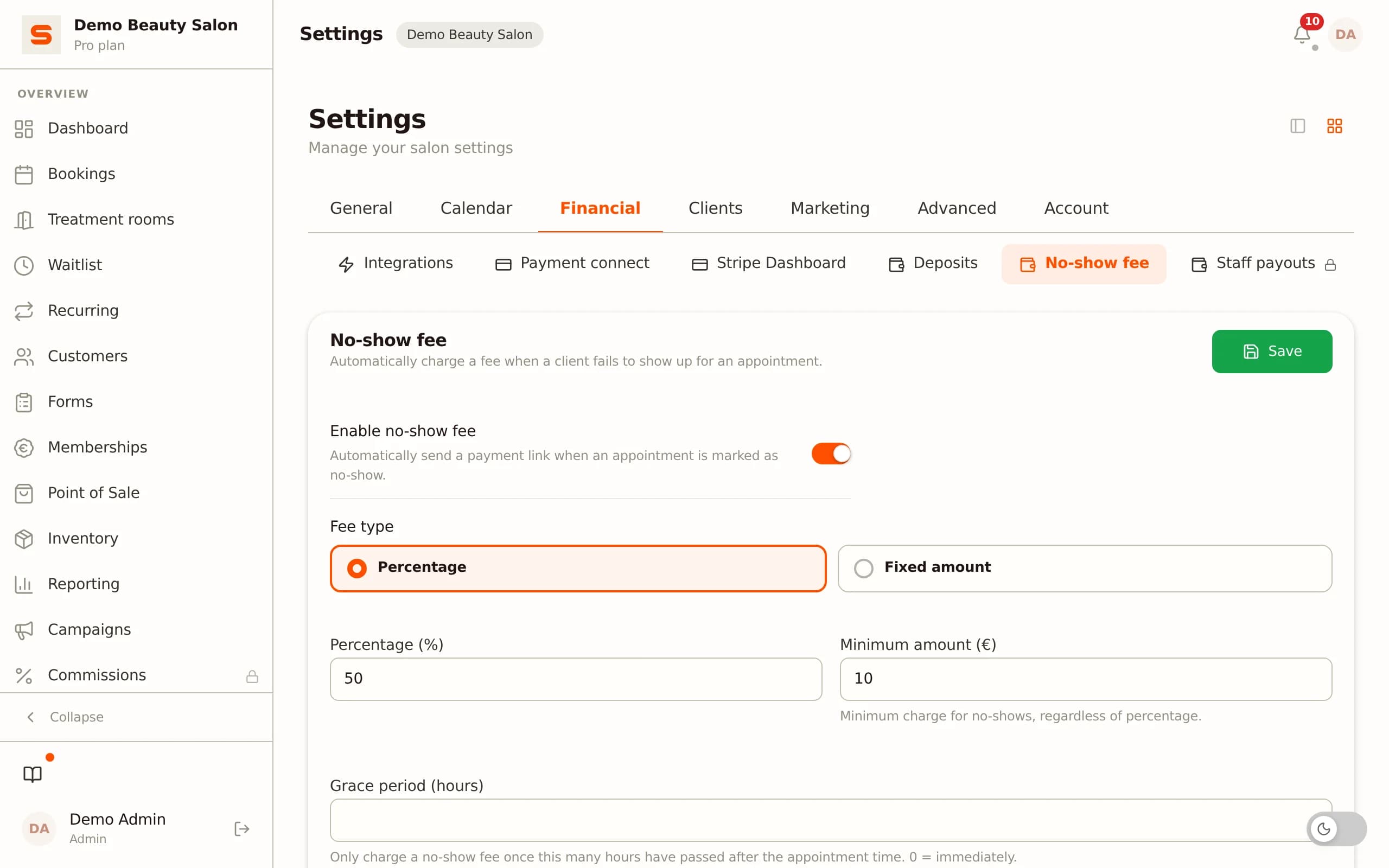
A no-show in a barbershop costs a 30 to 45-minute slot - a direct revenue loss. In Settings - Bookings you set a no-show fee. Clients authorise their payment method when booking online; the amount is only charged after the appointment. If a client does not show up or cancels within the set window, the fee is collected automatically. You decide the amount and cancellation deadline.
For walk-in clients, a staff member creates an appointment directly in the calendar. Live availability is visible for all barbers, so no double booking occurs.
POS system for a barbershop
A barbershop till handles more than a single haircut payment. Services, products, and gift cards need to sit in the same transaction, payments by bank transfer and card need to work by default, and the receipt needs to be correct.
Services and products in one transaction
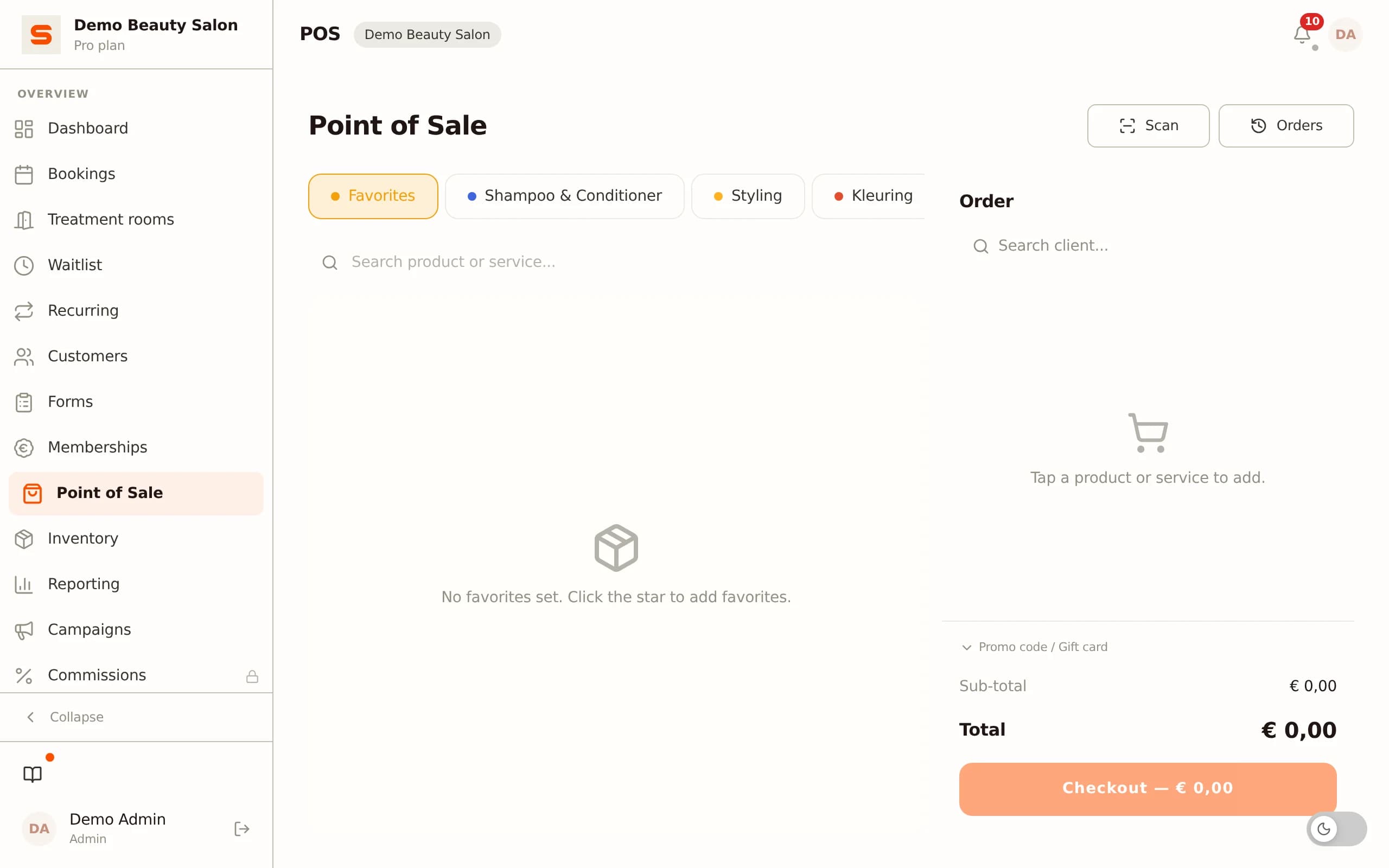
Through the Salonnare POS module you add treatments and products to the same checkout. A client who has a haircut and buys a tin of pomade pays in one transaction. The product stock is automatically updated with each POS sale.
Card and cash payments
Card payments are standard in the POS module. Cash payments are logged separately for till reconciliation. No separate payment terminal setup is required as a distinct step - payment processing is built into the checkout flow.
Gift cards: sell and redeem
Gift cards can be sold through the till or online, and redeemed at any checkout. The balance is tracked automatically: if a client uses a gift card partially, the remaining balance stays in the system. On the next visit, the client can redeem the remainder without any manual tracking on your side.
Integrated VAT handling
The POS module applies the correct VAT rate set per service or product. A CSV export of revenue per rate is available from the reporting overview - useful when providing figures to your accountant at the end of the period.
Client management and loyalty programme
A regular client who returns every four weeks for a haircut and beard trim visits ten to thirteen times a year. That value deserves more than an anonymous receipt. Client management in a barbershop is about recording preferences, actively encouraging repeat visits, and rewarding loyalty.
Client profile with treatment history
In Salonnare each client has a profile with a full treatment history, barber notes (style preferences, allergies, shaving direction), and a spending overview. At each appointment the barber sees immediately what was done last time and any special notes.
Loyalty programme: earning points per visit
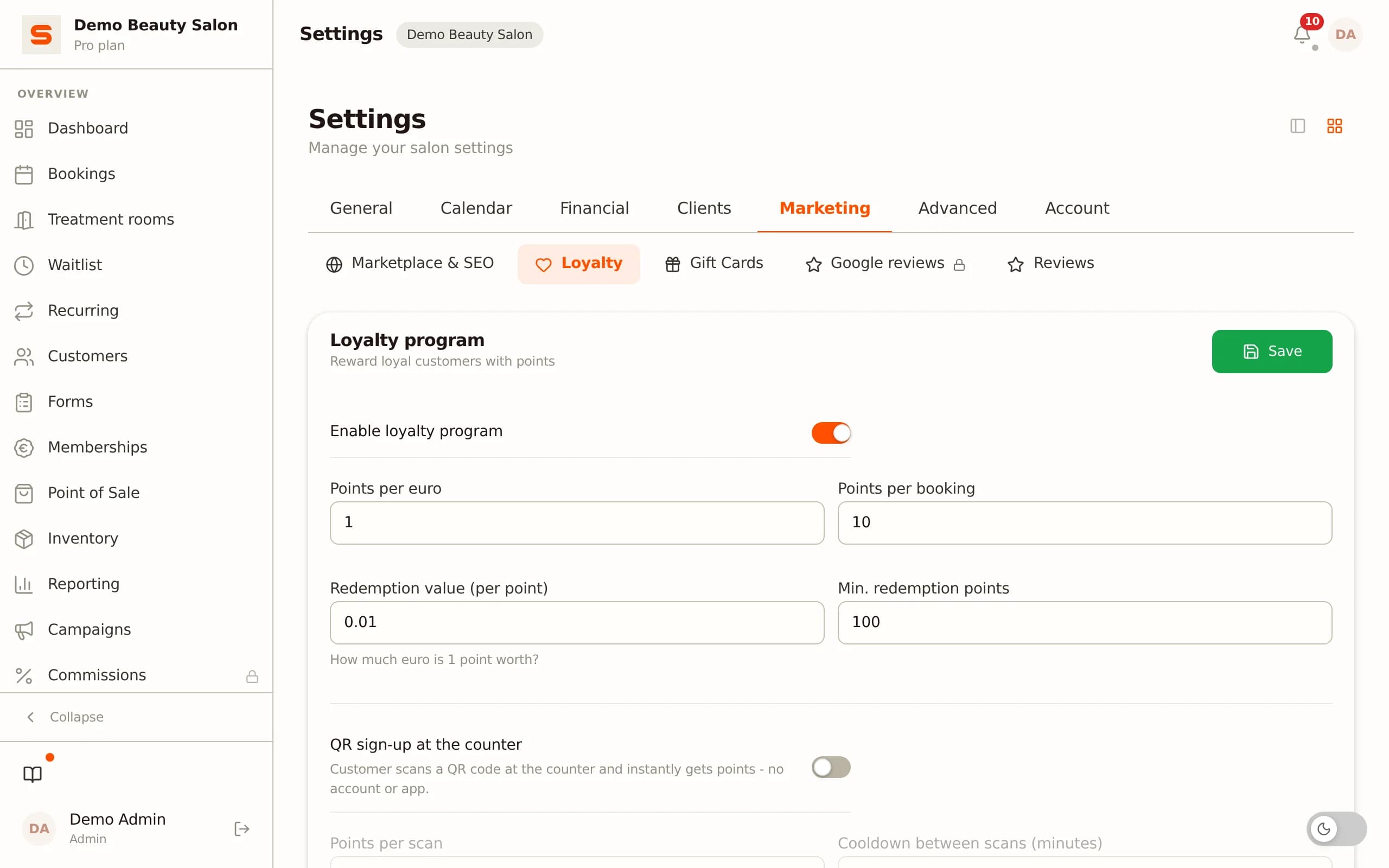
The built-in loyalty programme lets clients earn points with every treatment and product purchase. Points can be redeemed for discount vouchers or other rewards you configure yourself. For a barbershop with a regular clientele - where clients return frequently - a loyalty programme works as a structural incentive to stay loyal rather than accept a deal elsewhere.
Client retention via email campaigns
Through the campaign module you send targeted emails to segments of your client base - clients who have not visited in two months, clients who had a specific treatment but never booked a follow-up. You build the campaign using filters on client profiles and send from the barbershop's own sending domain.
GDPR and health notes
If you record skin-relevant notes in the barbershop - contact allergies to shaving products, skin conditions, medication that affects shaving treatments - those details are stored in an encrypted vault separate from regular client notes. Access is restricted to staff members with explicit permission, and clients always have the right to request and delete their data.
Staff scheduling and commission tracking
A barbershop with multiple barbers faces two staff-related challenges: a schedule that matches expected demand, and clear commission tracking per barber at the end of the month.
Schedules per staff member
In Salonnare you set a weekly schedule per barber, including leave registration and exception days. The schedule translates directly into availability on the public booking page: clients only see slots that are genuinely free based on who is working. When a schedule changes, availability updates automatically - no manual update of the booking page needed.
Commission tracking via Stripe Connect
Through Stripe Connect, Salonnare tracks which revenue each barber generates. Commission percentages are set per staff member. At the end of each period the commission overview is available directly in the reporting section, broken down per barber, per service, and per product. No spreadsheet, no end-of-month discussion about who served which client.
Sign in with Google or Microsoft
Barbers and front desk staff sign in with their existing Google or Microsoft account. No separate password to remember, no additional authentication app for those already using a work account.
Importing existing client data
Switching from another system or a spreadsheet? Salonnare has a CSV import function for client data. Export your current client list from your old system, import via Settings - Clients - Import, and verify the column mapping before confirming. Regular clients do not start from zero in an empty system.
Try the full feature set free at salonnare.com/en/free - no credit card required.
Ready to run your barbershop more efficiently?
Try Salonnare free and see how online booking, POS management, and commission tracking come together in one system.
Start freeFrequently asked questions
Does Salonnare support walk-in clients at a barbershop?
Yes. When a client walks in, a staff member creates an appointment directly in the calendar. Live availability for all barbers is visible instantly, so you pick a free slot without creating a double booking. Walk-in registration works the same way as a regular booking - the only difference is who creates it.
Can I set a different commission percentage per barber?
Yes. Through Stripe Connect you set a commission percentage per staff member. Every till transaction is automatically attributed to the barber who performed the service. The commission overview at the end of the period is available directly in the reporting section - per barber, per service, and per product.
How does no-show protection work for barbershop appointments?
In Settings - Bookings you set a no-show fee. Clients booking online authorise their payment method at the time of reservation. The amount is only charged after the treatment. If a client does not show up or cancels within the set window, the fee is collected automatically. You set the amount and the cancellation deadline.
Can I bring my existing client list when switching?
Yes. Salonnare has a CSV import function for client data. Export your client list from your current system or spreadsheet and import it via Settings - Clients - Import. The system shows a visual column mapping so you can check that names, email addresses, and phone numbers are mapped correctly before confirming the import.