



Software for lash techs and lash studios
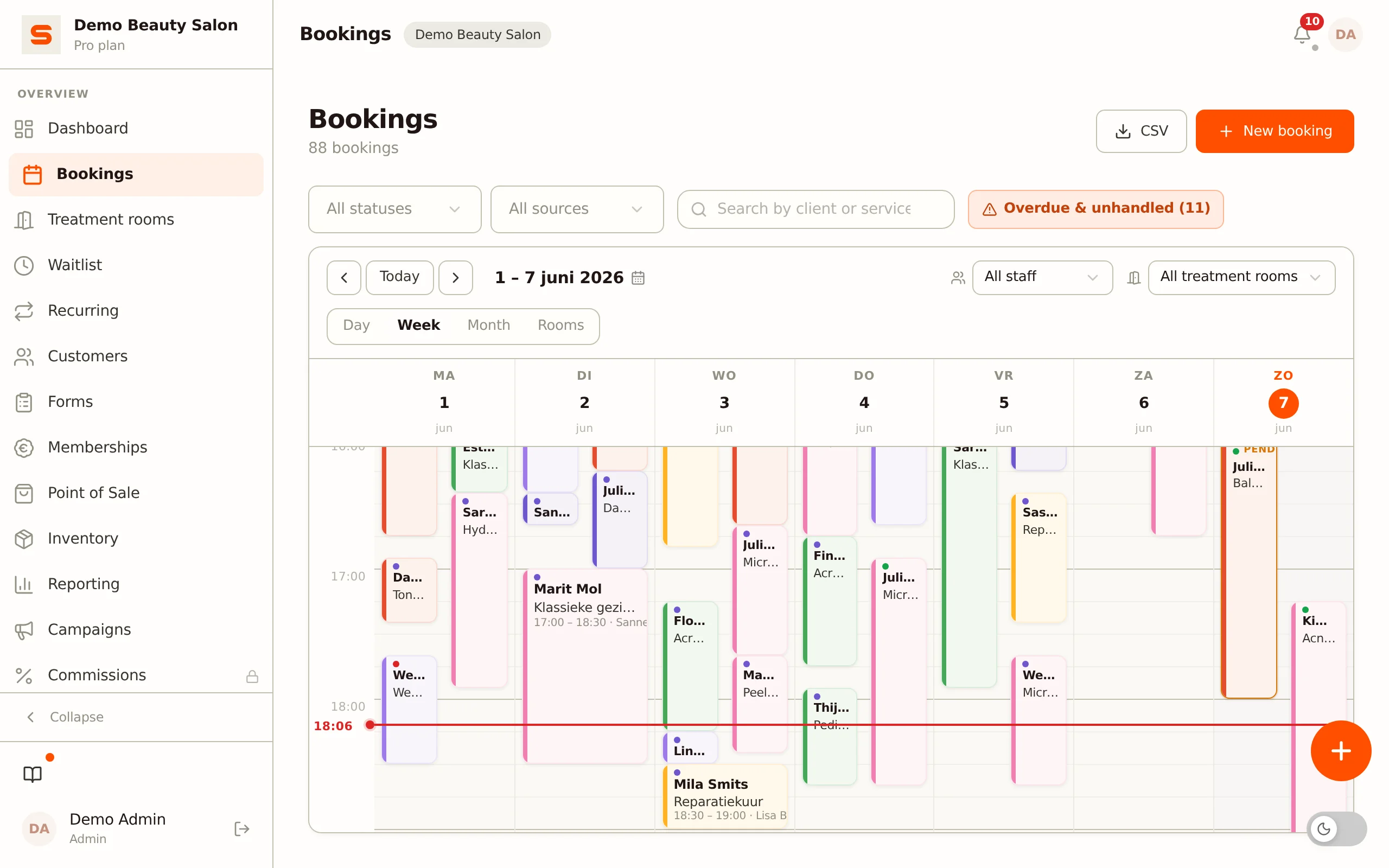
As a lash tech your calendar runs on refills: the same client comes back every two to three weeks, and a missed refill means a full new set. Salonnare brings your calendar, online booking, refill reminders, deposits, intake with patch test and the POS together in one platform, on your phone and on your laptop.
No setup fees - No credit card needed - Free tier - 9 languages
Registration open: register for free and get Pro
Anyone can register right away. Your salon gets Pro free until 31 March 2027, no payment details needed. Nothing switches to paid automatically.
Register for freeRefills on time
- ✓Clients book their refill online themselves, 24/7
- ✓Rebook reminder per treatment, for example after 18 days
- ✓Fully booked? Clients join the waitlist
Safe and careful
- ✓Patch test and consent recorded in the intake
- ✓Allergies and health questions stored encrypted
- ✓Only staff members with the right see health data
Fewer empty slots
- ✓Deposit when booking online, straight into your own account
- ✓Salon card with the next appointment in Apple Wallet and Google Wallet
- ✓Loyalty points and gift cards at the POS
Online booking: new set, refill or lash lift
Clients book 24/7 through your own booking page or from the Salonnare marketplace. Put a new set, a refill, a lash lift and removal in your menu as separate treatments, each with its own duration and price. No account needed: name, phone and treatment are enough. If the day is full, the client joins the waitlist and automatically gets a message as soon as a slot opens up.

Deposits against empty slots
A new set easily blocks two hours in your calendar. With Pro you ask for a deposit when clients book online (fixed amount or percentage), from everyone or only from new clients. The client pays via iDEAL or card, straight into your own Mollie or Stripe account. If she cancels in time herself, the amount is refunded automatically; on a no-show or late cancellation it stays with you.

Intake with patch test, stored encrypted
With an intake form (Starter) you ask beforehand about allergies, contact lenses, eye conditions and earlier reactions to adhesive, and the client gives consent with a tick. Record the patch test in the form or in a health note, optionally with a photo. Health answers are stored encrypted with AES-256-GCM on EU servers and are visible only to staff members you give that right.
POS and inventory for adhesive, lashes and aftercare
Check out with card, cash or a payment link. Connect a SumUp card reader or a Mollie card terminal, or enter the amount yourself on your own terminal. Sell lash shampoo and aftercare at the POS and keep track of adhesive, lash trays, primer and remover in your inventory, with an alert when something is running low. At the end of the day you close the register with a daily overview per payment method.

Built for the Dutch and European market
Salonnare is made for salons and independent lash techs: iDEAL payments, automatic VAT handling and GDPR-compliant client records on EU servers. A flat monthly fee with no marketplace commission on your bookings - just a platform fee of 0.5% (min. €0.30) per online payment, from €0 per month on the Free plan. Check our pricing or learn more about us. Do you do brows too? Then also take a look at software for brow artists.
Everything you need as a lash tech
Try Salonnare for free
Free tier: 1 staff member, 50 bookings per month. No credit card required.
Start for freeMore about lash studio software
Refills that book themselves
Eyelash extensions shed with the natural lash cycle, so a client comes back every two to three weeks for a refill. If she waits too long, there is too little left to fill and it becomes a new set. That is why in Salonnare you set your own rebook interval per group of treatments, for example 18 days after a volume set and 21 days after a classic set. At that moment Salonnare automatically emails the client with a link to book again.
Regular clients with a fixed rhythm get a recurring appointment, for example every three weeks on the same day and time. Clients reschedule or cancel themselves via the link in their email or under My appointments on your booking page, so you don't have to go back and forth with messages.
Treatments and duration per set
You put classic, hybrid, volume and mega volume in your menu as separate treatments, each with its own duration and price. A new 2-hour volume set and a 60-minute refill then show up correctly in your calendar straight away. A lash lift, lash tint or extension removal you add as a separate treatment. The reporting shows what each treatment brings in, so you know whether your refill price still adds up.
Patch test and intake for the first set
Many lash techs do a patch test before a first set, because adhesive can cause an allergic reaction. With an intake form (Starter) you ask beforehand about allergies, contact lenses, sensitive eyes and earlier reactions, and the client gives consent with a tick. She fills it in on her own phone via a secure link or on your tablet. You record the patch test in the form or in a health note on the client, optionally with a photo as an attachment.
Health answers are special-category personal data under the GDPR. That is why Salonnare stores them encrypted (AES-256-GCM) on EU servers, with access only for staff members you give that right. If a client asks for access, you export her dossier.
Reminders and the salon card in the Wallet
After booking, the client receives a confirmation by email and a reminder before the appointment. She can also add your salon to Apple Wallet or Google Wallet with one tap: the card shows the next appointment with date, time and treatment, and updates itself when you reschedule an appointment. The day before, a reminder follows on her phone. After the appointment a thank-you email goes out automatically, in which you put your aftercare tips: don't get them wet in the first 24 hours, no oil around the eyes, brush daily.
A day as a lash tech with Salonnare
You open the calendar on your phone and see today's refills and new sets, with last time's notes per client: curl, thickness, length and which adhesive she tolerates. A new client has already filled in her intake at home; the patch test is in her dossier.
After the treatment you check out at the POS, the deposit is automatically deducted from the receipt and the client adds a lash shampoo. As soon as you complete the appointment, the thank-you email with aftercare tips goes out. In 18 days she automatically gets a nudge for her refill. At the end of the day you close the register with one click.
Practical tips for lash techs
Plan refills and new sets in fixed blocks, so your day doesn't get fragmented. A deposit for new clients works well as a threshold against no-shows, while regular clients keep booking without a deposit. Set the rebook interval slightly shorter than the rhythm you recommend to your clients: a reminder on day 18 still leaves room to book for day 21.
Use the waitlist in busy weeks and for Friday and Saturday. Automatically ask for a Google review after every appointment: a lash tech is mostly found locally. And sell gift cards (Starter) around Mother's Day and the holidays; a lash lift is a popular gift.
Why Salonnare for your lash studio?
Many lash techs start with a calendar app and messages via Instagram or WhatsApp. That works until the calendar fills up: then you miss refills, forget who tolerates which adhesive and have no safety net against no-shows. Marketplaces partly solve that, but charge commission per booking.
Salonnare brings online booking, refill reminders, waitlist, deposits, intake with patch test, inventory and POS together, for a flat fee with no commission on your bookings: Free (€0, 1 staff member, 50 bookings per month), Starter (€9.99 excl. VAT) or Pro (€14.99 excl. VAT) per month. Check our pricing or all features.
VAT and accounting for lash techs
In the Netherlands, eyelash extensions, lash lifts and tinting fall under the 21% VAT rate, as do the products you sell. Salonnare calculates the VAT automatically on every receipt and in the daily report. Every POS transaction gets a sequential receipt number and timestamp, and the receipt is emailed to the client if she wants.
Gift cards only count for VAT when they are redeemed. You export your revenue as CSV in the format of Moneybird, e-Boekhouden or Exact Online, with services and products separate.
Growing: from independent lash tech to lash studio
Most lash techs start alone on the Free plan and move to Starter (up to 3 staff members) or Pro (unlimited) when a colleague joins. Each stylist gets their own schedule, and clients choose a stylist or "no preference" when booking online. With permissions per staff member you decide who sees revenue and health data.
If you work with a steady core of clients, with Pro you can offer a membership, for example a monthly fee with one refill included, collected automatically through your own Mollie or Stripe account. Check the pricing plans to see which plan fits you.
Frequently asked questions about lash studio software
Can I automatically let clients know their refill is due?
Yes. In the rebook reminder you set your own interval per group of treatments, for example 18 days after a volume set. Salonnare automatically emails the client at that moment with a link to book again. You can also give regular clients a recurring appointment, for example every three weeks.
Can I set up classic, hybrid and volume separately?
Yes. Put them in your menu as separate treatments, each with its own price and duration, and create a refill for each as well. The calendar automatically blocks the right time, and the reporting shows revenue per treatment.
How do I record a patch test?
In the intake form (Starter) or in a health note on the client, optionally with a photo as an attachment. That way you see before the first set when the test was done. Health data is stored encrypted and is visible only to staff members with the right to see it.
Can I ask for a deposit for a new set?
Yes, with Pro. You choose who pays a deposit (everyone, only new clients or no one), a fixed amount or a percentage, and optionally extra rules per treatment. The client pays via iDEAL or card when booking online, straight into your own Mollie or Stripe account, and the POS later deducts the amount from the receipt.
What happens when my calendar is full?
Then the client joins the waitlist for the day and time she wants. If an appointment drops out, the client who fits automatically gets an email to book the slot.
Is Salonnare suitable if I work alone, from home?
Yes. The Free plan is enough for an independent lash tech: 1 staff member, 50 appointments per month, online booking, POS, client management and email reminders. Intake forms come with Starter (€9.99 per month excl. VAT), deposits with Pro (€14.99 per month excl. VAT).
Does Salonnare also work on my phone?
Yes. Salonnare works in the browser and as an app for iPhone and Android. So you have your calendar, client dossiers and POS at hand between two clients too.
What happens to my data if I want to cancel?
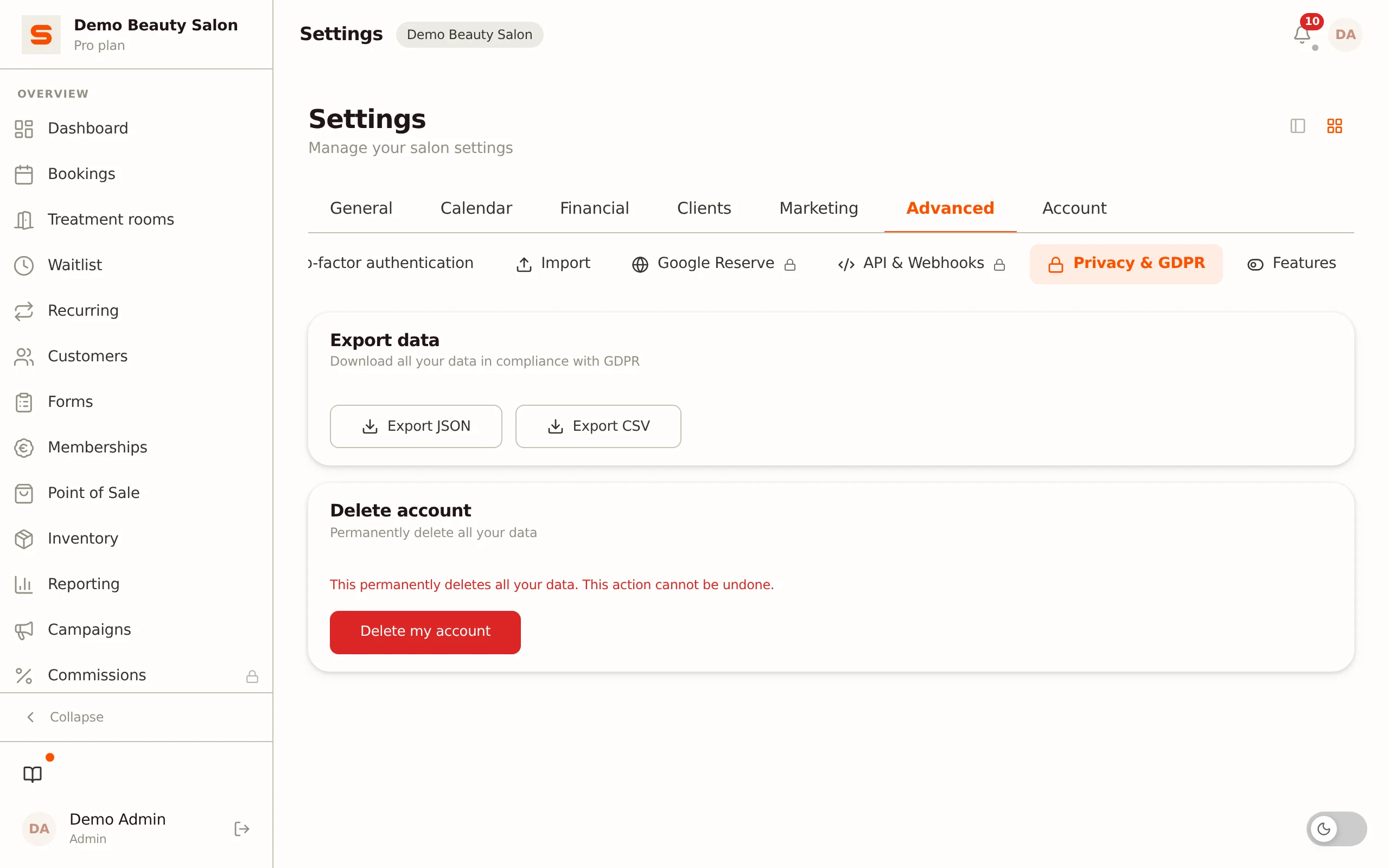
You cancel a paid subscription via Settings > Subscription; it runs until the end of the paid period, after which you go back to the [Free plan](/free) and your data stays in place. Under Privacy & GDPR you download a full export (JSON) or a client list (CSV), and you can also delete your account yourself.